Free Urdu Typing Test: Check Your Speed & Accuracy
Instantly measure your Words Per Minute (WPM), track your accuracy, and master touch typing in Urdu with our accurate practice tool.

This free online Urdu typing test (اردو ٹائپنگ ٹیسٹ) lets you check your Words Per Minute (WPM) speed and typing accuracy in real time. Designed specifically for the standard Urdu Phonetic keyboard layout, our Urdu typing speed test helps you prepare for government recruitment exams (including PPSC Junior Clerk, FPSC Assistant, and NTS tests) or improve daily typing proficiency without guessing key positions.
Why Take an Online Urdu Typing Speed Test?
If you already type fast in English, typing in Urdu for the first time can feel disorienting. Because Urdu is written right to left and uses cursive characters that connect and change shape depending on their position in a word, your eyes must track text in the opposite direction. If you hunt for keys visually, you spend most of your mental energy searching the keyboard instead of focusing on the text you want to compose.
Touch typing in Urdu changes that completely. By practicing on the standardized Urdu Phonetic layout, your fingers learn the physical locations of base letters, aspirated consonants, and diacritics through pure muscle memory. You stop stuttering on complex words, avoid wrist strain, and build the speed needed for professional computer operator and clerk assessments.
How is Urdu WPM Calculated? (The Math Explained)
A frequent question from typists practicing on this platform is: "Why did my WPM score drop when long words appeared?"
Urdu vocabulary frequently includes compound words derived from Persian and Arabic (for example, بین الاقوامی or قائم مقام). If our test simply counted space-separated words, a passage made up of short words would give you an inflated score, while an official bureaucratic notification would make your speed look unfairly slow.
To keep scoring standard and match official government testing software, typing speed is measured using individual keystrokes. Exactly five keystrokes count as one standard word, including base letters, spaces, and punctuation. For a full breakdown of this formula, read our guide on how WPM is calculated.
Gross WPM measures your total typing output before mistakes are considered. Net WPM, which is the official qualifying score used by examination boards, subtracts your uncorrected errors. For example, if you type 200 characters in one minute, your Gross WPM is 40 (200 divided by 5). If you leave two uncorrected errors, your Net WPM drops to 38. In government recruitment exams, accuracy is strictly enforced. A typist clocking a steady 25 WPM with 98% accuracy passes, while someone hitting 40 WPM riddled with typos is disqualified. To avoid losing points to careless mistakes, review our tips on how to increase typing accuracy and explore the difference between Net WPM vs. Gross WPM.
Mastering Urdu Keyboard Layouts: Phonetic vs. InPage
Before spending weeks building muscle memory, you should understand the two main keyboard layouts used for Urdu typing:
Urdu Phonetic Keyboard (CRULP Standard): The modern standard used by Windows 10 and 11, macOS, Android, and official government examination bodies (like PPSC and FPSC). It maps Urdu characters to English QWERTY keys based on their sound. For example, pressing A produces ا, B produces ب, and P produces پ. This makes touch typing intuitive for anyone who already knows QWERTY.
InPage Urdu Layout: The traditional layout popularized in the 1990s for newspaper publishing and offset printing. While older court typists and publishing houses still use InPage, modern web publishing and government computer tests have transitioned to Unicode-based Urdu Phonetic.
To enable the Urdu layout on your PC without installing third-party drivers, follow our step-by-step tutorial on how to enable keyboard layouts on Windows, along with our guide on 10-finger typing for non-Latin scripts.
| Finger | Home Row Key (QWERTY) | Urdu Characters (Normal / Shift) |
|---|---|---|
| Left Pinky | A |
ا (Shift: آ) |
| Left Ring | S |
س (Shift: ص) |
| Left Middle | D |
د (Shift: ڈ) |
| Left Index | F, G |
ف, گ (Shift: ف, غ) |
| Right Index | H, J |
ہ, ج (Shift: ھ, ض) |
| Right Middle & Ring | K, L |
ک, ل (Shift: خ, ل) |
How to Improve Your Urdu Typing Speed
Building real typing speed in Urdu comes down to steady finger discipline rather than rushing.
Phase 1: Home Row Discipline (0-20 WPM)
When you start practicing, keep your eyes on the screen at all times. Looking down at your keyboard resets your muscle memory to zero. To master this technique, follow our tutorial on how to type without looking at the keyboard. Anchor your index fingers on the tactile bumps on keys F and J. Use our 1-Minute Urdu Typing Test to drill short common words until your fingers find the home row letters without pausing.
Phase 2: Conquering Aspirated Letters and Shift Keys (20-35 WPM)
The biggest roadblock for intermediate Urdu typists is the difference between Do-Chashmi Hay and Gol Hay. The aspirated letters (like بھ, پھ, تھ, ٹھ) must be typed using Do-Chashmi Hay (Shift + H). Beginners frequently make the mistake of using normal Gol Hay (H), which causes automated testing software to mark the word as misspelled. Practice these letter pairs specifically until hitting Shift feels effortless.
Phase 3: Reading Ahead and Exam Stamina (35-50+ WPM)
To reach competitive typing speeds, stop reading letter by letter. Train your eyes to read one full word ahead on the screen from right to left while your fingers finish typing the current word. It is also important to practice with longer text passages. Many candidates test well during short 1-minute sprints but suffer from finger fatigue during the final minutes of a 10-minute exam.
Urdu Typing Requirements for Government Exams in Pakistan
If you are applying for public service positions in Pakistan, passing a timed Urdu typing test is mandatory for clerical and administrative appointments.
| Testing Body / Institution | Post / Designation | Passing Urdu Speed | Standard Layout | Test Duration |
|---|---|---|---|---|
| Punjab Public Service Commission (PPSC) | Junior Clerk (BS-11) | 25 WPM (Urdu) / 30 WPM (English) | Urdu Phonetic | 5 or 10 Minutes |
| Federal Public Service Commission (FPSC) | Lower / Upper Division Clerk (LDC / UDC) | 30 WPM (Urdu) | Urdu Phonetic | 10 Minutes |
| High Courts & District Courts | Stenographer / Computer Operator | 35 to 40 WPM (Urdu) | Urdu Phonetic or InPage | 5 or 10 Minutes |
| Testing Services (NTS, PTS, OTS) | Data Entry Operator (DEO) | 30 WPM (Urdu) | Urdu Phonetic | 10 Minutes |
Most official exam centers in Pakistan use testing environments where backspacing is restricted or heavily penalized under negative marking rules (a habit covered in our guide to common typing mistakes ruining your WPM). To prepare under authentic test-day conditions, test your stamina with our 5-Minute Urdu Typing Test, or train for full exam sessions on the 10-Minute Urdu Typing Test. If you are preparing for public sector DEO openings, also review our comprehensive breakdown of data entry job typing requirements alongside general typing test requirements for employment.
Related Tests
Try Different Durations
Test your typing skills with different time limits in Urdu (اردو).
Try Different Languages
Test your typing skills in different languages with the same 1-minute duration.
 English
'/%3e%3cpath fill='%23c8b100' stroke='none' d='M166.42 264.65c1.99-.72 3.29-1.58 2.66-3.14-.41-1-1.43-1.19-2.97-.63l-2.71.99 2.44 6.03c.27-.12.54-.24.81-.34.28-.1.57-.18.85-.26l-1.08-2.64v-.01zm-1.18-2.91.69-.25c.57-.21 1.21.1 1.5.8.21.53.16 1.13-.5 1.55-.21.13-.46.23-.7.33l-.99-2.43m7.54-2.52c-.29.08-.57.16-.86.22-.29.05-.59.09-.88.12l1.41 6.28 4.38-.88c-.05-.12-.12-.26-.14-.38-.03-.14-.03-.28-.04-.41-.77.22-1.61.46-2.61.66l-1.26-5.61m8.78 5.41c.82-2.28 1.82-4.46 2.81-6.67-.18.03-.36.06-.54.07s-.37.01-.54 0c-.53 1.61-1.18 3.21-1.87 4.8-.82-1.51-1.73-2.99-2.43-4.51-.34.04-.69.09-1.03.12-.34.02-.7.01-1.04.02 1.26 2.06 2.48 4.11 3.64 6.23.16-.03.32-.06.5-.08.16-.01.33.01.5.02m9.16-4.83c.15-.31.31-.6.48-.89-.24-.22-.96-.55-1.81-.63-1.79-.18-2.81.61-2.93 1.69-.26 2.26 3.31 2.07 3.14 3.57-.07.64-.75.9-1.48.83-.81-.08-1.41-.53-1.51-1.19l-.22-.02c-.12.39-.29.77-.48 1.15.53.34 1.21.53 1.85.59 1.83.19 3.22-.54 3.35-1.74.23-2.15-3.37-2.27-3.23-3.54.06-.53.47-.88 1.4-.79.67.07 1.08.43 1.26.95l.18.02m119.58 5.18c.62-2.33 1.41-4.58 2.19-6.87-.17.05-.35.09-.53.11-.17.03-.36.04-.54.05-.37 1.64-.88 3.29-1.42 4.94-.96-1.44-2-2.84-2.83-4.3-.34.07-.68.15-1.02.2s-.69.07-1.04.11c1.45 1.94 2.85 3.89 4.2 5.91.16-.04.32-.1.5-.12.16-.02.33-.02.49-.03m6.18-6.82c-.29.01-.59.04-.88.03-.3 0-.6-.04-.89-.06l-.12 6.41 4.49.08c-.03-.13-.06-.28-.06-.41s.04-.27.07-.4c-.81.05-1.68.1-2.71.08l.1-5.73m7.04 1.05c.72.06 1.41.19 2.1.31-.01-.13-.03-.27-.02-.41.01-.13.06-.26.1-.39l-6.07-.5c.01.14.03.27.02.4-.01.14-.06.27-.1.4.62-.02 1.37-.02 2.21.05l-.53 5.77c.29 0 .59 0 .88.03.3.02.59.07.88.11l.53-5.77m2.49 6.32c.29.05.59.09.88.15.28.06.57.15.85.23l.72-2.94.08.01c.16.41.38.9.49 1.19l.9 2.22c.36.06.71.11 1.05.18.36.08.7.18 1.04.28l-.31-.67c-.48-1-.99-2.01-1.41-3.02 1.12.04 1.98-.36 2.2-1.26.15-.62-.1-1.11-.68-1.53-.44-.31-1.28-.47-1.83-.6l-2.44-.53-1.54 6.29m3.14-5.42c.71.16 1.59.27 1.59 1.07-.01.21-.03.35-.06.48-.23.94-.94 1.26-2.13.91l.6-2.46m8.42 7.35c-.05.69-.18 1.37-.31 2.1.3.14.61.27.9.44.3.16.57.34.86.52l.6-7.23c-.14-.06-.27-.12-.41-.19-.13-.07-.25-.15-.37-.24l-6.38 4.05c.17.08.35.16.51.25.17.09.31.19.47.28.54-.45 1.1-.82 1.74-1.3l2.39 1.31v.01zm-1.81-1.66 2.13-1.37-.25 2.4-1.88-1.03'/%3e%3cpath fill='%23ad1519' stroke-width='.26' d='M249.65 182.72c6.64 0 12.56.99 16.41 2.51 2.2 1 5.16 1.73 8.4 2.17 2.47.33 4.81.39 6.85.24 2.73-.06 6.67.74 10.62 2.48 3.26 1.45 5.99 3.21 7.8 4.91l-1.57 1.4-.45 3.96-4.3 4.92-2.15 1.83-5.09 4.07-2.6.21-.79 2.25-32.91-3.86-33.02 3.86-.79-2.25-2.61-.21-5.08-4.07-2.15-1.83-4.3-4.92-.44-3.96-1.58-1.4c1.82-1.7 4.54-3.46 7.8-4.91 3.95-1.74 7.89-2.54 10.62-2.48 2.04.15 4.38.09 6.85-.24 3.24-.44 6.2-1.17 8.4-2.17 3.86-1.52 9.44-2.51 16.08-2.51z'/%3e%3cg fill='%23c8b100'%3e%3cpath d='m225.34 191.42 1.38 1.11 2.08-3.4c-2.25-1.38-3.8-3.78-3.8-6.51 0-.31.02-.61.06-.91.21-4.34 5.5-7.92 12.2-7.92 3.48 0 6.63.95 8.84 2.48.06-.67.12-1.25.21-1.86-2.43-1.42-5.6-2.28-9.05-2.28-7.71 0-13.74 4.39-14.03 9.57-.03.31-.05.61-.05.92 0 2.76 1.26 5.26 3.26 6.99l-1.1 1.81'/%3e%3cpath d='M225.43 191.46c-2.63-1.97-4.27-4.64-4.27-7.58 0-3.38 2.22-6.4 5.58-8.41-2.07 1.67-3.33 3.83-3.51 6.23-.03.31-.05.61-.05.92 0 2.76 1.26 5.26 3.26 6.99l-1.01 1.85'/%3e%3cpath d='M202.21 194.89c-1.48-1.65-2.38-3.79-2.38-6.12 0-1.41.33-2.75.91-3.95 2.13-4.38 8.82-7.57 16.76-7.57 2.16 0 4.23.23 6.14.67-.42.46-.75.97-1.08 1.48-1.59-.31-3.29-.48-5.06-.48-7.27 0-13.36 2.83-15.12 6.65a7.33 7.33 0 0 0-.73 3.2c0 2.32 1.09 4.4 2.79 5.82l-2.63 4.3-1.41-1.12 1.81-2.88z'/%3e%3cpath d='M204.9 180.48c-1.91 1.21-3.36 2.69-4.16 4.34-.58 1.2-.91 2.54-.91 3.95 0 2.33.9 4.47 2.38 6.12l-1.6 2.59c-1.53-1.96-2.42-4.26-2.42-6.7 0-4.2 2.67-7.87 6.71-10.3zm45.14-9.21c1.76 0 3.28 1.16 3.64 2.73.23 1.38.38 2.95.41 4.62.01.18-.01.35-.01.52 0 .2.04.41.05.61.06 3.52.56 6.62 1.27 8.52l-5.36 5.14-5.43-5.14c.72-1.9 1.22-5 1.29-8.52 0-.2.04-.41.04-.61 0-.17-.01-.34-.01-.52.03-1.67.18-3.24.41-4.62.36-1.57 1.94-2.73 3.7-2.73z'/%3e%3cpath d='M250.04 172.94c.91 0 1.68.58 1.87 1.39.23 1.31.37 2.8.4 4.38 0 .16-.01.32-.01.48 0 .2.03.39.04.59.05 3.32.53 6.25 1.21 8.05l-3.54 3.35-3.54-3.35c.67-1.8 1.15-4.73 1.21-8.05 0-.2.04-.39.04-.59 0-.16-.01-.32-.01-.48.03-1.58.17-3.07.4-4.38.18-.81 1.02-1.39 1.93-1.39zm24.66 18.48-1.39 1.11-2.08-3.4c2.26-1.38 3.81-3.78 3.81-6.51 0-.31-.02-.61-.06-.91-.21-4.34-5.5-7.92-12.2-7.92-3.49 0-6.63.95-8.84 2.48-.06-.67-.12-1.25-.22-1.86 2.44-1.42 5.6-2.28 9.06-2.28 7.71 0 13.74 4.39 14.03 9.57.03.31.05.61.05.92 0 2.76-1.27 5.26-3.27 6.99l1.11 1.81'/%3e%3cpath d='M274.61 191.46c2.63-1.97 4.27-4.64 4.27-7.58 0-3.38-2.22-6.4-5.58-8.41 2.07 1.67 3.33 3.83 3.51 6.23.03.31.05.61.05.92 0 2.76-1.27 5.26-3.27 6.99l1.02 1.85'/%3e%3cpath d='M297.83 194.89c1.47-1.65 2.38-3.79 2.38-6.12 0-1.41-.33-2.75-.91-3.95-2.14-4.38-8.82-7.57-16.76-7.57-2.16 0-4.23.23-6.15.67.43.46.76.97 1.09 1.48 1.58-.31 3.29-.48 5.06-.48 7.27 0 13.35 2.83 15.11 6.65.47.97.73 2.06.73 3.2 0 2.32-1.09 4.4-2.79 5.82l2.63 4.3 1.42-1.12-1.81-2.88z'/%3e%3cpath d='M295.14 180.48c1.91 1.21 3.36 2.69 4.16 4.34.58 1.2.91 2.54.91 3.95 0 2.33-.91 4.47-2.38 6.12l1.6 2.59c1.53-1.96 2.41-4.26 2.41-6.7 0-4.2-2.67-7.87-6.7-10.3z'/%3e%3cellipse cx='250.05' cy='167.3' fill='%23005bbf' stroke-width='.26' rx='4.43' ry='4.2'/%3e%3cpath stroke-width='.26' d='M248.89 155.54v2.26h-2.42v2.3h2.42v6.61h-3.05c-.03.21-.22.37-.22.59 0 .58.12 1.14.35 1.64 0 .02.02.02.03.03h8.12c0-.01.02-.01.03-.03.22-.5.35-1.06.35-1.64 0-.22-.19-.38-.22-.59h-2.96v-6.61h2.42v-2.3h-2.42v-2.26h-2.43z'/%3e%3c/g%3e%3cg fill='%23fff'%3e%3cellipse cx='250.04' cy='188.94' rx='1.91' ry='1.8'/%3e%3cellipse cx='250.04' cy='185.4' rx='1.91' ry='1.8'/%3e%3cellipse cx='250.04' cy='181.6' rx='1.52' ry='1.44'/%3e%3cellipse cx='250.04' cy='178.18' rx='1.1' ry='1.04'/%3e%3cellipse cx='250.04' cy='175.18' rx='.88' ry='.83'/%3e%3cellipse cx='198.94' cy='198.67' rx='1.1' ry='1.04'/%3e%3cellipse cx='197.44' cy='196.02' rx='1.1' ry='1.04'/%3e%3cellipse cx='196.44' cy='192.94' rx='1.1' ry='1.04'/%3e%3cellipse cx='196.31' cy='189.64' rx='1.1' ry='1.04'/%3e%3cellipse cx='197.12' cy='186.4' rx='1.1' ry='1.04'/%3e%3cellipse cx='198.81' cy='183.45' rx='1.1' ry='1.04'/%3e%3cellipse cx='201.06' cy='181.02' rx='1.1' ry='1.04'/%3e%3cellipse cx='203.68' cy='179.01' rx='1.1' ry='1.04'/%3e%3cellipse cx='206.8' cy='177.36' rx='1.1' ry='1.04'/%3e%3cellipse cx='210.04' cy='176.19' rx='1.1' ry='1.04'/%3e%3cellipse cx='213.66' cy='175.54' rx='1.1' ry='1.04'/%3e%3cellipse cx='217.1' cy='175.36' rx='1.1' ry='1.04'/%3e%3cellipse cx='220.47' cy='175.48' rx='1.1' ry='1.04'/%3e%3cellipse cx='224.21' cy='190.32' rx='1.1' ry='1.04'/%3e%3cellipse cx='222.34' cy='187.65' rx='1.1' ry='1.04'/%3e%3cellipse cx='221.35' cy='184.75' rx='1.1' ry='1.04'/%3e%3cellipse cx='221.47' cy='181.57' rx='1.1' ry='1.04'/%3e%3cellipse cx='222.16' cy='178.37' rx='1.1' ry='1.04'/%3e%3cellipse cx='223.84' cy='175.48' rx='1.1' ry='1.04'/%3e%3cellipse cx='226.4' cy='173.47' rx='1.1' ry='1.04'/%3e%3cellipse cx='229.39' cy='171.81' rx='1.1' ry='1.04'/%3e%3cellipse cx='232.7' cy='170.82' rx='1.1' ry='1.04'/%3e%3cellipse cx='236.13' cy='170.23' rx='1.1' ry='1.04'/%3e%3cellipse cx='239.5' cy='170.28' rx='1.1' ry='1.04'/%3e%3cellipse cx='242.99' cy='170.87' rx='1.1' ry='1.04'/%3e%3cellipse cx='246.23' cy='171.99' rx='1.1' ry='1.04'/%3e%3cellipse cx='253.8' cy='171.99' rx='1.1' ry='1.04'/%3e%3cellipse cx='257.04' cy='170.87' rx='1.1' ry='1.04'/%3e%3cellipse cx='260.54' cy='170.28' rx='1.1' ry='1.04'/%3e%3cellipse cx='263.9' cy='170.23' rx='1.1' ry='1.04'/%3e%3cellipse cx='267.34' cy='170.82' rx='1.1' ry='1.04'/%3e%3cellipse cx='270.64' cy='171.81' rx='1.1' ry='1.04'/%3e%3cellipse cx='273.64' cy='173.47' rx='1.1' ry='1.04'/%3e%3cellipse cx='276.19' cy='175.48' rx='1.1' ry='1.04'/%3e%3cellipse cx='277.88' cy='178.37' rx='1.1' ry='1.04'/%3e%3cellipse cx='278.57' cy='181.57' rx='1.1' ry='1.04'/%3e%3cellipse cx='278.69' cy='184.75' rx='1.1' ry='1.04'/%3e%3cellipse cx='277.69' cy='187.65' rx='1.1' ry='1.04'/%3e%3cellipse cx='275.83' cy='190.32' rx='1.1' ry='1.04'/%3e%3cellipse cx='279.57' cy='175.48' rx='1.1' ry='1.04'/%3e%3cellipse cx='282.94' cy='175.36' rx='1.1' ry='1.04'/%3e%3cellipse cx='286.38' cy='175.54' rx='1.1' ry='1.04'/%3e%3cellipse cx='290' cy='176.19' rx='1.1' ry='1.04'/%3e%3cellipse cx='293.24' cy='177.36' rx='1.1' ry='1.04'/%3e%3cellipse cx='296.36' cy='179.01' rx='1.1' ry='1.04'/%3e%3cellipse cx='298.97' cy='181.02' rx='1.1' ry='1.04'/%3e%3cellipse cx='301.22' cy='183.45' rx='1.1' ry='1.04'/%3e%3cellipse cx='302.91' cy='186.4' rx='1.1' ry='1.04'/%3e%3cellipse cx='303.72' cy='189.64' rx='1.1' ry='1.04'/%3e%3cellipse cx='303.6' cy='192.94' rx='1.1' ry='1.04'/%3e%3cellipse cx='302.6' cy='196.02' rx='1.1' ry='1.04'/%3e%3cellipse cx='301.1' cy='198.67' rx='1.1' ry='1.04'/%3e%3c/g%3e%3cg fill='%23c8b100'%3e%3cpath d='M250.15 226.18c-12.26-.02-23.25-1.47-31.09-3.83-.57-.18-.87-.7-.84-1.25-.01-.52.29-1 .84-1.17 7.84-2.36 18.83-3.81 31.09-3.83 12.27.02 23.25 1.47 31.09 3.83.55.17.84.65.83 1.17.03.55-.27 1.07-.83 1.25-7.84 2.36-18.82 3.81-31.09 3.83'/%3e%3cpath d='M250.07 216.09c-12.41.03-23.55 1.58-31.39 4 .65-.31.59-1.12-.22-3.2-.98-2.53-2.5-2.42-2.5-2.42 8.66-2.56 20.73-4.16 34.16-4.18 13.44.02 25.6 1.62 34.27 4.18 0 0-1.53-.11-2.51 2.42-.81 2.08-.87 2.89-.21 3.2-7.84-2.42-19.19-3.97-31.6-4'/%3e%3cpath d='M250.12 210.3c-13.43.02-25.5 1.62-34.16 4.18-.58.17-1.19-.05-1.38-.6s.12-1.18.7-1.35c8.71-2.67 21.08-4.35 34.84-4.38 13.77.03 26.19 1.71 34.9 4.38.58.17.89.8.7 1.35s-.8.77-1.38.6c-8.67-2.56-20.78-4.16-34.22-4.18'/%3e%3cpath d='m250.2 199.78 1.23.22c-.19.5-.24 1.05-.24 1.63 0 2.57 2.21 4.65 4.92 4.65 2.18 0 4.04-1.35 4.67-3.21.08.05.47-1.68.68-1.66.17.02.15 1.8.22 1.77.31 2.34 2.46 3.93 4.87 3.93 2.71 0 4.91-2.08 4.91-4.65 0-.19-.01-.38-.04-.57l1.54-1.52.83 1.94c-.33.61-.46 1.3-.46 2.03 0 2.46 2.1 4.44 4.69 4.44 1.63 0 3.06-.78 3.9-1.97l.99-1.25-.01 1.53c0 1.55.66 2.93 2.16 3.18 0 0 1.73.1 4.03-1.7 2.29-1.8 3.55-3.29 3.55-3.29l.2 1.8s-1.9 2.95-3.97 4.15c-1.14.66-2.86 1.35-4.23 1.13-1.44-.24-2.48-1.4-3.01-2.74-1.03.61-2.25.97-3.55.97-2.81 0-5.33-1.54-6.32-3.86-1.29 1.4-3.09 2.25-5.2 2.25-2.24 0-4.29-1.01-5.57-2.56a7.198 7.198 0 0 1-4.88 1.87c-2.48 0-4.69-1.22-5.94-3.05-1.25 1.83-3.46 3.05-5.94 3.05-1.89 0-3.61-.71-4.87-1.87-1.28 1.55-3.34 2.56-5.58 2.56-2.11 0-3.9-.85-5.19-2.25-1 2.32-3.52 3.86-6.32 3.86-1.31 0-2.52-.36-3.55-.97-.54 1.34-1.57 2.5-3.02 2.74-1.36.22-3.08-.47-4.22-1.13-2.08-1.2-3.98-4.15-3.98-4.15l.2-1.8s1.27 1.49 3.56 3.29c2.29 1.81 4.02 1.7 4.02 1.7 1.51-.25 2.16-1.63 2.16-3.18l-.01-1.53.99 1.25c.84 1.19 2.28 1.97 3.9 1.97 2.59 0 4.69-1.98 4.69-4.44 0-.73-.13-1.42-.46-2.03l.83-1.94 1.54 1.52c-.02.19-.04.38-.04.57 0 2.57 2.2 4.65 4.91 4.65 2.42 0 4.56-1.59 4.88-3.93.06.03.05-1.75.22-1.77.2-.02.6 1.71.67 1.66.64 1.86 2.49 3.21 4.68 3.21 2.71 0 4.91-2.08 4.91-4.65 0-.58-.03-1.13-.24-1.63l1.29-.22'/%3e%3cpath d='M208.37 206.32a2.24 2.24 0 0 0-.72-1.06c-.79-.68-1.84-.79-2.36-.25-.07.07-.13.17-.17.25 0 0-1.11-2.08-2.41-2.78-1.29-.7-3.49-.52-3.49-.52 0-1.6 1.3-2.89 2.99-2.89.99 0 1.92.41 2.48 1.11l.23-1.07s1.36.27 1.98 1.82-.06 3.8-.06 3.8.34-.96.85-1.61c.51-.64 1.81-1.34 2.49-1.66.67-.31 1.37-.79 1.37-.79s.03.18.05.61c.03.51-.01.83-.01.83 1.24-.17 2.69.04 3.83.48-.49.95-1.41 1.84-2.62 2.3 0 0 .44.36.83.75.34.34.44.49.44.49s-.85.13-1.27.19c-.43.05-1.84.28-2.69.22-.62-.04-1.32-.14-1.74-.22'/%3e%3cpath fill='%23ad1519' d='M205.29 205.01c.52-.54 1.57-.43 2.36.25.8.67 1.02 1.66.51 2.19-.51.54-1.57.42-2.36-.25-.79-.68-1.02-1.66-.51-2.19'/%3e%3cpath fill='%23fff' d='M216.39 205.91c-.28-.83-.03-1.65.57-1.83.6-.19 1.32.33 1.6 1.16s.03 1.65-.57 1.84c-.6.18-1.31-.34-1.6-1.17'/%3e%3cpath d='M226.12 201.86c-.33-.27-.59-.64-.67-1.08s.01-.87.23-1.23c0 0-.88-.44-1.83-.69-.72-.19-1.99-.2-2.37-.2-.38-.02-1.15-.03-1.15-.03s.07.17.28.55c.27.46.5.75.5.75-1.27.29-2.35 1.12-3.03 2.09.99.68 2.3 1.1 3.6.97 0 0-.12.34-.2.86-.06.43-.06.61-.06.61s.71-.26 1.07-.39c.35-.13 1.54-.55 2.15-.96.8-.54 1.48-1.25 1.48-1.25'/%3e%3cpath d='M225.68 191.65c1.06.67 1.98 1.79 2.3 3.03 0 0 .13-.25.71-.59.59-.33 1.09-.32 1.09-.32s-.17.97-.25 1.32c-.09.34-.09 1.38-.32 2.32-.23.93-.63 1.68-.63 1.68-.42-.34-.99-.51-1.58-.41-.58.1-1.06.44-1.32.9 0 0-.66-.58-1.21-1.38-.55-.81-.93-1.78-1.13-2.08-.21-.3-.72-1.15-.72-1.15s.47-.18 1.14-.05c.67.12.88.32.88.32-.14-1.28.28-2.62 1.04-3.59'/%3e%3cpath d='M228.97 201.38a1.727 1.727 0 0 0-.42-2.3s.67-.71 1.47-1.26c.6-.41 1.8-.82 2.15-.95.36-.13 1.07-.4 1.07-.4s0 .18-.06.61c-.08.52-.2.87-.2.87 1.3-.14 2.62.29 3.61.98-.69.97-1.77 1.79-3.04 2.08 0 0 .23.28.5.74.21.39.28.56.28.56l-1.15-.03c-.38 0-1.65-.01-2.37-.2-.95-.25-1.84-.69-1.84-.69'/%3e%3cellipse cx='227.37' cy='200.45' fill='%23ad1519' rx='2.17' ry='2.06'/%3e%3cpath fill='%23fff' d='M237.76 201.77c-.11-.87.31-1.63.93-1.7.63-.07 1.23.57 1.34 1.44.11.86-.3 1.63-.93 1.7-.62.07-1.22-.57-1.34-1.44'/%3e%3cpath d='M248.5 199.83c-.32-.36-.53-.82-.53-1.33 0-.5.19-.97.51-1.32 0 0-.89-.67-1.89-1.12-.77-.35-2.18-.59-2.6-.67l-1.28-.24s.04.2.2.67c.2.56.4.93.4.93-1.47.08-2.85.81-3.81 1.76.96.94 2.34 1.66 3.81 1.75 0 0-.2.36-.4.93-.16.46-.2.67-.2.67l1.28-.24c.42-.08 1.83-.32 2.6-.67 1-.46 1.91-1.11 1.91-1.11'/%3e%3cpath d='M250.11 188.36c1.05.95 1.85 2.36 1.95 3.82 0 0 .19-.27.91-.53.73-.26 1.28-.16 1.28-.16s-.39 1.05-.55 1.42c-.17.37-.39 1.53-.84 2.53-.44 1-1.05 1.76-1.05 1.76-.4-.45-1-.75-1.67-.75-.68 0-1.27.3-1.67.75 0 0-.61-.76-1.05-1.76-.45-1-.67-2.16-.84-2.53s-.56-1.42-.56-1.42.56-.1 1.28.16.92.53.92.53c.1-1.46.86-2.87 1.89-3.82'/%3e%3cpath d='M251.76 199.83c.33-.36.53-.82.53-1.33 0-.5-.19-.97-.51-1.32 0 0 .89-.67 1.9-1.12.76-.35 2.17-.59 2.6-.67l1.26-.24s-.02.2-.19.67c-.2.56-.4.93-.4.93 1.47.08 2.86.81 3.81 1.76-.95.94-2.33 1.66-3.81 1.75 0 0 .2.36.4.93.16.46.19.67.19.67l-1.26-.24c-.43-.08-1.84-.32-2.6-.67-1.01-.46-1.92-1.11-1.92-1.11'/%3e%3cellipse cx='250.14' cy='198.5' fill='%23ad1519' rx='2.17' ry='2.06'/%3e%3cpath fill='%23fff' d='M262.58 201.77c.11-.87-.3-1.63-.93-1.7s-1.23.57-1.34 1.44c-.11.86.31 1.63.93 1.7.63.07 1.23-.57 1.34-1.44'/%3e%3cpath d='M271.38 201.38c-.22-.35-.32-.79-.25-1.23.09-.44.33-.81.67-1.07 0 0-.67-.71-1.47-1.26-.61-.41-1.8-.82-2.16-.95-.35-.13-1.06-.4-1.06-.4s-.01.18.06.61c.08.52.19.87.19.87-1.29-.14-2.61.29-3.6.98.68.97 1.77 1.79 3.03 2.08 0 0-.23.28-.49.74-.22.39-.28.56-.28.56l1.14-.03c.38 0 1.66-.01 2.37-.2.95-.25 1.84-.69 1.84-.69'/%3e%3cpath d='M274.67 191.65c-1.06.67-1.98 1.79-2.31 3.03 0 0-.12-.25-.71-.59-.58-.33-1.09-.32-1.09-.32s.17.97.26 1.32c.09.34.09 1.38.31 2.32.23.93.64 1.68.64 1.68.42-.34.99-.51 1.57-.41.59.1 1.06.44 1.33.9 0 0 .66-.58 1.21-1.38.54-.81.92-1.78 1.12-2.08.21-.3.72-1.15.72-1.15s-.47-.18-1.14-.05c-.67.12-.88.32-.88.32.15-1.28-.28-2.62-1.03-3.59'/%3e%3cpath d='M274.22 201.86c.34-.27.6-.64.67-1.08.09-.44 0-.87-.22-1.23 0 0 .88-.44 1.83-.69.72-.19 1.99-.2 2.36-.2.39-.02 1.15-.03 1.15-.03s-.06.17-.28.55c-.26.46-.49.75-.49.75 1.26.29 2.34 1.12 3.03 2.09-.99.68-2.31 1.1-3.6.97 0 0 .11.34.19.86.06.43.06.61.06.61s-.71-.26-1.06-.39c-.36-.13-1.55-.55-2.16-.96-.79-.54-1.48-1.25-1.48-1.25'/%3e%3cellipse cx='272.98' cy='200.45' fill='%23ad1519' rx='2.17' ry='2.06'/%3e%3cpath fill='%23fff' d='M283.96 205.91c.28-.83.03-1.65-.57-1.83-.6-.19-1.32.33-1.61 1.16-.28.83-.03 1.65.57 1.84.6.18 1.32-.34 1.61-1.17'/%3e%3cpath d='M291.97 206.32c.11-.37.36-.75.72-1.06.79-.68 1.85-.79 2.36-.25.07.07.14.17.18.25 0 0 1.1-2.08 2.4-2.78s3.5-.52 3.5-.52c0-1.6-1.31-2.89-3-2.89-.99 0-1.92.41-2.47 1.11l-.23-1.07s-1.36.27-1.98 1.82.05 3.8.05 3.8-.33-.96-.84-1.61c-.51-.64-1.81-1.34-2.49-1.66-.68-.31-1.37-.79-1.37-.79s-.03.18-.06.61c-.02.51.02.83.02.83-1.25-.17-2.7.04-3.83.48.48.95 1.4 1.84 2.61 2.3 0 0-.43.36-.83.75-.33.34-.43.49-.43.49s.85.13 1.27.19c.43.05 1.84.28 2.68.22.63-.04 1.32-.14 1.74-.22'/%3e%3cpath fill='%23ad1519' d='M295.05 205.01c-.51-.54-1.57-.43-2.36.25-.79.67-1.02 1.66-.51 2.19.51.54 1.57.42 2.36-.25.79-.68 1.02-1.66.51-2.19'/%3e%3c/g%3e%3cg fill='none'%3e%3cpath fill='%23ad1519' stroke-linejoin='round' d='M250.12 224.57c-11.06-.01-21.07-1.29-28.68-3.26 7.61-1.97 17.62-3.17 28.68-3.19 11.07.02 21.13 1.22 28.74 3.19-7.61 1.97-17.67 3.25-28.74 3.26z'/%3e%3cpath stroke-width='.05' d='M258.04 224.28v-6.01m-3.02 6.21.04-6.37m-2.24 6.45v-6.49'/%3e%3cpath stroke-width='.09' d='M250.95 224.64v-6.57'/%3e%3cpath stroke-width='.14' d='M249.16 224.64v-6.57'/%3e%3cpath stroke-width='.18' d='M247.48 224.64v-6.57'/%3e%3cpath stroke-width='.23' d='M245.81 224.64v-6.57'/%3e%3cpath stroke-width='.28' d='M244.32 224.64v-6.57'/%3e%3cpath stroke-width='.33' d='m241.48 224.28-.04-5.97m1.39 6.05v-6.25'/%3e%3cpath stroke-width='.37' d='M238.86 224.01v-5.5m1.33 5.66-.04-5.86'/%3e%3cpath stroke-width='.42' d='M235.35 223.7v-4.84m1.15 4.92v-5.08m1.19 5.24v-5.28'/%3e%3cpath stroke-width='.46' d='M234.12 223.66v-4.68'/%3e%3cpath stroke-width='.51' d='M232.97 223.42v-4.36'/%3e%3cpath stroke-width='.56' d='M231.74 223.31v-4.06'/%3e%3cpath stroke-width='.6' d='m229.22 222.95-.04-3.22m1.33 3.38v-3.62'/%3e%3cpath stroke-width='.63' d='M227.93 222.68v-2.84'/%3e%3cpath stroke-width='.68' d='M226.74 222.45v-2.36'/%3e%3cpath stroke-width='.73' d='M225.45 222.13v-1.85'/%3e%3cpath stroke-width='.77' d='M224.12 221.98v-1.38'/%3e%3cpath stroke-width='.91' d='M222.72 221.66v-.67'/%3e%3cpath d='M220.12 221.66c7.75-2.18 18.29-3.52 30-3.54 11.72.02 22.31 1.36 30.06 3.54'/%3e%3cpath fill='%23ad1519' d='m216.72 217.16 1.22-1.59 3.37.43-2.69 1.96-1.9-.8'/%3e%3cpath fill='%23fff' d='M224.03 215.28c0-.58.49-1.04 1.1-1.04s1.1.46 1.1 1.04c0 .57-.49 1.04-1.1 1.04s-1.1-.47-1.1-1.04'/%3e%3cpath fill='%23058e6e' d='m233.64 215.07-2.36.27c-.61.07-1.17-.33-1.24-.9-.08-.57.35-1.09.96-1.15l2.37-.28 2.42-.28c.6-.07 1.15.33 1.22.9s-.36 1.09-.96 1.16l-2.41.28'/%3e%3cpath fill='%23fff' d='M240.54 213.35c0-.58.49-1.04 1.1-1.04.6 0 1.1.46 1.1 1.04 0 .57-.5 1.04-1.1 1.04-.61 0-1.1-.47-1.1-1.04'/%3e%3cpath fill='%23ad1519' d='M250.15 214.16h-3.29c-.6 0-1.11-.46-1.11-1.03 0-.58.49-1.04 1.1-1.04h6.64c.61 0 1.1.46 1.1 1.04 0 .57-.51 1.03-1.11 1.03h-3.33'/%3e%3cpath fill='%23fff' d='M257.56 213.35c0-.58.5-1.04 1.1-1.04.61 0 1.1.46 1.1 1.04 0 .57-.49 1.04-1.1 1.04-.6 0-1.1-.47-1.1-1.04'/%3e%3cpath fill='%23058e6e' d='m266.66 215.07 2.36.27c.6.07 1.17-.33 1.24-.9s-.36-1.09-.96-1.15l-2.37-.28-2.42-.28c-.61-.07-1.15.33-1.22.9-.08.57.36 1.09.96 1.16l2.41.28'/%3e%3cpath fill='%23fff' d='M274.07 215.28c0-.58.49-1.04 1.1-1.04s1.1.46 1.1 1.04c0 .57-.49 1.04-1.1 1.04s-1.1-.47-1.1-1.04'/%3e%3cpath fill='%23ad1519' d='m283.57 217.16-1.21-1.59-3.37.43 2.69 1.96 1.89-.8'/%3e%3c/g%3e%3cg stroke-width='.52'%3e%3cpath fill='%23ccc' d='M250.49 344.33c-13.08 0-26.05-3.2-36.95-8.54-8.03-3.98-13.36-12-13.36-21.19v-33.3H300.6v33.3c0 9.19-5.32 17.21-13.36 21.19-10.9 5.34-23.66 8.54-36.75 8.54z'/%3e%3cpath fill='%23ffd691' d='M252.91 329.55c2.09.63 3.15 2.19 3.15 4.01 0 2.38-2.3 4.18-5.3 4.18-2.99 0-5.42-1.8-5.42-4.18 0-1.79 1-3.8 3.08-3.94 0 0-.06-.19-.24-.5-.22-.23-.64-.66-.64-.66s.79-.15 1.25.02c.46.18.77.47.77.47s.21-.43.52-.76c.3-.33.7-.53.7-.53s.46.38.61.64c.15.27.25.59.25.59s.42-.35.79-.49c.37-.15.84-.26.84-.26s-.13.46-.22.69-.14.72-.14.72'/%3e%3cpath fill='%23058e6e' d='M250.32 340.32s-3.98-2.68-5.7-3.04c-2.21-.47-4.69-.09-5.76-.15.03.03 1.29.93 1.84 1.48s2.39 1.65 3.43 1.91c3.22.81 6.19-.2 6.19-.2m1.14.24s2.54-2.66 5.21-3.02c3.15-.44 5.22.26 6.44.58.03 0-1.01.49-1.56.87-.55.37-1.97 1.57-4.14 1.59-2.18.03-4.58-.23-4.97-.17-.4.06-.98.15-.98.15'/%3e%3cpath fill='%23ad1519' d='M250.69 337.28c-1-.93-1.62-2.25-1.62-3.72 0-1.46.62-2.78 1.63-3.71a5.08 5.08 0 0 1-.01 7.43'/%3e%3cpath fill='%23058e6e' d='M249.68 342.71s.61-1.52.67-2.83c.06-1.09-.15-2.17-.15-2.17h.8s.39 1.16.39 2.17c0 1.02-.18 2.37-.18 2.37s-.55.08-.73.17c-.19.09-.8.29-.8.29'/%3e%3cg fill='%23c8b100'%3e%3cpath fill='%23ad1519' d='M250.32 314.57c0 13.16-11.16 23.82-25.05 23.82s-25.15-10.66-25.15-23.82v-33.35h50.2v33.35'/%3e%3cpath d='M200.03 314.12c.15 7.02 2.95 12.25 5.73 15.67v-49.47h-5.66l-.07 33.8zm11.05 20.11c1.57.83 3.72 2.22 6.03 2.77l-.15-56.96h-5.88v54.19zm11.2 4.02c2.3.23 4.01.19 5.87 0v-58.21h-5.87v58.21zm11.04-1.25c2.3-.46 4.9-1.89 6.03-2.63v-54.33h-5.88l-.15 56.96zm11.49-7.76c2.45-2.18 4.75-7.12 5.59-12.76l.14-36.44h-5.87l.14 49.2z'/%3e%3c/g%3e%3cpath fill='%23ad1519' d='M300.65 281.22v33.35c0 13.16-11.28 23.82-25.17 23.82-13.9 0-25.16-10.66-25.16-23.82v-33.35h50.33'/%3e%3cpath id='e' fill='%23c8b100' stroke='%23c8b100' stroke-width='.26' d='M272.71 306.14c.05-.14.12-.27.19-.4l-4.26-4.74-1.67.72-3.06-3.39 1-1.46-5.34-5.99c-.07.02-.2.02-.27.04l.03 4.02 1.75.5v4.46l-1.75.48-.03 4.08c.84.26 1.48.88 1.74 1.67l3.21.01.51-1.67h4.72l.5 1.67zm-6.98-18.5v1.61h2.76v-1.61zm-7.3 20.37c.64 0 1.16-.49 1.16-1.1s-.52-1.11-1.16-1.11c-.65 0-1.17.5-1.17 1.11s.52 1.1 1.17 1.1zm15.99-9.73-1.76-.48v-4.46l1.76-.5-.01-1.92c-.85-.25-1.51-.87-1.79-1.67h-2.68l-.51 1.67h-4.71l-.51-1.67h-3.09c-.08.22-.17.42-.29.61l5.38 5.96 1.67-.71 3.06 3.4-1 1.45 4.18 4.64c.09-.04.18-.08.28-.12zm-7.25-1.39-1.29 1.04 1.77 1.98 1.29-1.05zm8.004 36.186c-1.24-.065-2.255-.902-2.514-2.016-1.67-.23-3.25-.66-4.73-1.3l.84-1.43c1.29.55 2.66.91 4.08 1.11.31-.66.86-1.16 1.58-1.4l.01-5.62-1.76-.49v-4.46l1.76-.48v-7.64a.882.882 0 0 1-.2-.09l-3.98 4.42 1 1.44-3.06 3.4-1.67-.71-3.3 3.67c.57.87.55 2-.11 2.85a15.58 15.58 0 0 0 3.24 2.75l-.84 1.44c-1.42-.89-2.7-1.99-3.79-3.22-.87.26-1.86.11-2.6-.5-1.15-.93-1.29-2.56-.3-3.64l.14-.16c-.69-1.56-1.16-3.24-1.32-5l1.71.01c.14 1.5.51 2.93 1.09 4.27.49-.06 1-.01 1.46.16l3.32-3.68-1-1.45 3.06-3.4 1.67.72 3.99-4.43a2.15 2.15 0 0 1-.21-.46l-2.76.01-.5 1.67h-4.72l-.51-1.67-3.24-.01c-.27.76-.9 1.36-1.69 1.62l-.01 4.04-1.71-.01v-4.01c-1.1-.33-1.91-1.31-1.91-2.47 0-1.15.82-2.15 1.92-2.48l.01-4.05-1.76-.48v-4.46l1.76-.5v-4.05c-1.08-.35-1.84-1.32-1.84-2.45 0-1.43 1.22-2.58 2.73-2.58 1.22 0 2.25.74 2.61 1.78h3.09l.51-1.67h4.71l.51 1.67h2.68c.357-1.031 1.363-1.767 2.559-1.78l.071 8.37h-.85v2.61h.845l-.021 21.59h-.784v2.61h.78zm-5.914-18.306-1.29-1.04-1.78 1.98 1.29 1.04zm-9.96-18.44h-1.69l-.01 2.61h1.7zm9.16 11.41v-1.6h-2.85v1.6zm-10.6 9.69-1.76-.39-.25-4.45 1.75-.58v2.56c0 .99.09 1.92.26 2.86zm1.46-5.52 1.75.41s.09 2.87.05 2.22c-.04-.74.19 2.24.19 2.24l-1.76.58c-.18-.9-.24-1.84-.24-2.79zm10.81 16.93.39-1.7c-1.52-.48-2.93-1.18-4.17-2.09l-1.26 1.11c1.48 1.15 3.19 2.08 5.04 2.68zm-.85 1.44-1.3 1.22c-1.47-.54-2.86-1.26-4.12-2.11l.38-1.77c1.5 1.13 3.21 2.03 5.04 2.66z'/%3e%3cuse xlink:href='%23e' transform='matrix(-1 0 0 1 550.43 0)'/%3e%3cpath fill='%23058e6e' stroke='none' d='M272.59 306.94c0-1.44 1.23-2.6 2.74-2.6s2.73 1.16 2.73 2.6c0 1.43-1.22 2.58-2.73 2.58s-2.74-1.15-2.74-2.58'/%3e%3cg fill='%23c8b100' stroke-width='.46'%3e%3cpath fill='%23ad1519' stroke-width='.52' d='M200.12 281.25h50.18v-55.72h-50.18v55.72z'/%3e%3cpath d='M217.34 238.41h-.92v-.92h-1.62v3.69h1.62v2.55h-3.47v7.39h1.85v14.79h-3.7v7.63h28.42v-7.63h-3.69v-14.79h1.85v-7.39h-3.47v-2.55h1.62v-3.69h-1.62v.92h-.93v-.92h-1.61v.92h-1.16v-.92h-1.62v3.69h1.62v2.55h-3.46v-8.09h1.84v-3.7h-1.84v.93h-.93v-.93h-1.62v.93h-.92v-.93h-1.85v3.7h1.85v8.09h-3.47v-2.55h1.62v-3.69h-1.62v.92h-.92v-.92h-1.85v.92zm-6.24 35.13h28.42m-28.42-1.85h28.42m-28.42-1.85h28.42m-28.42-1.85h28.42m-28.42-2.08h28.42m-24.72-1.62h21.03m-21.03-1.85h21.03m-21.03-2.08h21.03m-21.03-1.84h21.03m-21.03-1.85h21.03m-21.03-1.85h21.03m-21.03-1.85h21.03m-22.88-1.85h24.73m-24.73-1.85h24.73m-24.73-1.85h24.73m-24.73-1.84h24.73m-21.26-1.85h17.79m-10.63-1.85h3.47m-3.47-1.85h3.47m-3.47-1.85h3.47m-3.47-1.85h3.47m-5.32-2.31h7.16m-12.47 7.86h3.69m-5.31-2.31h6.93m-6.93 33.97v-1.85m0-1.85v-1.85m-1.85 1.85v1.85m3.47 0v-1.85m1.84 3.7v-1.85m0-1.85v-1.85m0-2.08v-1.62m0-1.85v-2.08m-1.84 7.63v-2.08m-3.47 2.08v-2.08m7.16 0v2.08m1.62-2.08v-1.62m-5.31-1.85v1.85m3.69-1.85v1.85m3.47-1.85v1.85m-1.85-1.85v-2.08m1.85-1.84v1.84m0-5.54v1.85m-1.85-3.7v1.85m1.85-3.7v1.85m-3.47-1.85v1.85m-3.69-1.85v1.85m-1.62-3.7v1.85m3.46-1.85v1.85m3.47-1.85v1.85m1.85-3.7v1.85m-3.47-1.85v1.85m-3.69-1.85v1.85m-1.62-3.69v1.84m6.93-1.84v1.84m-3.47-5.54v1.85m15.95-1.85h-3.7m5.32-2.31h-6.94m6.94 33.97v-1.85m0-1.85v-1.85m1.85 1.85v1.85m-3.47 0v-1.85m-1.85 3.7v-1.85m0-1.85v-1.85m0-2.08v-1.62m0-1.85v-2.08m1.85 7.63v-2.08m3.47 2.08v-2.08m-7.17 0v2.08m-1.62-2.08v-1.62m5.32-1.85v1.85m-3.7-1.85v1.85m-3.46-1.85v1.85m1.84-1.85v-2.08m-1.84-1.84v1.84m0-5.54v1.85m1.84-3.7v1.85m-1.84-3.7v1.85m3.46-1.85v1.85m3.7-1.85v1.85m1.62-3.7v1.85m-3.47-1.85v1.85m-3.47-1.85v1.85m-1.84-3.7v1.85m3.46-1.85v1.85m3.7-1.85v1.85m1.62-3.69v1.84m-6.94-1.84v1.84m3.47-5.54v1.85m-7.16 18.71v-2.08m0-5.54v-1.85m0 5.55v-1.85m0-5.55v-1.85m0-1.85v-1.84m0-3.7v-1.85m0-1.85v-1.85m-8.78 4.85h3.69m3.47-5.54h3.47m3.46 5.54h3.7'/%3e%3cpath d='M230.05 273.54v-4.86c0-.92-.46-3.7-4.85-3.7-4.16 0-4.62 2.78-4.62 3.7v4.86h9.47z'/%3e%3cpath d='m222.19 268.91-2.31-.23c0-.92.23-2.31.93-2.77l2.08 1.62c-.23.23-.7.92-.7 1.38zm3.93-2.31 1.16-2.08c-.46-.23-1.39-.46-2.08-.46-.46 0-1.39.23-1.85.46l1.15 2.08h1.62zm2.31 2.31 2.31-.23c0-.92-.23-2.31-.92-2.77l-2.08 1.62c.23.23.69.92.69 1.38zm-6.7-8.08v-5.09c0-1.38-.92-2.54-2.54-2.54s-2.54 1.16-2.54 2.54v5.09h5.08zm7.16 0v-5.09c0-1.38.93-2.54 2.55-2.54 1.61 0 2.54 1.16 2.54 2.54v5.09h-5.09zm-8.78-12.48.23-4.62h-4.39l.47 4.62h3.69zm6.94 0 .46-4.62h-4.39l.23 4.62h3.7zm3.46 0-.46-4.62h4.62l-.46 4.62h-3.7z'/%3e%3cpath fill='%230039f0' stroke='none' d='M228.43 273.54v-4.16c0-.7-.46-2.78-3.23-2.78-2.54 0-3.01 2.08-3.01 2.78v4.16h6.24zm-7.16-13.18v-4.39c0-1.15-.69-2.31-2.08-2.31s-2.08 1.16-2.08 2.31v4.39h4.16zm8.09 0v-4.39c0-1.15.69-2.31 2.08-2.31 1.38 0 2.08 1.16 2.08 2.31v4.39h-4.16z'/%3e%3c/g%3e%3cpath fill='%23ccc' d='M250.28 281.25h50.32v-55.72h-50.32v55.72z'/%3e%3cpath fill='%23db4446' stroke-width='.39' d='m275.93 239.26.05-.62.09-.34s-1.61.13-2.46-.11-1.61-.59-2.4-1.25c-.79-.68-1.1-1.1-1.67-1.18-1.36-.22-2.4.4-2.4.4s1.02.37 1.78 1.31 1.59 1.41 1.95 1.53c.59.18 2.66.05 3.22.07.57.03 1.84.19 1.84.19z'/%3e%3cg fill='none' stroke-width='.39'%3e%3cpath fill='%23ed72aa' d='M283.46 237s.01.72.08 1.4c.06.67-.22 1.24-.11 1.61s.16.66.3.93c.14.26.21.94.21.94s-.38-.28-.74-.54c-.35-.27-.6-.44-.6-.44l.1 1.03c.04.31.22.89.51 1.24.29.33.87.89 1.05 1.33.18.45.14 1.44.14 1.44s-.46-.75-.87-.89c-.39-.14-1.26-.62-1.26-.62s.79.79.79 1.55c0 .75-.32 1.6-.32 1.6s-.36-.68-.83-1.12c-.47-.45-1.13-.9-1.13-.9s.52 1.17.52 1.95c0 .79-.15 2.47-.15 2.47s-.39-.64-.79-.96c-.4-.31-.87-.58-1.02-.78-.14-.21.48.64.54 1.16.07.51.32 2.35 1.92 4.69.94 1.37 2.39 3.77 5.5 2.98 3.11-.78 1.96-4.97 1.3-6.92-.65-1.95-.98-4.11-.94-4.87.04-.75.58-2.97.51-3.39-.07-.41-.24-2 .14-3.28.4-1.33.73-1.85.95-2.4.21-.55.39-.86.46-1.34s.07-1.37.07-1.37.58 1.06.73 1.44c.14.38.14 1.5.14 1.5s.11-1.12.98-1.67 1.88-1.13 2.13-1.44.33-.51.33-.51-.08 1.92-.62 2.67c-.36.49-1.77 2.09-1.77 2.09s.73-.28 1.23-.3c.51-.04.87 0 .87 0s-.62.48-1.41 1.64c-.8 1.16-.47 1.26-1.05 2.22s-1.05 1-1.78 1.58c-1.08.87-.5 4.34-.36 4.86.15.51 2.03 4.76 2.07 5.79.03 1.03.21 3.33-1.6 4.8-1.16.95-3.07.96-3.51 1.23-.43.28-1.29 1.13-1.29 2.91 0 1.79.64 2.06 1.15 2.51.51.44 1.16.2 1.3.55.15.34.22.54.44.75.21.2.36.44.29.82-.08.38-.91 1.23-1.2 1.85-.29.61-.87 2.23-.87 2.47s-.07.99.18 1.37c0 0 .91 1.06.29 1.26-.4.14-.78-.25-.97-.2-.54.14-.83.47-.98.45-.36-.07-.36-.25-.4-.76-.03-.51-.01-.72-.17-.72-.22 0-.33.18-.37.45s-.04.89-.29.89-.61-.45-.83-.55-.83-.2-.87-.48c-.03-.27.36-.85.76-.96.4-.1.76-.3.51-.51-.26-.2-.51-.2-.76 0-.25.21-.79.04-.76-.27.04-.31.11-.69.07-.86-.03-.17-.47-.51.1-.82.59-.31.84.27 1.42.17s.86-.31 1.08-.65.18-1.06-.22-1.5c-.39-.45-.79-.52-.94-.8-.14-.27-.36-.92-.36-.92s.11 1.2.04 1.37-.04.89-.04.89-.39-.45-.72-.79c-.32-.34-.65-1.37-.65-1.37s-.03.96-.03 1.34c0 .37.43.72.29.86-.15.13-.83-.72-1.02-.86-.18-.14-.76-.58-1.01-1.06s-.44-1.16-.51-1.41c-.07-.24-.19-1.31-.07-1.58.18-.4.47-1.13.47-1.13h-1.41c-.76 0-1.3-.23-1.59.28s-.15 1.54.21 2.88c.37 1.33.58 1.98.48 2.22-.11.24-.58.79-.76.89-.19.11-.69.07-.91-.03-.21-.1-.57-.27-1.26-.27s-1.12.03-1.37-.03c-.26-.07-.88-.38-1.17-.31s-.79.32-.65.72c.22.61-.21.75-.51.72-.29-.04-.53-.14-.9-.24-.36-.11-.9 0-.83-.42.07-.41.22-.44.4-.74.18-.32.25-.52.04-.54-.25-.02-.51-.05-.7.11-.2.16-.51.51-.76.38-.26-.14-.46-.43-.46-1.08 0-.64-.68-1.2-.05-1.17.62.03 1.41.48 1.55.13s.06-.51-.28-.78-.76-.43-.31-.77c.45-.35.56-.35.74-.54.17-.18.41-.79.73-.64.62.3.02.73.65 1.42.62.69 1.01.94 2.06.83 1.04-.11 1.33-.24 1.33-.54 0-.29-.09-.82-.12-1.04-.02-.21.15-.99.15-.99s-.48.3-.63.59c-.13.29-.42.8-.42.8s-.11-.6-.08-1.09c.02-.29.12-.79.11-.89-.03-.27-.23-.94-.23-.94s-.16.73-.28.94c-.11.21-.16 1.07-.16 1.07s-.67-.58-.48-1.55c.13-.75-.12-1.74.11-2.06.22-.33.75-1.64 2.06-1.69 1.3-.05 2.31.05 2.77.03.45-.03 2.06-.33 2.06-.33s-2.97-1.52-3.64-1.98c-.68-.45-1.73-1.63-2.07-2.16-.34-.54-.65-1.58-.65-1.58s-.53.02-1.02.29c-.48.27-.96.67-1.24.99s-.73 1.05-.73 1.05.08-.94.08-1.23-.06-.86-.06-.86-.33 1.28-1.01 1.76c-.68.49-1.47 1.15-1.47 1.15s.08-.71.08-.88c0-.16.17-.99.17-.99s-.48.72-1.21.86c-.74.13-1.81.11-1.9.56-.08.45.2 1.07.03 1.39s-.54.54-.54.54-.42-.35-.79-.38c-.36-.03-.71.16-.71.16s-.31-.4-.19-.67c.11-.26.67-.66.54-.83-.15-.16-.6.06-.88.19-.28.14-.88.27-.82-.19.05-.45.2-.72.05-1.04-.14-.32-.05-.53.18-.61.22-.08 1.12.02 1.21-.19.08-.21-.22-.48-.82-.61-.59-.14-.88-.49-.57-.78.32-.3.4-.38.54-.64.14-.27.2-.76.74-.51.53.24.42.83.99 1.01.56.19 1.89-.08 2.17-.24s1.19-.83 1.5-.99c.31-.15 1.61-1.12 1.61-1.12s-.76-.53-1.05-.8c-.28-.27-.78-.91-1.04-1.05-.25-.13-1.5-.61-1.92-.64-.42-.02-1.72-.48-1.72-.48s.59-.19.79-.35c.19-.16.64-.56.87-.53.22.02.28.02.28.02s-1.21-.05-1.47-.13c-.25-.08-.99-.54-1.27-.54s-.84.11-.84.11.76-.48 1.38-.59c.62-.1 1.1-.08 1.1-.08s-.96-.27-1.19-.58c-.22-.33-.45-.8-.62-1.02-.17-.21-.28-.56-.59-.59s-.85.38-1.16.35-.54-.22-.57-.67c-.02-.46 0-.3-.1-.54-.12-.24-.57-.8-.15-.93.43-.14 1.33.08 1.42-.08.08-.16-.48-.65-.85-.83-.37-.19-.96-.51-.65-.78.31-.26.62-.37.79-.61s.37-.91.74-.7c.36.21.87 1.26 1.16 1.18.28-.08.3-.83.25-1.15-.06-.32 0-.88.28-.83s.51.43.96.46c.45.02 1.13-.11 1.07.21-.05.32-.31.71-.62 1.06-.3.36-.45 1.05-.25 1.5.2.46.71 1.19 1.16 1.48s1.3.51 1.84.85c.53.35 1.78 1.34 2.2 1.45s.85.32.85.32.48-.21 1.13-.21 2.14.1 2.71-.14 1.3-.64 1.08-1.15c-.23-.51-1.47-.96-1.36-1.36s.57-.43 1.33-.46c.76-.02 1.8.14 2-.94.2-1.06.26-1.68-.81-1.92-1.08-.24-1.87-.27-2.07-1.04-.2-.78-.39-.97-.17-1.18.23-.21.62-.32 1.41-.37.8-.06 1.7-.06 1.96-.25.25-.18.3-.69.61-.91.31-.21 1.53-.4 1.53-.4s1.46.71 2.8 1.71c1.21.9 2.3 2.23 2.3 2.23'/%3e%3cpath d='M269 243.39s-.8.23-1.1.67c-.37.53-.34 1.07-.34 1.07s.68-.56 1.56-.33c.87.24.96.33 1.33.3s1.27-.35 1.27-.35-.74.86-.65 1.45c.08.58.19.85.17 1.15-.06.72-.6 1.61-.6 1.61s.31-.19 1.05-.35c.73-.16 1.36-.51 1.75-.81.39-.29.9-1.02.9-1.02s-.16 1 0 1.42c.17.44.23 1.67.23 1.67s.47-.42.85-.62c.19-.11.7-.38.9-.7.14-.22.32-1.06.32-1.06s.11.9.39 1.34c.28.42.7 1.74.7 1.74s.29-.86.6-1.21.68-.8.7-1.07c.03-.27-.08-.85-.08-.85l.39.85m-11.41.61s.48-.83.93-1.1c.46-.26 1.08-.74 1.25-.8.16-.05.9-.46.9-.46m.99 5.17s1.09-.55 1.41-.75c.68-.4 1.16-1.12 1.16-1.12'/%3e%3cpath stroke-width='.26' d='M282.57 240.9s-.34-.48-.42-.65c-.09-.15-.23-.48-.23-.48'/%3e%3cpath d='M278.33 257.41s2.04 1.26 1.98 2.31c-.06 1.04-1.13 2.41-1.13 2.41'/%3e%3c/g%3e%3cpath stroke-width='.26' d='M273.05 236.24s-.17-.48-.2-.62c-.03-.13-.12-.29-.12-.29s.88 0 .85.27c-.02.27-.28.27-.34.37-.05.11-.19.27-.19.27z'/%3e%3cpath stroke-width='.05' d='m277.06 234.85-.06-.43s.77 0 1.13.26c.57.4.93 1.02.91 1.05-.1.09-.54-.27-.85-.37 0 0-.23.05-.45.05-.23 0-.34-.11-.37-.21-.03-.12.03-.3.03-.3l-.34-.05z'/%3e%3cpath stroke-width='.26' d='m273.08 240.14.33-.53.34.49-.67.04m.81-.02.4-.53.43.48-.83.05m-.36-3.29.82.29-.74.38-.08-.67m.99.27.73.18-.59.46-.14-.64'/%3e%3cpath fill='%23db4446' stroke-width='.39' d='M261.88 236.08s.48.34.85.4c.37.05.76.05.82.05.05 0 .17-.54.11-.91-.2-1.2-1.3-1.47-1.3-1.47s.33.73.17 1.07c-.23.48-.65.86-.65.86zm-2.29 1.04s-.43-.77-1.33-.67c-.9.11-1.5.81-1.5.81s1-.03 1.25.13c.37.24.48.86.48.86s.54-.32.71-.54c.16-.21.39-.59.39-.59zm-1.1 3.13s-.77.11-1.19.59c-.43.49-.36 1.4-.36 1.4s.5-.54.95-.54c.46 0 1.16.16 1.16.16s-.22-.56-.22-.8-.34-.81-.34-.81zm2.57 10.12s-.42-.45-1.16-.32c-.74.14-1.22.97-1.22.97s.63-.17 1-.08c.36.08.62.45.62.45s.34-.29.45-.45.31-.57.31-.57zm-.85 2.97s-.62-.1-1.16.33c-.53.43-.56 1.25-.56 1.25s.51-.43.91-.37c.39.05.87.27.87.27s.08-.51.11-.64c.09-.38-.17-.84-.17-.84zm1.45 2.74s-.05.79.33 1.28c.4.51 1.13.59 1.13.59s-.24-.53-.28-.8c-.06-.4.34-.75.34-.75s-.37-.38-.73-.38c-.37 0-.79.06-.79.06zm7.34 7.04s-.51-.64-1.21-.62c-.71.03-1.45.69-1.45.69s.88-.07 1.11.22c.23.3.45.67.45.67s.4-.21.57-.35c.17-.13.53-.61.53-.61zm-2.17 2.81s-.93-.14-1.39.35c-.45.48-.42 1.36-.42 1.36s.56-.61 1.07-.56 1.08.32 1.08.32-.09-.53-.15-.78c-.05-.24-.19-.69-.19-.69zm2.01 2.97s-.46.64-.12 1.15 1.05.75 1.05.75-.26-.37-.14-.8c.09-.34.67-.8.67-.8l-1.46-.3zm12.4 1.21s-.81-.19-1.27.08c-.45.26-.82 1.39-.82 1.39s.74-.62 1.28-.54c.53.08.93.3.93.3s.08-.46.02-.78c-.03-.19-.14-.45-.14-.45zm.4 2.99s-.62.64-.4 1.18c.23.54.62 1.1.62 1.1s-.02-.8.23-1.02c.37-.32 1.05-.37 1.05-.37s-.54-.48-.71-.54c-.17-.05-.79-.35-.79-.35zm3.11.94s-.31.78.28 1.28c.59.52 1.11.57 1.11.57s-.46-.81-.32-1.23c.15-.45.54-.72.54-.72s-.74-.25-.85-.22c-.11.02-.76.32-.76.32z'/%3e%3cg fill='%23c8b100' stroke-width='.26'%3e%3cpath d='m282.88 232.71-.29.02c-.01.03-.14.24-.26.35-.26.25-.65.28-.86.07a.486.486 0 0 1-.14-.41c-.17.09-.35.09-.51-.01-.26-.15-.32-.5-.14-.79.03-.06.06-.14.11-.18l-.02-.32-.35.08-.1.19c-.22.25-.54.31-.7.17a.526.526 0 0 1-.13-.27c0 .01-.09.09-.17.11-.54.13-.75-1.05-.77-1.35l-.17.25s.16.7.08 1.3c-.08.59-.29 1.19-.29 1.19.74.19 1.86.8 2.97 1.65s1.98 1.78 2.34 2.42c0 0 .58-.32 1.18-.51s1.36-.2 1.36-.2l.22-.21c-.32.05-1.58.1-1.56-.43 0-.08.07-.18.08-.18a.697.697 0 0 1-.3-.06c-.18-.13-.18-.43.02-.69l.18-.13.01-.34-.34.05c-.03.04-.11.09-.15.13-.27.23-.65.25-.86.03a.416.416 0 0 1-.11-.46.58.58 0 0 1-.45-.05c-.26-.15-.31-.52-.11-.8.09-.14.28-.31.31-.32l-.07-.3h-.01z'/%3e%3cpath fill='%23000' stroke-width='.05' d='M280.63 233.4c.05-.07.15-.06.23 0s.1.16.06.21c-.05.06-.15.06-.24-.01-.07-.05-.1-.15-.05-.2zm.95.79-.33-.25c-.06-.04-.07-.12-.04-.16.04-.04.12-.04.18 0l.33.26.33.25c.05.04.08.12.04.16s-.12.04-.18 0l-.33-.26m-1.74-1.19-.26-.15c-.07-.04-.1-.12-.07-.17s.11-.06.17-.02l.26.16.26.15c.06.03.09.11.07.16-.03.05-.11.06-.17.02l-.26-.15m-1.04-.71c.05-.06.16-.06.24 0 .08.07.1.16.05.22-.05.05-.15.05-.23-.01s-.1-.15-.06-.21zm3.83 2.63c.05-.05.03-.14-.05-.21-.08-.06-.19-.06-.24 0-.04.05-.02.15.06.21s.18.06.23 0zm.57.66.22.21c.05.05.13.07.18.03.04-.04.04-.11-.01-.16l-.21-.21-.22-.21c-.05-.05-.14-.07-.18-.03-.05.03-.04.11.01.16l.21.21m.95.81c.05-.06.03-.15-.05-.21-.08-.07-.18-.07-.23-.01s-.03.15.05.22c.08.05.18.06.23 0z'/%3e%3cpath d='m281.4 230.36-.59.01-.11.87.06.14.15-.01.76-.51-.27-.5'/%3e%3cpath d='m281.4 230.36-.59.01-.11.87.06.14.15-.01.76-.51-.27-.5'/%3e%3cpath d='m279.8 230.84-.02.54.92.12.15-.07-.02-.15-.53-.71-.5.27'/%3e%3cpath d='m281.7 231.92-.49.27-.54-.71-.01-.15.14-.06.93.11-.03.54'/%3e%3cpath d='M280.51 231.25c.08-.13.26-.17.39-.09.14.07.18.24.1.37s-.26.17-.39.09a.26.26 0 0 1-.1-.37zm-2.15-.9c-.02.01-.13-.46-.26-.71-.08-.19-.39-.43-.39-.43.03-.05.42-.19.87.09.38.31-.03.87-.03.87s-.09.14-.19.18z'/%3e%3cpath d='m279.39 230.66-.42.37-.68-.6.06-.08.03-.15.92-.07.09.53'/%3e%3cpath d='M278.24 230.29c.05-.15.18-.23.28-.2.11.04.15.18.1.33s-.18.23-.29.2c-.11-.04-.15-.18-.09-.33zm5.43 1.48-.59-.06-.25.85.05.14.15.01.83-.41-.19-.53'/%3e%3cpath d='m282.01 232.03-.1.54.9.23.15-.04.01-.14-.43-.79-.53.2'/%3e%3cpath d='m283.73 233.36-.53.2-.42-.78.01-.15.15-.03.89.23-.1.53'/%3e%3cpath d='M282.65 232.54c.1-.12.28-.13.4-.04.13.09.15.26.05.38s-.28.13-.41.04a.26.26 0 0 1-.04-.38zm2.99 1.07.11.55-.87.3-.16-.04-.01-.14.36-.81.57.14'/%3e%3cpath d='m285.49 235.2-.56.13-.31-.83.04-.15.15-.02.85.35-.17.52'/%3e%3cpath d='m283.97 233.66-.18.52.85.34.16-.02.03-.14-.3-.83-.56.13'/%3e%3cpath d='M284.91 234.63c.12-.11.12-.28.02-.39a.318.318 0 0 0-.41-.02c-.11.11-.12.28-.01.39.1.11.29.12.4.02zm1.38 1.8c0 .01.5.03.79.09.2.04.52.27.52.27.06-.04.12-.42-.28-.79-.39-.28-.88.22-.88.22s-.12.12-.15.21z'/%3e%3cpath d='m285.75 235.54-.29.46.76.51.09-.08.13-.04-.12-.88-.57.03'/%3e%3cpath d='M286.37 236.53c.14-.07.21-.22.15-.31s-.22-.1-.36-.02-.2.22-.14.31c.05.09.21.1.35.02z'/%3e%3c/g%3e%3cg stroke-width='.61'%3e%3cellipse cx='250.43' cy='281.01' fill='%23ad1519' rx='16.26' ry='18.3'/%3e%3cellipse cx='250.44' cy='280.97' fill='%23005bbf' rx='11.44' ry='13.42'/%3e%3cg id='f' fill='%23c8b100' stroke-width='.34'%3e%3cpath stroke-linejoin='round' d='M245.03 271.74s-1.35 1.48-1.35 2.86c0 1.39.57 2.54.57 2.54-.21-.55-.76-.94-1.41-.94-.83 0-1.5.63-1.5 1.42 0 .22.14.58.24.77l.49.99c.16-.37.54-.57.98-.57.59 0 1.08.45 1.08 1.01 0 .09-.01.17-.04.25l-1.22.01v1.03h1.09l-.81 1.61 1.07-.42.81.91.84-.91 1.07.42-.8-1.61h1.08v-1.03l-1.22-.01c-.02-.08-.02-.16-.02-.25 0-.56.47-1.01 1.06-1.01.44 0 .82.2.98.57l.49-.99c.1-.19.24-.55.24-.77 0-.79-.67-1.42-1.49-1.42-.66 0-1.21.39-1.41.94 0 0 .57-1.15.57-2.54 0-1.38-1.39-2.86-1.39-2.86z'/%3e%3cpath d='M242.87 281.11h4.36v-1.03h-4.36v1.03z'/%3e%3c/g%3e%3cuse xlink:href='%23f' x='10.63'/%3e%3cuse xlink:href='%23f' x='5.31' y='9.14'/%3e%3c/g%3e%3c/g%3e%3c/g%3e%3c/svg%3e) Spanish (Español)
 French (Français)
 German (Deutsch)
'%3e%3ccircle r='20' fill='%23008'/%3e%3ccircle r='17.5' fill='%23fff'/%3e%3ccircle r='3.5' fill='%23008'/%3e%3cg id='d'%3e%3cg id='c'%3e%3cg id='b'%3e%3cg id='a' fill='%23008'%3e%3ccircle r='.875' transform='rotate(7.5 -8.75 133.5)'/%3e%3cpath d='M0 17.5.6 7 0 2l-.6 5L0 17.5z'/%3e%3c/g%3e%3cuse xlink:href='%23a' transform='rotate(15)'/%3e%3c/g%3e%3cuse xlink:href='%23b' transform='rotate(30)'/%3e%3c/g%3e%3cuse xlink:href='%23c' transform='rotate(60)'/%3e%3c/g%3e%3cuse xlink:href='%23d' transform='rotate(120)'/%3e%3cuse xlink:href='%23d' transform='rotate(-120)'/%3e%3c/g%3e%3c/svg%3e) Hindi (हिन्दी)
 Indonesian (Bahasa Indonesia)
'/%3e%3c/g%3e%3cuse xlink:href='%23d' x='45.714'/%3e%3cuse xlink:href='%23e' transform='matrix(-1 0 0 1 479.792 0)'/%3e%3cg id='f' fill='%23fff'%3e%3cpath fill='%23039' d='M232.636 202.406v.005c0 2.212.85 4.227 2.212 5.69 1.365 1.466 3.245 2.377 5.302 2.377 2.067 0 3.944-.905 5.303-2.365 1.358-1.459 2.202-3.472 2.202-5.693v-10.768l-14.992-.013-.028 10.766'/%3e%3ccircle cx='236.074' cy='195.735' r='1.486'/%3e%3ccircle cx='244.392' cy='195.742' r='1.486'/%3e%3ccircle cx='240.225' cy='199.735' r='1.486'/%3e%3ccircle cx='236.074' cy='203.916' r='1.486'/%3e%3ccircle cx='244.383' cy='203.905' r='1.486'/%3e%3c/g%3e%3cuse xlink:href='%23f' y='-26.016'/%3e%3cuse xlink:href='%23f' x='-20.799'/%3e%3cuse xlink:href='%23f' x='20.745'/%3e%3cuse xlink:href='%23f' y='25.784'/%3e%3c/svg%3e) Portuguese (Português)
 Arabic (العربية)
 Russian (Русский)
'/%3e%3cuse xlink:href='%23a' transform='rotate(23.036 .093 25.536)'/%3e%3cuse xlink:href='%23a' transform='rotate(45.87 1.273 16.18)'/%3e%3cuse xlink:href='%23a' transform='rotate(69.945 .996 12.078)'/%3e%3cuse xlink:href='%23a' transform='rotate(20.66 -19.689 31.932)'/%3e%3c/svg%3e) Chinese (简体中文)
'%3e%3cg stroke-linejoin='bevel'%3e%3cpath d='M139.02 623.46h113.8v43.788h-113.8z'/%3e%3cpath d='M246.95 647.64h3.586v16.495h-3.586zm-107.93-8.15h113.8v5.09h-113.8zm0-6.9h113.8v4.489h-113.8z'/%3e%3cpath stroke-width='.945' d='M139.02 625.7h113.8v4.354h-113.8z'/%3e%3cpath d='M168.98 647.64h3.586v16.495h-3.586zm48.99 0h3.586v16.495h-3.586zm-78.05 0h3.586v16.495h-3.586zm7.03 0h3.586v16.495h-3.586zm7.5 0h3.586v16.495h-3.586zm7.5 0h3.586v16.495h-3.586zm62.82 0h3.586v16.495h-3.586zm7.5 0h3.586v16.495h-3.586zm7.5 0h3.586v16.495h-3.586z'/%3e%3cpath stroke-linejoin='miter' d='M94.509 669.55c1.76-.897 3.768-2.984 4.425-5.319h193.07c.657 2.335 2.665 4.422 4.425 5.319z'/%3e%3c/g%3e%3cpath d='M193 556.8s-.144-4.112 2.25-4.157c2.396.044 2.251 4.157 2.251 4.157zm-12.49 54.54v-5.536c-.079-2.768-2.76-2.968-2.838-4.986 0 0-.346-3.027.452-4.408 1.084 4.047 3.056 3.304 3.056 1.64 0-1.453-1.117-2.804-3.408-6.33-.732-1.128-.28-4.66.747-5.923.398 3.07.853 4.54 2.171 4.54.805 0 1.462-.524 1.462-2.062 0-1.957-1.325-2.945-1.977-4.725-.76-2.078-.236-4.196 1.026-5.38.541 3.03.38 4.237 1.726 4.237 2.713-.858 0-4.786-.58-5.777-.666-1.155.897-3.46.897-3.46.863 2.69 1.14 2.91 2.07 2.66 1.174-.315 1.023-2.056-.41-3.463-.904-.889-.808-2.212.163-3.274.975 1.905 2.223 1.79 2.343.658l-.784-4.393h17.255l-.857 4.249c-.245 1.216 1.396 1.48 2.416-.514.972 1.062 1.067 2.385.163 3.274-1.432 1.407-1.584 3.148-.41 3.463.93.25 1.208.03 2.07-2.66 0 0 1.403 1.571.897 3.46-.58.99-3.293 4.919-.58 5.777 1.346 0 1.185-1.208 1.726-4.237 1.263 1.184 1.786 3.302 1.026 5.38-.651 1.78-1.976 2.768-1.976 4.725 0 1.538.657 2.062 1.461 2.062 1.319 0 1.774-1.47 2.172-4.54 1.026 1.263 1.479 4.795.747 5.922-2.291 3.527-3.408 4.878-3.408 6.33 0 1.665 1.971 2.408 3.056-1.64.797 1.382.451 4.41.451 4.41-.079 2.017-2.759 2.217-2.838 4.985v5.536zm7.22-46.02-.397-3.125h15.838l-.397 3.125zm1.06-3.19-.341-2.569h13.604l-.341 2.569zm2.16-2.66-.227-2.569h9.058l-.227 2.569zm33.02 110.08c-2.027-.781-4.977-2.919-4.977-5.07v-24.297l2.638-3.358h-52.776l2.53 3.359v24.297c0 2.15-2.027 4.288-4.053 5.07z'/%3e%3cpath stroke-linejoin='bevel' d='M178.24 647.64h3.586v16.495h-3.586zm30.32 0h3.586v16.495h-3.586z'/%3e%3cpath d='M167.91 609.17v27.656h54.023v-5.957l.078-21.7c-2.21.869-2.597 2.872-2.597 2.872v11.777h-48.75V612.04s-.544-2.003-2.754-2.871z'/%3e%3cpath d='M214.6 669.55c-1.766-.781-5.612-2.919-5.612-5.07v-27.192c.378-1.518 2.436-2.414 3.761-3.358h-35.823c1.705.902 3.606 1.652 4.285 3.359v27.192c0 2.15-3.041 4.288-4.807 5.069z'/%3e%3cpath d='M219.41 634.22v-19.587h-4.91v-1.909h-38.84v1.909h-4.91v19.587zm-12.55 35.33c-1.73-.781-4.249-2.919-4.249-5.07v-23.214l1.42-2.11h-17.69l1.42 2.11v23.215c0 2.15-2.519 4.288-4.249 5.07z'/%3e%3cpath stroke-width='.981' d='M190.71 639.16h8.966v30.377h-8.966z'/%3e%3cpath stroke-linejoin='bevel' d='M204.38 632.48c.021-2.001 5.838-2.091 8.832-3.795H177.26c2.994 1.704 8.675 1.844 8.675 3.795l1.217 3.882 14.883.598z'/%3e%3cpath d='M211.41 611.34c0-4.899.205-6.786 1.71-6.786v15.58c-3.69 1.34-6.325 6.05-6.325 6.05h-23.211s-2.634-4.71-6.325-6.05v-15.58c1.856 0 1.868 1.972 1.868 6.786zm1.71-2.01c0-5.618 4.851-6.25 4.851-6.25v5c-1.846-.08-2.737 1.578-2.737 4.044 0 2.466 1.487 2.506 1.487 2.506v14.19h-3.601z'/%3e%3cpath d='M177.28 609.33c0-5.618-4.851-6.25-4.851-6.25v5c1.846-.08 2.737 1.578 2.737 4.044 0 2.466-1.487 2.506-1.487 2.506v14.19h3.601z'/%3e%3cg fill='none' stroke-width='.8'%3e%3cpath d='M186.84 570.62h17.128m-19.158 5.35h20.921m-22.951 6.49h24.904m-27.024 7.93h29.536m-30.216 9.04h30.426'/%3e%3cpath stroke-width='.96' d='M170.75 628.92h48.661m-33.221.01h18.036v6.629H186.19z'/%3e%3c/g%3e%3cpath d='M183.93 614.24c2.99 3.59 2.713 9.68 2.679 13.27h17.343c-.035-3.59-.312-9.68 2.678-13.27zm9.75-41.13-2.376-1.224v-3.497c.971.292 2.062.411 2.168 1.96.338-2.21.948-2.103 1.907-2.964.958.861 1.568.753 1.906 2.963.107-1.548 1.197-1.667 2.169-1.96v3.498l-2.377 1.224z'/%3e%3cpath d='m193.52 578.85-3.946-2.713v-3.223c1.383.32 2.936.451 3.088 2.149.482-2.423 1.35-3.675 2.715-4.62 1.365.945 2.233 2.197 2.715 4.62.152-1.698 1.705-1.828 3.089-2.149v3.223l-3.947 2.713z'/%3e%3cpath d='m193.24 587.8-4.538-3.985v-4.736c1.591.471 3.377.663 3.552 3.157.553-3.56 1.552-5.4 3.121-6.787 1.57 1.388 2.568 3.227 3.122 6.787.175-2.494 1.96-2.686 3.551-3.157v4.736l-4.537 3.985zm8.37 5.29-4.104 5.676h-4.646l-4.104-5.676zm-15.22 9.53c2.053 1.122 2.81 3.357 3.03 7.553h11.55c.22-4.196.977-6.431 3.03-7.553z'/%3e%3cpath stroke-linejoin='bevel' d='M204.17 593.09v-5.702c-1.95.537-3.213 1.691-3.776 3.258 0-1.893-2.49-6.257-5.207-8.43-2.724 2.432-5.257 6.38-5.206 8.43-.464-1.492-1.826-2.721-3.776-3.258v5.702z'/%3e%3cpath stroke-linejoin='bevel' d='M205.04 602.62v-5.702c-2.138.537-3.522 1.691-4.139 3.258 0-1.893-2.73-6.258-5.708-8.43-2.986 2.432-5.763 6.38-5.707 8.43-.508-1.492-2.002-2.721-4.139-3.258v5.702z'/%3e%3cpath stroke-linejoin='bevel' d='M207.44 614.32v-6.577c-2.66.687-4.312 2.653-5.15 3.8 0-3.561-4.02-8.99-7.1-10.768-3.16 1.825-7.101 7.435-7.101 10.768-.86-1.14-2.49-3.113-5.15-3.8v6.577z'/%3e%3cpath stroke-linejoin='bevel' d='M206 628.92v-6.762c-2.346.92-3.048 3.18-3.786 4.717.29-6.859-3.862-14.23-7.024-16.1-3.163 1.87-7.393 9.4-7.024 16.1-.758-1.527-1.44-3.797-3.786-4.717v6.762z'/%3e%3cpath d='M204.36 639.16v-6.762c-2.458.585-2.61 1.491-3.392 3.006.29-4.097-2.611-8.77-5.773-10.64-3.163 1.87-6.064 6.544-5.774 10.64-.782-1.515-.878-2.421-3.392-3.006v6.762z'/%3e%3cg id='a'%3e%3cpath d='M98.935 664.23v-20.44c-.67-2.603-2.88-4.905-4.54-5.366V620.43l3.741 2.023 4.271 18.81v22.966z'/%3e%3cpath d='M98.935 664.31v-20.519c-.67-2.603-2.88-4.905-4.54-5.366v-19.243c2.511 0 3.741 3.273 3.741 3.273l4.271 18.81v22.887z'/%3e%3cpath d='M96.275 669.55c1.73-.781 4.249-2.919 4.249-5.07v-25.547l-1.185-2.108h43.522l-1.699 2.108v25.547c0 2.151 1.73 4.289 3.46 5.07z'/%3e%3cpath d='M135.84 669.55c-1.73-.781-4.249-2.919-4.249-5.07v-24.297l3.62-3.359h-29.589l3.62 3.36v24.296c0 2.151-2.52 4.289-4.25 5.07z'/%3e%3cpath d='M131.69 669.55c-1.73-.781-4.249-2.919-4.249-5.07v-21.965l2.37-3.359h-18.799l2.37 3.36v21.965c0 2.15-2.52 4.288-4.25 5.069z'/%3e%3cpath d='M115.92 639.16h8.982v30.393h-8.982z'/%3e%3cpath stroke-linejoin='bevel' d='M103.7 647.64h3.586v16.495H103.7zm30.75 0h3.586v16.495h-3.586zm-33.81-27.82h4.32v16.909h-4.32zm0-3.18h4.295v3.139h-4.295z'/%3e%3cpath stroke-linejoin='bevel' stroke-width='1.034' d='M136.17 623.46h6.16v13.054h-6.16z'/%3e%3cpath d='M104.89 636.6v-28.941c1.232 0 1.422 4.242 4.249 4.242 1.472 0 1.315-1.757.489-3.188-.732-1.268-1.637-3.018-.407-6.279.843 2.495 3.112 3.287 2.693 1.722-.72-2.688-2.795-3.13-1.239-7.302.54 3.48 2.773 3.327 2.231 1.304-.61-2.28-1.873-3.214-.316-6.428.873 3.65 2.052 3.435 2.052 1.171 0-3.347-.128-6.957 4.203-8.296 0 0 .25-3.068 1.812-3.068s1.813 3.068 1.813 3.068c4.33 1.34 4.202 4.95 4.202 8.296 0 2.264 1.18 2.478 2.052-1.17 1.558 3.213.295 4.147-.315 6.427-.543 2.023 1.69 2.177 2.23-1.304 1.557 4.172-.517 4.614-1.238 7.302-.42 1.565 1.85.773 2.693-1.722 1.23 3.26.325 5.011-.407 6.279-.826 1.43-.983 3.188.489 3.188 2.827 0 3.017-4.242 4.249-4.242V636.6zm-6.766-21.86v22.079h2.511v-22.135c-.905-.457-1.755-.527-2.511.056z'/%3e%3cpath d='M98.203 629.03c3.112 1.591 6.195 3.433 6.975 7.793h-6.975zm43.167-6.61v14.407h2.035v-14.443c-.635-.298-1.503-.344-2.035.036z'/%3e%3cpath d='M143.41 628.92c-3.112 1.591-6.195 3.433-6.975 7.793h6.975zm-20.58-33.65 1.814-1.525v-1.953c-.664.065-1.026.293-1.516.936-.417-1.295-1.334-2.305-2.562-2.933-1.229.628-2.146 1.593-2.563 2.887-.49-.643-.852-.825-1.516-.89v1.953l1.815 1.525z'/%3e%3cpath d='m123.8 600.16.843-1.825v-2.539c-.664.066-1.026.297-1.516.949-.417-1.313-1.334-2.338-2.562-2.974-1.229.636-2.146 1.615-2.563 2.927-.49-.651-.852-.836-1.516-.902v2.539l.844 1.825z'/%3e%3cpath d='m123.93 606.79 2.695-3.287v-3.243c-.986.111-1.524.503-2.252 1.606-.62-2.222-1.981-2.708-3.806-3.786-1.825 1.078-3.187 1.485-3.806 3.707-.729-1.103-1.267-1.416-2.252-1.527v3.243l2.694 3.287z'/%3e%3cpath d='M124.72 613.3s3.14-2.74 3.327-4.244v-3.467c-1.217.143-2.368.459-3.267 1.883-.765-2.87-1.959-3.67-4.212-5.062-2.253 1.392-3.447 2.192-4.212 5.062-.899-1.425-2.05-1.74-3.267-1.883v3.467c.397 1.504 3.327 4.244 3.327 4.244z'/%3e%3cpath d='M126.06 625.32s4.301-4.761 4.4-6.616v-5.406c-1.61.223-3.132 1.33-4.321 3.551-1.011-4.475-2.59-7.595-5.57-9.765-2.98 2.17-4.56 5.29-5.57 9.765-1.19-2.221-2.712-3.329-4.321-3.551v5.406c.308 1.855 4.4 6.616 4.4 6.616z'/%3e%3cpath d='M126.06 632.43s3.676-3.742 4.4-5.366v-5.406c-1.61.223-3.132 1.33-4.321 3.551-1.011-4.475-2.59-7.037-5.57-9.207-2.98 2.17-4.56 4.732-5.57 9.207-1.19-2.221-2.712-3.329-4.321-3.551v5.406c.933 1.624 4.4 5.366 4.4 5.366z'/%3e%3cpath d='M127.54 636.56c-1.073-4.668-1.996-8.13-7.163-11.641-5.167 3.51-6.09 6.973-7.163 11.641z'/%3e%3cpath d='M130.2 639.16v-6.762c-2.346.92-4.467 2.28-5.249 3.795-.873-3.754-2.557-5.408-4.653-7.679-2.097 2.271-3.501 3.925-4.375 7.679-.782-1.515-2.902-2.875-5.249-3.795v6.762z'/%3e%3c/g%3e%3cuse xlink:href='%23a' transform='matrix(-1 0 0 1 390.74 0)'/%3e%3cpath d='M72.694 694.25h245.33v12.531H72.694z'/%3e%3cpath d='M66.228 706.76h258.26v12.512H66.228zm19.348-31.25h219.56v8.11H85.576z'/%3e%3cpath d='M79.157 683.56h232.4v10.622h-232.4zm10.255-14.28h211.89v6.174H89.412z'/%3e%3cpath stroke-width='1.045' d='M112.41 669.31h16.005v49.935H112.41z'/%3e%3cpath stroke-width='1.043' d='M115.95 669.31h8.917v49.936h-8.917z'/%3e%3cpath stroke-width='1.045' d='M187.08 669.31h16.006v49.935h-16.005z'/%3e%3cpath stroke-width='1.043' d='M190.73 669.31h8.917v49.936h-8.917z'/%3e%3cpath stroke-width='1.045' d='M262.19 669.31h16.005v49.935H262.19z'/%3e%3cpath stroke-width='1.043' d='M265.73 669.31h8.917v49.936h-8.917z'/%3e%3cpath fill='none' d='M98.935 664.23h193.07M115.79 712.97h9.244m-9.244-6.25h9.244m-9.244-6.25h9.244m-9.244-6.25h9.244m-9.244-6.25h9.244m-9.244-6.25h9.244m-9.244-6.25h9.244m65.736 37.51h8.607m-8.607-6.253h8.607m-8.607-6.254h8.607m-8.607-6.253h8.607m-8.607-6.253h8.607m-8.607-6.253h8.607m-8.607-6.254h8.607m66.193 37.51h9.244m-9.244-6.25h9.244m-9.244-6.25h9.244m-9.244-6.25h9.244m-9.244-6.25h9.244m-9.244-6.25h9.244m-9.244-6.25h9.244'/%3e%3c/g%3e%3c/svg%3e) Khmer (ភាសាខ្មែរ)
 Japanese (日本語)
 Italian (Italiano)
 Dutch (Nederlands)
 Turkish (Türkçe)
 Swedish (Svenska)
 Danish (Dansk)
 Norwegian (Norsk)
 Finnish (Suomea)
'%3e%3cg id='b'%3e%3cpath id='a' stroke='%23000' stroke-width='2' d='M-6-25H6m-12 3H6m-12 3H6'/%3e%3cuse xlink:href='%23a' y='44'/%3e%3c/g%3e%3cpath stroke='%23fff' d='M0 17v10'/%3e%3ccircle r='12' fill='%23cd2e3a'/%3e%3cpath fill='%230047a0' d='M0-12A6 6 0 0 0 0 0a6 6 0 0 1 0 12 12 12 0 0 1 0-24z'/%3e%3c/g%3e%3cg transform='rotate(-123.69)'%3e%3cuse xlink:href='%23b'/%3e%3cpath stroke='%23fff' d='M0-23.5v3M0 17v3.5m0 3v3'/%3e%3c/g%3e%3c/svg%3e) Korean (한국어)Bengali (বাংলা)
 Hebrew (עברית)
 scale(4.422)'%3e%3cpath id='a' fill='%23FFF' d='M-.325 0 0-1l.325 1z'/%3e%3cuse xlink:href='%23a' transform='rotate(-144)'/%3e%3cuse xlink:href='%23a' transform='rotate(-72)'/%3e%3cuse xlink:href='%23a' transform='rotate(72)'/%3e%3cuse xlink:href='%23a' transform='rotate(144)'/%3e%3c/g%3e%3c/svg%3e) Burmese (မြန်မာဘာသာ)
Frequently Asked Questions
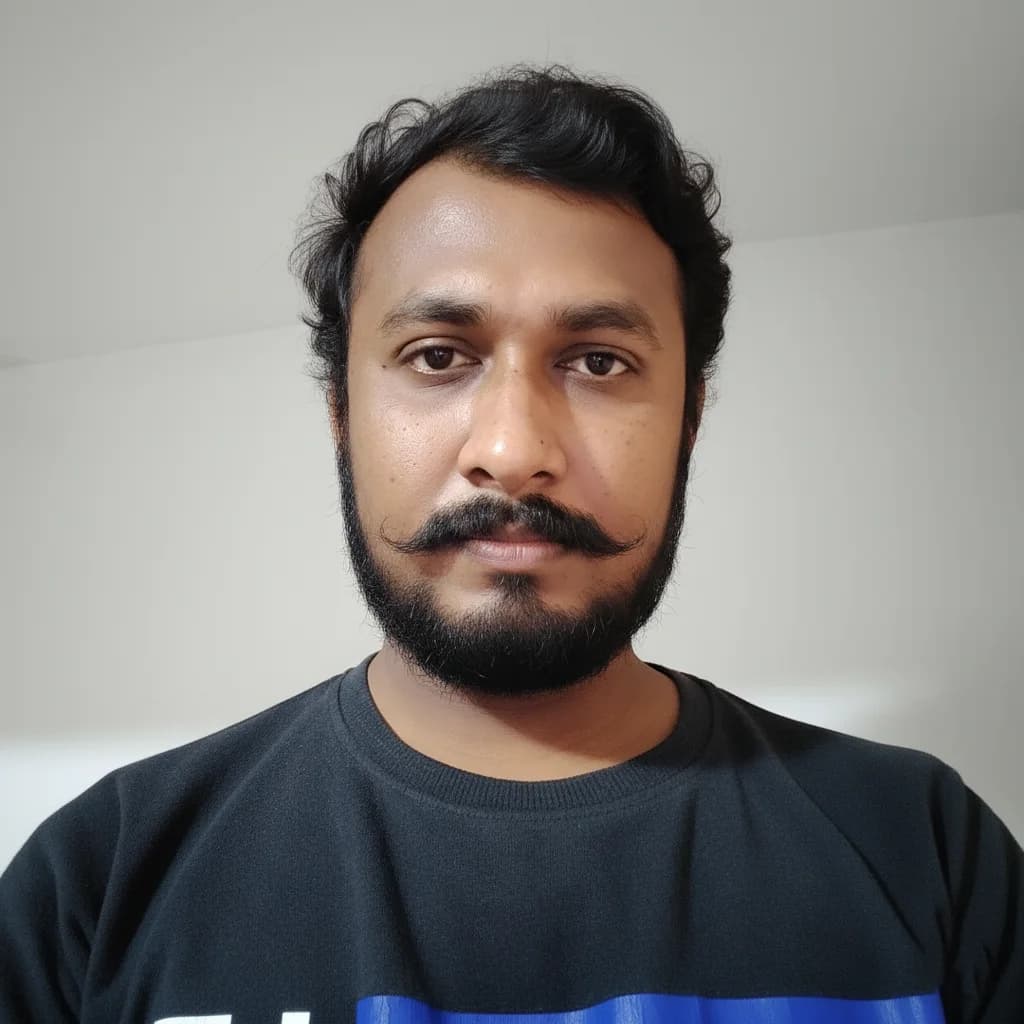
"Meet Vijay Chauhan, the founder of TypingTestTool with over 10+ years of web development experience. Discover how he engineered this platform to help millions master touch typing globally."