
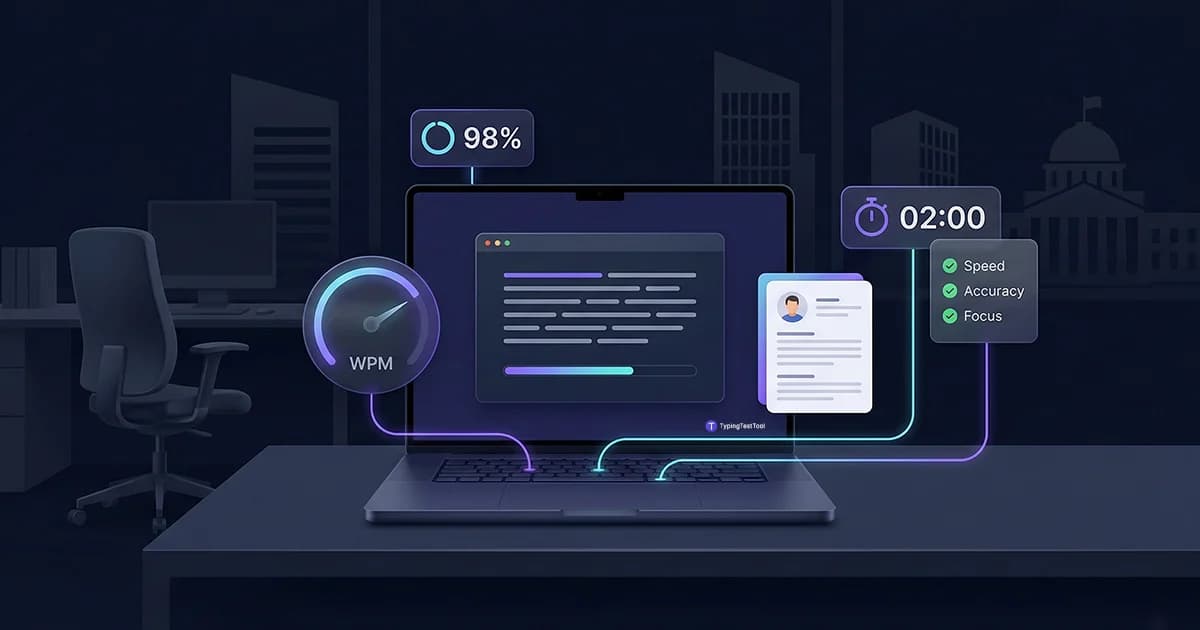
Many employers screen job candidates with a typing test before the interview even starts. The test measures two things: how fast you type in Words Per Minute (WPM) and how accurate you are under time pressure. Failing to meet the threshold means your application is filtered out automatically, even if every other qualification is strong. WPM requirements are predictable by job type, and a few days of focused practice can move you from borderline to safely above the cutoff.
What a Pre-Employment Typing Test Measures
Pre-employment typing tests track three core metrics. The first is Gross WPM, which is your raw typing speed calculated as total characters divided by 5, divided by minutes. The second is Net WPM, which subtracts a penalty for every uncorrected error. Net WPM is the number employers actually use.
The third metric is accuracy percentage, which shows the proportion of characters you typed correctly. A candidate who types 75 WPM with 88% accuracy often scores lower on Net WPM than someone typing 60 WPM at 99% accuracy. Employers in high-volume typing roles weight accuracy heavily because errors create downstream editing work.
How Employment Typing Tests Are Scored
Most tests report Net WPM using this formula: Net WPM = Gross WPM - (errors per minute). Each uncorrected error removes one word from your score. If you typed 70 Gross WPM and left 8 errors across 5 minutes, your Net WPM drops to about 68.4.
Backspace and Correction Rules
- Most online tests (Criteria, eSkill, TypingTestTool): Backspace is allowed. Corrected errors are not penalized. Only uncorrected mistakes at submission affect your Net WPM.
- Strict proctored tests (some government, court reporter exams): Each backspace keystroke is logged. Some platforms flag high backspace counts in the score report sent to the employer, even if your final accuracy looks clean.
- Timing impact: Every correction costs time. Typing a word wrong and retyping it at 70 WPM adds roughly 0.4 seconds per error. Across a 5-minute test, 15 corrections can cost you 1 to 2 WPM in overall pace.
Employers choose 5-minute tests, not 1-minute tests, because burst speed is not the same as work capacity. Your 1-minute score is typically 10 to 20 WPM higher than your sustained 5-minute score. Hiring managers know this. A candidate who claims 80 WPM based only on a 1-minute result will often struggle in a role that requires 80 WPM over an 8-hour shift.
WPM Requirements by Job Role
The numbers below are drawn from real job board postings across the US, UK, Canada, and Australia, combined with published civil service standards. Use the role column to find where you need to be.
| Job Role | Min WPM | Accuracy | Notes |
|---|---|---|---|
| General clerical / reception | 40 | 95% | Entry threshold for most admin roles |
| Customer service (email / chat) | 45-50 | 95% | Live chat roles often require 55+ |
| Data entry | 55-70 | 97-99% | Accuracy outweighs speed in this category |
| Administrative assistant | 60-70 | 96% | Higher end for executive-facing roles |
| Legal secretary / paralegal | 70-80 | 98% | Common in UK, Australia, and Canada |
| Medical transcription | 65-75 | 98-99% | US healthcare standard |
| General transcription | 75-85 | 98% | Audio transcription needs higher stamina |
| Court reporter (stenography) | 200+ | 99% | Specialized machine; not standard keyboard WPM |
General Typing Speed Categories
Beyond specific job requirements, typing speeds are generally grouped into competency levels. Use this table to understand where you land in the broader spectrum of typists.
| Category | Range (WPM) | Competency Level |
|---|---|---|
| Beginner | 0 - 25 | Basic keyboard familiarity; learning touch typing. |
| Average | 26 - 45 | Functional for casual communication; needs improvement for work. |
| Proficient | 46 - 65 | Standard professional level; meets most office requirements. |
| Expert | 66 - 90 | Highly productive; fast enough for data-heavy roles. |
| Elite | 91 + | Competitive level; common for professional transcriptionists. |
Government and Civil Service Typing Requirements
Civil service roles in Tier 1 countries often publish their typing minimums in official job postings and examination guides. The table below reflects current requirements for clerical and administrative positions in each country.
| Country | Role Type | Min WPM | Test Format |
|---|---|---|---|
| United States | Office Assistant (Typing), CA State | 40 | 5-minute proctored exam |
| United States | Clerk/Typist (NY county civil service) | 35 | In-person test center |
| Canada | Ontario Public Service clerical | 50 | 5-minute proctored or online |
| Canada | Alberta government paralegal roles | 50-60 | Verified by hiring team |
| United Kingdom | NHS admin / civil service admin | 45-60 | Online via recruitment platforms |
| Australia | APS clerical / state admin | 40-55 | Varies by state agency |
If you are applying for a specific government position, always check the official job posting for the stated WPM threshold. Some roles publish a minimum but the practical pass rate is set higher by the interview panel.
KPH for Data Entry and Numeric Roles
Not all data entry jobs measure speed in WPM. Roles that involve numeric input, such as 10-key data entry, billing clerks, and financial processing, often use KPH (Keystrokes Per Hour) instead.
KPH counts every keystroke on the numeric keypad, including the Enter key and decimal points. A typical entry-level data entry clerk is expected to reach 7,000 to 8,000 KPH with 95% accuracy. Senior and specialized roles, such as medical billing or payroll processing, often require 10,000 to 12,000 KPH.
KPH vs. WPM: They Are Not the Same
You cannot convert KPH directly to WPM. Numeric keypad input patterns are fundamentally different from prose typing.
- WPMMeasures word-equivalent characters typed. Standard for text/document roles.
- KPHMeasures total keystrokes per hour. Standard for numeric/10-key roles.
- CPMCharacters per minute. Used in some European hiring markets and older government standards.
How to Prepare for a Typing Test for a Job
Most candidates wait until the night before, which is not enough time to build new muscle memory. Start at least 5 to 7 days before the test. Here is a structured approach:
Know your target WPM
Find the stated WPM requirement before you practice. Aiming for 60 WPM when the role needs 40 wastes time. Aiming for 60 when the role needs 75 wastes your application.
Practice at the test duration
If the employer uses a 5-minute test, practice with 5-minute tests. Your stamina score is different from your sprint score. A 5-minute test reflects sustained speed, not a burst. Practice with the same duration every day for a week before the real test.
Fix your accuracy first
If you are below 95% accuracy, slowing down by 10 WPM and typing cleanly will almost always produce a higher Net WPM than going fast and correcting errors. Slow, deliberate practice builds cleaner muscle memory than speed-first drilling.
Practice with mixed content
Employment tests often include names, addresses, numbers, and punctuation, not just common words. Practice with varied text that includes commas, periods, and capitalized words. Do not only practice with word-list tests that skip punctuation entirely.
Simulate the test environment
Practice on the same keyboard you will use on test day. If the employer's test is online, practice in a browser window with no other tabs open. Switching from your comfortable laptop to an unfamiliar desktop keyboard at a testing center can cost 5 to 8 WPM.
The 60 Minutes Before Your Test
This section covers what most guides ignore: what to do in the hour before the test starts. The goal is to arrive at peak motor readiness, not peak anxiety.
- 45 minutes before: Do a 5-minute warm-up on a familiar test. Type at 70% effort. The goal is to activate muscle memory, not to sprint. Typing at full speed before the test creates hand tension that slows you down during it.
- 30 minutes before: Stop typing. Shake out your hands and rest them. Typing right up until the test starts leads to fatigue before the timer begins.
- 10 minutes before: Read the test instructions carefully. Confirm whether backspace is allowed. Confirm the test duration. Adjust your chair and keyboard height so your wrists float above the desk, not resting on it.
- When the timer starts: Begin at 85% of your maximum comfortable speed for the first 30 seconds. Let your rhythm settle. Speeding up from a controlled start is easier than recovering from a panicked opening that produces 10 errors in the first minute.
Frequently Asked Questions
What WPM do I need to pass a pre-employment typing test?
General office and clerical jobs typically require 40 WPM with 95% accuracy. Data entry roles usually require 55 to 70 WPM. Administrative assistants and secretaries are often expected to reach 60 to 70 WPM. Legal and medical transcription roles can require 75 to 90 WPM with 98% accuracy. The WPM requirements table above covers the most common roles in detail.
Does backspacing count against me on an employment typing test?
Most online tests allow backspace and only penalize uncorrected errors in the final Net WPM. Some strict proctored tests log backspace counts and include that data in the report sent to the employer. Always read the test instructions before you start. If no information is given, assume backspace is allowed but use it sparingly.
Why do employers use 5-minute tests instead of 1-minute tests?
A 1-minute test measures burst speed, not work capacity. Your 1-minute score is typically 10 to 20 WPM higher than your sustained 5-minute speed. Employers choose 5-minute tests because they need to know how fast you type over a full working session, not just how fast you peak for 60 seconds.
What is KPH and when is it used?
KPH stands for Keystrokes Per Hour. It is used for numeric and 10-key data entry roles rather than word typing roles. A typical requirement is 7,000 to 10,000 KPH with 95% accuracy. KPH and WPM measure different inputs and cannot be interchanged.
Can I take a typing test for employment online?
Yes. Many employers use online platforms for remote pre-employment screening. For government and regulated roles, in-person proctored tests at a testing center are still required in most US states and Canadian provinces. Check the job posting for details on whether you can complete the test from home.
How long does a pre-employment typing test take?
The live typing portion is usually 3 to 5 minutes. Including instructions and results review, plan for 10 to 15 minutes total. Government civil service tests often run a full 5-minute timed segment. Some platforms run multiple rounds and average the scores.

"Meet Vijay Chauhan, the founder of TypingTestTool with over 10+ years of web development experience. Discover how he engineered this platform to help millions master touch typing globally."