Free Korean Typing Test: Check Your Speed & Accuracy
Measure your Hangul typing speed in CPM (타수) and WPM, practice the 2-Set (두벌식) layout on any QWERTY keyboard, and improve your accuracy.

Take this free online Korean typing test (한국어 타자연습 / 한글 타자 테스트) to measure your Hangul typing speed in Characters Per Minute (CPM / 타수), Words Per Minute (WPM), and typing accuracy in real time. Built for the standard 2-Set Korean (두벌식 / Dubeolsik) layout on any English QWERTY keyboard, our Korean typing speed test and daily Korean typing practice help language learners, TOPIK IBT exam candidates, and office professionals master left-hand consonants, right-hand vowels, and Hangul syllable blocks without relying on keyboard stickers.
Why Take an Online Korean Typing Speed Test?
Typing in Korean works differently from typing in English or European languages. Rather than stringing letters side by side in a flat line, Hangul combines individual consonants and vowels (jamo / 자모) into compact square syllable blocks. Typing a single syllable like 한 requires three separate keystrokes (G for ㅎ, K for ㅏ, and S for ㄴ), while a syllable with a double final consonant (batchim / 받침) like 닭 requires four keys (E + K + F + R).
Because the Korean Input Method Editor (IME) dynamically merges your keys into blocks as you type, a single mistyped vowel or missed Shift key scrambles the entire syllable and forces multiple backspaces. Daily practice on a Hangul typing test trains both hands to alternate cleanly so syllable assembly becomes automatic.
Korean CPM (타수) vs. WPM: How Speed is Measured
If you have ever used Hancom Taja (한컴타자연습) or talked with native Korean typists, you have probably noticed they talk in 타수 (keystrokes per minute, or CPM) rather than Words Per Minute (WPM). A casual Korean typist often scores 300 to 400 CPM, which sounds enormous if you are used to English WPM numbers.
The math connecting both units is straightforward. Standardized typing tests define exactly five keystrokes as one word (including individual jamo strokes, spaces, and punctuation). Dividing your Korean CPM by 5 gives your keystroke-equivalent WPM: 300 CPM equals 60 WPM, and 500 CPM equals 100 WPM. Notice that because Korean words attach grammatical particles directly onto nouns (such as 한국어를 or 도서관에서), counting keystrokes is the only fair way to measure speed across short and long sentences. For the full scoring breakdown, read our guide on how WPM is calculated.
Gross speed tracks every key pressed regardless of errors, while Net speed penalizes uncorrected typos. In Hangul, dropping one final consonant turns 발 (foot) into 바 or confuses ㅐ with ㅔ. Lock in 95% to 98% accuracy first before pushing for higher CPM. Explore practical drills in our guides on how to increase typing accuracy and Net WPM vs. Gross WPM.
Mastering the 2-Set Korean (두벌식 / Dubeolsik) Keyboard Layout
South Korea's national standard keyboard layout is 2-Set Korean (두벌식 / Dubeolsik, KS X 5002), used by over 98% of typists, schools, and exam centers. An older alternative called 3-Set (세벌식 / Sebeolsik) separates initial consonants, vowels, and final consonants onto three distinct zones to reduce right-hand fatigue, though virtually every workplace computer and certification test defaults to 2-Set.
What makes 2-Set Korean fast to learn is its clean hand split: all 14 base consonants sit on the left side of a standard QWERTY keyboard, and all 10 base vowels sit on the right side. Because nearly every Korean syllable alternates consonant then vowel, your left and right hands take turns pressing keys so one hand moves into place while the other strikes. The one placement quirk that trips up beginners is ㅠ, which sits on the B key right on the center split.
| QWERTY Row | Left Hand (Consonants) | Right Hand (Vowels) | Shift Layer (Top Row Only) |
|---|---|---|---|
Top Row (Q-P) |
ㅂ ㅈ ㄷ ㄱ ㅅ (Q W E R T) | ㅛ ㅕ ㅑ ㅐ ㅔ (Y U I O P) | ㅃ ㅉ ㄸ ㄲ ㅆ (Q-T) & ㅒ ㅖ (O-P) |
Home Row (A-L) |
ㅁ ㄴ ㅇ ㄹ ㅎ (A S D F G) | ㅗ ㅓ ㅏ ㅣ (H J K L) | None (Hangul has no capitals) |
Bottom Row (Z-M) |
ㅋ ㅌ ㅊ ㅍ (Z X C V) | ㅠ ㅜ ㅡ (B N M) | None |
Compound diphthongs (이중모음) do not use Shift. Instead, you press the two component vowels in sequence: H + K creates ㅘ, H + O creates ㅙ, N + J creates ㅝ, and M + L creates ㅢ. Only the seven top-row characters (ㅃ ㅉ ㄸ ㄲ ㅆ ㅒ ㅖ) require holding Shift.
How to Enable Korean Typing on an English QWERTY Keyboard
You do not need to buy a Korean laptop or stick decals onto your keys. On Windows 10 and 11, add Korean (한국어) under Settings > Time & Language > Language & Region, switch to Korean with Win + Space, and tap Right Alt to toggle between English (A) and Hangul (가). If Right Alt does not switch on a US 101-key keyboard, open Microsoft IME Keyboard Options and select Korean keyboard Type 3 (103/106-key) or toggle on the previous IME version. On macOS, add 2-Set Korean under System Settings > Keyboard > Text Input and enable the Caps Lock switch option so one quick tap toggles between English and Hangul. For full OS setup steps, see our Windows keyboard layout guide and our guide to 10-finger typing for non-Latin scripts.
How to Improve Your Hangul Typing Speed
Most learners coming from English stall around 120 to 180 CPM because they keep translating Hangul mentally back to English QWERTY letters ("where is R for ㄱ?"). Breaking past 350 CPM means training direct jamo-to-finger reflex.
Phase 1: Memorizing the Home Row Split (0-180 CPM)
Anchor your left fingers on ㅁ ㄴ ㅇ ㄹ (A S D F) and your right fingers on ㅓ ㅏ ㅣ (J K L), feeling the tactile bumps on F (ㄹ) and J (ㅓ). Keep your eyes off your hands from day one using our guide on how to type without looking at the keyboard. Warm up daily on our 1-Minute Korean Typing Test until every left-hand consonant and right-hand vowel feels automatic.
Phase 2: Double Consonants, Shift Rhythm, and Batchim (180-350 CPM)
Once base keys stop causing hesitation, your next bottleneck is the top-row Shift layer (ㅃ ㅉ ㄸ ㄲ ㅆ ㅒ ㅖ) and double final consonants (such as 없다, 읽다, and 앉다). Always press the right Shift key with your right pinky when typing left-hand double consonants (Q W E R T), and the left Shift key when typing ㅒ or ㅖ. Practice smooth hand alternation on our 2-Minute Korean Typing Test and 3-Minute Korean Typing Test.
Phase 3: Reading Ahead by Full Eojeol Phrases (350-600+ CPM)
Fast Korean typists do not read individual jamo strokes; they scan one full spaced unit (어절 / eojeol) ahead while their fingers finish common verb endings like 습니다, 입니다, and 합니다 in a single burst. Build sustained focus without late-session wrist fatigue on our 5-Minute Korean Typing Test and 10-Minute Korean Typing Test.
Korean Typing Speed Benchmarks: TOPIK IBT, Certifications & Office Work
Korean schools, exam centers, and employers evaluate typing speed in CPM (타수). Below are the realistic speed and accuracy benchmarks across TOPIK IBT, office roles, and Hangul certifications:
| Exam / Career Level | Target Audience / Role | Target Speed (CPM / 타수) | WPM Equivalent | Accuracy Target |
|---|---|---|---|---|
| TOPIK IBT (Computer-Based Exam) | Korean Learners & University Applicants | 300 to 400 CPM | 60 to 80 WPM | 95%+ |
| General Korean Office / Corporate | Admin, Operations, Marketing & Sales Staff | 400 to 500 CPM | 80 to 100 WPM | 95%+ |
| ITQ Hangul & Word Processor (워드프로세서) | Document Formatting & Clerical Certification | 450 to 600 CPM | 90 to 120 WPM | 97%+ |
| Translation, CS & Executive Support | Bilingual Translators, Live Chat & Secretaries | 600 to 800+ CPM | 120 to 160+ WPM | 98%+ |
On TOPIK IBT, dropping below 200 CPM leaves too little time to outline and proofread your long essay, while reaching 350 CPM frees your brain to focus on Korean grammar and vocabulary instead of searching for keys. Compare your score across global skill levels in our typing speed benchmarks hub, or check hiring expectations across industries in our typing test for employment guide.
Related Tests
Try Different Durations
Test your typing skills with different time limits in Korean (한국어).
Try Different Languages
Test your typing skills in different languages with the same 1-minute duration.
 English
'/%3e%3cpath fill='%23c8b100' stroke='none' d='M166.42 264.65c1.99-.72 3.29-1.58 2.66-3.14-.41-1-1.43-1.19-2.97-.63l-2.71.99 2.44 6.03c.27-.12.54-.24.81-.34.28-.1.57-.18.85-.26l-1.08-2.64v-.01zm-1.18-2.91.69-.25c.57-.21 1.21.1 1.5.8.21.53.16 1.13-.5 1.55-.21.13-.46.23-.7.33l-.99-2.43m7.54-2.52c-.29.08-.57.16-.86.22-.29.05-.59.09-.88.12l1.41 6.28 4.38-.88c-.05-.12-.12-.26-.14-.38-.03-.14-.03-.28-.04-.41-.77.22-1.61.46-2.61.66l-1.26-5.61m8.78 5.41c.82-2.28 1.82-4.46 2.81-6.67-.18.03-.36.06-.54.07s-.37.01-.54 0c-.53 1.61-1.18 3.21-1.87 4.8-.82-1.51-1.73-2.99-2.43-4.51-.34.04-.69.09-1.03.12-.34.02-.7.01-1.04.02 1.26 2.06 2.48 4.11 3.64 6.23.16-.03.32-.06.5-.08.16-.01.33.01.5.02m9.16-4.83c.15-.31.31-.6.48-.89-.24-.22-.96-.55-1.81-.63-1.79-.18-2.81.61-2.93 1.69-.26 2.26 3.31 2.07 3.14 3.57-.07.64-.75.9-1.48.83-.81-.08-1.41-.53-1.51-1.19l-.22-.02c-.12.39-.29.77-.48 1.15.53.34 1.21.53 1.85.59 1.83.19 3.22-.54 3.35-1.74.23-2.15-3.37-2.27-3.23-3.54.06-.53.47-.88 1.4-.79.67.07 1.08.43 1.26.95l.18.02m119.58 5.18c.62-2.33 1.41-4.58 2.19-6.87-.17.05-.35.09-.53.11-.17.03-.36.04-.54.05-.37 1.64-.88 3.29-1.42 4.94-.96-1.44-2-2.84-2.83-4.3-.34.07-.68.15-1.02.2s-.69.07-1.04.11c1.45 1.94 2.85 3.89 4.2 5.91.16-.04.32-.1.5-.12.16-.02.33-.02.49-.03m6.18-6.82c-.29.01-.59.04-.88.03-.3 0-.6-.04-.89-.06l-.12 6.41 4.49.08c-.03-.13-.06-.28-.06-.41s.04-.27.07-.4c-.81.05-1.68.1-2.71.08l.1-5.73m7.04 1.05c.72.06 1.41.19 2.1.31-.01-.13-.03-.27-.02-.41.01-.13.06-.26.1-.39l-6.07-.5c.01.14.03.27.02.4-.01.14-.06.27-.1.4.62-.02 1.37-.02 2.21.05l-.53 5.77c.29 0 .59 0 .88.03.3.02.59.07.88.11l.53-5.77m2.49 6.32c.29.05.59.09.88.15.28.06.57.15.85.23l.72-2.94.08.01c.16.41.38.9.49 1.19l.9 2.22c.36.06.71.11 1.05.18.36.08.7.18 1.04.28l-.31-.67c-.48-1-.99-2.01-1.41-3.02 1.12.04 1.98-.36 2.2-1.26.15-.62-.1-1.11-.68-1.53-.44-.31-1.28-.47-1.83-.6l-2.44-.53-1.54 6.29m3.14-5.42c.71.16 1.59.27 1.59 1.07-.01.21-.03.35-.06.48-.23.94-.94 1.26-2.13.91l.6-2.46m8.42 7.35c-.05.69-.18 1.37-.31 2.1.3.14.61.27.9.44.3.16.57.34.86.52l.6-7.23c-.14-.06-.27-.12-.41-.19-.13-.07-.25-.15-.37-.24l-6.38 4.05c.17.08.35.16.51.25.17.09.31.19.47.28.54-.45 1.1-.82 1.74-1.3l2.39 1.31v.01zm-1.81-1.66 2.13-1.37-.25 2.4-1.88-1.03'/%3e%3cpath fill='%23ad1519' stroke-width='.26' d='M249.65 182.72c6.64 0 12.56.99 16.41 2.51 2.2 1 5.16 1.73 8.4 2.17 2.47.33 4.81.39 6.85.24 2.73-.06 6.67.74 10.62 2.48 3.26 1.45 5.99 3.21 7.8 4.91l-1.57 1.4-.45 3.96-4.3 4.92-2.15 1.83-5.09 4.07-2.6.21-.79 2.25-32.91-3.86-33.02 3.86-.79-2.25-2.61-.21-5.08-4.07-2.15-1.83-4.3-4.92-.44-3.96-1.58-1.4c1.82-1.7 4.54-3.46 7.8-4.91 3.95-1.74 7.89-2.54 10.62-2.48 2.04.15 4.38.09 6.85-.24 3.24-.44 6.2-1.17 8.4-2.17 3.86-1.52 9.44-2.51 16.08-2.51z'/%3e%3cg fill='%23c8b100'%3e%3cpath d='m225.34 191.42 1.38 1.11 2.08-3.4c-2.25-1.38-3.8-3.78-3.8-6.51 0-.31.02-.61.06-.91.21-4.34 5.5-7.92 12.2-7.92 3.48 0 6.63.95 8.84 2.48.06-.67.12-1.25.21-1.86-2.43-1.42-5.6-2.28-9.05-2.28-7.71 0-13.74 4.39-14.03 9.57-.03.31-.05.61-.05.92 0 2.76 1.26 5.26 3.26 6.99l-1.1 1.81'/%3e%3cpath d='M225.43 191.46c-2.63-1.97-4.27-4.64-4.27-7.58 0-3.38 2.22-6.4 5.58-8.41-2.07 1.67-3.33 3.83-3.51 6.23-.03.31-.05.61-.05.92 0 2.76 1.26 5.26 3.26 6.99l-1.01 1.85'/%3e%3cpath d='M202.21 194.89c-1.48-1.65-2.38-3.79-2.38-6.12 0-1.41.33-2.75.91-3.95 2.13-4.38 8.82-7.57 16.76-7.57 2.16 0 4.23.23 6.14.67-.42.46-.75.97-1.08 1.48-1.59-.31-3.29-.48-5.06-.48-7.27 0-13.36 2.83-15.12 6.65a7.33 7.33 0 0 0-.73 3.2c0 2.32 1.09 4.4 2.79 5.82l-2.63 4.3-1.41-1.12 1.81-2.88z'/%3e%3cpath d='M204.9 180.48c-1.91 1.21-3.36 2.69-4.16 4.34-.58 1.2-.91 2.54-.91 3.95 0 2.33.9 4.47 2.38 6.12l-1.6 2.59c-1.53-1.96-2.42-4.26-2.42-6.7 0-4.2 2.67-7.87 6.71-10.3zm45.14-9.21c1.76 0 3.28 1.16 3.64 2.73.23 1.38.38 2.95.41 4.62.01.18-.01.35-.01.52 0 .2.04.41.05.61.06 3.52.56 6.62 1.27 8.52l-5.36 5.14-5.43-5.14c.72-1.9 1.22-5 1.29-8.52 0-.2.04-.41.04-.61 0-.17-.01-.34-.01-.52.03-1.67.18-3.24.41-4.62.36-1.57 1.94-2.73 3.7-2.73z'/%3e%3cpath d='M250.04 172.94c.91 0 1.68.58 1.87 1.39.23 1.31.37 2.8.4 4.38 0 .16-.01.32-.01.48 0 .2.03.39.04.59.05 3.32.53 6.25 1.21 8.05l-3.54 3.35-3.54-3.35c.67-1.8 1.15-4.73 1.21-8.05 0-.2.04-.39.04-.59 0-.16-.01-.32-.01-.48.03-1.58.17-3.07.4-4.38.18-.81 1.02-1.39 1.93-1.39zm24.66 18.48-1.39 1.11-2.08-3.4c2.26-1.38 3.81-3.78 3.81-6.51 0-.31-.02-.61-.06-.91-.21-4.34-5.5-7.92-12.2-7.92-3.49 0-6.63.95-8.84 2.48-.06-.67-.12-1.25-.22-1.86 2.44-1.42 5.6-2.28 9.06-2.28 7.71 0 13.74 4.39 14.03 9.57.03.31.05.61.05.92 0 2.76-1.27 5.26-3.27 6.99l1.11 1.81'/%3e%3cpath d='M274.61 191.46c2.63-1.97 4.27-4.64 4.27-7.58 0-3.38-2.22-6.4-5.58-8.41 2.07 1.67 3.33 3.83 3.51 6.23.03.31.05.61.05.92 0 2.76-1.27 5.26-3.27 6.99l1.02 1.85'/%3e%3cpath d='M297.83 194.89c1.47-1.65 2.38-3.79 2.38-6.12 0-1.41-.33-2.75-.91-3.95-2.14-4.38-8.82-7.57-16.76-7.57-2.16 0-4.23.23-6.15.67.43.46.76.97 1.09 1.48 1.58-.31 3.29-.48 5.06-.48 7.27 0 13.35 2.83 15.11 6.65.47.97.73 2.06.73 3.2 0 2.32-1.09 4.4-2.79 5.82l2.63 4.3 1.42-1.12-1.81-2.88z'/%3e%3cpath d='M295.14 180.48c1.91 1.21 3.36 2.69 4.16 4.34.58 1.2.91 2.54.91 3.95 0 2.33-.91 4.47-2.38 6.12l1.6 2.59c1.53-1.96 2.41-4.26 2.41-6.7 0-4.2-2.67-7.87-6.7-10.3z'/%3e%3cellipse cx='250.05' cy='167.3' fill='%23005bbf' stroke-width='.26' rx='4.43' ry='4.2'/%3e%3cpath stroke-width='.26' d='M248.89 155.54v2.26h-2.42v2.3h2.42v6.61h-3.05c-.03.21-.22.37-.22.59 0 .58.12 1.14.35 1.64 0 .02.02.02.03.03h8.12c0-.01.02-.01.03-.03.22-.5.35-1.06.35-1.64 0-.22-.19-.38-.22-.59h-2.96v-6.61h2.42v-2.3h-2.42v-2.26h-2.43z'/%3e%3c/g%3e%3cg fill='%23fff'%3e%3cellipse cx='250.04' cy='188.94' rx='1.91' ry='1.8'/%3e%3cellipse cx='250.04' cy='185.4' rx='1.91' ry='1.8'/%3e%3cellipse cx='250.04' cy='181.6' rx='1.52' ry='1.44'/%3e%3cellipse cx='250.04' cy='178.18' rx='1.1' ry='1.04'/%3e%3cellipse cx='250.04' cy='175.18' rx='.88' ry='.83'/%3e%3cellipse cx='198.94' cy='198.67' rx='1.1' ry='1.04'/%3e%3cellipse cx='197.44' cy='196.02' rx='1.1' ry='1.04'/%3e%3cellipse cx='196.44' cy='192.94' rx='1.1' ry='1.04'/%3e%3cellipse cx='196.31' cy='189.64' rx='1.1' ry='1.04'/%3e%3cellipse cx='197.12' cy='186.4' rx='1.1' ry='1.04'/%3e%3cellipse cx='198.81' cy='183.45' rx='1.1' ry='1.04'/%3e%3cellipse cx='201.06' cy='181.02' rx='1.1' ry='1.04'/%3e%3cellipse cx='203.68' cy='179.01' rx='1.1' ry='1.04'/%3e%3cellipse cx='206.8' cy='177.36' rx='1.1' ry='1.04'/%3e%3cellipse cx='210.04' cy='176.19' rx='1.1' ry='1.04'/%3e%3cellipse cx='213.66' cy='175.54' rx='1.1' ry='1.04'/%3e%3cellipse cx='217.1' cy='175.36' rx='1.1' ry='1.04'/%3e%3cellipse cx='220.47' cy='175.48' rx='1.1' ry='1.04'/%3e%3cellipse cx='224.21' cy='190.32' rx='1.1' ry='1.04'/%3e%3cellipse cx='222.34' cy='187.65' rx='1.1' ry='1.04'/%3e%3cellipse cx='221.35' cy='184.75' rx='1.1' ry='1.04'/%3e%3cellipse cx='221.47' cy='181.57' rx='1.1' ry='1.04'/%3e%3cellipse cx='222.16' cy='178.37' rx='1.1' ry='1.04'/%3e%3cellipse cx='223.84' cy='175.48' rx='1.1' ry='1.04'/%3e%3cellipse cx='226.4' cy='173.47' rx='1.1' ry='1.04'/%3e%3cellipse cx='229.39' cy='171.81' rx='1.1' ry='1.04'/%3e%3cellipse cx='232.7' cy='170.82' rx='1.1' ry='1.04'/%3e%3cellipse cx='236.13' cy='170.23' rx='1.1' ry='1.04'/%3e%3cellipse cx='239.5' cy='170.28' rx='1.1' ry='1.04'/%3e%3cellipse cx='242.99' cy='170.87' rx='1.1' ry='1.04'/%3e%3cellipse cx='246.23' cy='171.99' rx='1.1' ry='1.04'/%3e%3cellipse cx='253.8' cy='171.99' rx='1.1' ry='1.04'/%3e%3cellipse cx='257.04' cy='170.87' rx='1.1' ry='1.04'/%3e%3cellipse cx='260.54' cy='170.28' rx='1.1' ry='1.04'/%3e%3cellipse cx='263.9' cy='170.23' rx='1.1' ry='1.04'/%3e%3cellipse cx='267.34' cy='170.82' rx='1.1' ry='1.04'/%3e%3cellipse cx='270.64' cy='171.81' rx='1.1' ry='1.04'/%3e%3cellipse cx='273.64' cy='173.47' rx='1.1' ry='1.04'/%3e%3cellipse cx='276.19' cy='175.48' rx='1.1' ry='1.04'/%3e%3cellipse cx='277.88' cy='178.37' rx='1.1' ry='1.04'/%3e%3cellipse cx='278.57' cy='181.57' rx='1.1' ry='1.04'/%3e%3cellipse cx='278.69' cy='184.75' rx='1.1' ry='1.04'/%3e%3cellipse cx='277.69' cy='187.65' rx='1.1' ry='1.04'/%3e%3cellipse cx='275.83' cy='190.32' rx='1.1' ry='1.04'/%3e%3cellipse cx='279.57' cy='175.48' rx='1.1' ry='1.04'/%3e%3cellipse cx='282.94' cy='175.36' rx='1.1' ry='1.04'/%3e%3cellipse cx='286.38' cy='175.54' rx='1.1' ry='1.04'/%3e%3cellipse cx='290' cy='176.19' rx='1.1' ry='1.04'/%3e%3cellipse cx='293.24' cy='177.36' rx='1.1' ry='1.04'/%3e%3cellipse cx='296.36' cy='179.01' rx='1.1' ry='1.04'/%3e%3cellipse cx='298.97' cy='181.02' rx='1.1' ry='1.04'/%3e%3cellipse cx='301.22' cy='183.45' rx='1.1' ry='1.04'/%3e%3cellipse cx='302.91' cy='186.4' rx='1.1' ry='1.04'/%3e%3cellipse cx='303.72' cy='189.64' rx='1.1' ry='1.04'/%3e%3cellipse cx='303.6' cy='192.94' rx='1.1' ry='1.04'/%3e%3cellipse cx='302.6' cy='196.02' rx='1.1' ry='1.04'/%3e%3cellipse cx='301.1' cy='198.67' rx='1.1' ry='1.04'/%3e%3c/g%3e%3cg fill='%23c8b100'%3e%3cpath d='M250.15 226.18c-12.26-.02-23.25-1.47-31.09-3.83-.57-.18-.87-.7-.84-1.25-.01-.52.29-1 .84-1.17 7.84-2.36 18.83-3.81 31.09-3.83 12.27.02 23.25 1.47 31.09 3.83.55.17.84.65.83 1.17.03.55-.27 1.07-.83 1.25-7.84 2.36-18.82 3.81-31.09 3.83'/%3e%3cpath d='M250.07 216.09c-12.41.03-23.55 1.58-31.39 4 .65-.31.59-1.12-.22-3.2-.98-2.53-2.5-2.42-2.5-2.42 8.66-2.56 20.73-4.16 34.16-4.18 13.44.02 25.6 1.62 34.27 4.18 0 0-1.53-.11-2.51 2.42-.81 2.08-.87 2.89-.21 3.2-7.84-2.42-19.19-3.97-31.6-4'/%3e%3cpath d='M250.12 210.3c-13.43.02-25.5 1.62-34.16 4.18-.58.17-1.19-.05-1.38-.6s.12-1.18.7-1.35c8.71-2.67 21.08-4.35 34.84-4.38 13.77.03 26.19 1.71 34.9 4.38.58.17.89.8.7 1.35s-.8.77-1.38.6c-8.67-2.56-20.78-4.16-34.22-4.18'/%3e%3cpath d='m250.2 199.78 1.23.22c-.19.5-.24 1.05-.24 1.63 0 2.57 2.21 4.65 4.92 4.65 2.18 0 4.04-1.35 4.67-3.21.08.05.47-1.68.68-1.66.17.02.15 1.8.22 1.77.31 2.34 2.46 3.93 4.87 3.93 2.71 0 4.91-2.08 4.91-4.65 0-.19-.01-.38-.04-.57l1.54-1.52.83 1.94c-.33.61-.46 1.3-.46 2.03 0 2.46 2.1 4.44 4.69 4.44 1.63 0 3.06-.78 3.9-1.97l.99-1.25-.01 1.53c0 1.55.66 2.93 2.16 3.18 0 0 1.73.1 4.03-1.7 2.29-1.8 3.55-3.29 3.55-3.29l.2 1.8s-1.9 2.95-3.97 4.15c-1.14.66-2.86 1.35-4.23 1.13-1.44-.24-2.48-1.4-3.01-2.74-1.03.61-2.25.97-3.55.97-2.81 0-5.33-1.54-6.32-3.86-1.29 1.4-3.09 2.25-5.2 2.25-2.24 0-4.29-1.01-5.57-2.56a7.198 7.198 0 0 1-4.88 1.87c-2.48 0-4.69-1.22-5.94-3.05-1.25 1.83-3.46 3.05-5.94 3.05-1.89 0-3.61-.71-4.87-1.87-1.28 1.55-3.34 2.56-5.58 2.56-2.11 0-3.9-.85-5.19-2.25-1 2.32-3.52 3.86-6.32 3.86-1.31 0-2.52-.36-3.55-.97-.54 1.34-1.57 2.5-3.02 2.74-1.36.22-3.08-.47-4.22-1.13-2.08-1.2-3.98-4.15-3.98-4.15l.2-1.8s1.27 1.49 3.56 3.29c2.29 1.81 4.02 1.7 4.02 1.7 1.51-.25 2.16-1.63 2.16-3.18l-.01-1.53.99 1.25c.84 1.19 2.28 1.97 3.9 1.97 2.59 0 4.69-1.98 4.69-4.44 0-.73-.13-1.42-.46-2.03l.83-1.94 1.54 1.52c-.02.19-.04.38-.04.57 0 2.57 2.2 4.65 4.91 4.65 2.42 0 4.56-1.59 4.88-3.93.06.03.05-1.75.22-1.77.2-.02.6 1.71.67 1.66.64 1.86 2.49 3.21 4.68 3.21 2.71 0 4.91-2.08 4.91-4.65 0-.58-.03-1.13-.24-1.63l1.29-.22'/%3e%3cpath d='M208.37 206.32a2.24 2.24 0 0 0-.72-1.06c-.79-.68-1.84-.79-2.36-.25-.07.07-.13.17-.17.25 0 0-1.11-2.08-2.41-2.78-1.29-.7-3.49-.52-3.49-.52 0-1.6 1.3-2.89 2.99-2.89.99 0 1.92.41 2.48 1.11l.23-1.07s1.36.27 1.98 1.82-.06 3.8-.06 3.8.34-.96.85-1.61c.51-.64 1.81-1.34 2.49-1.66.67-.31 1.37-.79 1.37-.79s.03.18.05.61c.03.51-.01.83-.01.83 1.24-.17 2.69.04 3.83.48-.49.95-1.41 1.84-2.62 2.3 0 0 .44.36.83.75.34.34.44.49.44.49s-.85.13-1.27.19c-.43.05-1.84.28-2.69.22-.62-.04-1.32-.14-1.74-.22'/%3e%3cpath fill='%23ad1519' d='M205.29 205.01c.52-.54 1.57-.43 2.36.25.8.67 1.02 1.66.51 2.19-.51.54-1.57.42-2.36-.25-.79-.68-1.02-1.66-.51-2.19'/%3e%3cpath fill='%23fff' d='M216.39 205.91c-.28-.83-.03-1.65.57-1.83.6-.19 1.32.33 1.6 1.16s.03 1.65-.57 1.84c-.6.18-1.31-.34-1.6-1.17'/%3e%3cpath d='M226.12 201.86c-.33-.27-.59-.64-.67-1.08s.01-.87.23-1.23c0 0-.88-.44-1.83-.69-.72-.19-1.99-.2-2.37-.2-.38-.02-1.15-.03-1.15-.03s.07.17.28.55c.27.46.5.75.5.75-1.27.29-2.35 1.12-3.03 2.09.99.68 2.3 1.1 3.6.97 0 0-.12.34-.2.86-.06.43-.06.61-.06.61s.71-.26 1.07-.39c.35-.13 1.54-.55 2.15-.96.8-.54 1.48-1.25 1.48-1.25'/%3e%3cpath d='M225.68 191.65c1.06.67 1.98 1.79 2.3 3.03 0 0 .13-.25.71-.59.59-.33 1.09-.32 1.09-.32s-.17.97-.25 1.32c-.09.34-.09 1.38-.32 2.32-.23.93-.63 1.68-.63 1.68-.42-.34-.99-.51-1.58-.41-.58.1-1.06.44-1.32.9 0 0-.66-.58-1.21-1.38-.55-.81-.93-1.78-1.13-2.08-.21-.3-.72-1.15-.72-1.15s.47-.18 1.14-.05c.67.12.88.32.88.32-.14-1.28.28-2.62 1.04-3.59'/%3e%3cpath d='M228.97 201.38a1.727 1.727 0 0 0-.42-2.3s.67-.71 1.47-1.26c.6-.41 1.8-.82 2.15-.95.36-.13 1.07-.4 1.07-.4s0 .18-.06.61c-.08.52-.2.87-.2.87 1.3-.14 2.62.29 3.61.98-.69.97-1.77 1.79-3.04 2.08 0 0 .23.28.5.74.21.39.28.56.28.56l-1.15-.03c-.38 0-1.65-.01-2.37-.2-.95-.25-1.84-.69-1.84-.69'/%3e%3cellipse cx='227.37' cy='200.45' fill='%23ad1519' rx='2.17' ry='2.06'/%3e%3cpath fill='%23fff' d='M237.76 201.77c-.11-.87.31-1.63.93-1.7.63-.07 1.23.57 1.34 1.44.11.86-.3 1.63-.93 1.7-.62.07-1.22-.57-1.34-1.44'/%3e%3cpath d='M248.5 199.83c-.32-.36-.53-.82-.53-1.33 0-.5.19-.97.51-1.32 0 0-.89-.67-1.89-1.12-.77-.35-2.18-.59-2.6-.67l-1.28-.24s.04.2.2.67c.2.56.4.93.4.93-1.47.08-2.85.81-3.81 1.76.96.94 2.34 1.66 3.81 1.75 0 0-.2.36-.4.93-.16.46-.2.67-.2.67l1.28-.24c.42-.08 1.83-.32 2.6-.67 1-.46 1.91-1.11 1.91-1.11'/%3e%3cpath d='M250.11 188.36c1.05.95 1.85 2.36 1.95 3.82 0 0 .19-.27.91-.53.73-.26 1.28-.16 1.28-.16s-.39 1.05-.55 1.42c-.17.37-.39 1.53-.84 2.53-.44 1-1.05 1.76-1.05 1.76-.4-.45-1-.75-1.67-.75-.68 0-1.27.3-1.67.75 0 0-.61-.76-1.05-1.76-.45-1-.67-2.16-.84-2.53s-.56-1.42-.56-1.42.56-.1 1.28.16.92.53.92.53c.1-1.46.86-2.87 1.89-3.82'/%3e%3cpath d='M251.76 199.83c.33-.36.53-.82.53-1.33 0-.5-.19-.97-.51-1.32 0 0 .89-.67 1.9-1.12.76-.35 2.17-.59 2.6-.67l1.26-.24s-.02.2-.19.67c-.2.56-.4.93-.4.93 1.47.08 2.86.81 3.81 1.76-.95.94-2.33 1.66-3.81 1.75 0 0 .2.36.4.93.16.46.19.67.19.67l-1.26-.24c-.43-.08-1.84-.32-2.6-.67-1.01-.46-1.92-1.11-1.92-1.11'/%3e%3cellipse cx='250.14' cy='198.5' fill='%23ad1519' rx='2.17' ry='2.06'/%3e%3cpath fill='%23fff' d='M262.58 201.77c.11-.87-.3-1.63-.93-1.7s-1.23.57-1.34 1.44c-.11.86.31 1.63.93 1.7.63.07 1.23-.57 1.34-1.44'/%3e%3cpath d='M271.38 201.38c-.22-.35-.32-.79-.25-1.23.09-.44.33-.81.67-1.07 0 0-.67-.71-1.47-1.26-.61-.41-1.8-.82-2.16-.95-.35-.13-1.06-.4-1.06-.4s-.01.18.06.61c.08.52.19.87.19.87-1.29-.14-2.61.29-3.6.98.68.97 1.77 1.79 3.03 2.08 0 0-.23.28-.49.74-.22.39-.28.56-.28.56l1.14-.03c.38 0 1.66-.01 2.37-.2.95-.25 1.84-.69 1.84-.69'/%3e%3cpath d='M274.67 191.65c-1.06.67-1.98 1.79-2.31 3.03 0 0-.12-.25-.71-.59-.58-.33-1.09-.32-1.09-.32s.17.97.26 1.32c.09.34.09 1.38.31 2.32.23.93.64 1.68.64 1.68.42-.34.99-.51 1.57-.41.59.1 1.06.44 1.33.9 0 0 .66-.58 1.21-1.38.54-.81.92-1.78 1.12-2.08.21-.3.72-1.15.72-1.15s-.47-.18-1.14-.05c-.67.12-.88.32-.88.32.15-1.28-.28-2.62-1.03-3.59'/%3e%3cpath d='M274.22 201.86c.34-.27.6-.64.67-1.08.09-.44 0-.87-.22-1.23 0 0 .88-.44 1.83-.69.72-.19 1.99-.2 2.36-.2.39-.02 1.15-.03 1.15-.03s-.06.17-.28.55c-.26.46-.49.75-.49.75 1.26.29 2.34 1.12 3.03 2.09-.99.68-2.31 1.1-3.6.97 0 0 .11.34.19.86.06.43.06.61.06.61s-.71-.26-1.06-.39c-.36-.13-1.55-.55-2.16-.96-.79-.54-1.48-1.25-1.48-1.25'/%3e%3cellipse cx='272.98' cy='200.45' fill='%23ad1519' rx='2.17' ry='2.06'/%3e%3cpath fill='%23fff' d='M283.96 205.91c.28-.83.03-1.65-.57-1.83-.6-.19-1.32.33-1.61 1.16-.28.83-.03 1.65.57 1.84.6.18 1.32-.34 1.61-1.17'/%3e%3cpath d='M291.97 206.32c.11-.37.36-.75.72-1.06.79-.68 1.85-.79 2.36-.25.07.07.14.17.18.25 0 0 1.1-2.08 2.4-2.78s3.5-.52 3.5-.52c0-1.6-1.31-2.89-3-2.89-.99 0-1.92.41-2.47 1.11l-.23-1.07s-1.36.27-1.98 1.82.05 3.8.05 3.8-.33-.96-.84-1.61c-.51-.64-1.81-1.34-2.49-1.66-.68-.31-1.37-.79-1.37-.79s-.03.18-.06.61c-.02.51.02.83.02.83-1.25-.17-2.7.04-3.83.48.48.95 1.4 1.84 2.61 2.3 0 0-.43.36-.83.75-.33.34-.43.49-.43.49s.85.13 1.27.19c.43.05 1.84.28 2.68.22.63-.04 1.32-.14 1.74-.22'/%3e%3cpath fill='%23ad1519' d='M295.05 205.01c-.51-.54-1.57-.43-2.36.25-.79.67-1.02 1.66-.51 2.19.51.54 1.57.42 2.36-.25.79-.68 1.02-1.66.51-2.19'/%3e%3c/g%3e%3cg fill='none'%3e%3cpath fill='%23ad1519' stroke-linejoin='round' d='M250.12 224.57c-11.06-.01-21.07-1.29-28.68-3.26 7.61-1.97 17.62-3.17 28.68-3.19 11.07.02 21.13 1.22 28.74 3.19-7.61 1.97-17.67 3.25-28.74 3.26z'/%3e%3cpath stroke-width='.05' d='M258.04 224.28v-6.01m-3.02 6.21.04-6.37m-2.24 6.45v-6.49'/%3e%3cpath stroke-width='.09' d='M250.95 224.64v-6.57'/%3e%3cpath stroke-width='.14' d='M249.16 224.64v-6.57'/%3e%3cpath stroke-width='.18' d='M247.48 224.64v-6.57'/%3e%3cpath stroke-width='.23' d='M245.81 224.64v-6.57'/%3e%3cpath stroke-width='.28' d='M244.32 224.64v-6.57'/%3e%3cpath stroke-width='.33' d='m241.48 224.28-.04-5.97m1.39 6.05v-6.25'/%3e%3cpath stroke-width='.37' d='M238.86 224.01v-5.5m1.33 5.66-.04-5.86'/%3e%3cpath stroke-width='.42' d='M235.35 223.7v-4.84m1.15 4.92v-5.08m1.19 5.24v-5.28'/%3e%3cpath stroke-width='.46' d='M234.12 223.66v-4.68'/%3e%3cpath stroke-width='.51' d='M232.97 223.42v-4.36'/%3e%3cpath stroke-width='.56' d='M231.74 223.31v-4.06'/%3e%3cpath stroke-width='.6' d='m229.22 222.95-.04-3.22m1.33 3.38v-3.62'/%3e%3cpath stroke-width='.63' d='M227.93 222.68v-2.84'/%3e%3cpath stroke-width='.68' d='M226.74 222.45v-2.36'/%3e%3cpath stroke-width='.73' d='M225.45 222.13v-1.85'/%3e%3cpath stroke-width='.77' d='M224.12 221.98v-1.38'/%3e%3cpath stroke-width='.91' d='M222.72 221.66v-.67'/%3e%3cpath d='M220.12 221.66c7.75-2.18 18.29-3.52 30-3.54 11.72.02 22.31 1.36 30.06 3.54'/%3e%3cpath fill='%23ad1519' d='m216.72 217.16 1.22-1.59 3.37.43-2.69 1.96-1.9-.8'/%3e%3cpath fill='%23fff' d='M224.03 215.28c0-.58.49-1.04 1.1-1.04s1.1.46 1.1 1.04c0 .57-.49 1.04-1.1 1.04s-1.1-.47-1.1-1.04'/%3e%3cpath fill='%23058e6e' d='m233.64 215.07-2.36.27c-.61.07-1.17-.33-1.24-.9-.08-.57.35-1.09.96-1.15l2.37-.28 2.42-.28c.6-.07 1.15.33 1.22.9s-.36 1.09-.96 1.16l-2.41.28'/%3e%3cpath fill='%23fff' d='M240.54 213.35c0-.58.49-1.04 1.1-1.04.6 0 1.1.46 1.1 1.04 0 .57-.5 1.04-1.1 1.04-.61 0-1.1-.47-1.1-1.04'/%3e%3cpath fill='%23ad1519' d='M250.15 214.16h-3.29c-.6 0-1.11-.46-1.11-1.03 0-.58.49-1.04 1.1-1.04h6.64c.61 0 1.1.46 1.1 1.04 0 .57-.51 1.03-1.11 1.03h-3.33'/%3e%3cpath fill='%23fff' d='M257.56 213.35c0-.58.5-1.04 1.1-1.04.61 0 1.1.46 1.1 1.04 0 .57-.49 1.04-1.1 1.04-.6 0-1.1-.47-1.1-1.04'/%3e%3cpath fill='%23058e6e' d='m266.66 215.07 2.36.27c.6.07 1.17-.33 1.24-.9s-.36-1.09-.96-1.15l-2.37-.28-2.42-.28c-.61-.07-1.15.33-1.22.9-.08.57.36 1.09.96 1.16l2.41.28'/%3e%3cpath fill='%23fff' d='M274.07 215.28c0-.58.49-1.04 1.1-1.04s1.1.46 1.1 1.04c0 .57-.49 1.04-1.1 1.04s-1.1-.47-1.1-1.04'/%3e%3cpath fill='%23ad1519' d='m283.57 217.16-1.21-1.59-3.37.43 2.69 1.96 1.89-.8'/%3e%3c/g%3e%3cg stroke-width='.52'%3e%3cpath fill='%23ccc' d='M250.49 344.33c-13.08 0-26.05-3.2-36.95-8.54-8.03-3.98-13.36-12-13.36-21.19v-33.3H300.6v33.3c0 9.19-5.32 17.21-13.36 21.19-10.9 5.34-23.66 8.54-36.75 8.54z'/%3e%3cpath fill='%23ffd691' d='M252.91 329.55c2.09.63 3.15 2.19 3.15 4.01 0 2.38-2.3 4.18-5.3 4.18-2.99 0-5.42-1.8-5.42-4.18 0-1.79 1-3.8 3.08-3.94 0 0-.06-.19-.24-.5-.22-.23-.64-.66-.64-.66s.79-.15 1.25.02c.46.18.77.47.77.47s.21-.43.52-.76c.3-.33.7-.53.7-.53s.46.38.61.64c.15.27.25.59.25.59s.42-.35.79-.49c.37-.15.84-.26.84-.26s-.13.46-.22.69-.14.72-.14.72'/%3e%3cpath fill='%23058e6e' d='M250.32 340.32s-3.98-2.68-5.7-3.04c-2.21-.47-4.69-.09-5.76-.15.03.03 1.29.93 1.84 1.48s2.39 1.65 3.43 1.91c3.22.81 6.19-.2 6.19-.2m1.14.24s2.54-2.66 5.21-3.02c3.15-.44 5.22.26 6.44.58.03 0-1.01.49-1.56.87-.55.37-1.97 1.57-4.14 1.59-2.18.03-4.58-.23-4.97-.17-.4.06-.98.15-.98.15'/%3e%3cpath fill='%23ad1519' d='M250.69 337.28c-1-.93-1.62-2.25-1.62-3.72 0-1.46.62-2.78 1.63-3.71a5.08 5.08 0 0 1-.01 7.43'/%3e%3cpath fill='%23058e6e' d='M249.68 342.71s.61-1.52.67-2.83c.06-1.09-.15-2.17-.15-2.17h.8s.39 1.16.39 2.17c0 1.02-.18 2.37-.18 2.37s-.55.08-.73.17c-.19.09-.8.29-.8.29'/%3e%3cg fill='%23c8b100'%3e%3cpath fill='%23ad1519' d='M250.32 314.57c0 13.16-11.16 23.82-25.05 23.82s-25.15-10.66-25.15-23.82v-33.35h50.2v33.35'/%3e%3cpath d='M200.03 314.12c.15 7.02 2.95 12.25 5.73 15.67v-49.47h-5.66l-.07 33.8zm11.05 20.11c1.57.83 3.72 2.22 6.03 2.77l-.15-56.96h-5.88v54.19zm11.2 4.02c2.3.23 4.01.19 5.87 0v-58.21h-5.87v58.21zm11.04-1.25c2.3-.46 4.9-1.89 6.03-2.63v-54.33h-5.88l-.15 56.96zm11.49-7.76c2.45-2.18 4.75-7.12 5.59-12.76l.14-36.44h-5.87l.14 49.2z'/%3e%3c/g%3e%3cpath fill='%23ad1519' d='M300.65 281.22v33.35c0 13.16-11.28 23.82-25.17 23.82-13.9 0-25.16-10.66-25.16-23.82v-33.35h50.33'/%3e%3cpath id='e' fill='%23c8b100' stroke='%23c8b100' stroke-width='.26' d='M272.71 306.14c.05-.14.12-.27.19-.4l-4.26-4.74-1.67.72-3.06-3.39 1-1.46-5.34-5.99c-.07.02-.2.02-.27.04l.03 4.02 1.75.5v4.46l-1.75.48-.03 4.08c.84.26 1.48.88 1.74 1.67l3.21.01.51-1.67h4.72l.5 1.67zm-6.98-18.5v1.61h2.76v-1.61zm-7.3 20.37c.64 0 1.16-.49 1.16-1.1s-.52-1.11-1.16-1.11c-.65 0-1.17.5-1.17 1.11s.52 1.1 1.17 1.1zm15.99-9.73-1.76-.48v-4.46l1.76-.5-.01-1.92c-.85-.25-1.51-.87-1.79-1.67h-2.68l-.51 1.67h-4.71l-.51-1.67h-3.09c-.08.22-.17.42-.29.61l5.38 5.96 1.67-.71 3.06 3.4-1 1.45 4.18 4.64c.09-.04.18-.08.28-.12zm-7.25-1.39-1.29 1.04 1.77 1.98 1.29-1.05zm8.004 36.186c-1.24-.065-2.255-.902-2.514-2.016-1.67-.23-3.25-.66-4.73-1.3l.84-1.43c1.29.55 2.66.91 4.08 1.11.31-.66.86-1.16 1.58-1.4l.01-5.62-1.76-.49v-4.46l1.76-.48v-7.64a.882.882 0 0 1-.2-.09l-3.98 4.42 1 1.44-3.06 3.4-1.67-.71-3.3 3.67c.57.87.55 2-.11 2.85a15.58 15.58 0 0 0 3.24 2.75l-.84 1.44c-1.42-.89-2.7-1.99-3.79-3.22-.87.26-1.86.11-2.6-.5-1.15-.93-1.29-2.56-.3-3.64l.14-.16c-.69-1.56-1.16-3.24-1.32-5l1.71.01c.14 1.5.51 2.93 1.09 4.27.49-.06 1-.01 1.46.16l3.32-3.68-1-1.45 3.06-3.4 1.67.72 3.99-4.43a2.15 2.15 0 0 1-.21-.46l-2.76.01-.5 1.67h-4.72l-.51-1.67-3.24-.01c-.27.76-.9 1.36-1.69 1.62l-.01 4.04-1.71-.01v-4.01c-1.1-.33-1.91-1.31-1.91-2.47 0-1.15.82-2.15 1.92-2.48l.01-4.05-1.76-.48v-4.46l1.76-.5v-4.05c-1.08-.35-1.84-1.32-1.84-2.45 0-1.43 1.22-2.58 2.73-2.58 1.22 0 2.25.74 2.61 1.78h3.09l.51-1.67h4.71l.51 1.67h2.68c.357-1.031 1.363-1.767 2.559-1.78l.071 8.37h-.85v2.61h.845l-.021 21.59h-.784v2.61h.78zm-5.914-18.306-1.29-1.04-1.78 1.98 1.29 1.04zm-9.96-18.44h-1.69l-.01 2.61h1.7zm9.16 11.41v-1.6h-2.85v1.6zm-10.6 9.69-1.76-.39-.25-4.45 1.75-.58v2.56c0 .99.09 1.92.26 2.86zm1.46-5.52 1.75.41s.09 2.87.05 2.22c-.04-.74.19 2.24.19 2.24l-1.76.58c-.18-.9-.24-1.84-.24-2.79zm10.81 16.93.39-1.7c-1.52-.48-2.93-1.18-4.17-2.09l-1.26 1.11c1.48 1.15 3.19 2.08 5.04 2.68zm-.85 1.44-1.3 1.22c-1.47-.54-2.86-1.26-4.12-2.11l.38-1.77c1.5 1.13 3.21 2.03 5.04 2.66z'/%3e%3cuse xlink:href='%23e' transform='matrix(-1 0 0 1 550.43 0)'/%3e%3cpath fill='%23058e6e' stroke='none' d='M272.59 306.94c0-1.44 1.23-2.6 2.74-2.6s2.73 1.16 2.73 2.6c0 1.43-1.22 2.58-2.73 2.58s-2.74-1.15-2.74-2.58'/%3e%3cg fill='%23c8b100' stroke-width='.46'%3e%3cpath fill='%23ad1519' stroke-width='.52' d='M200.12 281.25h50.18v-55.72h-50.18v55.72z'/%3e%3cpath d='M217.34 238.41h-.92v-.92h-1.62v3.69h1.62v2.55h-3.47v7.39h1.85v14.79h-3.7v7.63h28.42v-7.63h-3.69v-14.79h1.85v-7.39h-3.47v-2.55h1.62v-3.69h-1.62v.92h-.93v-.92h-1.61v.92h-1.16v-.92h-1.62v3.69h1.62v2.55h-3.46v-8.09h1.84v-3.7h-1.84v.93h-.93v-.93h-1.62v.93h-.92v-.93h-1.85v3.7h1.85v8.09h-3.47v-2.55h1.62v-3.69h-1.62v.92h-.92v-.92h-1.85v.92zm-6.24 35.13h28.42m-28.42-1.85h28.42m-28.42-1.85h28.42m-28.42-1.85h28.42m-28.42-2.08h28.42m-24.72-1.62h21.03m-21.03-1.85h21.03m-21.03-2.08h21.03m-21.03-1.84h21.03m-21.03-1.85h21.03m-21.03-1.85h21.03m-21.03-1.85h21.03m-22.88-1.85h24.73m-24.73-1.85h24.73m-24.73-1.85h24.73m-24.73-1.84h24.73m-21.26-1.85h17.79m-10.63-1.85h3.47m-3.47-1.85h3.47m-3.47-1.85h3.47m-3.47-1.85h3.47m-5.32-2.31h7.16m-12.47 7.86h3.69m-5.31-2.31h6.93m-6.93 33.97v-1.85m0-1.85v-1.85m-1.85 1.85v1.85m3.47 0v-1.85m1.84 3.7v-1.85m0-1.85v-1.85m0-2.08v-1.62m0-1.85v-2.08m-1.84 7.63v-2.08m-3.47 2.08v-2.08m7.16 0v2.08m1.62-2.08v-1.62m-5.31-1.85v1.85m3.69-1.85v1.85m3.47-1.85v1.85m-1.85-1.85v-2.08m1.85-1.84v1.84m0-5.54v1.85m-1.85-3.7v1.85m1.85-3.7v1.85m-3.47-1.85v1.85m-3.69-1.85v1.85m-1.62-3.7v1.85m3.46-1.85v1.85m3.47-1.85v1.85m1.85-3.7v1.85m-3.47-1.85v1.85m-3.69-1.85v1.85m-1.62-3.69v1.84m6.93-1.84v1.84m-3.47-5.54v1.85m15.95-1.85h-3.7m5.32-2.31h-6.94m6.94 33.97v-1.85m0-1.85v-1.85m1.85 1.85v1.85m-3.47 0v-1.85m-1.85 3.7v-1.85m0-1.85v-1.85m0-2.08v-1.62m0-1.85v-2.08m1.85 7.63v-2.08m3.47 2.08v-2.08m-7.17 0v2.08m-1.62-2.08v-1.62m5.32-1.85v1.85m-3.7-1.85v1.85m-3.46-1.85v1.85m1.84-1.85v-2.08m-1.84-1.84v1.84m0-5.54v1.85m1.84-3.7v1.85m-1.84-3.7v1.85m3.46-1.85v1.85m3.7-1.85v1.85m1.62-3.7v1.85m-3.47-1.85v1.85m-3.47-1.85v1.85m-1.84-3.7v1.85m3.46-1.85v1.85m3.7-1.85v1.85m1.62-3.69v1.84m-6.94-1.84v1.84m3.47-5.54v1.85m-7.16 18.71v-2.08m0-5.54v-1.85m0 5.55v-1.85m0-5.55v-1.85m0-1.85v-1.84m0-3.7v-1.85m0-1.85v-1.85m-8.78 4.85h3.69m3.47-5.54h3.47m3.46 5.54h3.7'/%3e%3cpath d='M230.05 273.54v-4.86c0-.92-.46-3.7-4.85-3.7-4.16 0-4.62 2.78-4.62 3.7v4.86h9.47z'/%3e%3cpath d='m222.19 268.91-2.31-.23c0-.92.23-2.31.93-2.77l2.08 1.62c-.23.23-.7.92-.7 1.38zm3.93-2.31 1.16-2.08c-.46-.23-1.39-.46-2.08-.46-.46 0-1.39.23-1.85.46l1.15 2.08h1.62zm2.31 2.31 2.31-.23c0-.92-.23-2.31-.92-2.77l-2.08 1.62c.23.23.69.92.69 1.38zm-6.7-8.08v-5.09c0-1.38-.92-2.54-2.54-2.54s-2.54 1.16-2.54 2.54v5.09h5.08zm7.16 0v-5.09c0-1.38.93-2.54 2.55-2.54 1.61 0 2.54 1.16 2.54 2.54v5.09h-5.09zm-8.78-12.48.23-4.62h-4.39l.47 4.62h3.69zm6.94 0 .46-4.62h-4.39l.23 4.62h3.7zm3.46 0-.46-4.62h4.62l-.46 4.62h-3.7z'/%3e%3cpath fill='%230039f0' stroke='none' d='M228.43 273.54v-4.16c0-.7-.46-2.78-3.23-2.78-2.54 0-3.01 2.08-3.01 2.78v4.16h6.24zm-7.16-13.18v-4.39c0-1.15-.69-2.31-2.08-2.31s-2.08 1.16-2.08 2.31v4.39h4.16zm8.09 0v-4.39c0-1.15.69-2.31 2.08-2.31 1.38 0 2.08 1.16 2.08 2.31v4.39h-4.16z'/%3e%3c/g%3e%3cpath fill='%23ccc' d='M250.28 281.25h50.32v-55.72h-50.32v55.72z'/%3e%3cpath fill='%23db4446' stroke-width='.39' d='m275.93 239.26.05-.62.09-.34s-1.61.13-2.46-.11-1.61-.59-2.4-1.25c-.79-.68-1.1-1.1-1.67-1.18-1.36-.22-2.4.4-2.4.4s1.02.37 1.78 1.31 1.59 1.41 1.95 1.53c.59.18 2.66.05 3.22.07.57.03 1.84.19 1.84.19z'/%3e%3cg fill='none' stroke-width='.39'%3e%3cpath fill='%23ed72aa' d='M283.46 237s.01.72.08 1.4c.06.67-.22 1.24-.11 1.61s.16.66.3.93c.14.26.21.94.21.94s-.38-.28-.74-.54c-.35-.27-.6-.44-.6-.44l.1 1.03c.04.31.22.89.51 1.24.29.33.87.89 1.05 1.33.18.45.14 1.44.14 1.44s-.46-.75-.87-.89c-.39-.14-1.26-.62-1.26-.62s.79.79.79 1.55c0 .75-.32 1.6-.32 1.6s-.36-.68-.83-1.12c-.47-.45-1.13-.9-1.13-.9s.52 1.17.52 1.95c0 .79-.15 2.47-.15 2.47s-.39-.64-.79-.96c-.4-.31-.87-.58-1.02-.78-.14-.21.48.64.54 1.16.07.51.32 2.35 1.92 4.69.94 1.37 2.39 3.77 5.5 2.98 3.11-.78 1.96-4.97 1.3-6.92-.65-1.95-.98-4.11-.94-4.87.04-.75.58-2.97.51-3.39-.07-.41-.24-2 .14-3.28.4-1.33.73-1.85.95-2.4.21-.55.39-.86.46-1.34s.07-1.37.07-1.37.58 1.06.73 1.44c.14.38.14 1.5.14 1.5s.11-1.12.98-1.67 1.88-1.13 2.13-1.44.33-.51.33-.51-.08 1.92-.62 2.67c-.36.49-1.77 2.09-1.77 2.09s.73-.28 1.23-.3c.51-.04.87 0 .87 0s-.62.48-1.41 1.64c-.8 1.16-.47 1.26-1.05 2.22s-1.05 1-1.78 1.58c-1.08.87-.5 4.34-.36 4.86.15.51 2.03 4.76 2.07 5.79.03 1.03.21 3.33-1.6 4.8-1.16.95-3.07.96-3.51 1.23-.43.28-1.29 1.13-1.29 2.91 0 1.79.64 2.06 1.15 2.51.51.44 1.16.2 1.3.55.15.34.22.54.44.75.21.2.36.44.29.82-.08.38-.91 1.23-1.2 1.85-.29.61-.87 2.23-.87 2.47s-.07.99.18 1.37c0 0 .91 1.06.29 1.26-.4.14-.78-.25-.97-.2-.54.14-.83.47-.98.45-.36-.07-.36-.25-.4-.76-.03-.51-.01-.72-.17-.72-.22 0-.33.18-.37.45s-.04.89-.29.89-.61-.45-.83-.55-.83-.2-.87-.48c-.03-.27.36-.85.76-.96.4-.1.76-.3.51-.51-.26-.2-.51-.2-.76 0-.25.21-.79.04-.76-.27.04-.31.11-.69.07-.86-.03-.17-.47-.51.1-.82.59-.31.84.27 1.42.17s.86-.31 1.08-.65.18-1.06-.22-1.5c-.39-.45-.79-.52-.94-.8-.14-.27-.36-.92-.36-.92s.11 1.2.04 1.37-.04.89-.04.89-.39-.45-.72-.79c-.32-.34-.65-1.37-.65-1.37s-.03.96-.03 1.34c0 .37.43.72.29.86-.15.13-.83-.72-1.02-.86-.18-.14-.76-.58-1.01-1.06s-.44-1.16-.51-1.41c-.07-.24-.19-1.31-.07-1.58.18-.4.47-1.13.47-1.13h-1.41c-.76 0-1.3-.23-1.59.28s-.15 1.54.21 2.88c.37 1.33.58 1.98.48 2.22-.11.24-.58.79-.76.89-.19.11-.69.07-.91-.03-.21-.1-.57-.27-1.26-.27s-1.12.03-1.37-.03c-.26-.07-.88-.38-1.17-.31s-.79.32-.65.72c.22.61-.21.75-.51.72-.29-.04-.53-.14-.9-.24-.36-.11-.9 0-.83-.42.07-.41.22-.44.4-.74.18-.32.25-.52.04-.54-.25-.02-.51-.05-.7.11-.2.16-.51.51-.76.38-.26-.14-.46-.43-.46-1.08 0-.64-.68-1.2-.05-1.17.62.03 1.41.48 1.55.13s.06-.51-.28-.78-.76-.43-.31-.77c.45-.35.56-.35.74-.54.17-.18.41-.79.73-.64.62.3.02.73.65 1.42.62.69 1.01.94 2.06.83 1.04-.11 1.33-.24 1.33-.54 0-.29-.09-.82-.12-1.04-.02-.21.15-.99.15-.99s-.48.3-.63.59c-.13.29-.42.8-.42.8s-.11-.6-.08-1.09c.02-.29.12-.79.11-.89-.03-.27-.23-.94-.23-.94s-.16.73-.28.94c-.11.21-.16 1.07-.16 1.07s-.67-.58-.48-1.55c.13-.75-.12-1.74.11-2.06.22-.33.75-1.64 2.06-1.69 1.3-.05 2.31.05 2.77.03.45-.03 2.06-.33 2.06-.33s-2.97-1.52-3.64-1.98c-.68-.45-1.73-1.63-2.07-2.16-.34-.54-.65-1.58-.65-1.58s-.53.02-1.02.29c-.48.27-.96.67-1.24.99s-.73 1.05-.73 1.05.08-.94.08-1.23-.06-.86-.06-.86-.33 1.28-1.01 1.76c-.68.49-1.47 1.15-1.47 1.15s.08-.71.08-.88c0-.16.17-.99.17-.99s-.48.72-1.21.86c-.74.13-1.81.11-1.9.56-.08.45.2 1.07.03 1.39s-.54.54-.54.54-.42-.35-.79-.38c-.36-.03-.71.16-.71.16s-.31-.4-.19-.67c.11-.26.67-.66.54-.83-.15-.16-.6.06-.88.19-.28.14-.88.27-.82-.19.05-.45.2-.72.05-1.04-.14-.32-.05-.53.18-.61.22-.08 1.12.02 1.21-.19.08-.21-.22-.48-.82-.61-.59-.14-.88-.49-.57-.78.32-.3.4-.38.54-.64.14-.27.2-.76.74-.51.53.24.42.83.99 1.01.56.19 1.89-.08 2.17-.24s1.19-.83 1.5-.99c.31-.15 1.61-1.12 1.61-1.12s-.76-.53-1.05-.8c-.28-.27-.78-.91-1.04-1.05-.25-.13-1.5-.61-1.92-.64-.42-.02-1.72-.48-1.72-.48s.59-.19.79-.35c.19-.16.64-.56.87-.53.22.02.28.02.28.02s-1.21-.05-1.47-.13c-.25-.08-.99-.54-1.27-.54s-.84.11-.84.11.76-.48 1.38-.59c.62-.1 1.1-.08 1.1-.08s-.96-.27-1.19-.58c-.22-.33-.45-.8-.62-1.02-.17-.21-.28-.56-.59-.59s-.85.38-1.16.35-.54-.22-.57-.67c-.02-.46 0-.3-.1-.54-.12-.24-.57-.8-.15-.93.43-.14 1.33.08 1.42-.08.08-.16-.48-.65-.85-.83-.37-.19-.96-.51-.65-.78.31-.26.62-.37.79-.61s.37-.91.74-.7c.36.21.87 1.26 1.16 1.18.28-.08.3-.83.25-1.15-.06-.32 0-.88.28-.83s.51.43.96.46c.45.02 1.13-.11 1.07.21-.05.32-.31.71-.62 1.06-.3.36-.45 1.05-.25 1.5.2.46.71 1.19 1.16 1.48s1.3.51 1.84.85c.53.35 1.78 1.34 2.2 1.45s.85.32.85.32.48-.21 1.13-.21 2.14.1 2.71-.14 1.3-.64 1.08-1.15c-.23-.51-1.47-.96-1.36-1.36s.57-.43 1.33-.46c.76-.02 1.8.14 2-.94.2-1.06.26-1.68-.81-1.92-1.08-.24-1.87-.27-2.07-1.04-.2-.78-.39-.97-.17-1.18.23-.21.62-.32 1.41-.37.8-.06 1.7-.06 1.96-.25.25-.18.3-.69.61-.91.31-.21 1.53-.4 1.53-.4s1.46.71 2.8 1.71c1.21.9 2.3 2.23 2.3 2.23'/%3e%3cpath d='M269 243.39s-.8.23-1.1.67c-.37.53-.34 1.07-.34 1.07s.68-.56 1.56-.33c.87.24.96.33 1.33.3s1.27-.35 1.27-.35-.74.86-.65 1.45c.08.58.19.85.17 1.15-.06.72-.6 1.61-.6 1.61s.31-.19 1.05-.35c.73-.16 1.36-.51 1.75-.81.39-.29.9-1.02.9-1.02s-.16 1 0 1.42c.17.44.23 1.67.23 1.67s.47-.42.85-.62c.19-.11.7-.38.9-.7.14-.22.32-1.06.32-1.06s.11.9.39 1.34c.28.42.7 1.74.7 1.74s.29-.86.6-1.21.68-.8.7-1.07c.03-.27-.08-.85-.08-.85l.39.85m-11.41.61s.48-.83.93-1.1c.46-.26 1.08-.74 1.25-.8.16-.05.9-.46.9-.46m.99 5.17s1.09-.55 1.41-.75c.68-.4 1.16-1.12 1.16-1.12'/%3e%3cpath stroke-width='.26' d='M282.57 240.9s-.34-.48-.42-.65c-.09-.15-.23-.48-.23-.48'/%3e%3cpath d='M278.33 257.41s2.04 1.26 1.98 2.31c-.06 1.04-1.13 2.41-1.13 2.41'/%3e%3c/g%3e%3cpath stroke-width='.26' d='M273.05 236.24s-.17-.48-.2-.62c-.03-.13-.12-.29-.12-.29s.88 0 .85.27c-.02.27-.28.27-.34.37-.05.11-.19.27-.19.27z'/%3e%3cpath stroke-width='.05' d='m277.06 234.85-.06-.43s.77 0 1.13.26c.57.4.93 1.02.91 1.05-.1.09-.54-.27-.85-.37 0 0-.23.05-.45.05-.23 0-.34-.11-.37-.21-.03-.12.03-.3.03-.3l-.34-.05z'/%3e%3cpath stroke-width='.26' d='m273.08 240.14.33-.53.34.49-.67.04m.81-.02.4-.53.43.48-.83.05m-.36-3.29.82.29-.74.38-.08-.67m.99.27.73.18-.59.46-.14-.64'/%3e%3cpath fill='%23db4446' stroke-width='.39' d='M261.88 236.08s.48.34.85.4c.37.05.76.05.82.05.05 0 .17-.54.11-.91-.2-1.2-1.3-1.47-1.3-1.47s.33.73.17 1.07c-.23.48-.65.86-.65.86zm-2.29 1.04s-.43-.77-1.33-.67c-.9.11-1.5.81-1.5.81s1-.03 1.25.13c.37.24.48.86.48.86s.54-.32.71-.54c.16-.21.39-.59.39-.59zm-1.1 3.13s-.77.11-1.19.59c-.43.49-.36 1.4-.36 1.4s.5-.54.95-.54c.46 0 1.16.16 1.16.16s-.22-.56-.22-.8-.34-.81-.34-.81zm2.57 10.12s-.42-.45-1.16-.32c-.74.14-1.22.97-1.22.97s.63-.17 1-.08c.36.08.62.45.62.45s.34-.29.45-.45.31-.57.31-.57zm-.85 2.97s-.62-.1-1.16.33c-.53.43-.56 1.25-.56 1.25s.51-.43.91-.37c.39.05.87.27.87.27s.08-.51.11-.64c.09-.38-.17-.84-.17-.84zm1.45 2.74s-.05.79.33 1.28c.4.51 1.13.59 1.13.59s-.24-.53-.28-.8c-.06-.4.34-.75.34-.75s-.37-.38-.73-.38c-.37 0-.79.06-.79.06zm7.34 7.04s-.51-.64-1.21-.62c-.71.03-1.45.69-1.45.69s.88-.07 1.11.22c.23.3.45.67.45.67s.4-.21.57-.35c.17-.13.53-.61.53-.61zm-2.17 2.81s-.93-.14-1.39.35c-.45.48-.42 1.36-.42 1.36s.56-.61 1.07-.56 1.08.32 1.08.32-.09-.53-.15-.78c-.05-.24-.19-.69-.19-.69zm2.01 2.97s-.46.64-.12 1.15 1.05.75 1.05.75-.26-.37-.14-.8c.09-.34.67-.8.67-.8l-1.46-.3zm12.4 1.21s-.81-.19-1.27.08c-.45.26-.82 1.39-.82 1.39s.74-.62 1.28-.54c.53.08.93.3.93.3s.08-.46.02-.78c-.03-.19-.14-.45-.14-.45zm.4 2.99s-.62.64-.4 1.18c.23.54.62 1.1.62 1.1s-.02-.8.23-1.02c.37-.32 1.05-.37 1.05-.37s-.54-.48-.71-.54c-.17-.05-.79-.35-.79-.35zm3.11.94s-.31.78.28 1.28c.59.52 1.11.57 1.11.57s-.46-.81-.32-1.23c.15-.45.54-.72.54-.72s-.74-.25-.85-.22c-.11.02-.76.32-.76.32z'/%3e%3cg fill='%23c8b100' stroke-width='.26'%3e%3cpath d='m282.88 232.71-.29.02c-.01.03-.14.24-.26.35-.26.25-.65.28-.86.07a.486.486 0 0 1-.14-.41c-.17.09-.35.09-.51-.01-.26-.15-.32-.5-.14-.79.03-.06.06-.14.11-.18l-.02-.32-.35.08-.1.19c-.22.25-.54.31-.7.17a.526.526 0 0 1-.13-.27c0 .01-.09.09-.17.11-.54.13-.75-1.05-.77-1.35l-.17.25s.16.7.08 1.3c-.08.59-.29 1.19-.29 1.19.74.19 1.86.8 2.97 1.65s1.98 1.78 2.34 2.42c0 0 .58-.32 1.18-.51s1.36-.2 1.36-.2l.22-.21c-.32.05-1.58.1-1.56-.43 0-.08.07-.18.08-.18a.697.697 0 0 1-.3-.06c-.18-.13-.18-.43.02-.69l.18-.13.01-.34-.34.05c-.03.04-.11.09-.15.13-.27.23-.65.25-.86.03a.416.416 0 0 1-.11-.46.58.58 0 0 1-.45-.05c-.26-.15-.31-.52-.11-.8.09-.14.28-.31.31-.32l-.07-.3h-.01z'/%3e%3cpath fill='%23000' stroke-width='.05' d='M280.63 233.4c.05-.07.15-.06.23 0s.1.16.06.21c-.05.06-.15.06-.24-.01-.07-.05-.1-.15-.05-.2zm.95.79-.33-.25c-.06-.04-.07-.12-.04-.16.04-.04.12-.04.18 0l.33.26.33.25c.05.04.08.12.04.16s-.12.04-.18 0l-.33-.26m-1.74-1.19-.26-.15c-.07-.04-.1-.12-.07-.17s.11-.06.17-.02l.26.16.26.15c.06.03.09.11.07.16-.03.05-.11.06-.17.02l-.26-.15m-1.04-.71c.05-.06.16-.06.24 0 .08.07.1.16.05.22-.05.05-.15.05-.23-.01s-.1-.15-.06-.21zm3.83 2.63c.05-.05.03-.14-.05-.21-.08-.06-.19-.06-.24 0-.04.05-.02.15.06.21s.18.06.23 0zm.57.66.22.21c.05.05.13.07.18.03.04-.04.04-.11-.01-.16l-.21-.21-.22-.21c-.05-.05-.14-.07-.18-.03-.05.03-.04.11.01.16l.21.21m.95.81c.05-.06.03-.15-.05-.21-.08-.07-.18-.07-.23-.01s-.03.15.05.22c.08.05.18.06.23 0z'/%3e%3cpath d='m281.4 230.36-.59.01-.11.87.06.14.15-.01.76-.51-.27-.5'/%3e%3cpath d='m281.4 230.36-.59.01-.11.87.06.14.15-.01.76-.51-.27-.5'/%3e%3cpath d='m279.8 230.84-.02.54.92.12.15-.07-.02-.15-.53-.71-.5.27'/%3e%3cpath d='m281.7 231.92-.49.27-.54-.71-.01-.15.14-.06.93.11-.03.54'/%3e%3cpath d='M280.51 231.25c.08-.13.26-.17.39-.09.14.07.18.24.1.37s-.26.17-.39.09a.26.26 0 0 1-.1-.37zm-2.15-.9c-.02.01-.13-.46-.26-.71-.08-.19-.39-.43-.39-.43.03-.05.42-.19.87.09.38.31-.03.87-.03.87s-.09.14-.19.18z'/%3e%3cpath d='m279.39 230.66-.42.37-.68-.6.06-.08.03-.15.92-.07.09.53'/%3e%3cpath d='M278.24 230.29c.05-.15.18-.23.28-.2.11.04.15.18.1.33s-.18.23-.29.2c-.11-.04-.15-.18-.09-.33zm5.43 1.48-.59-.06-.25.85.05.14.15.01.83-.41-.19-.53'/%3e%3cpath d='m282.01 232.03-.1.54.9.23.15-.04.01-.14-.43-.79-.53.2'/%3e%3cpath d='m283.73 233.36-.53.2-.42-.78.01-.15.15-.03.89.23-.1.53'/%3e%3cpath d='M282.65 232.54c.1-.12.28-.13.4-.04.13.09.15.26.05.38s-.28.13-.41.04a.26.26 0 0 1-.04-.38zm2.99 1.07.11.55-.87.3-.16-.04-.01-.14.36-.81.57.14'/%3e%3cpath d='m285.49 235.2-.56.13-.31-.83.04-.15.15-.02.85.35-.17.52'/%3e%3cpath d='m283.97 233.66-.18.52.85.34.16-.02.03-.14-.3-.83-.56.13'/%3e%3cpath d='M284.91 234.63c.12-.11.12-.28.02-.39a.318.318 0 0 0-.41-.02c-.11.11-.12.28-.01.39.1.11.29.12.4.02zm1.38 1.8c0 .01.5.03.79.09.2.04.52.27.52.27.06-.04.12-.42-.28-.79-.39-.28-.88.22-.88.22s-.12.12-.15.21z'/%3e%3cpath d='m285.75 235.54-.29.46.76.51.09-.08.13-.04-.12-.88-.57.03'/%3e%3cpath d='M286.37 236.53c.14-.07.21-.22.15-.31s-.22-.1-.36-.02-.2.22-.14.31c.05.09.21.1.35.02z'/%3e%3c/g%3e%3cg stroke-width='.61'%3e%3cellipse cx='250.43' cy='281.01' fill='%23ad1519' rx='16.26' ry='18.3'/%3e%3cellipse cx='250.44' cy='280.97' fill='%23005bbf' rx='11.44' ry='13.42'/%3e%3cg id='f' fill='%23c8b100' stroke-width='.34'%3e%3cpath stroke-linejoin='round' d='M245.03 271.74s-1.35 1.48-1.35 2.86c0 1.39.57 2.54.57 2.54-.21-.55-.76-.94-1.41-.94-.83 0-1.5.63-1.5 1.42 0 .22.14.58.24.77l.49.99c.16-.37.54-.57.98-.57.59 0 1.08.45 1.08 1.01 0 .09-.01.17-.04.25l-1.22.01v1.03h1.09l-.81 1.61 1.07-.42.81.91.84-.91 1.07.42-.8-1.61h1.08v-1.03l-1.22-.01c-.02-.08-.02-.16-.02-.25 0-.56.47-1.01 1.06-1.01.44 0 .82.2.98.57l.49-.99c.1-.19.24-.55.24-.77 0-.79-.67-1.42-1.49-1.42-.66 0-1.21.39-1.41.94 0 0 .57-1.15.57-2.54 0-1.38-1.39-2.86-1.39-2.86z'/%3e%3cpath d='M242.87 281.11h4.36v-1.03h-4.36v1.03z'/%3e%3c/g%3e%3cuse xlink:href='%23f' x='10.63'/%3e%3cuse xlink:href='%23f' x='5.31' y='9.14'/%3e%3c/g%3e%3c/g%3e%3c/g%3e%3c/svg%3e) Spanish (Español)
 French (Français)
 German (Deutsch)
'%3e%3ccircle r='20' fill='%23008'/%3e%3ccircle r='17.5' fill='%23fff'/%3e%3ccircle r='3.5' fill='%23008'/%3e%3cg id='d'%3e%3cg id='c'%3e%3cg id='b'%3e%3cg id='a' fill='%23008'%3e%3ccircle r='.875' transform='rotate(7.5 -8.75 133.5)'/%3e%3cpath d='M0 17.5.6 7 0 2l-.6 5L0 17.5z'/%3e%3c/g%3e%3cuse xlink:href='%23a' transform='rotate(15)'/%3e%3c/g%3e%3cuse xlink:href='%23b' transform='rotate(30)'/%3e%3c/g%3e%3cuse xlink:href='%23c' transform='rotate(60)'/%3e%3c/g%3e%3cuse xlink:href='%23d' transform='rotate(120)'/%3e%3cuse xlink:href='%23d' transform='rotate(-120)'/%3e%3c/g%3e%3c/svg%3e) Hindi (हिन्दी)
 Indonesian (Bahasa Indonesia)
'/%3e%3c/g%3e%3cuse xlink:href='%23d' x='45.714'/%3e%3cuse xlink:href='%23e' transform='matrix(-1 0 0 1 479.792 0)'/%3e%3cg id='f' fill='%23fff'%3e%3cpath fill='%23039' d='M232.636 202.406v.005c0 2.212.85 4.227 2.212 5.69 1.365 1.466 3.245 2.377 5.302 2.377 2.067 0 3.944-.905 5.303-2.365 1.358-1.459 2.202-3.472 2.202-5.693v-10.768l-14.992-.013-.028 10.766'/%3e%3ccircle cx='236.074' cy='195.735' r='1.486'/%3e%3ccircle cx='244.392' cy='195.742' r='1.486'/%3e%3ccircle cx='240.225' cy='199.735' r='1.486'/%3e%3ccircle cx='236.074' cy='203.916' r='1.486'/%3e%3ccircle cx='244.383' cy='203.905' r='1.486'/%3e%3c/g%3e%3cuse xlink:href='%23f' y='-26.016'/%3e%3cuse xlink:href='%23f' x='-20.799'/%3e%3cuse xlink:href='%23f' x='20.745'/%3e%3cuse xlink:href='%23f' y='25.784'/%3e%3c/svg%3e) Portuguese (Português)
 Arabic (العربية)
 Russian (Русский)
'/%3e%3cuse xlink:href='%23a' transform='rotate(23.036 .093 25.536)'/%3e%3cuse xlink:href='%23a' transform='rotate(45.87 1.273 16.18)'/%3e%3cuse xlink:href='%23a' transform='rotate(69.945 .996 12.078)'/%3e%3cuse xlink:href='%23a' transform='rotate(20.66 -19.689 31.932)'/%3e%3c/svg%3e) Chinese (简体中文)
'%3e%3cg stroke-linejoin='bevel'%3e%3cpath d='M139.02 623.46h113.8v43.788h-113.8z'/%3e%3cpath d='M246.95 647.64h3.586v16.495h-3.586zm-107.93-8.15h113.8v5.09h-113.8zm0-6.9h113.8v4.489h-113.8z'/%3e%3cpath stroke-width='.945' d='M139.02 625.7h113.8v4.354h-113.8z'/%3e%3cpath d='M168.98 647.64h3.586v16.495h-3.586zm48.99 0h3.586v16.495h-3.586zm-78.05 0h3.586v16.495h-3.586zm7.03 0h3.586v16.495h-3.586zm7.5 0h3.586v16.495h-3.586zm7.5 0h3.586v16.495h-3.586zm62.82 0h3.586v16.495h-3.586zm7.5 0h3.586v16.495h-3.586zm7.5 0h3.586v16.495h-3.586z'/%3e%3cpath stroke-linejoin='miter' d='M94.509 669.55c1.76-.897 3.768-2.984 4.425-5.319h193.07c.657 2.335 2.665 4.422 4.425 5.319z'/%3e%3c/g%3e%3cpath d='M193 556.8s-.144-4.112 2.25-4.157c2.396.044 2.251 4.157 2.251 4.157zm-12.49 54.54v-5.536c-.079-2.768-2.76-2.968-2.838-4.986 0 0-.346-3.027.452-4.408 1.084 4.047 3.056 3.304 3.056 1.64 0-1.453-1.117-2.804-3.408-6.33-.732-1.128-.28-4.66.747-5.923.398 3.07.853 4.54 2.171 4.54.805 0 1.462-.524 1.462-2.062 0-1.957-1.325-2.945-1.977-4.725-.76-2.078-.236-4.196 1.026-5.38.541 3.03.38 4.237 1.726 4.237 2.713-.858 0-4.786-.58-5.777-.666-1.155.897-3.46.897-3.46.863 2.69 1.14 2.91 2.07 2.66 1.174-.315 1.023-2.056-.41-3.463-.904-.889-.808-2.212.163-3.274.975 1.905 2.223 1.79 2.343.658l-.784-4.393h17.255l-.857 4.249c-.245 1.216 1.396 1.48 2.416-.514.972 1.062 1.067 2.385.163 3.274-1.432 1.407-1.584 3.148-.41 3.463.93.25 1.208.03 2.07-2.66 0 0 1.403 1.571.897 3.46-.58.99-3.293 4.919-.58 5.777 1.346 0 1.185-1.208 1.726-4.237 1.263 1.184 1.786 3.302 1.026 5.38-.651 1.78-1.976 2.768-1.976 4.725 0 1.538.657 2.062 1.461 2.062 1.319 0 1.774-1.47 2.172-4.54 1.026 1.263 1.479 4.795.747 5.922-2.291 3.527-3.408 4.878-3.408 6.33 0 1.665 1.971 2.408 3.056-1.64.797 1.382.451 4.41.451 4.41-.079 2.017-2.759 2.217-2.838 4.985v5.536zm7.22-46.02-.397-3.125h15.838l-.397 3.125zm1.06-3.19-.341-2.569h13.604l-.341 2.569zm2.16-2.66-.227-2.569h9.058l-.227 2.569zm33.02 110.08c-2.027-.781-4.977-2.919-4.977-5.07v-24.297l2.638-3.358h-52.776l2.53 3.359v24.297c0 2.15-2.027 4.288-4.053 5.07z'/%3e%3cpath stroke-linejoin='bevel' d='M178.24 647.64h3.586v16.495h-3.586zm30.32 0h3.586v16.495h-3.586z'/%3e%3cpath d='M167.91 609.17v27.656h54.023v-5.957l.078-21.7c-2.21.869-2.597 2.872-2.597 2.872v11.777h-48.75V612.04s-.544-2.003-2.754-2.871z'/%3e%3cpath d='M214.6 669.55c-1.766-.781-5.612-2.919-5.612-5.07v-27.192c.378-1.518 2.436-2.414 3.761-3.358h-35.823c1.705.902 3.606 1.652 4.285 3.359v27.192c0 2.15-3.041 4.288-4.807 5.069z'/%3e%3cpath d='M219.41 634.22v-19.587h-4.91v-1.909h-38.84v1.909h-4.91v19.587zm-12.55 35.33c-1.73-.781-4.249-2.919-4.249-5.07v-23.214l1.42-2.11h-17.69l1.42 2.11v23.215c0 2.15-2.519 4.288-4.249 5.07z'/%3e%3cpath stroke-width='.981' d='M190.71 639.16h8.966v30.377h-8.966z'/%3e%3cpath stroke-linejoin='bevel' d='M204.38 632.48c.021-2.001 5.838-2.091 8.832-3.795H177.26c2.994 1.704 8.675 1.844 8.675 3.795l1.217 3.882 14.883.598z'/%3e%3cpath d='M211.41 611.34c0-4.899.205-6.786 1.71-6.786v15.58c-3.69 1.34-6.325 6.05-6.325 6.05h-23.211s-2.634-4.71-6.325-6.05v-15.58c1.856 0 1.868 1.972 1.868 6.786zm1.71-2.01c0-5.618 4.851-6.25 4.851-6.25v5c-1.846-.08-2.737 1.578-2.737 4.044 0 2.466 1.487 2.506 1.487 2.506v14.19h-3.601z'/%3e%3cpath d='M177.28 609.33c0-5.618-4.851-6.25-4.851-6.25v5c1.846-.08 2.737 1.578 2.737 4.044 0 2.466-1.487 2.506-1.487 2.506v14.19h3.601z'/%3e%3cg fill='none' stroke-width='.8'%3e%3cpath d='M186.84 570.62h17.128m-19.158 5.35h20.921m-22.951 6.49h24.904m-27.024 7.93h29.536m-30.216 9.04h30.426'/%3e%3cpath stroke-width='.96' d='M170.75 628.92h48.661m-33.221.01h18.036v6.629H186.19z'/%3e%3c/g%3e%3cpath d='M183.93 614.24c2.99 3.59 2.713 9.68 2.679 13.27h17.343c-.035-3.59-.312-9.68 2.678-13.27zm9.75-41.13-2.376-1.224v-3.497c.971.292 2.062.411 2.168 1.96.338-2.21.948-2.103 1.907-2.964.958.861 1.568.753 1.906 2.963.107-1.548 1.197-1.667 2.169-1.96v3.498l-2.377 1.224z'/%3e%3cpath d='m193.52 578.85-3.946-2.713v-3.223c1.383.32 2.936.451 3.088 2.149.482-2.423 1.35-3.675 2.715-4.62 1.365.945 2.233 2.197 2.715 4.62.152-1.698 1.705-1.828 3.089-2.149v3.223l-3.947 2.713z'/%3e%3cpath d='m193.24 587.8-4.538-3.985v-4.736c1.591.471 3.377.663 3.552 3.157.553-3.56 1.552-5.4 3.121-6.787 1.57 1.388 2.568 3.227 3.122 6.787.175-2.494 1.96-2.686 3.551-3.157v4.736l-4.537 3.985zm8.37 5.29-4.104 5.676h-4.646l-4.104-5.676zm-15.22 9.53c2.053 1.122 2.81 3.357 3.03 7.553h11.55c.22-4.196.977-6.431 3.03-7.553z'/%3e%3cpath stroke-linejoin='bevel' d='M204.17 593.09v-5.702c-1.95.537-3.213 1.691-3.776 3.258 0-1.893-2.49-6.257-5.207-8.43-2.724 2.432-5.257 6.38-5.206 8.43-.464-1.492-1.826-2.721-3.776-3.258v5.702z'/%3e%3cpath stroke-linejoin='bevel' d='M205.04 602.62v-5.702c-2.138.537-3.522 1.691-4.139 3.258 0-1.893-2.73-6.258-5.708-8.43-2.986 2.432-5.763 6.38-5.707 8.43-.508-1.492-2.002-2.721-4.139-3.258v5.702z'/%3e%3cpath stroke-linejoin='bevel' d='M207.44 614.32v-6.577c-2.66.687-4.312 2.653-5.15 3.8 0-3.561-4.02-8.99-7.1-10.768-3.16 1.825-7.101 7.435-7.101 10.768-.86-1.14-2.49-3.113-5.15-3.8v6.577z'/%3e%3cpath stroke-linejoin='bevel' d='M206 628.92v-6.762c-2.346.92-3.048 3.18-3.786 4.717.29-6.859-3.862-14.23-7.024-16.1-3.163 1.87-7.393 9.4-7.024 16.1-.758-1.527-1.44-3.797-3.786-4.717v6.762z'/%3e%3cpath d='M204.36 639.16v-6.762c-2.458.585-2.61 1.491-3.392 3.006.29-4.097-2.611-8.77-5.773-10.64-3.163 1.87-6.064 6.544-5.774 10.64-.782-1.515-.878-2.421-3.392-3.006v6.762z'/%3e%3cg id='a'%3e%3cpath d='M98.935 664.23v-20.44c-.67-2.603-2.88-4.905-4.54-5.366V620.43l3.741 2.023 4.271 18.81v22.966z'/%3e%3cpath d='M98.935 664.31v-20.519c-.67-2.603-2.88-4.905-4.54-5.366v-19.243c2.511 0 3.741 3.273 3.741 3.273l4.271 18.81v22.887z'/%3e%3cpath d='M96.275 669.55c1.73-.781 4.249-2.919 4.249-5.07v-25.547l-1.185-2.108h43.522l-1.699 2.108v25.547c0 2.151 1.73 4.289 3.46 5.07z'/%3e%3cpath d='M135.84 669.55c-1.73-.781-4.249-2.919-4.249-5.07v-24.297l3.62-3.359h-29.589l3.62 3.36v24.296c0 2.151-2.52 4.289-4.25 5.07z'/%3e%3cpath d='M131.69 669.55c-1.73-.781-4.249-2.919-4.249-5.07v-21.965l2.37-3.359h-18.799l2.37 3.36v21.965c0 2.15-2.52 4.288-4.25 5.069z'/%3e%3cpath d='M115.92 639.16h8.982v30.393h-8.982z'/%3e%3cpath stroke-linejoin='bevel' d='M103.7 647.64h3.586v16.495H103.7zm30.75 0h3.586v16.495h-3.586zm-33.81-27.82h4.32v16.909h-4.32zm0-3.18h4.295v3.139h-4.295z'/%3e%3cpath stroke-linejoin='bevel' stroke-width='1.034' d='M136.17 623.46h6.16v13.054h-6.16z'/%3e%3cpath d='M104.89 636.6v-28.941c1.232 0 1.422 4.242 4.249 4.242 1.472 0 1.315-1.757.489-3.188-.732-1.268-1.637-3.018-.407-6.279.843 2.495 3.112 3.287 2.693 1.722-.72-2.688-2.795-3.13-1.239-7.302.54 3.48 2.773 3.327 2.231 1.304-.61-2.28-1.873-3.214-.316-6.428.873 3.65 2.052 3.435 2.052 1.171 0-3.347-.128-6.957 4.203-8.296 0 0 .25-3.068 1.812-3.068s1.813 3.068 1.813 3.068c4.33 1.34 4.202 4.95 4.202 8.296 0 2.264 1.18 2.478 2.052-1.17 1.558 3.213.295 4.147-.315 6.427-.543 2.023 1.69 2.177 2.23-1.304 1.557 4.172-.517 4.614-1.238 7.302-.42 1.565 1.85.773 2.693-1.722 1.23 3.26.325 5.011-.407 6.279-.826 1.43-.983 3.188.489 3.188 2.827 0 3.017-4.242 4.249-4.242V636.6zm-6.766-21.86v22.079h2.511v-22.135c-.905-.457-1.755-.527-2.511.056z'/%3e%3cpath d='M98.203 629.03c3.112 1.591 6.195 3.433 6.975 7.793h-6.975zm43.167-6.61v14.407h2.035v-14.443c-.635-.298-1.503-.344-2.035.036z'/%3e%3cpath d='M143.41 628.92c-3.112 1.591-6.195 3.433-6.975 7.793h6.975zm-20.58-33.65 1.814-1.525v-1.953c-.664.065-1.026.293-1.516.936-.417-1.295-1.334-2.305-2.562-2.933-1.229.628-2.146 1.593-2.563 2.887-.49-.643-.852-.825-1.516-.89v1.953l1.815 1.525z'/%3e%3cpath d='m123.8 600.16.843-1.825v-2.539c-.664.066-1.026.297-1.516.949-.417-1.313-1.334-2.338-2.562-2.974-1.229.636-2.146 1.615-2.563 2.927-.49-.651-.852-.836-1.516-.902v2.539l.844 1.825z'/%3e%3cpath d='m123.93 606.79 2.695-3.287v-3.243c-.986.111-1.524.503-2.252 1.606-.62-2.222-1.981-2.708-3.806-3.786-1.825 1.078-3.187 1.485-3.806 3.707-.729-1.103-1.267-1.416-2.252-1.527v3.243l2.694 3.287z'/%3e%3cpath d='M124.72 613.3s3.14-2.74 3.327-4.244v-3.467c-1.217.143-2.368.459-3.267 1.883-.765-2.87-1.959-3.67-4.212-5.062-2.253 1.392-3.447 2.192-4.212 5.062-.899-1.425-2.05-1.74-3.267-1.883v3.467c.397 1.504 3.327 4.244 3.327 4.244z'/%3e%3cpath d='M126.06 625.32s4.301-4.761 4.4-6.616v-5.406c-1.61.223-3.132 1.33-4.321 3.551-1.011-4.475-2.59-7.595-5.57-9.765-2.98 2.17-4.56 5.29-5.57 9.765-1.19-2.221-2.712-3.329-4.321-3.551v5.406c.308 1.855 4.4 6.616 4.4 6.616z'/%3e%3cpath d='M126.06 632.43s3.676-3.742 4.4-5.366v-5.406c-1.61.223-3.132 1.33-4.321 3.551-1.011-4.475-2.59-7.037-5.57-9.207-2.98 2.17-4.56 4.732-5.57 9.207-1.19-2.221-2.712-3.329-4.321-3.551v5.406c.933 1.624 4.4 5.366 4.4 5.366z'/%3e%3cpath d='M127.54 636.56c-1.073-4.668-1.996-8.13-7.163-11.641-5.167 3.51-6.09 6.973-7.163 11.641z'/%3e%3cpath d='M130.2 639.16v-6.762c-2.346.92-4.467 2.28-5.249 3.795-.873-3.754-2.557-5.408-4.653-7.679-2.097 2.271-3.501 3.925-4.375 7.679-.782-1.515-2.902-2.875-5.249-3.795v6.762z'/%3e%3c/g%3e%3cuse xlink:href='%23a' transform='matrix(-1 0 0 1 390.74 0)'/%3e%3cpath d='M72.694 694.25h245.33v12.531H72.694z'/%3e%3cpath d='M66.228 706.76h258.26v12.512H66.228zm19.348-31.25h219.56v8.11H85.576z'/%3e%3cpath d='M79.157 683.56h232.4v10.622h-232.4zm10.255-14.28h211.89v6.174H89.412z'/%3e%3cpath stroke-width='1.045' d='M112.41 669.31h16.005v49.935H112.41z'/%3e%3cpath stroke-width='1.043' d='M115.95 669.31h8.917v49.936h-8.917z'/%3e%3cpath stroke-width='1.045' d='M187.08 669.31h16.006v49.935h-16.005z'/%3e%3cpath stroke-width='1.043' d='M190.73 669.31h8.917v49.936h-8.917z'/%3e%3cpath stroke-width='1.045' d='M262.19 669.31h16.005v49.935H262.19z'/%3e%3cpath stroke-width='1.043' d='M265.73 669.31h8.917v49.936h-8.917z'/%3e%3cpath fill='none' d='M98.935 664.23h193.07M115.79 712.97h9.244m-9.244-6.25h9.244m-9.244-6.25h9.244m-9.244-6.25h9.244m-9.244-6.25h9.244m-9.244-6.25h9.244m-9.244-6.25h9.244m65.736 37.51h8.607m-8.607-6.253h8.607m-8.607-6.254h8.607m-8.607-6.253h8.607m-8.607-6.253h8.607m-8.607-6.253h8.607m-8.607-6.254h8.607m66.193 37.51h9.244m-9.244-6.25h9.244m-9.244-6.25h9.244m-9.244-6.25h9.244m-9.244-6.25h9.244m-9.244-6.25h9.244m-9.244-6.25h9.244'/%3e%3c/g%3e%3c/svg%3e) Khmer (ភាសាខ្មែរ)
 Japanese (日本語)
 Italian (Italiano)
 Dutch (Nederlands)
 Turkish (Türkçe)
 Swedish (Svenska)
 Danish (Dansk)
 Norwegian (Norsk)
 Finnish (Suomea)Bengali (বাংলা)
'/%3e%3cpath fill='%23fff' d='m8.751-17.959 10.11 11.373L3.997-9.844l13.94-6.1-7.692 13.129z'/%3e%3c/svg%3e) Urdu (اردو)
 Hebrew (עברית)
 scale(4.422)'%3e%3cpath id='a' fill='%23FFF' d='M-.325 0 0-1l.325 1z'/%3e%3cuse xlink:href='%23a' transform='rotate(-144)'/%3e%3cuse xlink:href='%23a' transform='rotate(-72)'/%3e%3cuse xlink:href='%23a' transform='rotate(72)'/%3e%3cuse xlink:href='%23a' transform='rotate(144)'/%3e%3c/g%3e%3c/svg%3e) Burmese (မြန်မာဘာသာ)
Frequently Asked Questions
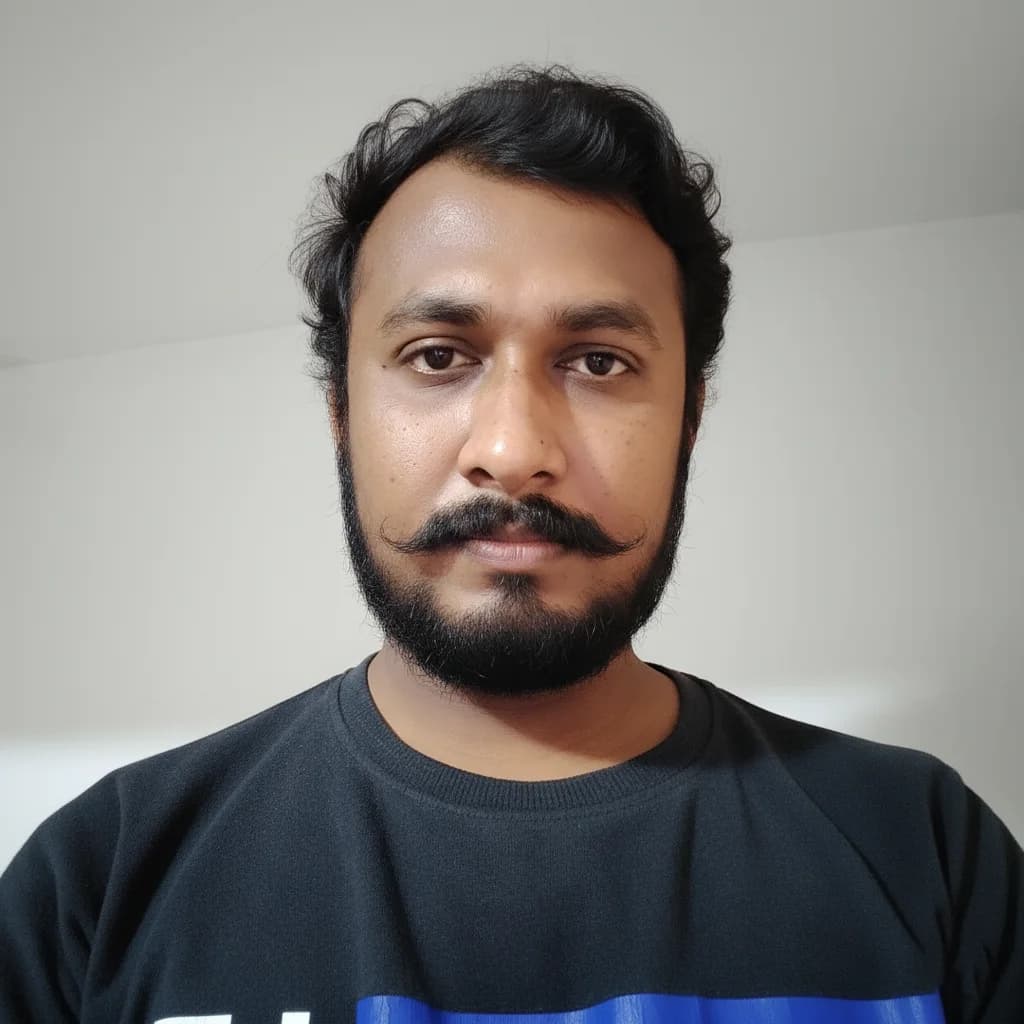
"Meet Vijay Chauhan, the founder of TypingTestTool with over 10+ years of web development experience. Discover how he engineered this platform to help millions master touch typing globally."