Free Turkish Typing Test: Check Your Speed & Accuracy
Measure your Turkish typing speed in Words Per Minute (dakikadaki kelime sayısı), check accuracy, and master Turkish F (TS 2117) or Q layouts for Zabıt Kâtipliği.

Take this free online Turkish typing test (Türkçe klavye hız testi / türkçe yazma testi) to measure your typing speed in Words Per Minute (WPM / dakikadaki kelime sayısı), keystrokes per minute (dakikadaki vuruş sayısı), and accuracy in real time. Built for both the scientifically optimized Turkish F keyboard (TS 2117) and standard Turkish Q layout, our Turkish typing speed test and daily online Turkish typing practice drill on parmak klavye (10 parmak) muscle memory, specialized characters (ç, ğ, ı, ö, ş, ü), dotted and dotless I (i vs. ı), and official 3-minute qualifying benchmarks for Zabıt Kâtipliği, İcra Kâtipliği, and corporate office roles.
Why Take an Online Turkish Typing Speed Test?
Typing in Turkish presents distinct mechanical demands that quickly trip up even seasoned English touch typists. Turkish is an agglutinative language, meaning sentences are built by attaching multiple suffixes to a root word. A single word like evlerimizdekiler (those in our houses) or yapabilecekseniz (if you will be able to do it) packs 16 to 18 consecutive letters without a space. If your muscle memory hesitates or your eyes drop to the keyboard to hunt for a suffix halfway through, your typing rhythm breaks instantly.
Turkish also features six specific characters absent from basic English: ç, ğ, ı, ö, ş, and ü. Most notably, the language separates dotted i / İ from dotless ı / I. Confusing the two transforms completely different words (for instance, ılık means lukewarm while ilik means bone marrow). Running a focused Turkish typing speed test trains your fingers to navigate these letter pairs smoothly without breaking eye contact with the screen.
How is Turkish WPM (Dakikadaki Kelime Sayısı) Calculated?
In Turkey, typing assessments measure performance using two metrics: dakikadaki kelime sayısı (DKS / WPM) and dakikadaki vuruş sayısı (keystrokes per minute / KPM).
Because agglutinative Turkish words vary dramatically in character length, counting raw space-separated words would create wild fluctuations across different test passages. To maintain strict fairness, international testing bodies and Turkish civil service evaluations adopt the standardized five-keystroke rule (5 vuruş = 1 kelime). Every five keystrokes, including letters, spaces, and punctuation marks, count as one standardized word. Multiply your WPM by 5 to calculate your keystrokes per minute: 60 dakikadaki kelime sayısı equals 300 vuruş/dakika, while 80 dakikadaki kelime sayısı equals 400 vuruş/dakika. Review our detailed technical breakdown on how WPM is calculated.
Gross speed measures total characters typed divided by five, whereas Net Speed (net kelime sayısı) deducts penalties for uncorrected typos. In high-stakes examinations like the Adalet Bakanlığı Zabıt Kâtipliği exam, words containing missing letters, incorrect diacritics, or skipped terms are discarded from your net total. Maintaining 96% to 99% accuracy is essential before attempting to increase raw typing speed. For actionable training techniques, read our guides on how to increase typing accuracy and Net WPM vs. Gross WPM.
The Turkish Keyboard Layout Battle: Turkish F (TS 2117) vs. Turkish Q
One of the most unique aspects of Turkish computing is the coexistence of two competing keyboard layouts: Turkish F (F-Klavye) and Turkish Q (Q-Klavye).
Turkish F Keyboard (TS 2117): Invented in 1955 by educator İhsan Sıtkı Yener and standardized by the Turkish Standards Institution in 1963 as TS 2117, the F keyboard was engineered scientifically using statistical letter-frequency analysis of Turkish texts. The most frequent vowels (U İ E A Ü) sit on the left-hand home row, while the most frequent consonants (T K M L Y) sit on the right-hand home row. Because Turkish syllables naturally alternate between consonants and vowels, typing on an F keyboard produces a smooth, rhythmic alternation between your left and right hands. Because over 80% of all Turkish keystrokes fall directly on the home row, Turkish national teams used the F keyboard to win dozens of Intersteno World Typing Championships. In 2013, the Turkish government issued an official circular mandating F-klavye across public sector institutions.
Turkish Q Keyboard: Turkish Q is an adaptation of the global QWERTY layout. It retains standard Latin letter positions while placing Turkish diacritics on the right side of the keyboard: Ğ and Ü to the right of P, Ş and dotted İ to the right of L, and Ö and Ç to the right of M. Dotless ı takes the position of the standard QWERTY I key. While less ergonomically balanced than F-klavye, Turkish Q dominates consumer laptops, programming workflows, and international business.
Typing Turkish Characters on Standard US Keyboards: If you use a laptop with an English US layout, you can activate the Turkish layout in your operating system settings or use native input combinations:
| Character | Turkish F Layout (TS 2117) | Turkish Q Layout (Windows) | macOS US Shortcut | Windows Alt Code |
|---|---|---|---|---|
| ç / Ç | Bottom row, right index (B position) |
Bottom row, right of Ö (. key) |
Option + C | Alt + 0231 / 0199 |
| ğ / Ğ | Top row, left middle (E position) |
Top row, right of P ([ key) |
Switch to Turkish input | Alt + 0287 / 0286 |
| ı / I (Dotless) | Top row, left index (R position) |
Top row, standard I position (I key) |
Switch to Turkish input | Alt + 0305 / Shift + I |
| i / İ (Dotted) | Home row, left ring (S position) |
Home row, right of Ş (' key) |
Standard I key | i / Alt + 0304 |
| ö / Ö | Bottom row, left ring (X position) |
Bottom row, right of M (, key) |
Option + U, then O | Alt + 0246 / 0214 |
| ş / Ş | Bottom row, right ring (. position) |
Home row, right of L (; key) |
Switch to Turkish input | Alt + 0351 / 0350 |
| ü / Ü | Home row, left index reach (G position) |
Top row, right of Ğ (] key) |
Option + U, then U | Alt + 0252 / 0220 |
To add Turkish F or Turkish Q keyboard layouts on Windows 10 or 11 so you can toggle between languages using Win + Space, follow our complete guide on how to enable keyboard layouts on Windows.
How to Improve Your Turkish Typing Speed (On Parmak Klavye Eğitimi)
In Turkish, touch typing without looking at the keyboard is called on parmak klavye kullanımı. Transitioning from visual hunting to fluent 70+ WPM touch typing requires systematic muscle memory development structured in three progressive phases:
Phase 1: Home Row Anchoring & Tactile Discipline (0-35 WPM)
Your hands must stay anchored to the home row at all times. On Turkish F, position your left fingers on U İ E A and right fingers on K M L Y, finding the tactile index bumps on A and K. On Turkish Q, position your left fingers on A S D F and right fingers on J K L Ş, anchoring to F and J. Looking down at the keys resets motor pathways. Build disciplined screen-only focus with our guide on how to type without looking at the keyboard, and test your baseline on our 1-Minute Turkish Typing Test.
Phase 2: Suffix Chains & Right-Hand Precision (35-60 WPM)
Typists frequently hit a plateau between 40 and 50 WPM due to right-hand drift. On Turkish Q, reaching for Ğ, Ü, and İ often pulls your whole palm off the home row, which leads to misstruck keys on the return stroke. Practice keeping your index finger hovering over its anchor key while only extending the pinky finger for boundary characters. Drill common grammatical suffix patterns like -lerden, -larında, and -ebilecek on our 2-Minute Turkish Typing Test and 3-Minute Turkish Typing Test.
Phase 3: Word Chunking & Exam Endurance (60-90+ WPM)
To reach high-tier speeds of 75 to 100+ DKS, stop reading text character by character. Train your brain to absorb full root words and common suffixes as single motor units. Rather than thinking of individual keystrokes g - e - l - d - i - k - l - e - r - i - n - d - e, execute the word as two fluid gestures: the root geldik followed by the suffix block lerinde. Maintain relaxed shoulders and consistent breathing across long test sessions on our 5-Minute Turkish Typing Test, 10-Minute Turkish Typing Test, or our elite 15-Minute Turkish Typing Test.
Official Turkish Civil Service & Employment Typing Benchmarks
In Turkey, practical computer typing examinations determine qualification for prominent public sector positions. The table below outlines official standards set by the Adalet Bakanlığı and public institutions:
| Institution / Examination | Position / Role | Qualifying Speed Threshold | Allowed Layouts | Duration | Target Accuracy |
|---|---|---|---|---|---|
| Adalet Bakanlığı (Ministry of Justice) | Zabıt Kâtipliği (Court Clerk) | Min. 90 Net Words (30 WPM) | Turkish F or Turkish Q | 3 Minutes | 96% to 99% |
| Adalet Bakanlığı İcra Daireleri | İcra Kâtipliği (Enforcement Clerk) | Min. 90 Net Words (30 WPM) | Turkish F or Turkish Q | 3 Minutes | 96% to 99% |
| Ceza ve Tevkifevleri (CTE) | Cezaevi Kâtipliği (Prison Clerk) | Min. 90 Net Words (30 WPM) | Turkish F or Turkish Q | 3 Minutes | 96% to 99% |
| Intersteno Türk Grubu | Dünya Klavye Şampiyonası (Championship) | 110 to 140+ WPM (550+ CPM) | Turkish F (TS 2117) | 15 to 30 Minutes | 99%+ |
| Hukuk Büroları & Tercüme Merkezleri | Legal Secretary / Transcriptionist | 55 to 75 WPM (275 to 375 CPM) | Turkish Q or Turkish F | 5 to 10 Minutes | 97%+ |
In our experience preparing candidates for the Zabıt Kâtipliği examination, hitting exactly 90 net words in quiet practice at home is rarely enough to guarantee passing on official exam day. In the test hall, adrenaline, unfamiliar low-profile membrane keyboards, and the loud clatter of hundreds of candidates typing simultaneously create noticeable stress. Typists routinely lose 10 to 15 net words compared to their home scores. Aim to consistently achieve 105 to 115 net words in 3 minutes during daily practice to build a secure safety margin. Compare your speed against international standards in our typing speed benchmarks guide, and explore hiring expectations in our typing test for employment analysis.
Related Tests
Try Different Durations
Test your typing skills with different time limits in Turkish (Türkçe).
Try Different Languages
Test your typing skills in different languages with the same 1-minute duration.
 English
'/%3e%3cpath fill='%23c8b100' stroke='none' d='M166.42 264.65c1.99-.72 3.29-1.58 2.66-3.14-.41-1-1.43-1.19-2.97-.63l-2.71.99 2.44 6.03c.27-.12.54-.24.81-.34.28-.1.57-.18.85-.26l-1.08-2.64v-.01zm-1.18-2.91.69-.25c.57-.21 1.21.1 1.5.8.21.53.16 1.13-.5 1.55-.21.13-.46.23-.7.33l-.99-2.43m7.54-2.52c-.29.08-.57.16-.86.22-.29.05-.59.09-.88.12l1.41 6.28 4.38-.88c-.05-.12-.12-.26-.14-.38-.03-.14-.03-.28-.04-.41-.77.22-1.61.46-2.61.66l-1.26-5.61m8.78 5.41c.82-2.28 1.82-4.46 2.81-6.67-.18.03-.36.06-.54.07s-.37.01-.54 0c-.53 1.61-1.18 3.21-1.87 4.8-.82-1.51-1.73-2.99-2.43-4.51-.34.04-.69.09-1.03.12-.34.02-.7.01-1.04.02 1.26 2.06 2.48 4.11 3.64 6.23.16-.03.32-.06.5-.08.16-.01.33.01.5.02m9.16-4.83c.15-.31.31-.6.48-.89-.24-.22-.96-.55-1.81-.63-1.79-.18-2.81.61-2.93 1.69-.26 2.26 3.31 2.07 3.14 3.57-.07.64-.75.9-1.48.83-.81-.08-1.41-.53-1.51-1.19l-.22-.02c-.12.39-.29.77-.48 1.15.53.34 1.21.53 1.85.59 1.83.19 3.22-.54 3.35-1.74.23-2.15-3.37-2.27-3.23-3.54.06-.53.47-.88 1.4-.79.67.07 1.08.43 1.26.95l.18.02m119.58 5.18c.62-2.33 1.41-4.58 2.19-6.87-.17.05-.35.09-.53.11-.17.03-.36.04-.54.05-.37 1.64-.88 3.29-1.42 4.94-.96-1.44-2-2.84-2.83-4.3-.34.07-.68.15-1.02.2s-.69.07-1.04.11c1.45 1.94 2.85 3.89 4.2 5.91.16-.04.32-.1.5-.12.16-.02.33-.02.49-.03m6.18-6.82c-.29.01-.59.04-.88.03-.3 0-.6-.04-.89-.06l-.12 6.41 4.49.08c-.03-.13-.06-.28-.06-.41s.04-.27.07-.4c-.81.05-1.68.1-2.71.08l.1-5.73m7.04 1.05c.72.06 1.41.19 2.1.31-.01-.13-.03-.27-.02-.41.01-.13.06-.26.1-.39l-6.07-.5c.01.14.03.27.02.4-.01.14-.06.27-.1.4.62-.02 1.37-.02 2.21.05l-.53 5.77c.29 0 .59 0 .88.03.3.02.59.07.88.11l.53-5.77m2.49 6.32c.29.05.59.09.88.15.28.06.57.15.85.23l.72-2.94.08.01c.16.41.38.9.49 1.19l.9 2.22c.36.06.71.11 1.05.18.36.08.7.18 1.04.28l-.31-.67c-.48-1-.99-2.01-1.41-3.02 1.12.04 1.98-.36 2.2-1.26.15-.62-.1-1.11-.68-1.53-.44-.31-1.28-.47-1.83-.6l-2.44-.53-1.54 6.29m3.14-5.42c.71.16 1.59.27 1.59 1.07-.01.21-.03.35-.06.48-.23.94-.94 1.26-2.13.91l.6-2.46m8.42 7.35c-.05.69-.18 1.37-.31 2.1.3.14.61.27.9.44.3.16.57.34.86.52l.6-7.23c-.14-.06-.27-.12-.41-.19-.13-.07-.25-.15-.37-.24l-6.38 4.05c.17.08.35.16.51.25.17.09.31.19.47.28.54-.45 1.1-.82 1.74-1.3l2.39 1.31v.01zm-1.81-1.66 2.13-1.37-.25 2.4-1.88-1.03'/%3e%3cpath fill='%23ad1519' stroke-width='.26' d='M249.65 182.72c6.64 0 12.56.99 16.41 2.51 2.2 1 5.16 1.73 8.4 2.17 2.47.33 4.81.39 6.85.24 2.73-.06 6.67.74 10.62 2.48 3.26 1.45 5.99 3.21 7.8 4.91l-1.57 1.4-.45 3.96-4.3 4.92-2.15 1.83-5.09 4.07-2.6.21-.79 2.25-32.91-3.86-33.02 3.86-.79-2.25-2.61-.21-5.08-4.07-2.15-1.83-4.3-4.92-.44-3.96-1.58-1.4c1.82-1.7 4.54-3.46 7.8-4.91 3.95-1.74 7.89-2.54 10.62-2.48 2.04.15 4.38.09 6.85-.24 3.24-.44 6.2-1.17 8.4-2.17 3.86-1.52 9.44-2.51 16.08-2.51z'/%3e%3cg fill='%23c8b100'%3e%3cpath d='m225.34 191.42 1.38 1.11 2.08-3.4c-2.25-1.38-3.8-3.78-3.8-6.51 0-.31.02-.61.06-.91.21-4.34 5.5-7.92 12.2-7.92 3.48 0 6.63.95 8.84 2.48.06-.67.12-1.25.21-1.86-2.43-1.42-5.6-2.28-9.05-2.28-7.71 0-13.74 4.39-14.03 9.57-.03.31-.05.61-.05.92 0 2.76 1.26 5.26 3.26 6.99l-1.1 1.81'/%3e%3cpath d='M225.43 191.46c-2.63-1.97-4.27-4.64-4.27-7.58 0-3.38 2.22-6.4 5.58-8.41-2.07 1.67-3.33 3.83-3.51 6.23-.03.31-.05.61-.05.92 0 2.76 1.26 5.26 3.26 6.99l-1.01 1.85'/%3e%3cpath d='M202.21 194.89c-1.48-1.65-2.38-3.79-2.38-6.12 0-1.41.33-2.75.91-3.95 2.13-4.38 8.82-7.57 16.76-7.57 2.16 0 4.23.23 6.14.67-.42.46-.75.97-1.08 1.48-1.59-.31-3.29-.48-5.06-.48-7.27 0-13.36 2.83-15.12 6.65a7.33 7.33 0 0 0-.73 3.2c0 2.32 1.09 4.4 2.79 5.82l-2.63 4.3-1.41-1.12 1.81-2.88z'/%3e%3cpath d='M204.9 180.48c-1.91 1.21-3.36 2.69-4.16 4.34-.58 1.2-.91 2.54-.91 3.95 0 2.33.9 4.47 2.38 6.12l-1.6 2.59c-1.53-1.96-2.42-4.26-2.42-6.7 0-4.2 2.67-7.87 6.71-10.3zm45.14-9.21c1.76 0 3.28 1.16 3.64 2.73.23 1.38.38 2.95.41 4.62.01.18-.01.35-.01.52 0 .2.04.41.05.61.06 3.52.56 6.62 1.27 8.52l-5.36 5.14-5.43-5.14c.72-1.9 1.22-5 1.29-8.52 0-.2.04-.41.04-.61 0-.17-.01-.34-.01-.52.03-1.67.18-3.24.41-4.62.36-1.57 1.94-2.73 3.7-2.73z'/%3e%3cpath d='M250.04 172.94c.91 0 1.68.58 1.87 1.39.23 1.31.37 2.8.4 4.38 0 .16-.01.32-.01.48 0 .2.03.39.04.59.05 3.32.53 6.25 1.21 8.05l-3.54 3.35-3.54-3.35c.67-1.8 1.15-4.73 1.21-8.05 0-.2.04-.39.04-.59 0-.16-.01-.32-.01-.48.03-1.58.17-3.07.4-4.38.18-.81 1.02-1.39 1.93-1.39zm24.66 18.48-1.39 1.11-2.08-3.4c2.26-1.38 3.81-3.78 3.81-6.51 0-.31-.02-.61-.06-.91-.21-4.34-5.5-7.92-12.2-7.92-3.49 0-6.63.95-8.84 2.48-.06-.67-.12-1.25-.22-1.86 2.44-1.42 5.6-2.28 9.06-2.28 7.71 0 13.74 4.39 14.03 9.57.03.31.05.61.05.92 0 2.76-1.27 5.26-3.27 6.99l1.11 1.81'/%3e%3cpath d='M274.61 191.46c2.63-1.97 4.27-4.64 4.27-7.58 0-3.38-2.22-6.4-5.58-8.41 2.07 1.67 3.33 3.83 3.51 6.23.03.31.05.61.05.92 0 2.76-1.27 5.26-3.27 6.99l1.02 1.85'/%3e%3cpath d='M297.83 194.89c1.47-1.65 2.38-3.79 2.38-6.12 0-1.41-.33-2.75-.91-3.95-2.14-4.38-8.82-7.57-16.76-7.57-2.16 0-4.23.23-6.15.67.43.46.76.97 1.09 1.48 1.58-.31 3.29-.48 5.06-.48 7.27 0 13.35 2.83 15.11 6.65.47.97.73 2.06.73 3.2 0 2.32-1.09 4.4-2.79 5.82l2.63 4.3 1.42-1.12-1.81-2.88z'/%3e%3cpath d='M295.14 180.48c1.91 1.21 3.36 2.69 4.16 4.34.58 1.2.91 2.54.91 3.95 0 2.33-.91 4.47-2.38 6.12l1.6 2.59c1.53-1.96 2.41-4.26 2.41-6.7 0-4.2-2.67-7.87-6.7-10.3z'/%3e%3cellipse cx='250.05' cy='167.3' fill='%23005bbf' stroke-width='.26' rx='4.43' ry='4.2'/%3e%3cpath stroke-width='.26' d='M248.89 155.54v2.26h-2.42v2.3h2.42v6.61h-3.05c-.03.21-.22.37-.22.59 0 .58.12 1.14.35 1.64 0 .02.02.02.03.03h8.12c0-.01.02-.01.03-.03.22-.5.35-1.06.35-1.64 0-.22-.19-.38-.22-.59h-2.96v-6.61h2.42v-2.3h-2.42v-2.26h-2.43z'/%3e%3c/g%3e%3cg fill='%23fff'%3e%3cellipse cx='250.04' cy='188.94' rx='1.91' ry='1.8'/%3e%3cellipse cx='250.04' cy='185.4' rx='1.91' ry='1.8'/%3e%3cellipse cx='250.04' cy='181.6' rx='1.52' ry='1.44'/%3e%3cellipse cx='250.04' cy='178.18' rx='1.1' ry='1.04'/%3e%3cellipse cx='250.04' cy='175.18' rx='.88' ry='.83'/%3e%3cellipse cx='198.94' cy='198.67' rx='1.1' ry='1.04'/%3e%3cellipse cx='197.44' cy='196.02' rx='1.1' ry='1.04'/%3e%3cellipse cx='196.44' cy='192.94' rx='1.1' ry='1.04'/%3e%3cellipse cx='196.31' cy='189.64' rx='1.1' ry='1.04'/%3e%3cellipse cx='197.12' cy='186.4' rx='1.1' ry='1.04'/%3e%3cellipse cx='198.81' cy='183.45' rx='1.1' ry='1.04'/%3e%3cellipse cx='201.06' cy='181.02' rx='1.1' ry='1.04'/%3e%3cellipse cx='203.68' cy='179.01' rx='1.1' ry='1.04'/%3e%3cellipse cx='206.8' cy='177.36' rx='1.1' ry='1.04'/%3e%3cellipse cx='210.04' cy='176.19' rx='1.1' ry='1.04'/%3e%3cellipse cx='213.66' cy='175.54' rx='1.1' ry='1.04'/%3e%3cellipse cx='217.1' cy='175.36' rx='1.1' ry='1.04'/%3e%3cellipse cx='220.47' cy='175.48' rx='1.1' ry='1.04'/%3e%3cellipse cx='224.21' cy='190.32' rx='1.1' ry='1.04'/%3e%3cellipse cx='222.34' cy='187.65' rx='1.1' ry='1.04'/%3e%3cellipse cx='221.35' cy='184.75' rx='1.1' ry='1.04'/%3e%3cellipse cx='221.47' cy='181.57' rx='1.1' ry='1.04'/%3e%3cellipse cx='222.16' cy='178.37' rx='1.1' ry='1.04'/%3e%3cellipse cx='223.84' cy='175.48' rx='1.1' ry='1.04'/%3e%3cellipse cx='226.4' cy='173.47' rx='1.1' ry='1.04'/%3e%3cellipse cx='229.39' cy='171.81' rx='1.1' ry='1.04'/%3e%3cellipse cx='232.7' cy='170.82' rx='1.1' ry='1.04'/%3e%3cellipse cx='236.13' cy='170.23' rx='1.1' ry='1.04'/%3e%3cellipse cx='239.5' cy='170.28' rx='1.1' ry='1.04'/%3e%3cellipse cx='242.99' cy='170.87' rx='1.1' ry='1.04'/%3e%3cellipse cx='246.23' cy='171.99' rx='1.1' ry='1.04'/%3e%3cellipse cx='253.8' cy='171.99' rx='1.1' ry='1.04'/%3e%3cellipse cx='257.04' cy='170.87' rx='1.1' ry='1.04'/%3e%3cellipse cx='260.54' cy='170.28' rx='1.1' ry='1.04'/%3e%3cellipse cx='263.9' cy='170.23' rx='1.1' ry='1.04'/%3e%3cellipse cx='267.34' cy='170.82' rx='1.1' ry='1.04'/%3e%3cellipse cx='270.64' cy='171.81' rx='1.1' ry='1.04'/%3e%3cellipse cx='273.64' cy='173.47' rx='1.1' ry='1.04'/%3e%3cellipse cx='276.19' cy='175.48' rx='1.1' ry='1.04'/%3e%3cellipse cx='277.88' cy='178.37' rx='1.1' ry='1.04'/%3e%3cellipse cx='278.57' cy='181.57' rx='1.1' ry='1.04'/%3e%3cellipse cx='278.69' cy='184.75' rx='1.1' ry='1.04'/%3e%3cellipse cx='277.69' cy='187.65' rx='1.1' ry='1.04'/%3e%3cellipse cx='275.83' cy='190.32' rx='1.1' ry='1.04'/%3e%3cellipse cx='279.57' cy='175.48' rx='1.1' ry='1.04'/%3e%3cellipse cx='282.94' cy='175.36' rx='1.1' ry='1.04'/%3e%3cellipse cx='286.38' cy='175.54' rx='1.1' ry='1.04'/%3e%3cellipse cx='290' cy='176.19' rx='1.1' ry='1.04'/%3e%3cellipse cx='293.24' cy='177.36' rx='1.1' ry='1.04'/%3e%3cellipse cx='296.36' cy='179.01' rx='1.1' ry='1.04'/%3e%3cellipse cx='298.97' cy='181.02' rx='1.1' ry='1.04'/%3e%3cellipse cx='301.22' cy='183.45' rx='1.1' ry='1.04'/%3e%3cellipse cx='302.91' cy='186.4' rx='1.1' ry='1.04'/%3e%3cellipse cx='303.72' cy='189.64' rx='1.1' ry='1.04'/%3e%3cellipse cx='303.6' cy='192.94' rx='1.1' ry='1.04'/%3e%3cellipse cx='302.6' cy='196.02' rx='1.1' ry='1.04'/%3e%3cellipse cx='301.1' cy='198.67' rx='1.1' ry='1.04'/%3e%3c/g%3e%3cg fill='%23c8b100'%3e%3cpath d='M250.15 226.18c-12.26-.02-23.25-1.47-31.09-3.83-.57-.18-.87-.7-.84-1.25-.01-.52.29-1 .84-1.17 7.84-2.36 18.83-3.81 31.09-3.83 12.27.02 23.25 1.47 31.09 3.83.55.17.84.65.83 1.17.03.55-.27 1.07-.83 1.25-7.84 2.36-18.82 3.81-31.09 3.83'/%3e%3cpath d='M250.07 216.09c-12.41.03-23.55 1.58-31.39 4 .65-.31.59-1.12-.22-3.2-.98-2.53-2.5-2.42-2.5-2.42 8.66-2.56 20.73-4.16 34.16-4.18 13.44.02 25.6 1.62 34.27 4.18 0 0-1.53-.11-2.51 2.42-.81 2.08-.87 2.89-.21 3.2-7.84-2.42-19.19-3.97-31.6-4'/%3e%3cpath d='M250.12 210.3c-13.43.02-25.5 1.62-34.16 4.18-.58.17-1.19-.05-1.38-.6s.12-1.18.7-1.35c8.71-2.67 21.08-4.35 34.84-4.38 13.77.03 26.19 1.71 34.9 4.38.58.17.89.8.7 1.35s-.8.77-1.38.6c-8.67-2.56-20.78-4.16-34.22-4.18'/%3e%3cpath d='m250.2 199.78 1.23.22c-.19.5-.24 1.05-.24 1.63 0 2.57 2.21 4.65 4.92 4.65 2.18 0 4.04-1.35 4.67-3.21.08.05.47-1.68.68-1.66.17.02.15 1.8.22 1.77.31 2.34 2.46 3.93 4.87 3.93 2.71 0 4.91-2.08 4.91-4.65 0-.19-.01-.38-.04-.57l1.54-1.52.83 1.94c-.33.61-.46 1.3-.46 2.03 0 2.46 2.1 4.44 4.69 4.44 1.63 0 3.06-.78 3.9-1.97l.99-1.25-.01 1.53c0 1.55.66 2.93 2.16 3.18 0 0 1.73.1 4.03-1.7 2.29-1.8 3.55-3.29 3.55-3.29l.2 1.8s-1.9 2.95-3.97 4.15c-1.14.66-2.86 1.35-4.23 1.13-1.44-.24-2.48-1.4-3.01-2.74-1.03.61-2.25.97-3.55.97-2.81 0-5.33-1.54-6.32-3.86-1.29 1.4-3.09 2.25-5.2 2.25-2.24 0-4.29-1.01-5.57-2.56a7.198 7.198 0 0 1-4.88 1.87c-2.48 0-4.69-1.22-5.94-3.05-1.25 1.83-3.46 3.05-5.94 3.05-1.89 0-3.61-.71-4.87-1.87-1.28 1.55-3.34 2.56-5.58 2.56-2.11 0-3.9-.85-5.19-2.25-1 2.32-3.52 3.86-6.32 3.86-1.31 0-2.52-.36-3.55-.97-.54 1.34-1.57 2.5-3.02 2.74-1.36.22-3.08-.47-4.22-1.13-2.08-1.2-3.98-4.15-3.98-4.15l.2-1.8s1.27 1.49 3.56 3.29c2.29 1.81 4.02 1.7 4.02 1.7 1.51-.25 2.16-1.63 2.16-3.18l-.01-1.53.99 1.25c.84 1.19 2.28 1.97 3.9 1.97 2.59 0 4.69-1.98 4.69-4.44 0-.73-.13-1.42-.46-2.03l.83-1.94 1.54 1.52c-.02.19-.04.38-.04.57 0 2.57 2.2 4.65 4.91 4.65 2.42 0 4.56-1.59 4.88-3.93.06.03.05-1.75.22-1.77.2-.02.6 1.71.67 1.66.64 1.86 2.49 3.21 4.68 3.21 2.71 0 4.91-2.08 4.91-4.65 0-.58-.03-1.13-.24-1.63l1.29-.22'/%3e%3cpath d='M208.37 206.32a2.24 2.24 0 0 0-.72-1.06c-.79-.68-1.84-.79-2.36-.25-.07.07-.13.17-.17.25 0 0-1.11-2.08-2.41-2.78-1.29-.7-3.49-.52-3.49-.52 0-1.6 1.3-2.89 2.99-2.89.99 0 1.92.41 2.48 1.11l.23-1.07s1.36.27 1.98 1.82-.06 3.8-.06 3.8.34-.96.85-1.61c.51-.64 1.81-1.34 2.49-1.66.67-.31 1.37-.79 1.37-.79s.03.18.05.61c.03.51-.01.83-.01.83 1.24-.17 2.69.04 3.83.48-.49.95-1.41 1.84-2.62 2.3 0 0 .44.36.83.75.34.34.44.49.44.49s-.85.13-1.27.19c-.43.05-1.84.28-2.69.22-.62-.04-1.32-.14-1.74-.22'/%3e%3cpath fill='%23ad1519' d='M205.29 205.01c.52-.54 1.57-.43 2.36.25.8.67 1.02 1.66.51 2.19-.51.54-1.57.42-2.36-.25-.79-.68-1.02-1.66-.51-2.19'/%3e%3cpath fill='%23fff' d='M216.39 205.91c-.28-.83-.03-1.65.57-1.83.6-.19 1.32.33 1.6 1.16s.03 1.65-.57 1.84c-.6.18-1.31-.34-1.6-1.17'/%3e%3cpath d='M226.12 201.86c-.33-.27-.59-.64-.67-1.08s.01-.87.23-1.23c0 0-.88-.44-1.83-.69-.72-.19-1.99-.2-2.37-.2-.38-.02-1.15-.03-1.15-.03s.07.17.28.55c.27.46.5.75.5.75-1.27.29-2.35 1.12-3.03 2.09.99.68 2.3 1.1 3.6.97 0 0-.12.34-.2.86-.06.43-.06.61-.06.61s.71-.26 1.07-.39c.35-.13 1.54-.55 2.15-.96.8-.54 1.48-1.25 1.48-1.25'/%3e%3cpath d='M225.68 191.65c1.06.67 1.98 1.79 2.3 3.03 0 0 .13-.25.71-.59.59-.33 1.09-.32 1.09-.32s-.17.97-.25 1.32c-.09.34-.09 1.38-.32 2.32-.23.93-.63 1.68-.63 1.68-.42-.34-.99-.51-1.58-.41-.58.1-1.06.44-1.32.9 0 0-.66-.58-1.21-1.38-.55-.81-.93-1.78-1.13-2.08-.21-.3-.72-1.15-.72-1.15s.47-.18 1.14-.05c.67.12.88.32.88.32-.14-1.28.28-2.62 1.04-3.59'/%3e%3cpath d='M228.97 201.38a1.727 1.727 0 0 0-.42-2.3s.67-.71 1.47-1.26c.6-.41 1.8-.82 2.15-.95.36-.13 1.07-.4 1.07-.4s0 .18-.06.61c-.08.52-.2.87-.2.87 1.3-.14 2.62.29 3.61.98-.69.97-1.77 1.79-3.04 2.08 0 0 .23.28.5.74.21.39.28.56.28.56l-1.15-.03c-.38 0-1.65-.01-2.37-.2-.95-.25-1.84-.69-1.84-.69'/%3e%3cellipse cx='227.37' cy='200.45' fill='%23ad1519' rx='2.17' ry='2.06'/%3e%3cpath fill='%23fff' d='M237.76 201.77c-.11-.87.31-1.63.93-1.7.63-.07 1.23.57 1.34 1.44.11.86-.3 1.63-.93 1.7-.62.07-1.22-.57-1.34-1.44'/%3e%3cpath d='M248.5 199.83c-.32-.36-.53-.82-.53-1.33 0-.5.19-.97.51-1.32 0 0-.89-.67-1.89-1.12-.77-.35-2.18-.59-2.6-.67l-1.28-.24s.04.2.2.67c.2.56.4.93.4.93-1.47.08-2.85.81-3.81 1.76.96.94 2.34 1.66 3.81 1.75 0 0-.2.36-.4.93-.16.46-.2.67-.2.67l1.28-.24c.42-.08 1.83-.32 2.6-.67 1-.46 1.91-1.11 1.91-1.11'/%3e%3cpath d='M250.11 188.36c1.05.95 1.85 2.36 1.95 3.82 0 0 .19-.27.91-.53.73-.26 1.28-.16 1.28-.16s-.39 1.05-.55 1.42c-.17.37-.39 1.53-.84 2.53-.44 1-1.05 1.76-1.05 1.76-.4-.45-1-.75-1.67-.75-.68 0-1.27.3-1.67.75 0 0-.61-.76-1.05-1.76-.45-1-.67-2.16-.84-2.53s-.56-1.42-.56-1.42.56-.1 1.28.16.92.53.92.53c.1-1.46.86-2.87 1.89-3.82'/%3e%3cpath d='M251.76 199.83c.33-.36.53-.82.53-1.33 0-.5-.19-.97-.51-1.32 0 0 .89-.67 1.9-1.12.76-.35 2.17-.59 2.6-.67l1.26-.24s-.02.2-.19.67c-.2.56-.4.93-.4.93 1.47.08 2.86.81 3.81 1.76-.95.94-2.33 1.66-3.81 1.75 0 0 .2.36.4.93.16.46.19.67.19.67l-1.26-.24c-.43-.08-1.84-.32-2.6-.67-1.01-.46-1.92-1.11-1.92-1.11'/%3e%3cellipse cx='250.14' cy='198.5' fill='%23ad1519' rx='2.17' ry='2.06'/%3e%3cpath fill='%23fff' d='M262.58 201.77c.11-.87-.3-1.63-.93-1.7s-1.23.57-1.34 1.44c-.11.86.31 1.63.93 1.7.63.07 1.23-.57 1.34-1.44'/%3e%3cpath d='M271.38 201.38c-.22-.35-.32-.79-.25-1.23.09-.44.33-.81.67-1.07 0 0-.67-.71-1.47-1.26-.61-.41-1.8-.82-2.16-.95-.35-.13-1.06-.4-1.06-.4s-.01.18.06.61c.08.52.19.87.19.87-1.29-.14-2.61.29-3.6.98.68.97 1.77 1.79 3.03 2.08 0 0-.23.28-.49.74-.22.39-.28.56-.28.56l1.14-.03c.38 0 1.66-.01 2.37-.2.95-.25 1.84-.69 1.84-.69'/%3e%3cpath d='M274.67 191.65c-1.06.67-1.98 1.79-2.31 3.03 0 0-.12-.25-.71-.59-.58-.33-1.09-.32-1.09-.32s.17.97.26 1.32c.09.34.09 1.38.31 2.32.23.93.64 1.68.64 1.68.42-.34.99-.51 1.57-.41.59.1 1.06.44 1.33.9 0 0 .66-.58 1.21-1.38.54-.81.92-1.78 1.12-2.08.21-.3.72-1.15.72-1.15s-.47-.18-1.14-.05c-.67.12-.88.32-.88.32.15-1.28-.28-2.62-1.03-3.59'/%3e%3cpath d='M274.22 201.86c.34-.27.6-.64.67-1.08.09-.44 0-.87-.22-1.23 0 0 .88-.44 1.83-.69.72-.19 1.99-.2 2.36-.2.39-.02 1.15-.03 1.15-.03s-.06.17-.28.55c-.26.46-.49.75-.49.75 1.26.29 2.34 1.12 3.03 2.09-.99.68-2.31 1.1-3.6.97 0 0 .11.34.19.86.06.43.06.61.06.61s-.71-.26-1.06-.39c-.36-.13-1.55-.55-2.16-.96-.79-.54-1.48-1.25-1.48-1.25'/%3e%3cellipse cx='272.98' cy='200.45' fill='%23ad1519' rx='2.17' ry='2.06'/%3e%3cpath fill='%23fff' d='M283.96 205.91c.28-.83.03-1.65-.57-1.83-.6-.19-1.32.33-1.61 1.16-.28.83-.03 1.65.57 1.84.6.18 1.32-.34 1.61-1.17'/%3e%3cpath d='M291.97 206.32c.11-.37.36-.75.72-1.06.79-.68 1.85-.79 2.36-.25.07.07.14.17.18.25 0 0 1.1-2.08 2.4-2.78s3.5-.52 3.5-.52c0-1.6-1.31-2.89-3-2.89-.99 0-1.92.41-2.47 1.11l-.23-1.07s-1.36.27-1.98 1.82.05 3.8.05 3.8-.33-.96-.84-1.61c-.51-.64-1.81-1.34-2.49-1.66-.68-.31-1.37-.79-1.37-.79s-.03.18-.06.61c-.02.51.02.83.02.83-1.25-.17-2.7.04-3.83.48.48.95 1.4 1.84 2.61 2.3 0 0-.43.36-.83.75-.33.34-.43.49-.43.49s.85.13 1.27.19c.43.05 1.84.28 2.68.22.63-.04 1.32-.14 1.74-.22'/%3e%3cpath fill='%23ad1519' d='M295.05 205.01c-.51-.54-1.57-.43-2.36.25-.79.67-1.02 1.66-.51 2.19.51.54 1.57.42 2.36-.25.79-.68 1.02-1.66.51-2.19'/%3e%3c/g%3e%3cg fill='none'%3e%3cpath fill='%23ad1519' stroke-linejoin='round' d='M250.12 224.57c-11.06-.01-21.07-1.29-28.68-3.26 7.61-1.97 17.62-3.17 28.68-3.19 11.07.02 21.13 1.22 28.74 3.19-7.61 1.97-17.67 3.25-28.74 3.26z'/%3e%3cpath stroke-width='.05' d='M258.04 224.28v-6.01m-3.02 6.21.04-6.37m-2.24 6.45v-6.49'/%3e%3cpath stroke-width='.09' d='M250.95 224.64v-6.57'/%3e%3cpath stroke-width='.14' d='M249.16 224.64v-6.57'/%3e%3cpath stroke-width='.18' d='M247.48 224.64v-6.57'/%3e%3cpath stroke-width='.23' d='M245.81 224.64v-6.57'/%3e%3cpath stroke-width='.28' d='M244.32 224.64v-6.57'/%3e%3cpath stroke-width='.33' d='m241.48 224.28-.04-5.97m1.39 6.05v-6.25'/%3e%3cpath stroke-width='.37' d='M238.86 224.01v-5.5m1.33 5.66-.04-5.86'/%3e%3cpath stroke-width='.42' d='M235.35 223.7v-4.84m1.15 4.92v-5.08m1.19 5.24v-5.28'/%3e%3cpath stroke-width='.46' d='M234.12 223.66v-4.68'/%3e%3cpath stroke-width='.51' d='M232.97 223.42v-4.36'/%3e%3cpath stroke-width='.56' d='M231.74 223.31v-4.06'/%3e%3cpath stroke-width='.6' d='m229.22 222.95-.04-3.22m1.33 3.38v-3.62'/%3e%3cpath stroke-width='.63' d='M227.93 222.68v-2.84'/%3e%3cpath stroke-width='.68' d='M226.74 222.45v-2.36'/%3e%3cpath stroke-width='.73' d='M225.45 222.13v-1.85'/%3e%3cpath stroke-width='.77' d='M224.12 221.98v-1.38'/%3e%3cpath stroke-width='.91' d='M222.72 221.66v-.67'/%3e%3cpath d='M220.12 221.66c7.75-2.18 18.29-3.52 30-3.54 11.72.02 22.31 1.36 30.06 3.54'/%3e%3cpath fill='%23ad1519' d='m216.72 217.16 1.22-1.59 3.37.43-2.69 1.96-1.9-.8'/%3e%3cpath fill='%23fff' d='M224.03 215.28c0-.58.49-1.04 1.1-1.04s1.1.46 1.1 1.04c0 .57-.49 1.04-1.1 1.04s-1.1-.47-1.1-1.04'/%3e%3cpath fill='%23058e6e' d='m233.64 215.07-2.36.27c-.61.07-1.17-.33-1.24-.9-.08-.57.35-1.09.96-1.15l2.37-.28 2.42-.28c.6-.07 1.15.33 1.22.9s-.36 1.09-.96 1.16l-2.41.28'/%3e%3cpath fill='%23fff' d='M240.54 213.35c0-.58.49-1.04 1.1-1.04.6 0 1.1.46 1.1 1.04 0 .57-.5 1.04-1.1 1.04-.61 0-1.1-.47-1.1-1.04'/%3e%3cpath fill='%23ad1519' d='M250.15 214.16h-3.29c-.6 0-1.11-.46-1.11-1.03 0-.58.49-1.04 1.1-1.04h6.64c.61 0 1.1.46 1.1 1.04 0 .57-.51 1.03-1.11 1.03h-3.33'/%3e%3cpath fill='%23fff' d='M257.56 213.35c0-.58.5-1.04 1.1-1.04.61 0 1.1.46 1.1 1.04 0 .57-.49 1.04-1.1 1.04-.6 0-1.1-.47-1.1-1.04'/%3e%3cpath fill='%23058e6e' d='m266.66 215.07 2.36.27c.6.07 1.17-.33 1.24-.9s-.36-1.09-.96-1.15l-2.37-.28-2.42-.28c-.61-.07-1.15.33-1.22.9-.08.57.36 1.09.96 1.16l2.41.28'/%3e%3cpath fill='%23fff' d='M274.07 215.28c0-.58.49-1.04 1.1-1.04s1.1.46 1.1 1.04c0 .57-.49 1.04-1.1 1.04s-1.1-.47-1.1-1.04'/%3e%3cpath fill='%23ad1519' d='m283.57 217.16-1.21-1.59-3.37.43 2.69 1.96 1.89-.8'/%3e%3c/g%3e%3cg stroke-width='.52'%3e%3cpath fill='%23ccc' d='M250.49 344.33c-13.08 0-26.05-3.2-36.95-8.54-8.03-3.98-13.36-12-13.36-21.19v-33.3H300.6v33.3c0 9.19-5.32 17.21-13.36 21.19-10.9 5.34-23.66 8.54-36.75 8.54z'/%3e%3cpath fill='%23ffd691' d='M252.91 329.55c2.09.63 3.15 2.19 3.15 4.01 0 2.38-2.3 4.18-5.3 4.18-2.99 0-5.42-1.8-5.42-4.18 0-1.79 1-3.8 3.08-3.94 0 0-.06-.19-.24-.5-.22-.23-.64-.66-.64-.66s.79-.15 1.25.02c.46.18.77.47.77.47s.21-.43.52-.76c.3-.33.7-.53.7-.53s.46.38.61.64c.15.27.25.59.25.59s.42-.35.79-.49c.37-.15.84-.26.84-.26s-.13.46-.22.69-.14.72-.14.72'/%3e%3cpath fill='%23058e6e' d='M250.32 340.32s-3.98-2.68-5.7-3.04c-2.21-.47-4.69-.09-5.76-.15.03.03 1.29.93 1.84 1.48s2.39 1.65 3.43 1.91c3.22.81 6.19-.2 6.19-.2m1.14.24s2.54-2.66 5.21-3.02c3.15-.44 5.22.26 6.44.58.03 0-1.01.49-1.56.87-.55.37-1.97 1.57-4.14 1.59-2.18.03-4.58-.23-4.97-.17-.4.06-.98.15-.98.15'/%3e%3cpath fill='%23ad1519' d='M250.69 337.28c-1-.93-1.62-2.25-1.62-3.72 0-1.46.62-2.78 1.63-3.71a5.08 5.08 0 0 1-.01 7.43'/%3e%3cpath fill='%23058e6e' d='M249.68 342.71s.61-1.52.67-2.83c.06-1.09-.15-2.17-.15-2.17h.8s.39 1.16.39 2.17c0 1.02-.18 2.37-.18 2.37s-.55.08-.73.17c-.19.09-.8.29-.8.29'/%3e%3cg fill='%23c8b100'%3e%3cpath fill='%23ad1519' d='M250.32 314.57c0 13.16-11.16 23.82-25.05 23.82s-25.15-10.66-25.15-23.82v-33.35h50.2v33.35'/%3e%3cpath d='M200.03 314.12c.15 7.02 2.95 12.25 5.73 15.67v-49.47h-5.66l-.07 33.8zm11.05 20.11c1.57.83 3.72 2.22 6.03 2.77l-.15-56.96h-5.88v54.19zm11.2 4.02c2.3.23 4.01.19 5.87 0v-58.21h-5.87v58.21zm11.04-1.25c2.3-.46 4.9-1.89 6.03-2.63v-54.33h-5.88l-.15 56.96zm11.49-7.76c2.45-2.18 4.75-7.12 5.59-12.76l.14-36.44h-5.87l.14 49.2z'/%3e%3c/g%3e%3cpath fill='%23ad1519' d='M300.65 281.22v33.35c0 13.16-11.28 23.82-25.17 23.82-13.9 0-25.16-10.66-25.16-23.82v-33.35h50.33'/%3e%3cpath id='e' fill='%23c8b100' stroke='%23c8b100' stroke-width='.26' d='M272.71 306.14c.05-.14.12-.27.19-.4l-4.26-4.74-1.67.72-3.06-3.39 1-1.46-5.34-5.99c-.07.02-.2.02-.27.04l.03 4.02 1.75.5v4.46l-1.75.48-.03 4.08c.84.26 1.48.88 1.74 1.67l3.21.01.51-1.67h4.72l.5 1.67zm-6.98-18.5v1.61h2.76v-1.61zm-7.3 20.37c.64 0 1.16-.49 1.16-1.1s-.52-1.11-1.16-1.11c-.65 0-1.17.5-1.17 1.11s.52 1.1 1.17 1.1zm15.99-9.73-1.76-.48v-4.46l1.76-.5-.01-1.92c-.85-.25-1.51-.87-1.79-1.67h-2.68l-.51 1.67h-4.71l-.51-1.67h-3.09c-.08.22-.17.42-.29.61l5.38 5.96 1.67-.71 3.06 3.4-1 1.45 4.18 4.64c.09-.04.18-.08.28-.12zm-7.25-1.39-1.29 1.04 1.77 1.98 1.29-1.05zm8.004 36.186c-1.24-.065-2.255-.902-2.514-2.016-1.67-.23-3.25-.66-4.73-1.3l.84-1.43c1.29.55 2.66.91 4.08 1.11.31-.66.86-1.16 1.58-1.4l.01-5.62-1.76-.49v-4.46l1.76-.48v-7.64a.882.882 0 0 1-.2-.09l-3.98 4.42 1 1.44-3.06 3.4-1.67-.71-3.3 3.67c.57.87.55 2-.11 2.85a15.58 15.58 0 0 0 3.24 2.75l-.84 1.44c-1.42-.89-2.7-1.99-3.79-3.22-.87.26-1.86.11-2.6-.5-1.15-.93-1.29-2.56-.3-3.64l.14-.16c-.69-1.56-1.16-3.24-1.32-5l1.71.01c.14 1.5.51 2.93 1.09 4.27.49-.06 1-.01 1.46.16l3.32-3.68-1-1.45 3.06-3.4 1.67.72 3.99-4.43a2.15 2.15 0 0 1-.21-.46l-2.76.01-.5 1.67h-4.72l-.51-1.67-3.24-.01c-.27.76-.9 1.36-1.69 1.62l-.01 4.04-1.71-.01v-4.01c-1.1-.33-1.91-1.31-1.91-2.47 0-1.15.82-2.15 1.92-2.48l.01-4.05-1.76-.48v-4.46l1.76-.5v-4.05c-1.08-.35-1.84-1.32-1.84-2.45 0-1.43 1.22-2.58 2.73-2.58 1.22 0 2.25.74 2.61 1.78h3.09l.51-1.67h4.71l.51 1.67h2.68c.357-1.031 1.363-1.767 2.559-1.78l.071 8.37h-.85v2.61h.845l-.021 21.59h-.784v2.61h.78zm-5.914-18.306-1.29-1.04-1.78 1.98 1.29 1.04zm-9.96-18.44h-1.69l-.01 2.61h1.7zm9.16 11.41v-1.6h-2.85v1.6zm-10.6 9.69-1.76-.39-.25-4.45 1.75-.58v2.56c0 .99.09 1.92.26 2.86zm1.46-5.52 1.75.41s.09 2.87.05 2.22c-.04-.74.19 2.24.19 2.24l-1.76.58c-.18-.9-.24-1.84-.24-2.79zm10.81 16.93.39-1.7c-1.52-.48-2.93-1.18-4.17-2.09l-1.26 1.11c1.48 1.15 3.19 2.08 5.04 2.68zm-.85 1.44-1.3 1.22c-1.47-.54-2.86-1.26-4.12-2.11l.38-1.77c1.5 1.13 3.21 2.03 5.04 2.66z'/%3e%3cuse xlink:href='%23e' transform='matrix(-1 0 0 1 550.43 0)'/%3e%3cpath fill='%23058e6e' stroke='none' d='M272.59 306.94c0-1.44 1.23-2.6 2.74-2.6s2.73 1.16 2.73 2.6c0 1.43-1.22 2.58-2.73 2.58s-2.74-1.15-2.74-2.58'/%3e%3cg fill='%23c8b100' stroke-width='.46'%3e%3cpath fill='%23ad1519' stroke-width='.52' d='M200.12 281.25h50.18v-55.72h-50.18v55.72z'/%3e%3cpath d='M217.34 238.41h-.92v-.92h-1.62v3.69h1.62v2.55h-3.47v7.39h1.85v14.79h-3.7v7.63h28.42v-7.63h-3.69v-14.79h1.85v-7.39h-3.47v-2.55h1.62v-3.69h-1.62v.92h-.93v-.92h-1.61v.92h-1.16v-.92h-1.62v3.69h1.62v2.55h-3.46v-8.09h1.84v-3.7h-1.84v.93h-.93v-.93h-1.62v.93h-.92v-.93h-1.85v3.7h1.85v8.09h-3.47v-2.55h1.62v-3.69h-1.62v.92h-.92v-.92h-1.85v.92zm-6.24 35.13h28.42m-28.42-1.85h28.42m-28.42-1.85h28.42m-28.42-1.85h28.42m-28.42-2.08h28.42m-24.72-1.62h21.03m-21.03-1.85h21.03m-21.03-2.08h21.03m-21.03-1.84h21.03m-21.03-1.85h21.03m-21.03-1.85h21.03m-21.03-1.85h21.03m-22.88-1.85h24.73m-24.73-1.85h24.73m-24.73-1.85h24.73m-24.73-1.84h24.73m-21.26-1.85h17.79m-10.63-1.85h3.47m-3.47-1.85h3.47m-3.47-1.85h3.47m-3.47-1.85h3.47m-5.32-2.31h7.16m-12.47 7.86h3.69m-5.31-2.31h6.93m-6.93 33.97v-1.85m0-1.85v-1.85m-1.85 1.85v1.85m3.47 0v-1.85m1.84 3.7v-1.85m0-1.85v-1.85m0-2.08v-1.62m0-1.85v-2.08m-1.84 7.63v-2.08m-3.47 2.08v-2.08m7.16 0v2.08m1.62-2.08v-1.62m-5.31-1.85v1.85m3.69-1.85v1.85m3.47-1.85v1.85m-1.85-1.85v-2.08m1.85-1.84v1.84m0-5.54v1.85m-1.85-3.7v1.85m1.85-3.7v1.85m-3.47-1.85v1.85m-3.69-1.85v1.85m-1.62-3.7v1.85m3.46-1.85v1.85m3.47-1.85v1.85m1.85-3.7v1.85m-3.47-1.85v1.85m-3.69-1.85v1.85m-1.62-3.69v1.84m6.93-1.84v1.84m-3.47-5.54v1.85m15.95-1.85h-3.7m5.32-2.31h-6.94m6.94 33.97v-1.85m0-1.85v-1.85m1.85 1.85v1.85m-3.47 0v-1.85m-1.85 3.7v-1.85m0-1.85v-1.85m0-2.08v-1.62m0-1.85v-2.08m1.85 7.63v-2.08m3.47 2.08v-2.08m-7.17 0v2.08m-1.62-2.08v-1.62m5.32-1.85v1.85m-3.7-1.85v1.85m-3.46-1.85v1.85m1.84-1.85v-2.08m-1.84-1.84v1.84m0-5.54v1.85m1.84-3.7v1.85m-1.84-3.7v1.85m3.46-1.85v1.85m3.7-1.85v1.85m1.62-3.7v1.85m-3.47-1.85v1.85m-3.47-1.85v1.85m-1.84-3.7v1.85m3.46-1.85v1.85m3.7-1.85v1.85m1.62-3.69v1.84m-6.94-1.84v1.84m3.47-5.54v1.85m-7.16 18.71v-2.08m0-5.54v-1.85m0 5.55v-1.85m0-5.55v-1.85m0-1.85v-1.84m0-3.7v-1.85m0-1.85v-1.85m-8.78 4.85h3.69m3.47-5.54h3.47m3.46 5.54h3.7'/%3e%3cpath d='M230.05 273.54v-4.86c0-.92-.46-3.7-4.85-3.7-4.16 0-4.62 2.78-4.62 3.7v4.86h9.47z'/%3e%3cpath d='m222.19 268.91-2.31-.23c0-.92.23-2.31.93-2.77l2.08 1.62c-.23.23-.7.92-.7 1.38zm3.93-2.31 1.16-2.08c-.46-.23-1.39-.46-2.08-.46-.46 0-1.39.23-1.85.46l1.15 2.08h1.62zm2.31 2.31 2.31-.23c0-.92-.23-2.31-.92-2.77l-2.08 1.62c.23.23.69.92.69 1.38zm-6.7-8.08v-5.09c0-1.38-.92-2.54-2.54-2.54s-2.54 1.16-2.54 2.54v5.09h5.08zm7.16 0v-5.09c0-1.38.93-2.54 2.55-2.54 1.61 0 2.54 1.16 2.54 2.54v5.09h-5.09zm-8.78-12.48.23-4.62h-4.39l.47 4.62h3.69zm6.94 0 .46-4.62h-4.39l.23 4.62h3.7zm3.46 0-.46-4.62h4.62l-.46 4.62h-3.7z'/%3e%3cpath fill='%230039f0' stroke='none' d='M228.43 273.54v-4.16c0-.7-.46-2.78-3.23-2.78-2.54 0-3.01 2.08-3.01 2.78v4.16h6.24zm-7.16-13.18v-4.39c0-1.15-.69-2.31-2.08-2.31s-2.08 1.16-2.08 2.31v4.39h4.16zm8.09 0v-4.39c0-1.15.69-2.31 2.08-2.31 1.38 0 2.08 1.16 2.08 2.31v4.39h-4.16z'/%3e%3c/g%3e%3cpath fill='%23ccc' d='M250.28 281.25h50.32v-55.72h-50.32v55.72z'/%3e%3cpath fill='%23db4446' stroke-width='.39' d='m275.93 239.26.05-.62.09-.34s-1.61.13-2.46-.11-1.61-.59-2.4-1.25c-.79-.68-1.1-1.1-1.67-1.18-1.36-.22-2.4.4-2.4.4s1.02.37 1.78 1.31 1.59 1.41 1.95 1.53c.59.18 2.66.05 3.22.07.57.03 1.84.19 1.84.19z'/%3e%3cg fill='none' stroke-width='.39'%3e%3cpath fill='%23ed72aa' d='M283.46 237s.01.72.08 1.4c.06.67-.22 1.24-.11 1.61s.16.66.3.93c.14.26.21.94.21.94s-.38-.28-.74-.54c-.35-.27-.6-.44-.6-.44l.1 1.03c.04.31.22.89.51 1.24.29.33.87.89 1.05 1.33.18.45.14 1.44.14 1.44s-.46-.75-.87-.89c-.39-.14-1.26-.62-1.26-.62s.79.79.79 1.55c0 .75-.32 1.6-.32 1.6s-.36-.68-.83-1.12c-.47-.45-1.13-.9-1.13-.9s.52 1.17.52 1.95c0 .79-.15 2.47-.15 2.47s-.39-.64-.79-.96c-.4-.31-.87-.58-1.02-.78-.14-.21.48.64.54 1.16.07.51.32 2.35 1.92 4.69.94 1.37 2.39 3.77 5.5 2.98 3.11-.78 1.96-4.97 1.3-6.92-.65-1.95-.98-4.11-.94-4.87.04-.75.58-2.97.51-3.39-.07-.41-.24-2 .14-3.28.4-1.33.73-1.85.95-2.4.21-.55.39-.86.46-1.34s.07-1.37.07-1.37.58 1.06.73 1.44c.14.38.14 1.5.14 1.5s.11-1.12.98-1.67 1.88-1.13 2.13-1.44.33-.51.33-.51-.08 1.92-.62 2.67c-.36.49-1.77 2.09-1.77 2.09s.73-.28 1.23-.3c.51-.04.87 0 .87 0s-.62.48-1.41 1.64c-.8 1.16-.47 1.26-1.05 2.22s-1.05 1-1.78 1.58c-1.08.87-.5 4.34-.36 4.86.15.51 2.03 4.76 2.07 5.79.03 1.03.21 3.33-1.6 4.8-1.16.95-3.07.96-3.51 1.23-.43.28-1.29 1.13-1.29 2.91 0 1.79.64 2.06 1.15 2.51.51.44 1.16.2 1.3.55.15.34.22.54.44.75.21.2.36.44.29.82-.08.38-.91 1.23-1.2 1.85-.29.61-.87 2.23-.87 2.47s-.07.99.18 1.37c0 0 .91 1.06.29 1.26-.4.14-.78-.25-.97-.2-.54.14-.83.47-.98.45-.36-.07-.36-.25-.4-.76-.03-.51-.01-.72-.17-.72-.22 0-.33.18-.37.45s-.04.89-.29.89-.61-.45-.83-.55-.83-.2-.87-.48c-.03-.27.36-.85.76-.96.4-.1.76-.3.51-.51-.26-.2-.51-.2-.76 0-.25.21-.79.04-.76-.27.04-.31.11-.69.07-.86-.03-.17-.47-.51.1-.82.59-.31.84.27 1.42.17s.86-.31 1.08-.65.18-1.06-.22-1.5c-.39-.45-.79-.52-.94-.8-.14-.27-.36-.92-.36-.92s.11 1.2.04 1.37-.04.89-.04.89-.39-.45-.72-.79c-.32-.34-.65-1.37-.65-1.37s-.03.96-.03 1.34c0 .37.43.72.29.86-.15.13-.83-.72-1.02-.86-.18-.14-.76-.58-1.01-1.06s-.44-1.16-.51-1.41c-.07-.24-.19-1.31-.07-1.58.18-.4.47-1.13.47-1.13h-1.41c-.76 0-1.3-.23-1.59.28s-.15 1.54.21 2.88c.37 1.33.58 1.98.48 2.22-.11.24-.58.79-.76.89-.19.11-.69.07-.91-.03-.21-.1-.57-.27-1.26-.27s-1.12.03-1.37-.03c-.26-.07-.88-.38-1.17-.31s-.79.32-.65.72c.22.61-.21.75-.51.72-.29-.04-.53-.14-.9-.24-.36-.11-.9 0-.83-.42.07-.41.22-.44.4-.74.18-.32.25-.52.04-.54-.25-.02-.51-.05-.7.11-.2.16-.51.51-.76.38-.26-.14-.46-.43-.46-1.08 0-.64-.68-1.2-.05-1.17.62.03 1.41.48 1.55.13s.06-.51-.28-.78-.76-.43-.31-.77c.45-.35.56-.35.74-.54.17-.18.41-.79.73-.64.62.3.02.73.65 1.42.62.69 1.01.94 2.06.83 1.04-.11 1.33-.24 1.33-.54 0-.29-.09-.82-.12-1.04-.02-.21.15-.99.15-.99s-.48.3-.63.59c-.13.29-.42.8-.42.8s-.11-.6-.08-1.09c.02-.29.12-.79.11-.89-.03-.27-.23-.94-.23-.94s-.16.73-.28.94c-.11.21-.16 1.07-.16 1.07s-.67-.58-.48-1.55c.13-.75-.12-1.74.11-2.06.22-.33.75-1.64 2.06-1.69 1.3-.05 2.31.05 2.77.03.45-.03 2.06-.33 2.06-.33s-2.97-1.52-3.64-1.98c-.68-.45-1.73-1.63-2.07-2.16-.34-.54-.65-1.58-.65-1.58s-.53.02-1.02.29c-.48.27-.96.67-1.24.99s-.73 1.05-.73 1.05.08-.94.08-1.23-.06-.86-.06-.86-.33 1.28-1.01 1.76c-.68.49-1.47 1.15-1.47 1.15s.08-.71.08-.88c0-.16.17-.99.17-.99s-.48.72-1.21.86c-.74.13-1.81.11-1.9.56-.08.45.2 1.07.03 1.39s-.54.54-.54.54-.42-.35-.79-.38c-.36-.03-.71.16-.71.16s-.31-.4-.19-.67c.11-.26.67-.66.54-.83-.15-.16-.6.06-.88.19-.28.14-.88.27-.82-.19.05-.45.2-.72.05-1.04-.14-.32-.05-.53.18-.61.22-.08 1.12.02 1.21-.19.08-.21-.22-.48-.82-.61-.59-.14-.88-.49-.57-.78.32-.3.4-.38.54-.64.14-.27.2-.76.74-.51.53.24.42.83.99 1.01.56.19 1.89-.08 2.17-.24s1.19-.83 1.5-.99c.31-.15 1.61-1.12 1.61-1.12s-.76-.53-1.05-.8c-.28-.27-.78-.91-1.04-1.05-.25-.13-1.5-.61-1.92-.64-.42-.02-1.72-.48-1.72-.48s.59-.19.79-.35c.19-.16.64-.56.87-.53.22.02.28.02.28.02s-1.21-.05-1.47-.13c-.25-.08-.99-.54-1.27-.54s-.84.11-.84.11.76-.48 1.38-.59c.62-.1 1.1-.08 1.1-.08s-.96-.27-1.19-.58c-.22-.33-.45-.8-.62-1.02-.17-.21-.28-.56-.59-.59s-.85.38-1.16.35-.54-.22-.57-.67c-.02-.46 0-.3-.1-.54-.12-.24-.57-.8-.15-.93.43-.14 1.33.08 1.42-.08.08-.16-.48-.65-.85-.83-.37-.19-.96-.51-.65-.78.31-.26.62-.37.79-.61s.37-.91.74-.7c.36.21.87 1.26 1.16 1.18.28-.08.3-.83.25-1.15-.06-.32 0-.88.28-.83s.51.43.96.46c.45.02 1.13-.11 1.07.21-.05.32-.31.71-.62 1.06-.3.36-.45 1.05-.25 1.5.2.46.71 1.19 1.16 1.48s1.3.51 1.84.85c.53.35 1.78 1.34 2.2 1.45s.85.32.85.32.48-.21 1.13-.21 2.14.1 2.71-.14 1.3-.64 1.08-1.15c-.23-.51-1.47-.96-1.36-1.36s.57-.43 1.33-.46c.76-.02 1.8.14 2-.94.2-1.06.26-1.68-.81-1.92-1.08-.24-1.87-.27-2.07-1.04-.2-.78-.39-.97-.17-1.18.23-.21.62-.32 1.41-.37.8-.06 1.7-.06 1.96-.25.25-.18.3-.69.61-.91.31-.21 1.53-.4 1.53-.4s1.46.71 2.8 1.71c1.21.9 2.3 2.23 2.3 2.23'/%3e%3cpath d='M269 243.39s-.8.23-1.1.67c-.37.53-.34 1.07-.34 1.07s.68-.56 1.56-.33c.87.24.96.33 1.33.3s1.27-.35 1.27-.35-.74.86-.65 1.45c.08.58.19.85.17 1.15-.06.72-.6 1.61-.6 1.61s.31-.19 1.05-.35c.73-.16 1.36-.51 1.75-.81.39-.29.9-1.02.9-1.02s-.16 1 0 1.42c.17.44.23 1.67.23 1.67s.47-.42.85-.62c.19-.11.7-.38.9-.7.14-.22.32-1.06.32-1.06s.11.9.39 1.34c.28.42.7 1.74.7 1.74s.29-.86.6-1.21.68-.8.7-1.07c.03-.27-.08-.85-.08-.85l.39.85m-11.41.61s.48-.83.93-1.1c.46-.26 1.08-.74 1.25-.8.16-.05.9-.46.9-.46m.99 5.17s1.09-.55 1.41-.75c.68-.4 1.16-1.12 1.16-1.12'/%3e%3cpath stroke-width='.26' d='M282.57 240.9s-.34-.48-.42-.65c-.09-.15-.23-.48-.23-.48'/%3e%3cpath d='M278.33 257.41s2.04 1.26 1.98 2.31c-.06 1.04-1.13 2.41-1.13 2.41'/%3e%3c/g%3e%3cpath stroke-width='.26' d='M273.05 236.24s-.17-.48-.2-.62c-.03-.13-.12-.29-.12-.29s.88 0 .85.27c-.02.27-.28.27-.34.37-.05.11-.19.27-.19.27z'/%3e%3cpath stroke-width='.05' d='m277.06 234.85-.06-.43s.77 0 1.13.26c.57.4.93 1.02.91 1.05-.1.09-.54-.27-.85-.37 0 0-.23.05-.45.05-.23 0-.34-.11-.37-.21-.03-.12.03-.3.03-.3l-.34-.05z'/%3e%3cpath stroke-width='.26' d='m273.08 240.14.33-.53.34.49-.67.04m.81-.02.4-.53.43.48-.83.05m-.36-3.29.82.29-.74.38-.08-.67m.99.27.73.18-.59.46-.14-.64'/%3e%3cpath fill='%23db4446' stroke-width='.39' d='M261.88 236.08s.48.34.85.4c.37.05.76.05.82.05.05 0 .17-.54.11-.91-.2-1.2-1.3-1.47-1.3-1.47s.33.73.17 1.07c-.23.48-.65.86-.65.86zm-2.29 1.04s-.43-.77-1.33-.67c-.9.11-1.5.81-1.5.81s1-.03 1.25.13c.37.24.48.86.48.86s.54-.32.71-.54c.16-.21.39-.59.39-.59zm-1.1 3.13s-.77.11-1.19.59c-.43.49-.36 1.4-.36 1.4s.5-.54.95-.54c.46 0 1.16.16 1.16.16s-.22-.56-.22-.8-.34-.81-.34-.81zm2.57 10.12s-.42-.45-1.16-.32c-.74.14-1.22.97-1.22.97s.63-.17 1-.08c.36.08.62.45.62.45s.34-.29.45-.45.31-.57.31-.57zm-.85 2.97s-.62-.1-1.16.33c-.53.43-.56 1.25-.56 1.25s.51-.43.91-.37c.39.05.87.27.87.27s.08-.51.11-.64c.09-.38-.17-.84-.17-.84zm1.45 2.74s-.05.79.33 1.28c.4.51 1.13.59 1.13.59s-.24-.53-.28-.8c-.06-.4.34-.75.34-.75s-.37-.38-.73-.38c-.37 0-.79.06-.79.06zm7.34 7.04s-.51-.64-1.21-.62c-.71.03-1.45.69-1.45.69s.88-.07 1.11.22c.23.3.45.67.45.67s.4-.21.57-.35c.17-.13.53-.61.53-.61zm-2.17 2.81s-.93-.14-1.39.35c-.45.48-.42 1.36-.42 1.36s.56-.61 1.07-.56 1.08.32 1.08.32-.09-.53-.15-.78c-.05-.24-.19-.69-.19-.69zm2.01 2.97s-.46.64-.12 1.15 1.05.75 1.05.75-.26-.37-.14-.8c.09-.34.67-.8.67-.8l-1.46-.3zm12.4 1.21s-.81-.19-1.27.08c-.45.26-.82 1.39-.82 1.39s.74-.62 1.28-.54c.53.08.93.3.93.3s.08-.46.02-.78c-.03-.19-.14-.45-.14-.45zm.4 2.99s-.62.64-.4 1.18c.23.54.62 1.1.62 1.1s-.02-.8.23-1.02c.37-.32 1.05-.37 1.05-.37s-.54-.48-.71-.54c-.17-.05-.79-.35-.79-.35zm3.11.94s-.31.78.28 1.28c.59.52 1.11.57 1.11.57s-.46-.81-.32-1.23c.15-.45.54-.72.54-.72s-.74-.25-.85-.22c-.11.02-.76.32-.76.32z'/%3e%3cg fill='%23c8b100' stroke-width='.26'%3e%3cpath d='m282.88 232.71-.29.02c-.01.03-.14.24-.26.35-.26.25-.65.28-.86.07a.486.486 0 0 1-.14-.41c-.17.09-.35.09-.51-.01-.26-.15-.32-.5-.14-.79.03-.06.06-.14.11-.18l-.02-.32-.35.08-.1.19c-.22.25-.54.31-.7.17a.526.526 0 0 1-.13-.27c0 .01-.09.09-.17.11-.54.13-.75-1.05-.77-1.35l-.17.25s.16.7.08 1.3c-.08.59-.29 1.19-.29 1.19.74.19 1.86.8 2.97 1.65s1.98 1.78 2.34 2.42c0 0 .58-.32 1.18-.51s1.36-.2 1.36-.2l.22-.21c-.32.05-1.58.1-1.56-.43 0-.08.07-.18.08-.18a.697.697 0 0 1-.3-.06c-.18-.13-.18-.43.02-.69l.18-.13.01-.34-.34.05c-.03.04-.11.09-.15.13-.27.23-.65.25-.86.03a.416.416 0 0 1-.11-.46.58.58 0 0 1-.45-.05c-.26-.15-.31-.52-.11-.8.09-.14.28-.31.31-.32l-.07-.3h-.01z'/%3e%3cpath fill='%23000' stroke-width='.05' d='M280.63 233.4c.05-.07.15-.06.23 0s.1.16.06.21c-.05.06-.15.06-.24-.01-.07-.05-.1-.15-.05-.2zm.95.79-.33-.25c-.06-.04-.07-.12-.04-.16.04-.04.12-.04.18 0l.33.26.33.25c.05.04.08.12.04.16s-.12.04-.18 0l-.33-.26m-1.74-1.19-.26-.15c-.07-.04-.1-.12-.07-.17s.11-.06.17-.02l.26.16.26.15c.06.03.09.11.07.16-.03.05-.11.06-.17.02l-.26-.15m-1.04-.71c.05-.06.16-.06.24 0 .08.07.1.16.05.22-.05.05-.15.05-.23-.01s-.1-.15-.06-.21zm3.83 2.63c.05-.05.03-.14-.05-.21-.08-.06-.19-.06-.24 0-.04.05-.02.15.06.21s.18.06.23 0zm.57.66.22.21c.05.05.13.07.18.03.04-.04.04-.11-.01-.16l-.21-.21-.22-.21c-.05-.05-.14-.07-.18-.03-.05.03-.04.11.01.16l.21.21m.95.81c.05-.06.03-.15-.05-.21-.08-.07-.18-.07-.23-.01s-.03.15.05.22c.08.05.18.06.23 0z'/%3e%3cpath d='m281.4 230.36-.59.01-.11.87.06.14.15-.01.76-.51-.27-.5'/%3e%3cpath d='m281.4 230.36-.59.01-.11.87.06.14.15-.01.76-.51-.27-.5'/%3e%3cpath d='m279.8 230.84-.02.54.92.12.15-.07-.02-.15-.53-.71-.5.27'/%3e%3cpath d='m281.7 231.92-.49.27-.54-.71-.01-.15.14-.06.93.11-.03.54'/%3e%3cpath d='M280.51 231.25c.08-.13.26-.17.39-.09.14.07.18.24.1.37s-.26.17-.39.09a.26.26 0 0 1-.1-.37zm-2.15-.9c-.02.01-.13-.46-.26-.71-.08-.19-.39-.43-.39-.43.03-.05.42-.19.87.09.38.31-.03.87-.03.87s-.09.14-.19.18z'/%3e%3cpath d='m279.39 230.66-.42.37-.68-.6.06-.08.03-.15.92-.07.09.53'/%3e%3cpath d='M278.24 230.29c.05-.15.18-.23.28-.2.11.04.15.18.1.33s-.18.23-.29.2c-.11-.04-.15-.18-.09-.33zm5.43 1.48-.59-.06-.25.85.05.14.15.01.83-.41-.19-.53'/%3e%3cpath d='m282.01 232.03-.1.54.9.23.15-.04.01-.14-.43-.79-.53.2'/%3e%3cpath d='m283.73 233.36-.53.2-.42-.78.01-.15.15-.03.89.23-.1.53'/%3e%3cpath d='M282.65 232.54c.1-.12.28-.13.4-.04.13.09.15.26.05.38s-.28.13-.41.04a.26.26 0 0 1-.04-.38zm2.99 1.07.11.55-.87.3-.16-.04-.01-.14.36-.81.57.14'/%3e%3cpath d='m285.49 235.2-.56.13-.31-.83.04-.15.15-.02.85.35-.17.52'/%3e%3cpath d='m283.97 233.66-.18.52.85.34.16-.02.03-.14-.3-.83-.56.13'/%3e%3cpath d='M284.91 234.63c.12-.11.12-.28.02-.39a.318.318 0 0 0-.41-.02c-.11.11-.12.28-.01.39.1.11.29.12.4.02zm1.38 1.8c0 .01.5.03.79.09.2.04.52.27.52.27.06-.04.12-.42-.28-.79-.39-.28-.88.22-.88.22s-.12.12-.15.21z'/%3e%3cpath d='m285.75 235.54-.29.46.76.51.09-.08.13-.04-.12-.88-.57.03'/%3e%3cpath d='M286.37 236.53c.14-.07.21-.22.15-.31s-.22-.1-.36-.02-.2.22-.14.31c.05.09.21.1.35.02z'/%3e%3c/g%3e%3cg stroke-width='.61'%3e%3cellipse cx='250.43' cy='281.01' fill='%23ad1519' rx='16.26' ry='18.3'/%3e%3cellipse cx='250.44' cy='280.97' fill='%23005bbf' rx='11.44' ry='13.42'/%3e%3cg id='f' fill='%23c8b100' stroke-width='.34'%3e%3cpath stroke-linejoin='round' d='M245.03 271.74s-1.35 1.48-1.35 2.86c0 1.39.57 2.54.57 2.54-.21-.55-.76-.94-1.41-.94-.83 0-1.5.63-1.5 1.42 0 .22.14.58.24.77l.49.99c.16-.37.54-.57.98-.57.59 0 1.08.45 1.08 1.01 0 .09-.01.17-.04.25l-1.22.01v1.03h1.09l-.81 1.61 1.07-.42.81.91.84-.91 1.07.42-.8-1.61h1.08v-1.03l-1.22-.01c-.02-.08-.02-.16-.02-.25 0-.56.47-1.01 1.06-1.01.44 0 .82.2.98.57l.49-.99c.1-.19.24-.55.24-.77 0-.79-.67-1.42-1.49-1.42-.66 0-1.21.39-1.41.94 0 0 .57-1.15.57-2.54 0-1.38-1.39-2.86-1.39-2.86z'/%3e%3cpath d='M242.87 281.11h4.36v-1.03h-4.36v1.03z'/%3e%3c/g%3e%3cuse xlink:href='%23f' x='10.63'/%3e%3cuse xlink:href='%23f' x='5.31' y='9.14'/%3e%3c/g%3e%3c/g%3e%3c/g%3e%3c/svg%3e) Spanish (Español)
 French (Français)
 German (Deutsch)
'%3e%3ccircle r='20' fill='%23008'/%3e%3ccircle r='17.5' fill='%23fff'/%3e%3ccircle r='3.5' fill='%23008'/%3e%3cg id='d'%3e%3cg id='c'%3e%3cg id='b'%3e%3cg id='a' fill='%23008'%3e%3ccircle r='.875' transform='rotate(7.5 -8.75 133.5)'/%3e%3cpath d='M0 17.5.6 7 0 2l-.6 5L0 17.5z'/%3e%3c/g%3e%3cuse xlink:href='%23a' transform='rotate(15)'/%3e%3c/g%3e%3cuse xlink:href='%23b' transform='rotate(30)'/%3e%3c/g%3e%3cuse xlink:href='%23c' transform='rotate(60)'/%3e%3c/g%3e%3cuse xlink:href='%23d' transform='rotate(120)'/%3e%3cuse xlink:href='%23d' transform='rotate(-120)'/%3e%3c/g%3e%3c/svg%3e) Hindi (हिन्दी)
 Indonesian (Bahasa Indonesia)
'/%3e%3c/g%3e%3cuse xlink:href='%23d' x='45.714'/%3e%3cuse xlink:href='%23e' transform='matrix(-1 0 0 1 479.792 0)'/%3e%3cg id='f' fill='%23fff'%3e%3cpath fill='%23039' d='M232.636 202.406v.005c0 2.212.85 4.227 2.212 5.69 1.365 1.466 3.245 2.377 5.302 2.377 2.067 0 3.944-.905 5.303-2.365 1.358-1.459 2.202-3.472 2.202-5.693v-10.768l-14.992-.013-.028 10.766'/%3e%3ccircle cx='236.074' cy='195.735' r='1.486'/%3e%3ccircle cx='244.392' cy='195.742' r='1.486'/%3e%3ccircle cx='240.225' cy='199.735' r='1.486'/%3e%3ccircle cx='236.074' cy='203.916' r='1.486'/%3e%3ccircle cx='244.383' cy='203.905' r='1.486'/%3e%3c/g%3e%3cuse xlink:href='%23f' y='-26.016'/%3e%3cuse xlink:href='%23f' x='-20.799'/%3e%3cuse xlink:href='%23f' x='20.745'/%3e%3cuse xlink:href='%23f' y='25.784'/%3e%3c/svg%3e) Portuguese (Português)
 Arabic (العربية)
 Russian (Русский)
'/%3e%3cuse xlink:href='%23a' transform='rotate(23.036 .093 25.536)'/%3e%3cuse xlink:href='%23a' transform='rotate(45.87 1.273 16.18)'/%3e%3cuse xlink:href='%23a' transform='rotate(69.945 .996 12.078)'/%3e%3cuse xlink:href='%23a' transform='rotate(20.66 -19.689 31.932)'/%3e%3c/svg%3e) Chinese (简体中文)
'%3e%3cg stroke-linejoin='bevel'%3e%3cpath d='M139.02 623.46h113.8v43.788h-113.8z'/%3e%3cpath d='M246.95 647.64h3.586v16.495h-3.586zm-107.93-8.15h113.8v5.09h-113.8zm0-6.9h113.8v4.489h-113.8z'/%3e%3cpath stroke-width='.945' d='M139.02 625.7h113.8v4.354h-113.8z'/%3e%3cpath d='M168.98 647.64h3.586v16.495h-3.586zm48.99 0h3.586v16.495h-3.586zm-78.05 0h3.586v16.495h-3.586zm7.03 0h3.586v16.495h-3.586zm7.5 0h3.586v16.495h-3.586zm7.5 0h3.586v16.495h-3.586zm62.82 0h3.586v16.495h-3.586zm7.5 0h3.586v16.495h-3.586zm7.5 0h3.586v16.495h-3.586z'/%3e%3cpath stroke-linejoin='miter' d='M94.509 669.55c1.76-.897 3.768-2.984 4.425-5.319h193.07c.657 2.335 2.665 4.422 4.425 5.319z'/%3e%3c/g%3e%3cpath d='M193 556.8s-.144-4.112 2.25-4.157c2.396.044 2.251 4.157 2.251 4.157zm-12.49 54.54v-5.536c-.079-2.768-2.76-2.968-2.838-4.986 0 0-.346-3.027.452-4.408 1.084 4.047 3.056 3.304 3.056 1.64 0-1.453-1.117-2.804-3.408-6.33-.732-1.128-.28-4.66.747-5.923.398 3.07.853 4.54 2.171 4.54.805 0 1.462-.524 1.462-2.062 0-1.957-1.325-2.945-1.977-4.725-.76-2.078-.236-4.196 1.026-5.38.541 3.03.38 4.237 1.726 4.237 2.713-.858 0-4.786-.58-5.777-.666-1.155.897-3.46.897-3.46.863 2.69 1.14 2.91 2.07 2.66 1.174-.315 1.023-2.056-.41-3.463-.904-.889-.808-2.212.163-3.274.975 1.905 2.223 1.79 2.343.658l-.784-4.393h17.255l-.857 4.249c-.245 1.216 1.396 1.48 2.416-.514.972 1.062 1.067 2.385.163 3.274-1.432 1.407-1.584 3.148-.41 3.463.93.25 1.208.03 2.07-2.66 0 0 1.403 1.571.897 3.46-.58.99-3.293 4.919-.58 5.777 1.346 0 1.185-1.208 1.726-4.237 1.263 1.184 1.786 3.302 1.026 5.38-.651 1.78-1.976 2.768-1.976 4.725 0 1.538.657 2.062 1.461 2.062 1.319 0 1.774-1.47 2.172-4.54 1.026 1.263 1.479 4.795.747 5.922-2.291 3.527-3.408 4.878-3.408 6.33 0 1.665 1.971 2.408 3.056-1.64.797 1.382.451 4.41.451 4.41-.079 2.017-2.759 2.217-2.838 4.985v5.536zm7.22-46.02-.397-3.125h15.838l-.397 3.125zm1.06-3.19-.341-2.569h13.604l-.341 2.569zm2.16-2.66-.227-2.569h9.058l-.227 2.569zm33.02 110.08c-2.027-.781-4.977-2.919-4.977-5.07v-24.297l2.638-3.358h-52.776l2.53 3.359v24.297c0 2.15-2.027 4.288-4.053 5.07z'/%3e%3cpath stroke-linejoin='bevel' d='M178.24 647.64h3.586v16.495h-3.586zm30.32 0h3.586v16.495h-3.586z'/%3e%3cpath d='M167.91 609.17v27.656h54.023v-5.957l.078-21.7c-2.21.869-2.597 2.872-2.597 2.872v11.777h-48.75V612.04s-.544-2.003-2.754-2.871z'/%3e%3cpath d='M214.6 669.55c-1.766-.781-5.612-2.919-5.612-5.07v-27.192c.378-1.518 2.436-2.414 3.761-3.358h-35.823c1.705.902 3.606 1.652 4.285 3.359v27.192c0 2.15-3.041 4.288-4.807 5.069z'/%3e%3cpath d='M219.41 634.22v-19.587h-4.91v-1.909h-38.84v1.909h-4.91v19.587zm-12.55 35.33c-1.73-.781-4.249-2.919-4.249-5.07v-23.214l1.42-2.11h-17.69l1.42 2.11v23.215c0 2.15-2.519 4.288-4.249 5.07z'/%3e%3cpath stroke-width='.981' d='M190.71 639.16h8.966v30.377h-8.966z'/%3e%3cpath stroke-linejoin='bevel' d='M204.38 632.48c.021-2.001 5.838-2.091 8.832-3.795H177.26c2.994 1.704 8.675 1.844 8.675 3.795l1.217 3.882 14.883.598z'/%3e%3cpath d='M211.41 611.34c0-4.899.205-6.786 1.71-6.786v15.58c-3.69 1.34-6.325 6.05-6.325 6.05h-23.211s-2.634-4.71-6.325-6.05v-15.58c1.856 0 1.868 1.972 1.868 6.786zm1.71-2.01c0-5.618 4.851-6.25 4.851-6.25v5c-1.846-.08-2.737 1.578-2.737 4.044 0 2.466 1.487 2.506 1.487 2.506v14.19h-3.601z'/%3e%3cpath d='M177.28 609.33c0-5.618-4.851-6.25-4.851-6.25v5c1.846-.08 2.737 1.578 2.737 4.044 0 2.466-1.487 2.506-1.487 2.506v14.19h3.601z'/%3e%3cg fill='none' stroke-width='.8'%3e%3cpath d='M186.84 570.62h17.128m-19.158 5.35h20.921m-22.951 6.49h24.904m-27.024 7.93h29.536m-30.216 9.04h30.426'/%3e%3cpath stroke-width='.96' d='M170.75 628.92h48.661m-33.221.01h18.036v6.629H186.19z'/%3e%3c/g%3e%3cpath d='M183.93 614.24c2.99 3.59 2.713 9.68 2.679 13.27h17.343c-.035-3.59-.312-9.68 2.678-13.27zm9.75-41.13-2.376-1.224v-3.497c.971.292 2.062.411 2.168 1.96.338-2.21.948-2.103 1.907-2.964.958.861 1.568.753 1.906 2.963.107-1.548 1.197-1.667 2.169-1.96v3.498l-2.377 1.224z'/%3e%3cpath d='m193.52 578.85-3.946-2.713v-3.223c1.383.32 2.936.451 3.088 2.149.482-2.423 1.35-3.675 2.715-4.62 1.365.945 2.233 2.197 2.715 4.62.152-1.698 1.705-1.828 3.089-2.149v3.223l-3.947 2.713z'/%3e%3cpath d='m193.24 587.8-4.538-3.985v-4.736c1.591.471 3.377.663 3.552 3.157.553-3.56 1.552-5.4 3.121-6.787 1.57 1.388 2.568 3.227 3.122 6.787.175-2.494 1.96-2.686 3.551-3.157v4.736l-4.537 3.985zm8.37 5.29-4.104 5.676h-4.646l-4.104-5.676zm-15.22 9.53c2.053 1.122 2.81 3.357 3.03 7.553h11.55c.22-4.196.977-6.431 3.03-7.553z'/%3e%3cpath stroke-linejoin='bevel' d='M204.17 593.09v-5.702c-1.95.537-3.213 1.691-3.776 3.258 0-1.893-2.49-6.257-5.207-8.43-2.724 2.432-5.257 6.38-5.206 8.43-.464-1.492-1.826-2.721-3.776-3.258v5.702z'/%3e%3cpath stroke-linejoin='bevel' d='M205.04 602.62v-5.702c-2.138.537-3.522 1.691-4.139 3.258 0-1.893-2.73-6.258-5.708-8.43-2.986 2.432-5.763 6.38-5.707 8.43-.508-1.492-2.002-2.721-4.139-3.258v5.702z'/%3e%3cpath stroke-linejoin='bevel' d='M207.44 614.32v-6.577c-2.66.687-4.312 2.653-5.15 3.8 0-3.561-4.02-8.99-7.1-10.768-3.16 1.825-7.101 7.435-7.101 10.768-.86-1.14-2.49-3.113-5.15-3.8v6.577z'/%3e%3cpath stroke-linejoin='bevel' d='M206 628.92v-6.762c-2.346.92-3.048 3.18-3.786 4.717.29-6.859-3.862-14.23-7.024-16.1-3.163 1.87-7.393 9.4-7.024 16.1-.758-1.527-1.44-3.797-3.786-4.717v6.762z'/%3e%3cpath d='M204.36 639.16v-6.762c-2.458.585-2.61 1.491-3.392 3.006.29-4.097-2.611-8.77-5.773-10.64-3.163 1.87-6.064 6.544-5.774 10.64-.782-1.515-.878-2.421-3.392-3.006v6.762z'/%3e%3cg id='a'%3e%3cpath d='M98.935 664.23v-20.44c-.67-2.603-2.88-4.905-4.54-5.366V620.43l3.741 2.023 4.271 18.81v22.966z'/%3e%3cpath d='M98.935 664.31v-20.519c-.67-2.603-2.88-4.905-4.54-5.366v-19.243c2.511 0 3.741 3.273 3.741 3.273l4.271 18.81v22.887z'/%3e%3cpath d='M96.275 669.55c1.73-.781 4.249-2.919 4.249-5.07v-25.547l-1.185-2.108h43.522l-1.699 2.108v25.547c0 2.151 1.73 4.289 3.46 5.07z'/%3e%3cpath d='M135.84 669.55c-1.73-.781-4.249-2.919-4.249-5.07v-24.297l3.62-3.359h-29.589l3.62 3.36v24.296c0 2.151-2.52 4.289-4.25 5.07z'/%3e%3cpath d='M131.69 669.55c-1.73-.781-4.249-2.919-4.249-5.07v-21.965l2.37-3.359h-18.799l2.37 3.36v21.965c0 2.15-2.52 4.288-4.25 5.069z'/%3e%3cpath d='M115.92 639.16h8.982v30.393h-8.982z'/%3e%3cpath stroke-linejoin='bevel' d='M103.7 647.64h3.586v16.495H103.7zm30.75 0h3.586v16.495h-3.586zm-33.81-27.82h4.32v16.909h-4.32zm0-3.18h4.295v3.139h-4.295z'/%3e%3cpath stroke-linejoin='bevel' stroke-width='1.034' d='M136.17 623.46h6.16v13.054h-6.16z'/%3e%3cpath d='M104.89 636.6v-28.941c1.232 0 1.422 4.242 4.249 4.242 1.472 0 1.315-1.757.489-3.188-.732-1.268-1.637-3.018-.407-6.279.843 2.495 3.112 3.287 2.693 1.722-.72-2.688-2.795-3.13-1.239-7.302.54 3.48 2.773 3.327 2.231 1.304-.61-2.28-1.873-3.214-.316-6.428.873 3.65 2.052 3.435 2.052 1.171 0-3.347-.128-6.957 4.203-8.296 0 0 .25-3.068 1.812-3.068s1.813 3.068 1.813 3.068c4.33 1.34 4.202 4.95 4.202 8.296 0 2.264 1.18 2.478 2.052-1.17 1.558 3.213.295 4.147-.315 6.427-.543 2.023 1.69 2.177 2.23-1.304 1.557 4.172-.517 4.614-1.238 7.302-.42 1.565 1.85.773 2.693-1.722 1.23 3.26.325 5.011-.407 6.279-.826 1.43-.983 3.188.489 3.188 2.827 0 3.017-4.242 4.249-4.242V636.6zm-6.766-21.86v22.079h2.511v-22.135c-.905-.457-1.755-.527-2.511.056z'/%3e%3cpath d='M98.203 629.03c3.112 1.591 6.195 3.433 6.975 7.793h-6.975zm43.167-6.61v14.407h2.035v-14.443c-.635-.298-1.503-.344-2.035.036z'/%3e%3cpath d='M143.41 628.92c-3.112 1.591-6.195 3.433-6.975 7.793h6.975zm-20.58-33.65 1.814-1.525v-1.953c-.664.065-1.026.293-1.516.936-.417-1.295-1.334-2.305-2.562-2.933-1.229.628-2.146 1.593-2.563 2.887-.49-.643-.852-.825-1.516-.89v1.953l1.815 1.525z'/%3e%3cpath d='m123.8 600.16.843-1.825v-2.539c-.664.066-1.026.297-1.516.949-.417-1.313-1.334-2.338-2.562-2.974-1.229.636-2.146 1.615-2.563 2.927-.49-.651-.852-.836-1.516-.902v2.539l.844 1.825z'/%3e%3cpath d='m123.93 606.79 2.695-3.287v-3.243c-.986.111-1.524.503-2.252 1.606-.62-2.222-1.981-2.708-3.806-3.786-1.825 1.078-3.187 1.485-3.806 3.707-.729-1.103-1.267-1.416-2.252-1.527v3.243l2.694 3.287z'/%3e%3cpath d='M124.72 613.3s3.14-2.74 3.327-4.244v-3.467c-1.217.143-2.368.459-3.267 1.883-.765-2.87-1.959-3.67-4.212-5.062-2.253 1.392-3.447 2.192-4.212 5.062-.899-1.425-2.05-1.74-3.267-1.883v3.467c.397 1.504 3.327 4.244 3.327 4.244z'/%3e%3cpath d='M126.06 625.32s4.301-4.761 4.4-6.616v-5.406c-1.61.223-3.132 1.33-4.321 3.551-1.011-4.475-2.59-7.595-5.57-9.765-2.98 2.17-4.56 5.29-5.57 9.765-1.19-2.221-2.712-3.329-4.321-3.551v5.406c.308 1.855 4.4 6.616 4.4 6.616z'/%3e%3cpath d='M126.06 632.43s3.676-3.742 4.4-5.366v-5.406c-1.61.223-3.132 1.33-4.321 3.551-1.011-4.475-2.59-7.037-5.57-9.207-2.98 2.17-4.56 4.732-5.57 9.207-1.19-2.221-2.712-3.329-4.321-3.551v5.406c.933 1.624 4.4 5.366 4.4 5.366z'/%3e%3cpath d='M127.54 636.56c-1.073-4.668-1.996-8.13-7.163-11.641-5.167 3.51-6.09 6.973-7.163 11.641z'/%3e%3cpath d='M130.2 639.16v-6.762c-2.346.92-4.467 2.28-5.249 3.795-.873-3.754-2.557-5.408-4.653-7.679-2.097 2.271-3.501 3.925-4.375 7.679-.782-1.515-2.902-2.875-5.249-3.795v6.762z'/%3e%3c/g%3e%3cuse xlink:href='%23a' transform='matrix(-1 0 0 1 390.74 0)'/%3e%3cpath d='M72.694 694.25h245.33v12.531H72.694z'/%3e%3cpath d='M66.228 706.76h258.26v12.512H66.228zm19.348-31.25h219.56v8.11H85.576z'/%3e%3cpath d='M79.157 683.56h232.4v10.622h-232.4zm10.255-14.28h211.89v6.174H89.412z'/%3e%3cpath stroke-width='1.045' d='M112.41 669.31h16.005v49.935H112.41z'/%3e%3cpath stroke-width='1.043' d='M115.95 669.31h8.917v49.936h-8.917z'/%3e%3cpath stroke-width='1.045' d='M187.08 669.31h16.006v49.935h-16.005z'/%3e%3cpath stroke-width='1.043' d='M190.73 669.31h8.917v49.936h-8.917z'/%3e%3cpath stroke-width='1.045' d='M262.19 669.31h16.005v49.935H262.19z'/%3e%3cpath stroke-width='1.043' d='M265.73 669.31h8.917v49.936h-8.917z'/%3e%3cpath fill='none' d='M98.935 664.23h193.07M115.79 712.97h9.244m-9.244-6.25h9.244m-9.244-6.25h9.244m-9.244-6.25h9.244m-9.244-6.25h9.244m-9.244-6.25h9.244m-9.244-6.25h9.244m65.736 37.51h8.607m-8.607-6.253h8.607m-8.607-6.254h8.607m-8.607-6.253h8.607m-8.607-6.253h8.607m-8.607-6.253h8.607m-8.607-6.254h8.607m66.193 37.51h9.244m-9.244-6.25h9.244m-9.244-6.25h9.244m-9.244-6.25h9.244m-9.244-6.25h9.244m-9.244-6.25h9.244m-9.244-6.25h9.244'/%3e%3c/g%3e%3c/svg%3e) Khmer (ភាសាខ្មែរ)
 Japanese (日本語)
 Italian (Italiano)
 Dutch (Nederlands)
 Swedish (Svenska)
 Danish (Dansk)
 Norwegian (Norsk)
 Finnish (Suomea)
'%3e%3cg id='b'%3e%3cpath id='a' stroke='%23000' stroke-width='2' d='M-6-25H6m-12 3H6m-12 3H6'/%3e%3cuse xlink:href='%23a' y='44'/%3e%3c/g%3e%3cpath stroke='%23fff' d='M0 17v10'/%3e%3ccircle r='12' fill='%23cd2e3a'/%3e%3cpath fill='%230047a0' d='M0-12A6 6 0 0 0 0 0a6 6 0 0 1 0 12 12 12 0 0 1 0-24z'/%3e%3c/g%3e%3cg transform='rotate(-123.69)'%3e%3cuse xlink:href='%23b'/%3e%3cpath stroke='%23fff' d='M0-23.5v3M0 17v3.5m0 3v3'/%3e%3c/g%3e%3c/svg%3e) Korean (한국어)Bengali (বাংলা)
'/%3e%3cpath fill='%23fff' d='m8.751-17.959 10.11 11.373L3.997-9.844l13.94-6.1-7.692 13.129z'/%3e%3c/svg%3e) Urdu (اردو)
 Hebrew (עברית)
 scale(4.422)'%3e%3cpath id='a' fill='%23FFF' d='M-.325 0 0-1l.325 1z'/%3e%3cuse xlink:href='%23a' transform='rotate(-144)'/%3e%3cuse xlink:href='%23a' transform='rotate(-72)'/%3e%3cuse xlink:href='%23a' transform='rotate(72)'/%3e%3cuse xlink:href='%23a' transform='rotate(144)'/%3e%3c/g%3e%3c/svg%3e) Burmese (မြန်မာဘာသာ)
Frequently Asked Questions
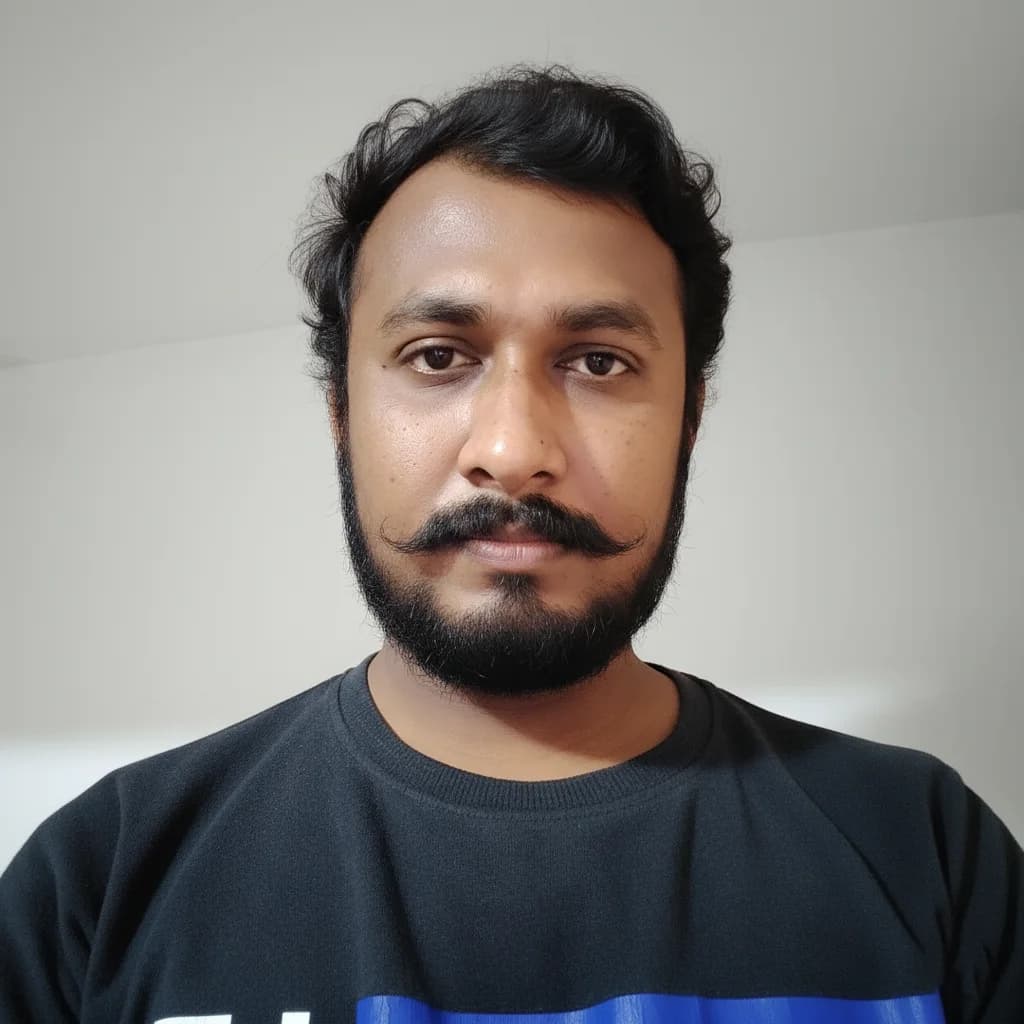
"Meet Vijay Chauhan, the founder of TypingTestTool with over 10+ years of web development experience. Discover how he engineered this platform to help millions master touch typing globally."