Free Norwegian Typing Test: Check Your Speed & Accuracy
Measure your Words Per Minute (ord i minuttet), track typing accuracy, and master æ, ø, and å on Norwegian QWERTY or US keyboards.

Take this free online Norwegian typing test (norsk skrivetest / typing test norsk) to check your skrivehastighet in Words Per Minute (WPM / ord i minuttet), keystrokes per minute (anslag i minuttet), and typing accuracy in real time. Built for standard Norwegian QWERTY (NS 4510) keyboards and US layouts alike, our Norwegian typing speed test uses natural Bokmål passages to drill æ, ø, and å, compound nouns, and touch-metoden speed for Norwegian schools, healthcare roles (Helsesekretær), court reporting, and public sector jobs.
Why Take an Online Norwegian Typing Speed Test?
Typing in Norwegian feels noticeably different from typing in English, even though both languages share the same core QWERTY letter block. Norwegian adds three dedicated vowels to the alphabet: æ, ø, and å. All three sit on the far right edge of the keyboard, putting a heavy workload on your weakest finger, the right pinky.
Norwegian also relies heavily on closed compound nouns (sammensatte ord) such as skrivehastighet, arbeidsmiljøloven, and hovedstadsområdet. Unlike English, these nouns are joined without spaces. If you have ever typed a 16-letter word like arbeidsmiljøloven while peeking down for ø, you know how fast your rhythm falls apart. Regular practice on a Norwegian typing speed test trains your right hand to hit those vowels automatically while your eyes stay on the screen.
How is Norwegian WPM (Ord i Minuttet) Calculated?
In Norway, typing speed is reported using two paired units: O/M (ord i minuttet, or Words Per Minute) and A/M (anslag i minuttet, or Characters Per Minute).
Because Norwegian words range from two-letter words (og, på, er) to long compound nouns, counting space-separated words would produce skewed scores depending on which passage you drew. Nordic and international typing tests solve this by counting exactly five keystrokes (5 anslag) as one standard word, including spaces, punctuation, and the letters æ, ø, and å. A speed of 50 ord i minuttet equals 250 anslag i minuttet. For the full formula, read our guide on how WPM is calculated.
Gross WPM counts every character you type regardless of spelling mistakes. Net WPM, which hiring managers and clerical tests score, subtracts uncorrected errors. In Norwegian, swapping a single vowel changes a word's meaning completely (for example, har vs. hår or bor vs. bør). Hit 95% to 98% accuracy first before chasing higher WPM. You can build steadier habits with our guides on how to increase typing accuracy and Net WPM vs. Gross WPM.
Norwegian QWERTY Layout (NS 4510) vs. Danish & US Keyboards
Before drilling speed, make sure your operating system keyboard matches your physical hardware. Most people taking a Norwegian skrivetest use either a native Nordic ISO keyboard or a standard US QWERTY laptop.
Norwegian Standard QWERTY (NS 4510): The physical layout sold across Norway. Your home row is ASDF for the left hand and JKLØ for the right hand. Your right pinky rests directly on Ø (the key right next to L), Æ sits one key further right beside Ø, and Å sits on the top letter row right next to P.
The Norwegian vs. Danish Keyboard Swap: A trap we see constantly on Scandinavian laptops is the swap between Norwegian and Danish layouts. Both languages use the same three extra vowels, yet their keyboards reverse Æ and Ø. On a Norwegian keyboard, Ø sits beside L and Æ sits to its right. On a Danish keyboard, Æ sits beside L and Ø sits to its right. Norwegian shares identical physical key spots with Swedish and Finnish layouts (Ø matches Ö, Æ matches Ä, and Å stays next to P). If Windows or macOS accidentally switches to a Danish input driver, every æ and ø you type will come out backwards (if you use a DS 2049 keyboard, switch to our Danish typing test).
Typing Norwegian on a US QWERTY Keyboard: If you live outside Norway or use a US ANSI laptop without physical Nordic keycaps, you can either install the Norwegian language pack in your OS settings or use built-in US-International and macOS Option shortcuts:
| Letter | Norwegian QWERTY (NS 4510) | Windows (US-International) | macOS (Standard US) | Windows Alt Code |
|---|---|---|---|---|
| æ / Æ | Home row, right of Ø (' position) |
Right Alt + Z (add Shift for Æ) |
Option + ' | Alt + 0230 / 0198 |
| ø / Ø | Home row, right of L (; position) |
Right Alt + L (add Shift for Ø) |
Option + O | Alt + 0248 / 0216 |
| å / Å | Top row, right of P ([ position) |
Right Alt + W (add Shift for Å) |
Option + A | Alt + 0229 / 0197 |
To add the official Norwegian (Bokmål) input layout on a Windows 10 or Windows 11 PC so you can toggle between English and Norwegian instantly with Win + Space, follow our guide on how to enable keyboard layouts on Windows.
How to Improve Your Norwegian Typing Speed (Touch-Metoden)
In Norwegian schools and vocational courses, 10-finger touch typing is taught as touch-metoden. Going from 20 WPM hunt-and-peck to a comfortable 60+ WPM comes down to short daily drills that fix one finger habit at a time.
Phase 1: Anchoring the JKLØ Home Row (0-30 WPM)
Place your left fingers on A S D F and your right fingers on J K L Ø, using the physical ridges on F and J to re-center without looking down. Looking at your hands breaks muscle memory every time. Practice keeping your eyes fixed on the monitor with our guide on how to type without looking at the keyboard. Warm up daily on our 1-Minute Norwegian Typing Test until every home-row letter feels automatic.
Phase 2: Conquering Right-Pinky Reaches for Æ, Ø, and Å (30-55 WPM)
Most intermediate Norwegian typists stall around 40 WPM because their entire right hand shifts out of position whenever they reach up for Å (beside P) or right for Æ. Keep your right index finger anchored lightly near J while extending only your pinky to strike Å, Æ, or Enter, then snap it straight back to Ø. Drill high-frequency Norwegian words containing på, være, gjør, and når using our 2-Minute Norwegian Typing Test and 3-Minute Norwegian Typing Test.
Phase 3: Reading Ahead Through Compound Nouns (55-80+ WPM)
To cross 60 ord i minuttet, stop processing Norwegian words one letter at a time. Train your eyes to scan one full word ahead and break long compound nouns into familiar building blocks (for example, seeing utdanningssystemet as utdanning + system + et). Test whether your finger endurance holds up without a late-minute accuracy drop on our 5-Minute Norwegian Typing Test and 10-Minute Norwegian Typing Test.
Norwegian Typing Speed Standards for Work & Public Sector Roles
Most office job postings in Norway do not list a fixed legal WPM cutoff, yet hospitals, courts, and police dispatch centers expect steady typing speed with very few typos.
| Sector / Institution | Position / Role | Expected Speed (O/M) | Keystrokes (A/M) | Accuracy Target |
|---|---|---|---|---|
| Domstolene (Norwegian Courts) | Protokollfører / Rettsreferent | 60 to 80+ WPM | 300 to 400+ CPM | 97% to 99% |
| Helseforetak / Clinics | Helsesekretær (Medical Secretary & Dictation) | 50 to 70 WPM | 250 to 350 CPM | 96% to 98% |
| Politiet (Norwegian Police) | Operasjonssentral / Casework Operator | 50 to 70 WPM | 250 to 350 CPM | 95%+ (Real-Time) |
| Kommune, NAV & Private Office | Kontor- og administrasjonsmedarbeider / Saksbehandler | 45 to 60 WPM | 225 to 300 CPM | 95%+ |
In Norwegian healthcare and court work, clean spelling beats raw speed every time. Typing 80 WPM with mistakes in medication doses or legal names creates far more cleanup work than a calm 55 WPM at 98% accuracy. Compare your score against global skill tiers in our typing speed benchmarks hub, or check hiring expectations across industries in our typing test for employment guide.
Related Tests
Try Different Durations
Test your typing skills with different time limits in Norwegian (Norsk).
Try Different Languages
Test your typing skills in different languages with the same 1-minute duration.
 English
'/%3e%3cpath fill='%23c8b100' stroke='none' d='M166.42 264.65c1.99-.72 3.29-1.58 2.66-3.14-.41-1-1.43-1.19-2.97-.63l-2.71.99 2.44 6.03c.27-.12.54-.24.81-.34.28-.1.57-.18.85-.26l-1.08-2.64v-.01zm-1.18-2.91.69-.25c.57-.21 1.21.1 1.5.8.21.53.16 1.13-.5 1.55-.21.13-.46.23-.7.33l-.99-2.43m7.54-2.52c-.29.08-.57.16-.86.22-.29.05-.59.09-.88.12l1.41 6.28 4.38-.88c-.05-.12-.12-.26-.14-.38-.03-.14-.03-.28-.04-.41-.77.22-1.61.46-2.61.66l-1.26-5.61m8.78 5.41c.82-2.28 1.82-4.46 2.81-6.67-.18.03-.36.06-.54.07s-.37.01-.54 0c-.53 1.61-1.18 3.21-1.87 4.8-.82-1.51-1.73-2.99-2.43-4.51-.34.04-.69.09-1.03.12-.34.02-.7.01-1.04.02 1.26 2.06 2.48 4.11 3.64 6.23.16-.03.32-.06.5-.08.16-.01.33.01.5.02m9.16-4.83c.15-.31.31-.6.48-.89-.24-.22-.96-.55-1.81-.63-1.79-.18-2.81.61-2.93 1.69-.26 2.26 3.31 2.07 3.14 3.57-.07.64-.75.9-1.48.83-.81-.08-1.41-.53-1.51-1.19l-.22-.02c-.12.39-.29.77-.48 1.15.53.34 1.21.53 1.85.59 1.83.19 3.22-.54 3.35-1.74.23-2.15-3.37-2.27-3.23-3.54.06-.53.47-.88 1.4-.79.67.07 1.08.43 1.26.95l.18.02m119.58 5.18c.62-2.33 1.41-4.58 2.19-6.87-.17.05-.35.09-.53.11-.17.03-.36.04-.54.05-.37 1.64-.88 3.29-1.42 4.94-.96-1.44-2-2.84-2.83-4.3-.34.07-.68.15-1.02.2s-.69.07-1.04.11c1.45 1.94 2.85 3.89 4.2 5.91.16-.04.32-.1.5-.12.16-.02.33-.02.49-.03m6.18-6.82c-.29.01-.59.04-.88.03-.3 0-.6-.04-.89-.06l-.12 6.41 4.49.08c-.03-.13-.06-.28-.06-.41s.04-.27.07-.4c-.81.05-1.68.1-2.71.08l.1-5.73m7.04 1.05c.72.06 1.41.19 2.1.31-.01-.13-.03-.27-.02-.41.01-.13.06-.26.1-.39l-6.07-.5c.01.14.03.27.02.4-.01.14-.06.27-.1.4.62-.02 1.37-.02 2.21.05l-.53 5.77c.29 0 .59 0 .88.03.3.02.59.07.88.11l.53-5.77m2.49 6.32c.29.05.59.09.88.15.28.06.57.15.85.23l.72-2.94.08.01c.16.41.38.9.49 1.19l.9 2.22c.36.06.71.11 1.05.18.36.08.7.18 1.04.28l-.31-.67c-.48-1-.99-2.01-1.41-3.02 1.12.04 1.98-.36 2.2-1.26.15-.62-.1-1.11-.68-1.53-.44-.31-1.28-.47-1.83-.6l-2.44-.53-1.54 6.29m3.14-5.42c.71.16 1.59.27 1.59 1.07-.01.21-.03.35-.06.48-.23.94-.94 1.26-2.13.91l.6-2.46m8.42 7.35c-.05.69-.18 1.37-.31 2.1.3.14.61.27.9.44.3.16.57.34.86.52l.6-7.23c-.14-.06-.27-.12-.41-.19-.13-.07-.25-.15-.37-.24l-6.38 4.05c.17.08.35.16.51.25.17.09.31.19.47.28.54-.45 1.1-.82 1.74-1.3l2.39 1.31v.01zm-1.81-1.66 2.13-1.37-.25 2.4-1.88-1.03'/%3e%3cpath fill='%23ad1519' stroke-width='.26' d='M249.65 182.72c6.64 0 12.56.99 16.41 2.51 2.2 1 5.16 1.73 8.4 2.17 2.47.33 4.81.39 6.85.24 2.73-.06 6.67.74 10.62 2.48 3.26 1.45 5.99 3.21 7.8 4.91l-1.57 1.4-.45 3.96-4.3 4.92-2.15 1.83-5.09 4.07-2.6.21-.79 2.25-32.91-3.86-33.02 3.86-.79-2.25-2.61-.21-5.08-4.07-2.15-1.83-4.3-4.92-.44-3.96-1.58-1.4c1.82-1.7 4.54-3.46 7.8-4.91 3.95-1.74 7.89-2.54 10.62-2.48 2.04.15 4.38.09 6.85-.24 3.24-.44 6.2-1.17 8.4-2.17 3.86-1.52 9.44-2.51 16.08-2.51z'/%3e%3cg fill='%23c8b100'%3e%3cpath d='m225.34 191.42 1.38 1.11 2.08-3.4c-2.25-1.38-3.8-3.78-3.8-6.51 0-.31.02-.61.06-.91.21-4.34 5.5-7.92 12.2-7.92 3.48 0 6.63.95 8.84 2.48.06-.67.12-1.25.21-1.86-2.43-1.42-5.6-2.28-9.05-2.28-7.71 0-13.74 4.39-14.03 9.57-.03.31-.05.61-.05.92 0 2.76 1.26 5.26 3.26 6.99l-1.1 1.81'/%3e%3cpath d='M225.43 191.46c-2.63-1.97-4.27-4.64-4.27-7.58 0-3.38 2.22-6.4 5.58-8.41-2.07 1.67-3.33 3.83-3.51 6.23-.03.31-.05.61-.05.92 0 2.76 1.26 5.26 3.26 6.99l-1.01 1.85'/%3e%3cpath d='M202.21 194.89c-1.48-1.65-2.38-3.79-2.38-6.12 0-1.41.33-2.75.91-3.95 2.13-4.38 8.82-7.57 16.76-7.57 2.16 0 4.23.23 6.14.67-.42.46-.75.97-1.08 1.48-1.59-.31-3.29-.48-5.06-.48-7.27 0-13.36 2.83-15.12 6.65a7.33 7.33 0 0 0-.73 3.2c0 2.32 1.09 4.4 2.79 5.82l-2.63 4.3-1.41-1.12 1.81-2.88z'/%3e%3cpath d='M204.9 180.48c-1.91 1.21-3.36 2.69-4.16 4.34-.58 1.2-.91 2.54-.91 3.95 0 2.33.9 4.47 2.38 6.12l-1.6 2.59c-1.53-1.96-2.42-4.26-2.42-6.7 0-4.2 2.67-7.87 6.71-10.3zm45.14-9.21c1.76 0 3.28 1.16 3.64 2.73.23 1.38.38 2.95.41 4.62.01.18-.01.35-.01.52 0 .2.04.41.05.61.06 3.52.56 6.62 1.27 8.52l-5.36 5.14-5.43-5.14c.72-1.9 1.22-5 1.29-8.52 0-.2.04-.41.04-.61 0-.17-.01-.34-.01-.52.03-1.67.18-3.24.41-4.62.36-1.57 1.94-2.73 3.7-2.73z'/%3e%3cpath d='M250.04 172.94c.91 0 1.68.58 1.87 1.39.23 1.31.37 2.8.4 4.38 0 .16-.01.32-.01.48 0 .2.03.39.04.59.05 3.32.53 6.25 1.21 8.05l-3.54 3.35-3.54-3.35c.67-1.8 1.15-4.73 1.21-8.05 0-.2.04-.39.04-.59 0-.16-.01-.32-.01-.48.03-1.58.17-3.07.4-4.38.18-.81 1.02-1.39 1.93-1.39zm24.66 18.48-1.39 1.11-2.08-3.4c2.26-1.38 3.81-3.78 3.81-6.51 0-.31-.02-.61-.06-.91-.21-4.34-5.5-7.92-12.2-7.92-3.49 0-6.63.95-8.84 2.48-.06-.67-.12-1.25-.22-1.86 2.44-1.42 5.6-2.28 9.06-2.28 7.71 0 13.74 4.39 14.03 9.57.03.31.05.61.05.92 0 2.76-1.27 5.26-3.27 6.99l1.11 1.81'/%3e%3cpath d='M274.61 191.46c2.63-1.97 4.27-4.64 4.27-7.58 0-3.38-2.22-6.4-5.58-8.41 2.07 1.67 3.33 3.83 3.51 6.23.03.31.05.61.05.92 0 2.76-1.27 5.26-3.27 6.99l1.02 1.85'/%3e%3cpath d='M297.83 194.89c1.47-1.65 2.38-3.79 2.38-6.12 0-1.41-.33-2.75-.91-3.95-2.14-4.38-8.82-7.57-16.76-7.57-2.16 0-4.23.23-6.15.67.43.46.76.97 1.09 1.48 1.58-.31 3.29-.48 5.06-.48 7.27 0 13.35 2.83 15.11 6.65.47.97.73 2.06.73 3.2 0 2.32-1.09 4.4-2.79 5.82l2.63 4.3 1.42-1.12-1.81-2.88z'/%3e%3cpath d='M295.14 180.48c1.91 1.21 3.36 2.69 4.16 4.34.58 1.2.91 2.54.91 3.95 0 2.33-.91 4.47-2.38 6.12l1.6 2.59c1.53-1.96 2.41-4.26 2.41-6.7 0-4.2-2.67-7.87-6.7-10.3z'/%3e%3cellipse cx='250.05' cy='167.3' fill='%23005bbf' stroke-width='.26' rx='4.43' ry='4.2'/%3e%3cpath stroke-width='.26' d='M248.89 155.54v2.26h-2.42v2.3h2.42v6.61h-3.05c-.03.21-.22.37-.22.59 0 .58.12 1.14.35 1.64 0 .02.02.02.03.03h8.12c0-.01.02-.01.03-.03.22-.5.35-1.06.35-1.64 0-.22-.19-.38-.22-.59h-2.96v-6.61h2.42v-2.3h-2.42v-2.26h-2.43z'/%3e%3c/g%3e%3cg fill='%23fff'%3e%3cellipse cx='250.04' cy='188.94' rx='1.91' ry='1.8'/%3e%3cellipse cx='250.04' cy='185.4' rx='1.91' ry='1.8'/%3e%3cellipse cx='250.04' cy='181.6' rx='1.52' ry='1.44'/%3e%3cellipse cx='250.04' cy='178.18' rx='1.1' ry='1.04'/%3e%3cellipse cx='250.04' cy='175.18' rx='.88' ry='.83'/%3e%3cellipse cx='198.94' cy='198.67' rx='1.1' ry='1.04'/%3e%3cellipse cx='197.44' cy='196.02' rx='1.1' ry='1.04'/%3e%3cellipse cx='196.44' cy='192.94' rx='1.1' ry='1.04'/%3e%3cellipse cx='196.31' cy='189.64' rx='1.1' ry='1.04'/%3e%3cellipse cx='197.12' cy='186.4' rx='1.1' ry='1.04'/%3e%3cellipse cx='198.81' cy='183.45' rx='1.1' ry='1.04'/%3e%3cellipse cx='201.06' cy='181.02' rx='1.1' ry='1.04'/%3e%3cellipse cx='203.68' cy='179.01' rx='1.1' ry='1.04'/%3e%3cellipse cx='206.8' cy='177.36' rx='1.1' ry='1.04'/%3e%3cellipse cx='210.04' cy='176.19' rx='1.1' ry='1.04'/%3e%3cellipse cx='213.66' cy='175.54' rx='1.1' ry='1.04'/%3e%3cellipse cx='217.1' cy='175.36' rx='1.1' ry='1.04'/%3e%3cellipse cx='220.47' cy='175.48' rx='1.1' ry='1.04'/%3e%3cellipse cx='224.21' cy='190.32' rx='1.1' ry='1.04'/%3e%3cellipse cx='222.34' cy='187.65' rx='1.1' ry='1.04'/%3e%3cellipse cx='221.35' cy='184.75' rx='1.1' ry='1.04'/%3e%3cellipse cx='221.47' cy='181.57' rx='1.1' ry='1.04'/%3e%3cellipse cx='222.16' cy='178.37' rx='1.1' ry='1.04'/%3e%3cellipse cx='223.84' cy='175.48' rx='1.1' ry='1.04'/%3e%3cellipse cx='226.4' cy='173.47' rx='1.1' ry='1.04'/%3e%3cellipse cx='229.39' cy='171.81' rx='1.1' ry='1.04'/%3e%3cellipse cx='232.7' cy='170.82' rx='1.1' ry='1.04'/%3e%3cellipse cx='236.13' cy='170.23' rx='1.1' ry='1.04'/%3e%3cellipse cx='239.5' cy='170.28' rx='1.1' ry='1.04'/%3e%3cellipse cx='242.99' cy='170.87' rx='1.1' ry='1.04'/%3e%3cellipse cx='246.23' cy='171.99' rx='1.1' ry='1.04'/%3e%3cellipse cx='253.8' cy='171.99' rx='1.1' ry='1.04'/%3e%3cellipse cx='257.04' cy='170.87' rx='1.1' ry='1.04'/%3e%3cellipse cx='260.54' cy='170.28' rx='1.1' ry='1.04'/%3e%3cellipse cx='263.9' cy='170.23' rx='1.1' ry='1.04'/%3e%3cellipse cx='267.34' cy='170.82' rx='1.1' ry='1.04'/%3e%3cellipse cx='270.64' cy='171.81' rx='1.1' ry='1.04'/%3e%3cellipse cx='273.64' cy='173.47' rx='1.1' ry='1.04'/%3e%3cellipse cx='276.19' cy='175.48' rx='1.1' ry='1.04'/%3e%3cellipse cx='277.88' cy='178.37' rx='1.1' ry='1.04'/%3e%3cellipse cx='278.57' cy='181.57' rx='1.1' ry='1.04'/%3e%3cellipse cx='278.69' cy='184.75' rx='1.1' ry='1.04'/%3e%3cellipse cx='277.69' cy='187.65' rx='1.1' ry='1.04'/%3e%3cellipse cx='275.83' cy='190.32' rx='1.1' ry='1.04'/%3e%3cellipse cx='279.57' cy='175.48' rx='1.1' ry='1.04'/%3e%3cellipse cx='282.94' cy='175.36' rx='1.1' ry='1.04'/%3e%3cellipse cx='286.38' cy='175.54' rx='1.1' ry='1.04'/%3e%3cellipse cx='290' cy='176.19' rx='1.1' ry='1.04'/%3e%3cellipse cx='293.24' cy='177.36' rx='1.1' ry='1.04'/%3e%3cellipse cx='296.36' cy='179.01' rx='1.1' ry='1.04'/%3e%3cellipse cx='298.97' cy='181.02' rx='1.1' ry='1.04'/%3e%3cellipse cx='301.22' cy='183.45' rx='1.1' ry='1.04'/%3e%3cellipse cx='302.91' cy='186.4' rx='1.1' ry='1.04'/%3e%3cellipse cx='303.72' cy='189.64' rx='1.1' ry='1.04'/%3e%3cellipse cx='303.6' cy='192.94' rx='1.1' ry='1.04'/%3e%3cellipse cx='302.6' cy='196.02' rx='1.1' ry='1.04'/%3e%3cellipse cx='301.1' cy='198.67' rx='1.1' ry='1.04'/%3e%3c/g%3e%3cg fill='%23c8b100'%3e%3cpath d='M250.15 226.18c-12.26-.02-23.25-1.47-31.09-3.83-.57-.18-.87-.7-.84-1.25-.01-.52.29-1 .84-1.17 7.84-2.36 18.83-3.81 31.09-3.83 12.27.02 23.25 1.47 31.09 3.83.55.17.84.65.83 1.17.03.55-.27 1.07-.83 1.25-7.84 2.36-18.82 3.81-31.09 3.83'/%3e%3cpath d='M250.07 216.09c-12.41.03-23.55 1.58-31.39 4 .65-.31.59-1.12-.22-3.2-.98-2.53-2.5-2.42-2.5-2.42 8.66-2.56 20.73-4.16 34.16-4.18 13.44.02 25.6 1.62 34.27 4.18 0 0-1.53-.11-2.51 2.42-.81 2.08-.87 2.89-.21 3.2-7.84-2.42-19.19-3.97-31.6-4'/%3e%3cpath d='M250.12 210.3c-13.43.02-25.5 1.62-34.16 4.18-.58.17-1.19-.05-1.38-.6s.12-1.18.7-1.35c8.71-2.67 21.08-4.35 34.84-4.38 13.77.03 26.19 1.71 34.9 4.38.58.17.89.8.7 1.35s-.8.77-1.38.6c-8.67-2.56-20.78-4.16-34.22-4.18'/%3e%3cpath d='m250.2 199.78 1.23.22c-.19.5-.24 1.05-.24 1.63 0 2.57 2.21 4.65 4.92 4.65 2.18 0 4.04-1.35 4.67-3.21.08.05.47-1.68.68-1.66.17.02.15 1.8.22 1.77.31 2.34 2.46 3.93 4.87 3.93 2.71 0 4.91-2.08 4.91-4.65 0-.19-.01-.38-.04-.57l1.54-1.52.83 1.94c-.33.61-.46 1.3-.46 2.03 0 2.46 2.1 4.44 4.69 4.44 1.63 0 3.06-.78 3.9-1.97l.99-1.25-.01 1.53c0 1.55.66 2.93 2.16 3.18 0 0 1.73.1 4.03-1.7 2.29-1.8 3.55-3.29 3.55-3.29l.2 1.8s-1.9 2.95-3.97 4.15c-1.14.66-2.86 1.35-4.23 1.13-1.44-.24-2.48-1.4-3.01-2.74-1.03.61-2.25.97-3.55.97-2.81 0-5.33-1.54-6.32-3.86-1.29 1.4-3.09 2.25-5.2 2.25-2.24 0-4.29-1.01-5.57-2.56a7.198 7.198 0 0 1-4.88 1.87c-2.48 0-4.69-1.22-5.94-3.05-1.25 1.83-3.46 3.05-5.94 3.05-1.89 0-3.61-.71-4.87-1.87-1.28 1.55-3.34 2.56-5.58 2.56-2.11 0-3.9-.85-5.19-2.25-1 2.32-3.52 3.86-6.32 3.86-1.31 0-2.52-.36-3.55-.97-.54 1.34-1.57 2.5-3.02 2.74-1.36.22-3.08-.47-4.22-1.13-2.08-1.2-3.98-4.15-3.98-4.15l.2-1.8s1.27 1.49 3.56 3.29c2.29 1.81 4.02 1.7 4.02 1.7 1.51-.25 2.16-1.63 2.16-3.18l-.01-1.53.99 1.25c.84 1.19 2.28 1.97 3.9 1.97 2.59 0 4.69-1.98 4.69-4.44 0-.73-.13-1.42-.46-2.03l.83-1.94 1.54 1.52c-.02.19-.04.38-.04.57 0 2.57 2.2 4.65 4.91 4.65 2.42 0 4.56-1.59 4.88-3.93.06.03.05-1.75.22-1.77.2-.02.6 1.71.67 1.66.64 1.86 2.49 3.21 4.68 3.21 2.71 0 4.91-2.08 4.91-4.65 0-.58-.03-1.13-.24-1.63l1.29-.22'/%3e%3cpath d='M208.37 206.32a2.24 2.24 0 0 0-.72-1.06c-.79-.68-1.84-.79-2.36-.25-.07.07-.13.17-.17.25 0 0-1.11-2.08-2.41-2.78-1.29-.7-3.49-.52-3.49-.52 0-1.6 1.3-2.89 2.99-2.89.99 0 1.92.41 2.48 1.11l.23-1.07s1.36.27 1.98 1.82-.06 3.8-.06 3.8.34-.96.85-1.61c.51-.64 1.81-1.34 2.49-1.66.67-.31 1.37-.79 1.37-.79s.03.18.05.61c.03.51-.01.83-.01.83 1.24-.17 2.69.04 3.83.48-.49.95-1.41 1.84-2.62 2.3 0 0 .44.36.83.75.34.34.44.49.44.49s-.85.13-1.27.19c-.43.05-1.84.28-2.69.22-.62-.04-1.32-.14-1.74-.22'/%3e%3cpath fill='%23ad1519' d='M205.29 205.01c.52-.54 1.57-.43 2.36.25.8.67 1.02 1.66.51 2.19-.51.54-1.57.42-2.36-.25-.79-.68-1.02-1.66-.51-2.19'/%3e%3cpath fill='%23fff' d='M216.39 205.91c-.28-.83-.03-1.65.57-1.83.6-.19 1.32.33 1.6 1.16s.03 1.65-.57 1.84c-.6.18-1.31-.34-1.6-1.17'/%3e%3cpath d='M226.12 201.86c-.33-.27-.59-.64-.67-1.08s.01-.87.23-1.23c0 0-.88-.44-1.83-.69-.72-.19-1.99-.2-2.37-.2-.38-.02-1.15-.03-1.15-.03s.07.17.28.55c.27.46.5.75.5.75-1.27.29-2.35 1.12-3.03 2.09.99.68 2.3 1.1 3.6.97 0 0-.12.34-.2.86-.06.43-.06.61-.06.61s.71-.26 1.07-.39c.35-.13 1.54-.55 2.15-.96.8-.54 1.48-1.25 1.48-1.25'/%3e%3cpath d='M225.68 191.65c1.06.67 1.98 1.79 2.3 3.03 0 0 .13-.25.71-.59.59-.33 1.09-.32 1.09-.32s-.17.97-.25 1.32c-.09.34-.09 1.38-.32 2.32-.23.93-.63 1.68-.63 1.68-.42-.34-.99-.51-1.58-.41-.58.1-1.06.44-1.32.9 0 0-.66-.58-1.21-1.38-.55-.81-.93-1.78-1.13-2.08-.21-.3-.72-1.15-.72-1.15s.47-.18 1.14-.05c.67.12.88.32.88.32-.14-1.28.28-2.62 1.04-3.59'/%3e%3cpath d='M228.97 201.38a1.727 1.727 0 0 0-.42-2.3s.67-.71 1.47-1.26c.6-.41 1.8-.82 2.15-.95.36-.13 1.07-.4 1.07-.4s0 .18-.06.61c-.08.52-.2.87-.2.87 1.3-.14 2.62.29 3.61.98-.69.97-1.77 1.79-3.04 2.08 0 0 .23.28.5.74.21.39.28.56.28.56l-1.15-.03c-.38 0-1.65-.01-2.37-.2-.95-.25-1.84-.69-1.84-.69'/%3e%3cellipse cx='227.37' cy='200.45' fill='%23ad1519' rx='2.17' ry='2.06'/%3e%3cpath fill='%23fff' d='M237.76 201.77c-.11-.87.31-1.63.93-1.7.63-.07 1.23.57 1.34 1.44.11.86-.3 1.63-.93 1.7-.62.07-1.22-.57-1.34-1.44'/%3e%3cpath d='M248.5 199.83c-.32-.36-.53-.82-.53-1.33 0-.5.19-.97.51-1.32 0 0-.89-.67-1.89-1.12-.77-.35-2.18-.59-2.6-.67l-1.28-.24s.04.2.2.67c.2.56.4.93.4.93-1.47.08-2.85.81-3.81 1.76.96.94 2.34 1.66 3.81 1.75 0 0-.2.36-.4.93-.16.46-.2.67-.2.67l1.28-.24c.42-.08 1.83-.32 2.6-.67 1-.46 1.91-1.11 1.91-1.11'/%3e%3cpath d='M250.11 188.36c1.05.95 1.85 2.36 1.95 3.82 0 0 .19-.27.91-.53.73-.26 1.28-.16 1.28-.16s-.39 1.05-.55 1.42c-.17.37-.39 1.53-.84 2.53-.44 1-1.05 1.76-1.05 1.76-.4-.45-1-.75-1.67-.75-.68 0-1.27.3-1.67.75 0 0-.61-.76-1.05-1.76-.45-1-.67-2.16-.84-2.53s-.56-1.42-.56-1.42.56-.1 1.28.16.92.53.92.53c.1-1.46.86-2.87 1.89-3.82'/%3e%3cpath d='M251.76 199.83c.33-.36.53-.82.53-1.33 0-.5-.19-.97-.51-1.32 0 0 .89-.67 1.9-1.12.76-.35 2.17-.59 2.6-.67l1.26-.24s-.02.2-.19.67c-.2.56-.4.93-.4.93 1.47.08 2.86.81 3.81 1.76-.95.94-2.33 1.66-3.81 1.75 0 0 .2.36.4.93.16.46.19.67.19.67l-1.26-.24c-.43-.08-1.84-.32-2.6-.67-1.01-.46-1.92-1.11-1.92-1.11'/%3e%3cellipse cx='250.14' cy='198.5' fill='%23ad1519' rx='2.17' ry='2.06'/%3e%3cpath fill='%23fff' d='M262.58 201.77c.11-.87-.3-1.63-.93-1.7s-1.23.57-1.34 1.44c-.11.86.31 1.63.93 1.7.63.07 1.23-.57 1.34-1.44'/%3e%3cpath d='M271.38 201.38c-.22-.35-.32-.79-.25-1.23.09-.44.33-.81.67-1.07 0 0-.67-.71-1.47-1.26-.61-.41-1.8-.82-2.16-.95-.35-.13-1.06-.4-1.06-.4s-.01.18.06.61c.08.52.19.87.19.87-1.29-.14-2.61.29-3.6.98.68.97 1.77 1.79 3.03 2.08 0 0-.23.28-.49.74-.22.39-.28.56-.28.56l1.14-.03c.38 0 1.66-.01 2.37-.2.95-.25 1.84-.69 1.84-.69'/%3e%3cpath d='M274.67 191.65c-1.06.67-1.98 1.79-2.31 3.03 0 0-.12-.25-.71-.59-.58-.33-1.09-.32-1.09-.32s.17.97.26 1.32c.09.34.09 1.38.31 2.32.23.93.64 1.68.64 1.68.42-.34.99-.51 1.57-.41.59.1 1.06.44 1.33.9 0 0 .66-.58 1.21-1.38.54-.81.92-1.78 1.12-2.08.21-.3.72-1.15.72-1.15s-.47-.18-1.14-.05c-.67.12-.88.32-.88.32.15-1.28-.28-2.62-1.03-3.59'/%3e%3cpath d='M274.22 201.86c.34-.27.6-.64.67-1.08.09-.44 0-.87-.22-1.23 0 0 .88-.44 1.83-.69.72-.19 1.99-.2 2.36-.2.39-.02 1.15-.03 1.15-.03s-.06.17-.28.55c-.26.46-.49.75-.49.75 1.26.29 2.34 1.12 3.03 2.09-.99.68-2.31 1.1-3.6.97 0 0 .11.34.19.86.06.43.06.61.06.61s-.71-.26-1.06-.39c-.36-.13-1.55-.55-2.16-.96-.79-.54-1.48-1.25-1.48-1.25'/%3e%3cellipse cx='272.98' cy='200.45' fill='%23ad1519' rx='2.17' ry='2.06'/%3e%3cpath fill='%23fff' d='M283.96 205.91c.28-.83.03-1.65-.57-1.83-.6-.19-1.32.33-1.61 1.16-.28.83-.03 1.65.57 1.84.6.18 1.32-.34 1.61-1.17'/%3e%3cpath d='M291.97 206.32c.11-.37.36-.75.72-1.06.79-.68 1.85-.79 2.36-.25.07.07.14.17.18.25 0 0 1.1-2.08 2.4-2.78s3.5-.52 3.5-.52c0-1.6-1.31-2.89-3-2.89-.99 0-1.92.41-2.47 1.11l-.23-1.07s-1.36.27-1.98 1.82.05 3.8.05 3.8-.33-.96-.84-1.61c-.51-.64-1.81-1.34-2.49-1.66-.68-.31-1.37-.79-1.37-.79s-.03.18-.06.61c-.02.51.02.83.02.83-1.25-.17-2.7.04-3.83.48.48.95 1.4 1.84 2.61 2.3 0 0-.43.36-.83.75-.33.34-.43.49-.43.49s.85.13 1.27.19c.43.05 1.84.28 2.68.22.63-.04 1.32-.14 1.74-.22'/%3e%3cpath fill='%23ad1519' d='M295.05 205.01c-.51-.54-1.57-.43-2.36.25-.79.67-1.02 1.66-.51 2.19.51.54 1.57.42 2.36-.25.79-.68 1.02-1.66.51-2.19'/%3e%3c/g%3e%3cg fill='none'%3e%3cpath fill='%23ad1519' stroke-linejoin='round' d='M250.12 224.57c-11.06-.01-21.07-1.29-28.68-3.26 7.61-1.97 17.62-3.17 28.68-3.19 11.07.02 21.13 1.22 28.74 3.19-7.61 1.97-17.67 3.25-28.74 3.26z'/%3e%3cpath stroke-width='.05' d='M258.04 224.28v-6.01m-3.02 6.21.04-6.37m-2.24 6.45v-6.49'/%3e%3cpath stroke-width='.09' d='M250.95 224.64v-6.57'/%3e%3cpath stroke-width='.14' d='M249.16 224.64v-6.57'/%3e%3cpath stroke-width='.18' d='M247.48 224.64v-6.57'/%3e%3cpath stroke-width='.23' d='M245.81 224.64v-6.57'/%3e%3cpath stroke-width='.28' d='M244.32 224.64v-6.57'/%3e%3cpath stroke-width='.33' d='m241.48 224.28-.04-5.97m1.39 6.05v-6.25'/%3e%3cpath stroke-width='.37' d='M238.86 224.01v-5.5m1.33 5.66-.04-5.86'/%3e%3cpath stroke-width='.42' d='M235.35 223.7v-4.84m1.15 4.92v-5.08m1.19 5.24v-5.28'/%3e%3cpath stroke-width='.46' d='M234.12 223.66v-4.68'/%3e%3cpath stroke-width='.51' d='M232.97 223.42v-4.36'/%3e%3cpath stroke-width='.56' d='M231.74 223.31v-4.06'/%3e%3cpath stroke-width='.6' d='m229.22 222.95-.04-3.22m1.33 3.38v-3.62'/%3e%3cpath stroke-width='.63' d='M227.93 222.68v-2.84'/%3e%3cpath stroke-width='.68' d='M226.74 222.45v-2.36'/%3e%3cpath stroke-width='.73' d='M225.45 222.13v-1.85'/%3e%3cpath stroke-width='.77' d='M224.12 221.98v-1.38'/%3e%3cpath stroke-width='.91' d='M222.72 221.66v-.67'/%3e%3cpath d='M220.12 221.66c7.75-2.18 18.29-3.52 30-3.54 11.72.02 22.31 1.36 30.06 3.54'/%3e%3cpath fill='%23ad1519' d='m216.72 217.16 1.22-1.59 3.37.43-2.69 1.96-1.9-.8'/%3e%3cpath fill='%23fff' d='M224.03 215.28c0-.58.49-1.04 1.1-1.04s1.1.46 1.1 1.04c0 .57-.49 1.04-1.1 1.04s-1.1-.47-1.1-1.04'/%3e%3cpath fill='%23058e6e' d='m233.64 215.07-2.36.27c-.61.07-1.17-.33-1.24-.9-.08-.57.35-1.09.96-1.15l2.37-.28 2.42-.28c.6-.07 1.15.33 1.22.9s-.36 1.09-.96 1.16l-2.41.28'/%3e%3cpath fill='%23fff' d='M240.54 213.35c0-.58.49-1.04 1.1-1.04.6 0 1.1.46 1.1 1.04 0 .57-.5 1.04-1.1 1.04-.61 0-1.1-.47-1.1-1.04'/%3e%3cpath fill='%23ad1519' d='M250.15 214.16h-3.29c-.6 0-1.11-.46-1.11-1.03 0-.58.49-1.04 1.1-1.04h6.64c.61 0 1.1.46 1.1 1.04 0 .57-.51 1.03-1.11 1.03h-3.33'/%3e%3cpath fill='%23fff' d='M257.56 213.35c0-.58.5-1.04 1.1-1.04.61 0 1.1.46 1.1 1.04 0 .57-.49 1.04-1.1 1.04-.6 0-1.1-.47-1.1-1.04'/%3e%3cpath fill='%23058e6e' d='m266.66 215.07 2.36.27c.6.07 1.17-.33 1.24-.9s-.36-1.09-.96-1.15l-2.37-.28-2.42-.28c-.61-.07-1.15.33-1.22.9-.08.57.36 1.09.96 1.16l2.41.28'/%3e%3cpath fill='%23fff' d='M274.07 215.28c0-.58.49-1.04 1.1-1.04s1.1.46 1.1 1.04c0 .57-.49 1.04-1.1 1.04s-1.1-.47-1.1-1.04'/%3e%3cpath fill='%23ad1519' d='m283.57 217.16-1.21-1.59-3.37.43 2.69 1.96 1.89-.8'/%3e%3c/g%3e%3cg stroke-width='.52'%3e%3cpath fill='%23ccc' d='M250.49 344.33c-13.08 0-26.05-3.2-36.95-8.54-8.03-3.98-13.36-12-13.36-21.19v-33.3H300.6v33.3c0 9.19-5.32 17.21-13.36 21.19-10.9 5.34-23.66 8.54-36.75 8.54z'/%3e%3cpath fill='%23ffd691' d='M252.91 329.55c2.09.63 3.15 2.19 3.15 4.01 0 2.38-2.3 4.18-5.3 4.18-2.99 0-5.42-1.8-5.42-4.18 0-1.79 1-3.8 3.08-3.94 0 0-.06-.19-.24-.5-.22-.23-.64-.66-.64-.66s.79-.15 1.25.02c.46.18.77.47.77.47s.21-.43.52-.76c.3-.33.7-.53.7-.53s.46.38.61.64c.15.27.25.59.25.59s.42-.35.79-.49c.37-.15.84-.26.84-.26s-.13.46-.22.69-.14.72-.14.72'/%3e%3cpath fill='%23058e6e' d='M250.32 340.32s-3.98-2.68-5.7-3.04c-2.21-.47-4.69-.09-5.76-.15.03.03 1.29.93 1.84 1.48s2.39 1.65 3.43 1.91c3.22.81 6.19-.2 6.19-.2m1.14.24s2.54-2.66 5.21-3.02c3.15-.44 5.22.26 6.44.58.03 0-1.01.49-1.56.87-.55.37-1.97 1.57-4.14 1.59-2.18.03-4.58-.23-4.97-.17-.4.06-.98.15-.98.15'/%3e%3cpath fill='%23ad1519' d='M250.69 337.28c-1-.93-1.62-2.25-1.62-3.72 0-1.46.62-2.78 1.63-3.71a5.08 5.08 0 0 1-.01 7.43'/%3e%3cpath fill='%23058e6e' d='M249.68 342.71s.61-1.52.67-2.83c.06-1.09-.15-2.17-.15-2.17h.8s.39 1.16.39 2.17c0 1.02-.18 2.37-.18 2.37s-.55.08-.73.17c-.19.09-.8.29-.8.29'/%3e%3cg fill='%23c8b100'%3e%3cpath fill='%23ad1519' d='M250.32 314.57c0 13.16-11.16 23.82-25.05 23.82s-25.15-10.66-25.15-23.82v-33.35h50.2v33.35'/%3e%3cpath d='M200.03 314.12c.15 7.02 2.95 12.25 5.73 15.67v-49.47h-5.66l-.07 33.8zm11.05 20.11c1.57.83 3.72 2.22 6.03 2.77l-.15-56.96h-5.88v54.19zm11.2 4.02c2.3.23 4.01.19 5.87 0v-58.21h-5.87v58.21zm11.04-1.25c2.3-.46 4.9-1.89 6.03-2.63v-54.33h-5.88l-.15 56.96zm11.49-7.76c2.45-2.18 4.75-7.12 5.59-12.76l.14-36.44h-5.87l.14 49.2z'/%3e%3c/g%3e%3cpath fill='%23ad1519' d='M300.65 281.22v33.35c0 13.16-11.28 23.82-25.17 23.82-13.9 0-25.16-10.66-25.16-23.82v-33.35h50.33'/%3e%3cpath id='e' fill='%23c8b100' stroke='%23c8b100' stroke-width='.26' d='M272.71 306.14c.05-.14.12-.27.19-.4l-4.26-4.74-1.67.72-3.06-3.39 1-1.46-5.34-5.99c-.07.02-.2.02-.27.04l.03 4.02 1.75.5v4.46l-1.75.48-.03 4.08c.84.26 1.48.88 1.74 1.67l3.21.01.51-1.67h4.72l.5 1.67zm-6.98-18.5v1.61h2.76v-1.61zm-7.3 20.37c.64 0 1.16-.49 1.16-1.1s-.52-1.11-1.16-1.11c-.65 0-1.17.5-1.17 1.11s.52 1.1 1.17 1.1zm15.99-9.73-1.76-.48v-4.46l1.76-.5-.01-1.92c-.85-.25-1.51-.87-1.79-1.67h-2.68l-.51 1.67h-4.71l-.51-1.67h-3.09c-.08.22-.17.42-.29.61l5.38 5.96 1.67-.71 3.06 3.4-1 1.45 4.18 4.64c.09-.04.18-.08.28-.12zm-7.25-1.39-1.29 1.04 1.77 1.98 1.29-1.05zm8.004 36.186c-1.24-.065-2.255-.902-2.514-2.016-1.67-.23-3.25-.66-4.73-1.3l.84-1.43c1.29.55 2.66.91 4.08 1.11.31-.66.86-1.16 1.58-1.4l.01-5.62-1.76-.49v-4.46l1.76-.48v-7.64a.882.882 0 0 1-.2-.09l-3.98 4.42 1 1.44-3.06 3.4-1.67-.71-3.3 3.67c.57.87.55 2-.11 2.85a15.58 15.58 0 0 0 3.24 2.75l-.84 1.44c-1.42-.89-2.7-1.99-3.79-3.22-.87.26-1.86.11-2.6-.5-1.15-.93-1.29-2.56-.3-3.64l.14-.16c-.69-1.56-1.16-3.24-1.32-5l1.71.01c.14 1.5.51 2.93 1.09 4.27.49-.06 1-.01 1.46.16l3.32-3.68-1-1.45 3.06-3.4 1.67.72 3.99-4.43a2.15 2.15 0 0 1-.21-.46l-2.76.01-.5 1.67h-4.72l-.51-1.67-3.24-.01c-.27.76-.9 1.36-1.69 1.62l-.01 4.04-1.71-.01v-4.01c-1.1-.33-1.91-1.31-1.91-2.47 0-1.15.82-2.15 1.92-2.48l.01-4.05-1.76-.48v-4.46l1.76-.5v-4.05c-1.08-.35-1.84-1.32-1.84-2.45 0-1.43 1.22-2.58 2.73-2.58 1.22 0 2.25.74 2.61 1.78h3.09l.51-1.67h4.71l.51 1.67h2.68c.357-1.031 1.363-1.767 2.559-1.78l.071 8.37h-.85v2.61h.845l-.021 21.59h-.784v2.61h.78zm-5.914-18.306-1.29-1.04-1.78 1.98 1.29 1.04zm-9.96-18.44h-1.69l-.01 2.61h1.7zm9.16 11.41v-1.6h-2.85v1.6zm-10.6 9.69-1.76-.39-.25-4.45 1.75-.58v2.56c0 .99.09 1.92.26 2.86zm1.46-5.52 1.75.41s.09 2.87.05 2.22c-.04-.74.19 2.24.19 2.24l-1.76.58c-.18-.9-.24-1.84-.24-2.79zm10.81 16.93.39-1.7c-1.52-.48-2.93-1.18-4.17-2.09l-1.26 1.11c1.48 1.15 3.19 2.08 5.04 2.68zm-.85 1.44-1.3 1.22c-1.47-.54-2.86-1.26-4.12-2.11l.38-1.77c1.5 1.13 3.21 2.03 5.04 2.66z'/%3e%3cuse xlink:href='%23e' transform='matrix(-1 0 0 1 550.43 0)'/%3e%3cpath fill='%23058e6e' stroke='none' d='M272.59 306.94c0-1.44 1.23-2.6 2.74-2.6s2.73 1.16 2.73 2.6c0 1.43-1.22 2.58-2.73 2.58s-2.74-1.15-2.74-2.58'/%3e%3cg fill='%23c8b100' stroke-width='.46'%3e%3cpath fill='%23ad1519' stroke-width='.52' d='M200.12 281.25h50.18v-55.72h-50.18v55.72z'/%3e%3cpath d='M217.34 238.41h-.92v-.92h-1.62v3.69h1.62v2.55h-3.47v7.39h1.85v14.79h-3.7v7.63h28.42v-7.63h-3.69v-14.79h1.85v-7.39h-3.47v-2.55h1.62v-3.69h-1.62v.92h-.93v-.92h-1.61v.92h-1.16v-.92h-1.62v3.69h1.62v2.55h-3.46v-8.09h1.84v-3.7h-1.84v.93h-.93v-.93h-1.62v.93h-.92v-.93h-1.85v3.7h1.85v8.09h-3.47v-2.55h1.62v-3.69h-1.62v.92h-.92v-.92h-1.85v.92zm-6.24 35.13h28.42m-28.42-1.85h28.42m-28.42-1.85h28.42m-28.42-1.85h28.42m-28.42-2.08h28.42m-24.72-1.62h21.03m-21.03-1.85h21.03m-21.03-2.08h21.03m-21.03-1.84h21.03m-21.03-1.85h21.03m-21.03-1.85h21.03m-21.03-1.85h21.03m-22.88-1.85h24.73m-24.73-1.85h24.73m-24.73-1.85h24.73m-24.73-1.84h24.73m-21.26-1.85h17.79m-10.63-1.85h3.47m-3.47-1.85h3.47m-3.47-1.85h3.47m-3.47-1.85h3.47m-5.32-2.31h7.16m-12.47 7.86h3.69m-5.31-2.31h6.93m-6.93 33.97v-1.85m0-1.85v-1.85m-1.85 1.85v1.85m3.47 0v-1.85m1.84 3.7v-1.85m0-1.85v-1.85m0-2.08v-1.62m0-1.85v-2.08m-1.84 7.63v-2.08m-3.47 2.08v-2.08m7.16 0v2.08m1.62-2.08v-1.62m-5.31-1.85v1.85m3.69-1.85v1.85m3.47-1.85v1.85m-1.85-1.85v-2.08m1.85-1.84v1.84m0-5.54v1.85m-1.85-3.7v1.85m1.85-3.7v1.85m-3.47-1.85v1.85m-3.69-1.85v1.85m-1.62-3.7v1.85m3.46-1.85v1.85m3.47-1.85v1.85m1.85-3.7v1.85m-3.47-1.85v1.85m-3.69-1.85v1.85m-1.62-3.69v1.84m6.93-1.84v1.84m-3.47-5.54v1.85m15.95-1.85h-3.7m5.32-2.31h-6.94m6.94 33.97v-1.85m0-1.85v-1.85m1.85 1.85v1.85m-3.47 0v-1.85m-1.85 3.7v-1.85m0-1.85v-1.85m0-2.08v-1.62m0-1.85v-2.08m1.85 7.63v-2.08m3.47 2.08v-2.08m-7.17 0v2.08m-1.62-2.08v-1.62m5.32-1.85v1.85m-3.7-1.85v1.85m-3.46-1.85v1.85m1.84-1.85v-2.08m-1.84-1.84v1.84m0-5.54v1.85m1.84-3.7v1.85m-1.84-3.7v1.85m3.46-1.85v1.85m3.7-1.85v1.85m1.62-3.7v1.85m-3.47-1.85v1.85m-3.47-1.85v1.85m-1.84-3.7v1.85m3.46-1.85v1.85m3.7-1.85v1.85m1.62-3.69v1.84m-6.94-1.84v1.84m3.47-5.54v1.85m-7.16 18.71v-2.08m0-5.54v-1.85m0 5.55v-1.85m0-5.55v-1.85m0-1.85v-1.84m0-3.7v-1.85m0-1.85v-1.85m-8.78 4.85h3.69m3.47-5.54h3.47m3.46 5.54h3.7'/%3e%3cpath d='M230.05 273.54v-4.86c0-.92-.46-3.7-4.85-3.7-4.16 0-4.62 2.78-4.62 3.7v4.86h9.47z'/%3e%3cpath d='m222.19 268.91-2.31-.23c0-.92.23-2.31.93-2.77l2.08 1.62c-.23.23-.7.92-.7 1.38zm3.93-2.31 1.16-2.08c-.46-.23-1.39-.46-2.08-.46-.46 0-1.39.23-1.85.46l1.15 2.08h1.62zm2.31 2.31 2.31-.23c0-.92-.23-2.31-.92-2.77l-2.08 1.62c.23.23.69.92.69 1.38zm-6.7-8.08v-5.09c0-1.38-.92-2.54-2.54-2.54s-2.54 1.16-2.54 2.54v5.09h5.08zm7.16 0v-5.09c0-1.38.93-2.54 2.55-2.54 1.61 0 2.54 1.16 2.54 2.54v5.09h-5.09zm-8.78-12.48.23-4.62h-4.39l.47 4.62h3.69zm6.94 0 .46-4.62h-4.39l.23 4.62h3.7zm3.46 0-.46-4.62h4.62l-.46 4.62h-3.7z'/%3e%3cpath fill='%230039f0' stroke='none' d='M228.43 273.54v-4.16c0-.7-.46-2.78-3.23-2.78-2.54 0-3.01 2.08-3.01 2.78v4.16h6.24zm-7.16-13.18v-4.39c0-1.15-.69-2.31-2.08-2.31s-2.08 1.16-2.08 2.31v4.39h4.16zm8.09 0v-4.39c0-1.15.69-2.31 2.08-2.31 1.38 0 2.08 1.16 2.08 2.31v4.39h-4.16z'/%3e%3c/g%3e%3cpath fill='%23ccc' d='M250.28 281.25h50.32v-55.72h-50.32v55.72z'/%3e%3cpath fill='%23db4446' stroke-width='.39' d='m275.93 239.26.05-.62.09-.34s-1.61.13-2.46-.11-1.61-.59-2.4-1.25c-.79-.68-1.1-1.1-1.67-1.18-1.36-.22-2.4.4-2.4.4s1.02.37 1.78 1.31 1.59 1.41 1.95 1.53c.59.18 2.66.05 3.22.07.57.03 1.84.19 1.84.19z'/%3e%3cg fill='none' stroke-width='.39'%3e%3cpath fill='%23ed72aa' d='M283.46 237s.01.72.08 1.4c.06.67-.22 1.24-.11 1.61s.16.66.3.93c.14.26.21.94.21.94s-.38-.28-.74-.54c-.35-.27-.6-.44-.6-.44l.1 1.03c.04.31.22.89.51 1.24.29.33.87.89 1.05 1.33.18.45.14 1.44.14 1.44s-.46-.75-.87-.89c-.39-.14-1.26-.62-1.26-.62s.79.79.79 1.55c0 .75-.32 1.6-.32 1.6s-.36-.68-.83-1.12c-.47-.45-1.13-.9-1.13-.9s.52 1.17.52 1.95c0 .79-.15 2.47-.15 2.47s-.39-.64-.79-.96c-.4-.31-.87-.58-1.02-.78-.14-.21.48.64.54 1.16.07.51.32 2.35 1.92 4.69.94 1.37 2.39 3.77 5.5 2.98 3.11-.78 1.96-4.97 1.3-6.92-.65-1.95-.98-4.11-.94-4.87.04-.75.58-2.97.51-3.39-.07-.41-.24-2 .14-3.28.4-1.33.73-1.85.95-2.4.21-.55.39-.86.46-1.34s.07-1.37.07-1.37.58 1.06.73 1.44c.14.38.14 1.5.14 1.5s.11-1.12.98-1.67 1.88-1.13 2.13-1.44.33-.51.33-.51-.08 1.92-.62 2.67c-.36.49-1.77 2.09-1.77 2.09s.73-.28 1.23-.3c.51-.04.87 0 .87 0s-.62.48-1.41 1.64c-.8 1.16-.47 1.26-1.05 2.22s-1.05 1-1.78 1.58c-1.08.87-.5 4.34-.36 4.86.15.51 2.03 4.76 2.07 5.79.03 1.03.21 3.33-1.6 4.8-1.16.95-3.07.96-3.51 1.23-.43.28-1.29 1.13-1.29 2.91 0 1.79.64 2.06 1.15 2.51.51.44 1.16.2 1.3.55.15.34.22.54.44.75.21.2.36.44.29.82-.08.38-.91 1.23-1.2 1.85-.29.61-.87 2.23-.87 2.47s-.07.99.18 1.37c0 0 .91 1.06.29 1.26-.4.14-.78-.25-.97-.2-.54.14-.83.47-.98.45-.36-.07-.36-.25-.4-.76-.03-.51-.01-.72-.17-.72-.22 0-.33.18-.37.45s-.04.89-.29.89-.61-.45-.83-.55-.83-.2-.87-.48c-.03-.27.36-.85.76-.96.4-.1.76-.3.51-.51-.26-.2-.51-.2-.76 0-.25.21-.79.04-.76-.27.04-.31.11-.69.07-.86-.03-.17-.47-.51.1-.82.59-.31.84.27 1.42.17s.86-.31 1.08-.65.18-1.06-.22-1.5c-.39-.45-.79-.52-.94-.8-.14-.27-.36-.92-.36-.92s.11 1.2.04 1.37-.04.89-.04.89-.39-.45-.72-.79c-.32-.34-.65-1.37-.65-1.37s-.03.96-.03 1.34c0 .37.43.72.29.86-.15.13-.83-.72-1.02-.86-.18-.14-.76-.58-1.01-1.06s-.44-1.16-.51-1.41c-.07-.24-.19-1.31-.07-1.58.18-.4.47-1.13.47-1.13h-1.41c-.76 0-1.3-.23-1.59.28s-.15 1.54.21 2.88c.37 1.33.58 1.98.48 2.22-.11.24-.58.79-.76.89-.19.11-.69.07-.91-.03-.21-.1-.57-.27-1.26-.27s-1.12.03-1.37-.03c-.26-.07-.88-.38-1.17-.31s-.79.32-.65.72c.22.61-.21.75-.51.72-.29-.04-.53-.14-.9-.24-.36-.11-.9 0-.83-.42.07-.41.22-.44.4-.74.18-.32.25-.52.04-.54-.25-.02-.51-.05-.7.11-.2.16-.51.51-.76.38-.26-.14-.46-.43-.46-1.08 0-.64-.68-1.2-.05-1.17.62.03 1.41.48 1.55.13s.06-.51-.28-.78-.76-.43-.31-.77c.45-.35.56-.35.74-.54.17-.18.41-.79.73-.64.62.3.02.73.65 1.42.62.69 1.01.94 2.06.83 1.04-.11 1.33-.24 1.33-.54 0-.29-.09-.82-.12-1.04-.02-.21.15-.99.15-.99s-.48.3-.63.59c-.13.29-.42.8-.42.8s-.11-.6-.08-1.09c.02-.29.12-.79.11-.89-.03-.27-.23-.94-.23-.94s-.16.73-.28.94c-.11.21-.16 1.07-.16 1.07s-.67-.58-.48-1.55c.13-.75-.12-1.74.11-2.06.22-.33.75-1.64 2.06-1.69 1.3-.05 2.31.05 2.77.03.45-.03 2.06-.33 2.06-.33s-2.97-1.52-3.64-1.98c-.68-.45-1.73-1.63-2.07-2.16-.34-.54-.65-1.58-.65-1.58s-.53.02-1.02.29c-.48.27-.96.67-1.24.99s-.73 1.05-.73 1.05.08-.94.08-1.23-.06-.86-.06-.86-.33 1.28-1.01 1.76c-.68.49-1.47 1.15-1.47 1.15s.08-.71.08-.88c0-.16.17-.99.17-.99s-.48.72-1.21.86c-.74.13-1.81.11-1.9.56-.08.45.2 1.07.03 1.39s-.54.54-.54.54-.42-.35-.79-.38c-.36-.03-.71.16-.71.16s-.31-.4-.19-.67c.11-.26.67-.66.54-.83-.15-.16-.6.06-.88.19-.28.14-.88.27-.82-.19.05-.45.2-.72.05-1.04-.14-.32-.05-.53.18-.61.22-.08 1.12.02 1.21-.19.08-.21-.22-.48-.82-.61-.59-.14-.88-.49-.57-.78.32-.3.4-.38.54-.64.14-.27.2-.76.74-.51.53.24.42.83.99 1.01.56.19 1.89-.08 2.17-.24s1.19-.83 1.5-.99c.31-.15 1.61-1.12 1.61-1.12s-.76-.53-1.05-.8c-.28-.27-.78-.91-1.04-1.05-.25-.13-1.5-.61-1.92-.64-.42-.02-1.72-.48-1.72-.48s.59-.19.79-.35c.19-.16.64-.56.87-.53.22.02.28.02.28.02s-1.21-.05-1.47-.13c-.25-.08-.99-.54-1.27-.54s-.84.11-.84.11.76-.48 1.38-.59c.62-.1 1.1-.08 1.1-.08s-.96-.27-1.19-.58c-.22-.33-.45-.8-.62-1.02-.17-.21-.28-.56-.59-.59s-.85.38-1.16.35-.54-.22-.57-.67c-.02-.46 0-.3-.1-.54-.12-.24-.57-.8-.15-.93.43-.14 1.33.08 1.42-.08.08-.16-.48-.65-.85-.83-.37-.19-.96-.51-.65-.78.31-.26.62-.37.79-.61s.37-.91.74-.7c.36.21.87 1.26 1.16 1.18.28-.08.3-.83.25-1.15-.06-.32 0-.88.28-.83s.51.43.96.46c.45.02 1.13-.11 1.07.21-.05.32-.31.71-.62 1.06-.3.36-.45 1.05-.25 1.5.2.46.71 1.19 1.16 1.48s1.3.51 1.84.85c.53.35 1.78 1.34 2.2 1.45s.85.32.85.32.48-.21 1.13-.21 2.14.1 2.71-.14 1.3-.64 1.08-1.15c-.23-.51-1.47-.96-1.36-1.36s.57-.43 1.33-.46c.76-.02 1.8.14 2-.94.2-1.06.26-1.68-.81-1.92-1.08-.24-1.87-.27-2.07-1.04-.2-.78-.39-.97-.17-1.18.23-.21.62-.32 1.41-.37.8-.06 1.7-.06 1.96-.25.25-.18.3-.69.61-.91.31-.21 1.53-.4 1.53-.4s1.46.71 2.8 1.71c1.21.9 2.3 2.23 2.3 2.23'/%3e%3cpath d='M269 243.39s-.8.23-1.1.67c-.37.53-.34 1.07-.34 1.07s.68-.56 1.56-.33c.87.24.96.33 1.33.3s1.27-.35 1.27-.35-.74.86-.65 1.45c.08.58.19.85.17 1.15-.06.72-.6 1.61-.6 1.61s.31-.19 1.05-.35c.73-.16 1.36-.51 1.75-.81.39-.29.9-1.02.9-1.02s-.16 1 0 1.42c.17.44.23 1.67.23 1.67s.47-.42.85-.62c.19-.11.7-.38.9-.7.14-.22.32-1.06.32-1.06s.11.9.39 1.34c.28.42.7 1.74.7 1.74s.29-.86.6-1.21.68-.8.7-1.07c.03-.27-.08-.85-.08-.85l.39.85m-11.41.61s.48-.83.93-1.1c.46-.26 1.08-.74 1.25-.8.16-.05.9-.46.9-.46m.99 5.17s1.09-.55 1.41-.75c.68-.4 1.16-1.12 1.16-1.12'/%3e%3cpath stroke-width='.26' d='M282.57 240.9s-.34-.48-.42-.65c-.09-.15-.23-.48-.23-.48'/%3e%3cpath d='M278.33 257.41s2.04 1.26 1.98 2.31c-.06 1.04-1.13 2.41-1.13 2.41'/%3e%3c/g%3e%3cpath stroke-width='.26' d='M273.05 236.24s-.17-.48-.2-.62c-.03-.13-.12-.29-.12-.29s.88 0 .85.27c-.02.27-.28.27-.34.37-.05.11-.19.27-.19.27z'/%3e%3cpath stroke-width='.05' d='m277.06 234.85-.06-.43s.77 0 1.13.26c.57.4.93 1.02.91 1.05-.1.09-.54-.27-.85-.37 0 0-.23.05-.45.05-.23 0-.34-.11-.37-.21-.03-.12.03-.3.03-.3l-.34-.05z'/%3e%3cpath stroke-width='.26' d='m273.08 240.14.33-.53.34.49-.67.04m.81-.02.4-.53.43.48-.83.05m-.36-3.29.82.29-.74.38-.08-.67m.99.27.73.18-.59.46-.14-.64'/%3e%3cpath fill='%23db4446' stroke-width='.39' d='M261.88 236.08s.48.34.85.4c.37.05.76.05.82.05.05 0 .17-.54.11-.91-.2-1.2-1.3-1.47-1.3-1.47s.33.73.17 1.07c-.23.48-.65.86-.65.86zm-2.29 1.04s-.43-.77-1.33-.67c-.9.11-1.5.81-1.5.81s1-.03 1.25.13c.37.24.48.86.48.86s.54-.32.71-.54c.16-.21.39-.59.39-.59zm-1.1 3.13s-.77.11-1.19.59c-.43.49-.36 1.4-.36 1.4s.5-.54.95-.54c.46 0 1.16.16 1.16.16s-.22-.56-.22-.8-.34-.81-.34-.81zm2.57 10.12s-.42-.45-1.16-.32c-.74.14-1.22.97-1.22.97s.63-.17 1-.08c.36.08.62.45.62.45s.34-.29.45-.45.31-.57.31-.57zm-.85 2.97s-.62-.1-1.16.33c-.53.43-.56 1.25-.56 1.25s.51-.43.91-.37c.39.05.87.27.87.27s.08-.51.11-.64c.09-.38-.17-.84-.17-.84zm1.45 2.74s-.05.79.33 1.28c.4.51 1.13.59 1.13.59s-.24-.53-.28-.8c-.06-.4.34-.75.34-.75s-.37-.38-.73-.38c-.37 0-.79.06-.79.06zm7.34 7.04s-.51-.64-1.21-.62c-.71.03-1.45.69-1.45.69s.88-.07 1.11.22c.23.3.45.67.45.67s.4-.21.57-.35c.17-.13.53-.61.53-.61zm-2.17 2.81s-.93-.14-1.39.35c-.45.48-.42 1.36-.42 1.36s.56-.61 1.07-.56 1.08.32 1.08.32-.09-.53-.15-.78c-.05-.24-.19-.69-.19-.69zm2.01 2.97s-.46.64-.12 1.15 1.05.75 1.05.75-.26-.37-.14-.8c.09-.34.67-.8.67-.8l-1.46-.3zm12.4 1.21s-.81-.19-1.27.08c-.45.26-.82 1.39-.82 1.39s.74-.62 1.28-.54c.53.08.93.3.93.3s.08-.46.02-.78c-.03-.19-.14-.45-.14-.45zm.4 2.99s-.62.64-.4 1.18c.23.54.62 1.1.62 1.1s-.02-.8.23-1.02c.37-.32 1.05-.37 1.05-.37s-.54-.48-.71-.54c-.17-.05-.79-.35-.79-.35zm3.11.94s-.31.78.28 1.28c.59.52 1.11.57 1.11.57s-.46-.81-.32-1.23c.15-.45.54-.72.54-.72s-.74-.25-.85-.22c-.11.02-.76.32-.76.32z'/%3e%3cg fill='%23c8b100' stroke-width='.26'%3e%3cpath d='m282.88 232.71-.29.02c-.01.03-.14.24-.26.35-.26.25-.65.28-.86.07a.486.486 0 0 1-.14-.41c-.17.09-.35.09-.51-.01-.26-.15-.32-.5-.14-.79.03-.06.06-.14.11-.18l-.02-.32-.35.08-.1.19c-.22.25-.54.31-.7.17a.526.526 0 0 1-.13-.27c0 .01-.09.09-.17.11-.54.13-.75-1.05-.77-1.35l-.17.25s.16.7.08 1.3c-.08.59-.29 1.19-.29 1.19.74.19 1.86.8 2.97 1.65s1.98 1.78 2.34 2.42c0 0 .58-.32 1.18-.51s1.36-.2 1.36-.2l.22-.21c-.32.05-1.58.1-1.56-.43 0-.08.07-.18.08-.18a.697.697 0 0 1-.3-.06c-.18-.13-.18-.43.02-.69l.18-.13.01-.34-.34.05c-.03.04-.11.09-.15.13-.27.23-.65.25-.86.03a.416.416 0 0 1-.11-.46.58.58 0 0 1-.45-.05c-.26-.15-.31-.52-.11-.8.09-.14.28-.31.31-.32l-.07-.3h-.01z'/%3e%3cpath fill='%23000' stroke-width='.05' d='M280.63 233.4c.05-.07.15-.06.23 0s.1.16.06.21c-.05.06-.15.06-.24-.01-.07-.05-.1-.15-.05-.2zm.95.79-.33-.25c-.06-.04-.07-.12-.04-.16.04-.04.12-.04.18 0l.33.26.33.25c.05.04.08.12.04.16s-.12.04-.18 0l-.33-.26m-1.74-1.19-.26-.15c-.07-.04-.1-.12-.07-.17s.11-.06.17-.02l.26.16.26.15c.06.03.09.11.07.16-.03.05-.11.06-.17.02l-.26-.15m-1.04-.71c.05-.06.16-.06.24 0 .08.07.1.16.05.22-.05.05-.15.05-.23-.01s-.1-.15-.06-.21zm3.83 2.63c.05-.05.03-.14-.05-.21-.08-.06-.19-.06-.24 0-.04.05-.02.15.06.21s.18.06.23 0zm.57.66.22.21c.05.05.13.07.18.03.04-.04.04-.11-.01-.16l-.21-.21-.22-.21c-.05-.05-.14-.07-.18-.03-.05.03-.04.11.01.16l.21.21m.95.81c.05-.06.03-.15-.05-.21-.08-.07-.18-.07-.23-.01s-.03.15.05.22c.08.05.18.06.23 0z'/%3e%3cpath d='m281.4 230.36-.59.01-.11.87.06.14.15-.01.76-.51-.27-.5'/%3e%3cpath d='m281.4 230.36-.59.01-.11.87.06.14.15-.01.76-.51-.27-.5'/%3e%3cpath d='m279.8 230.84-.02.54.92.12.15-.07-.02-.15-.53-.71-.5.27'/%3e%3cpath d='m281.7 231.92-.49.27-.54-.71-.01-.15.14-.06.93.11-.03.54'/%3e%3cpath d='M280.51 231.25c.08-.13.26-.17.39-.09.14.07.18.24.1.37s-.26.17-.39.09a.26.26 0 0 1-.1-.37zm-2.15-.9c-.02.01-.13-.46-.26-.71-.08-.19-.39-.43-.39-.43.03-.05.42-.19.87.09.38.31-.03.87-.03.87s-.09.14-.19.18z'/%3e%3cpath d='m279.39 230.66-.42.37-.68-.6.06-.08.03-.15.92-.07.09.53'/%3e%3cpath d='M278.24 230.29c.05-.15.18-.23.28-.2.11.04.15.18.1.33s-.18.23-.29.2c-.11-.04-.15-.18-.09-.33zm5.43 1.48-.59-.06-.25.85.05.14.15.01.83-.41-.19-.53'/%3e%3cpath d='m282.01 232.03-.1.54.9.23.15-.04.01-.14-.43-.79-.53.2'/%3e%3cpath d='m283.73 233.36-.53.2-.42-.78.01-.15.15-.03.89.23-.1.53'/%3e%3cpath d='M282.65 232.54c.1-.12.28-.13.4-.04.13.09.15.26.05.38s-.28.13-.41.04a.26.26 0 0 1-.04-.38zm2.99 1.07.11.55-.87.3-.16-.04-.01-.14.36-.81.57.14'/%3e%3cpath d='m285.49 235.2-.56.13-.31-.83.04-.15.15-.02.85.35-.17.52'/%3e%3cpath d='m283.97 233.66-.18.52.85.34.16-.02.03-.14-.3-.83-.56.13'/%3e%3cpath d='M284.91 234.63c.12-.11.12-.28.02-.39a.318.318 0 0 0-.41-.02c-.11.11-.12.28-.01.39.1.11.29.12.4.02zm1.38 1.8c0 .01.5.03.79.09.2.04.52.27.52.27.06-.04.12-.42-.28-.79-.39-.28-.88.22-.88.22s-.12.12-.15.21z'/%3e%3cpath d='m285.75 235.54-.29.46.76.51.09-.08.13-.04-.12-.88-.57.03'/%3e%3cpath d='M286.37 236.53c.14-.07.21-.22.15-.31s-.22-.1-.36-.02-.2.22-.14.31c.05.09.21.1.35.02z'/%3e%3c/g%3e%3cg stroke-width='.61'%3e%3cellipse cx='250.43' cy='281.01' fill='%23ad1519' rx='16.26' ry='18.3'/%3e%3cellipse cx='250.44' cy='280.97' fill='%23005bbf' rx='11.44' ry='13.42'/%3e%3cg id='f' fill='%23c8b100' stroke-width='.34'%3e%3cpath stroke-linejoin='round' d='M245.03 271.74s-1.35 1.48-1.35 2.86c0 1.39.57 2.54.57 2.54-.21-.55-.76-.94-1.41-.94-.83 0-1.5.63-1.5 1.42 0 .22.14.58.24.77l.49.99c.16-.37.54-.57.98-.57.59 0 1.08.45 1.08 1.01 0 .09-.01.17-.04.25l-1.22.01v1.03h1.09l-.81 1.61 1.07-.42.81.91.84-.91 1.07.42-.8-1.61h1.08v-1.03l-1.22-.01c-.02-.08-.02-.16-.02-.25 0-.56.47-1.01 1.06-1.01.44 0 .82.2.98.57l.49-.99c.1-.19.24-.55.24-.77 0-.79-.67-1.42-1.49-1.42-.66 0-1.21.39-1.41.94 0 0 .57-1.15.57-2.54 0-1.38-1.39-2.86-1.39-2.86z'/%3e%3cpath d='M242.87 281.11h4.36v-1.03h-4.36v1.03z'/%3e%3c/g%3e%3cuse xlink:href='%23f' x='10.63'/%3e%3cuse xlink:href='%23f' x='5.31' y='9.14'/%3e%3c/g%3e%3c/g%3e%3c/g%3e%3c/svg%3e) Spanish (Español)
 French (Français)
 German (Deutsch)
'%3e%3ccircle r='20' fill='%23008'/%3e%3ccircle r='17.5' fill='%23fff'/%3e%3ccircle r='3.5' fill='%23008'/%3e%3cg id='d'%3e%3cg id='c'%3e%3cg id='b'%3e%3cg id='a' fill='%23008'%3e%3ccircle r='.875' transform='rotate(7.5 -8.75 133.5)'/%3e%3cpath d='M0 17.5.6 7 0 2l-.6 5L0 17.5z'/%3e%3c/g%3e%3cuse xlink:href='%23a' transform='rotate(15)'/%3e%3c/g%3e%3cuse xlink:href='%23b' transform='rotate(30)'/%3e%3c/g%3e%3cuse xlink:href='%23c' transform='rotate(60)'/%3e%3c/g%3e%3cuse xlink:href='%23d' transform='rotate(120)'/%3e%3cuse xlink:href='%23d' transform='rotate(-120)'/%3e%3c/g%3e%3c/svg%3e) Hindi (हिन्दी)
 Indonesian (Bahasa Indonesia)
'/%3e%3c/g%3e%3cuse xlink:href='%23d' x='45.714'/%3e%3cuse xlink:href='%23e' transform='matrix(-1 0 0 1 479.792 0)'/%3e%3cg id='f' fill='%23fff'%3e%3cpath fill='%23039' d='M232.636 202.406v.005c0 2.212.85 4.227 2.212 5.69 1.365 1.466 3.245 2.377 5.302 2.377 2.067 0 3.944-.905 5.303-2.365 1.358-1.459 2.202-3.472 2.202-5.693v-10.768l-14.992-.013-.028 10.766'/%3e%3ccircle cx='236.074' cy='195.735' r='1.486'/%3e%3ccircle cx='244.392' cy='195.742' r='1.486'/%3e%3ccircle cx='240.225' cy='199.735' r='1.486'/%3e%3ccircle cx='236.074' cy='203.916' r='1.486'/%3e%3ccircle cx='244.383' cy='203.905' r='1.486'/%3e%3c/g%3e%3cuse xlink:href='%23f' y='-26.016'/%3e%3cuse xlink:href='%23f' x='-20.799'/%3e%3cuse xlink:href='%23f' x='20.745'/%3e%3cuse xlink:href='%23f' y='25.784'/%3e%3c/svg%3e) Portuguese (Português)
 Arabic (العربية)
 Russian (Русский)
'/%3e%3cuse xlink:href='%23a' transform='rotate(23.036 .093 25.536)'/%3e%3cuse xlink:href='%23a' transform='rotate(45.87 1.273 16.18)'/%3e%3cuse xlink:href='%23a' transform='rotate(69.945 .996 12.078)'/%3e%3cuse xlink:href='%23a' transform='rotate(20.66 -19.689 31.932)'/%3e%3c/svg%3e) Chinese (简体中文)
'%3e%3cg stroke-linejoin='bevel'%3e%3cpath d='M139.02 623.46h113.8v43.788h-113.8z'/%3e%3cpath d='M246.95 647.64h3.586v16.495h-3.586zm-107.93-8.15h113.8v5.09h-113.8zm0-6.9h113.8v4.489h-113.8z'/%3e%3cpath stroke-width='.945' d='M139.02 625.7h113.8v4.354h-113.8z'/%3e%3cpath d='M168.98 647.64h3.586v16.495h-3.586zm48.99 0h3.586v16.495h-3.586zm-78.05 0h3.586v16.495h-3.586zm7.03 0h3.586v16.495h-3.586zm7.5 0h3.586v16.495h-3.586zm7.5 0h3.586v16.495h-3.586zm62.82 0h3.586v16.495h-3.586zm7.5 0h3.586v16.495h-3.586zm7.5 0h3.586v16.495h-3.586z'/%3e%3cpath stroke-linejoin='miter' d='M94.509 669.55c1.76-.897 3.768-2.984 4.425-5.319h193.07c.657 2.335 2.665 4.422 4.425 5.319z'/%3e%3c/g%3e%3cpath d='M193 556.8s-.144-4.112 2.25-4.157c2.396.044 2.251 4.157 2.251 4.157zm-12.49 54.54v-5.536c-.079-2.768-2.76-2.968-2.838-4.986 0 0-.346-3.027.452-4.408 1.084 4.047 3.056 3.304 3.056 1.64 0-1.453-1.117-2.804-3.408-6.33-.732-1.128-.28-4.66.747-5.923.398 3.07.853 4.54 2.171 4.54.805 0 1.462-.524 1.462-2.062 0-1.957-1.325-2.945-1.977-4.725-.76-2.078-.236-4.196 1.026-5.38.541 3.03.38 4.237 1.726 4.237 2.713-.858 0-4.786-.58-5.777-.666-1.155.897-3.46.897-3.46.863 2.69 1.14 2.91 2.07 2.66 1.174-.315 1.023-2.056-.41-3.463-.904-.889-.808-2.212.163-3.274.975 1.905 2.223 1.79 2.343.658l-.784-4.393h17.255l-.857 4.249c-.245 1.216 1.396 1.48 2.416-.514.972 1.062 1.067 2.385.163 3.274-1.432 1.407-1.584 3.148-.41 3.463.93.25 1.208.03 2.07-2.66 0 0 1.403 1.571.897 3.46-.58.99-3.293 4.919-.58 5.777 1.346 0 1.185-1.208 1.726-4.237 1.263 1.184 1.786 3.302 1.026 5.38-.651 1.78-1.976 2.768-1.976 4.725 0 1.538.657 2.062 1.461 2.062 1.319 0 1.774-1.47 2.172-4.54 1.026 1.263 1.479 4.795.747 5.922-2.291 3.527-3.408 4.878-3.408 6.33 0 1.665 1.971 2.408 3.056-1.64.797 1.382.451 4.41.451 4.41-.079 2.017-2.759 2.217-2.838 4.985v5.536zm7.22-46.02-.397-3.125h15.838l-.397 3.125zm1.06-3.19-.341-2.569h13.604l-.341 2.569zm2.16-2.66-.227-2.569h9.058l-.227 2.569zm33.02 110.08c-2.027-.781-4.977-2.919-4.977-5.07v-24.297l2.638-3.358h-52.776l2.53 3.359v24.297c0 2.15-2.027 4.288-4.053 5.07z'/%3e%3cpath stroke-linejoin='bevel' d='M178.24 647.64h3.586v16.495h-3.586zm30.32 0h3.586v16.495h-3.586z'/%3e%3cpath d='M167.91 609.17v27.656h54.023v-5.957l.078-21.7c-2.21.869-2.597 2.872-2.597 2.872v11.777h-48.75V612.04s-.544-2.003-2.754-2.871z'/%3e%3cpath d='M214.6 669.55c-1.766-.781-5.612-2.919-5.612-5.07v-27.192c.378-1.518 2.436-2.414 3.761-3.358h-35.823c1.705.902 3.606 1.652 4.285 3.359v27.192c0 2.15-3.041 4.288-4.807 5.069z'/%3e%3cpath d='M219.41 634.22v-19.587h-4.91v-1.909h-38.84v1.909h-4.91v19.587zm-12.55 35.33c-1.73-.781-4.249-2.919-4.249-5.07v-23.214l1.42-2.11h-17.69l1.42 2.11v23.215c0 2.15-2.519 4.288-4.249 5.07z'/%3e%3cpath stroke-width='.981' d='M190.71 639.16h8.966v30.377h-8.966z'/%3e%3cpath stroke-linejoin='bevel' d='M204.38 632.48c.021-2.001 5.838-2.091 8.832-3.795H177.26c2.994 1.704 8.675 1.844 8.675 3.795l1.217 3.882 14.883.598z'/%3e%3cpath d='M211.41 611.34c0-4.899.205-6.786 1.71-6.786v15.58c-3.69 1.34-6.325 6.05-6.325 6.05h-23.211s-2.634-4.71-6.325-6.05v-15.58c1.856 0 1.868 1.972 1.868 6.786zm1.71-2.01c0-5.618 4.851-6.25 4.851-6.25v5c-1.846-.08-2.737 1.578-2.737 4.044 0 2.466 1.487 2.506 1.487 2.506v14.19h-3.601z'/%3e%3cpath d='M177.28 609.33c0-5.618-4.851-6.25-4.851-6.25v5c1.846-.08 2.737 1.578 2.737 4.044 0 2.466-1.487 2.506-1.487 2.506v14.19h3.601z'/%3e%3cg fill='none' stroke-width='.8'%3e%3cpath d='M186.84 570.62h17.128m-19.158 5.35h20.921m-22.951 6.49h24.904m-27.024 7.93h29.536m-30.216 9.04h30.426'/%3e%3cpath stroke-width='.96' d='M170.75 628.92h48.661m-33.221.01h18.036v6.629H186.19z'/%3e%3c/g%3e%3cpath d='M183.93 614.24c2.99 3.59 2.713 9.68 2.679 13.27h17.343c-.035-3.59-.312-9.68 2.678-13.27zm9.75-41.13-2.376-1.224v-3.497c.971.292 2.062.411 2.168 1.96.338-2.21.948-2.103 1.907-2.964.958.861 1.568.753 1.906 2.963.107-1.548 1.197-1.667 2.169-1.96v3.498l-2.377 1.224z'/%3e%3cpath d='m193.52 578.85-3.946-2.713v-3.223c1.383.32 2.936.451 3.088 2.149.482-2.423 1.35-3.675 2.715-4.62 1.365.945 2.233 2.197 2.715 4.62.152-1.698 1.705-1.828 3.089-2.149v3.223l-3.947 2.713z'/%3e%3cpath d='m193.24 587.8-4.538-3.985v-4.736c1.591.471 3.377.663 3.552 3.157.553-3.56 1.552-5.4 3.121-6.787 1.57 1.388 2.568 3.227 3.122 6.787.175-2.494 1.96-2.686 3.551-3.157v4.736l-4.537 3.985zm8.37 5.29-4.104 5.676h-4.646l-4.104-5.676zm-15.22 9.53c2.053 1.122 2.81 3.357 3.03 7.553h11.55c.22-4.196.977-6.431 3.03-7.553z'/%3e%3cpath stroke-linejoin='bevel' d='M204.17 593.09v-5.702c-1.95.537-3.213 1.691-3.776 3.258 0-1.893-2.49-6.257-5.207-8.43-2.724 2.432-5.257 6.38-5.206 8.43-.464-1.492-1.826-2.721-3.776-3.258v5.702z'/%3e%3cpath stroke-linejoin='bevel' d='M205.04 602.62v-5.702c-2.138.537-3.522 1.691-4.139 3.258 0-1.893-2.73-6.258-5.708-8.43-2.986 2.432-5.763 6.38-5.707 8.43-.508-1.492-2.002-2.721-4.139-3.258v5.702z'/%3e%3cpath stroke-linejoin='bevel' d='M207.44 614.32v-6.577c-2.66.687-4.312 2.653-5.15 3.8 0-3.561-4.02-8.99-7.1-10.768-3.16 1.825-7.101 7.435-7.101 10.768-.86-1.14-2.49-3.113-5.15-3.8v6.577z'/%3e%3cpath stroke-linejoin='bevel' d='M206 628.92v-6.762c-2.346.92-3.048 3.18-3.786 4.717.29-6.859-3.862-14.23-7.024-16.1-3.163 1.87-7.393 9.4-7.024 16.1-.758-1.527-1.44-3.797-3.786-4.717v6.762z'/%3e%3cpath d='M204.36 639.16v-6.762c-2.458.585-2.61 1.491-3.392 3.006.29-4.097-2.611-8.77-5.773-10.64-3.163 1.87-6.064 6.544-5.774 10.64-.782-1.515-.878-2.421-3.392-3.006v6.762z'/%3e%3cg id='a'%3e%3cpath d='M98.935 664.23v-20.44c-.67-2.603-2.88-4.905-4.54-5.366V620.43l3.741 2.023 4.271 18.81v22.966z'/%3e%3cpath d='M98.935 664.31v-20.519c-.67-2.603-2.88-4.905-4.54-5.366v-19.243c2.511 0 3.741 3.273 3.741 3.273l4.271 18.81v22.887z'/%3e%3cpath d='M96.275 669.55c1.73-.781 4.249-2.919 4.249-5.07v-25.547l-1.185-2.108h43.522l-1.699 2.108v25.547c0 2.151 1.73 4.289 3.46 5.07z'/%3e%3cpath d='M135.84 669.55c-1.73-.781-4.249-2.919-4.249-5.07v-24.297l3.62-3.359h-29.589l3.62 3.36v24.296c0 2.151-2.52 4.289-4.25 5.07z'/%3e%3cpath d='M131.69 669.55c-1.73-.781-4.249-2.919-4.249-5.07v-21.965l2.37-3.359h-18.799l2.37 3.36v21.965c0 2.15-2.52 4.288-4.25 5.069z'/%3e%3cpath d='M115.92 639.16h8.982v30.393h-8.982z'/%3e%3cpath stroke-linejoin='bevel' d='M103.7 647.64h3.586v16.495H103.7zm30.75 0h3.586v16.495h-3.586zm-33.81-27.82h4.32v16.909h-4.32zm0-3.18h4.295v3.139h-4.295z'/%3e%3cpath stroke-linejoin='bevel' stroke-width='1.034' d='M136.17 623.46h6.16v13.054h-6.16z'/%3e%3cpath d='M104.89 636.6v-28.941c1.232 0 1.422 4.242 4.249 4.242 1.472 0 1.315-1.757.489-3.188-.732-1.268-1.637-3.018-.407-6.279.843 2.495 3.112 3.287 2.693 1.722-.72-2.688-2.795-3.13-1.239-7.302.54 3.48 2.773 3.327 2.231 1.304-.61-2.28-1.873-3.214-.316-6.428.873 3.65 2.052 3.435 2.052 1.171 0-3.347-.128-6.957 4.203-8.296 0 0 .25-3.068 1.812-3.068s1.813 3.068 1.813 3.068c4.33 1.34 4.202 4.95 4.202 8.296 0 2.264 1.18 2.478 2.052-1.17 1.558 3.213.295 4.147-.315 6.427-.543 2.023 1.69 2.177 2.23-1.304 1.557 4.172-.517 4.614-1.238 7.302-.42 1.565 1.85.773 2.693-1.722 1.23 3.26.325 5.011-.407 6.279-.826 1.43-.983 3.188.489 3.188 2.827 0 3.017-4.242 4.249-4.242V636.6zm-6.766-21.86v22.079h2.511v-22.135c-.905-.457-1.755-.527-2.511.056z'/%3e%3cpath d='M98.203 629.03c3.112 1.591 6.195 3.433 6.975 7.793h-6.975zm43.167-6.61v14.407h2.035v-14.443c-.635-.298-1.503-.344-2.035.036z'/%3e%3cpath d='M143.41 628.92c-3.112 1.591-6.195 3.433-6.975 7.793h6.975zm-20.58-33.65 1.814-1.525v-1.953c-.664.065-1.026.293-1.516.936-.417-1.295-1.334-2.305-2.562-2.933-1.229.628-2.146 1.593-2.563 2.887-.49-.643-.852-.825-1.516-.89v1.953l1.815 1.525z'/%3e%3cpath d='m123.8 600.16.843-1.825v-2.539c-.664.066-1.026.297-1.516.949-.417-1.313-1.334-2.338-2.562-2.974-1.229.636-2.146 1.615-2.563 2.927-.49-.651-.852-.836-1.516-.902v2.539l.844 1.825z'/%3e%3cpath d='m123.93 606.79 2.695-3.287v-3.243c-.986.111-1.524.503-2.252 1.606-.62-2.222-1.981-2.708-3.806-3.786-1.825 1.078-3.187 1.485-3.806 3.707-.729-1.103-1.267-1.416-2.252-1.527v3.243l2.694 3.287z'/%3e%3cpath d='M124.72 613.3s3.14-2.74 3.327-4.244v-3.467c-1.217.143-2.368.459-3.267 1.883-.765-2.87-1.959-3.67-4.212-5.062-2.253 1.392-3.447 2.192-4.212 5.062-.899-1.425-2.05-1.74-3.267-1.883v3.467c.397 1.504 3.327 4.244 3.327 4.244z'/%3e%3cpath d='M126.06 625.32s4.301-4.761 4.4-6.616v-5.406c-1.61.223-3.132 1.33-4.321 3.551-1.011-4.475-2.59-7.595-5.57-9.765-2.98 2.17-4.56 5.29-5.57 9.765-1.19-2.221-2.712-3.329-4.321-3.551v5.406c.308 1.855 4.4 6.616 4.4 6.616z'/%3e%3cpath d='M126.06 632.43s3.676-3.742 4.4-5.366v-5.406c-1.61.223-3.132 1.33-4.321 3.551-1.011-4.475-2.59-7.037-5.57-9.207-2.98 2.17-4.56 4.732-5.57 9.207-1.19-2.221-2.712-3.329-4.321-3.551v5.406c.933 1.624 4.4 5.366 4.4 5.366z'/%3e%3cpath d='M127.54 636.56c-1.073-4.668-1.996-8.13-7.163-11.641-5.167 3.51-6.09 6.973-7.163 11.641z'/%3e%3cpath d='M130.2 639.16v-6.762c-2.346.92-4.467 2.28-5.249 3.795-.873-3.754-2.557-5.408-4.653-7.679-2.097 2.271-3.501 3.925-4.375 7.679-.782-1.515-2.902-2.875-5.249-3.795v6.762z'/%3e%3c/g%3e%3cuse xlink:href='%23a' transform='matrix(-1 0 0 1 390.74 0)'/%3e%3cpath d='M72.694 694.25h245.33v12.531H72.694z'/%3e%3cpath d='M66.228 706.76h258.26v12.512H66.228zm19.348-31.25h219.56v8.11H85.576z'/%3e%3cpath d='M79.157 683.56h232.4v10.622h-232.4zm10.255-14.28h211.89v6.174H89.412z'/%3e%3cpath stroke-width='1.045' d='M112.41 669.31h16.005v49.935H112.41z'/%3e%3cpath stroke-width='1.043' d='M115.95 669.31h8.917v49.936h-8.917z'/%3e%3cpath stroke-width='1.045' d='M187.08 669.31h16.006v49.935h-16.005z'/%3e%3cpath stroke-width='1.043' d='M190.73 669.31h8.917v49.936h-8.917z'/%3e%3cpath stroke-width='1.045' d='M262.19 669.31h16.005v49.935H262.19z'/%3e%3cpath stroke-width='1.043' d='M265.73 669.31h8.917v49.936h-8.917z'/%3e%3cpath fill='none' d='M98.935 664.23h193.07M115.79 712.97h9.244m-9.244-6.25h9.244m-9.244-6.25h9.244m-9.244-6.25h9.244m-9.244-6.25h9.244m-9.244-6.25h9.244m-9.244-6.25h9.244m65.736 37.51h8.607m-8.607-6.253h8.607m-8.607-6.254h8.607m-8.607-6.253h8.607m-8.607-6.253h8.607m-8.607-6.253h8.607m-8.607-6.254h8.607m66.193 37.51h9.244m-9.244-6.25h9.244m-9.244-6.25h9.244m-9.244-6.25h9.244m-9.244-6.25h9.244m-9.244-6.25h9.244m-9.244-6.25h9.244'/%3e%3c/g%3e%3c/svg%3e) Khmer (ភាសាខ្មែរ)
 Japanese (日本語)
 Italian (Italiano)
 Dutch (Nederlands)
 Turkish (Türkçe)
 Swedish (Svenska)
 Danish (Dansk)
 Finnish (Suomea)
'%3e%3cg id='b'%3e%3cpath id='a' stroke='%23000' stroke-width='2' d='M-6-25H6m-12 3H6m-12 3H6'/%3e%3cuse xlink:href='%23a' y='44'/%3e%3c/g%3e%3cpath stroke='%23fff' d='M0 17v10'/%3e%3ccircle r='12' fill='%23cd2e3a'/%3e%3cpath fill='%230047a0' d='M0-12A6 6 0 0 0 0 0a6 6 0 0 1 0 12 12 12 0 0 1 0-24z'/%3e%3c/g%3e%3cg transform='rotate(-123.69)'%3e%3cuse xlink:href='%23b'/%3e%3cpath stroke='%23fff' d='M0-23.5v3M0 17v3.5m0 3v3'/%3e%3c/g%3e%3c/svg%3e) Korean (한국어)Bengali (বাংলা)
'/%3e%3cpath fill='%23fff' d='m8.751-17.959 10.11 11.373L3.997-9.844l13.94-6.1-7.692 13.129z'/%3e%3c/svg%3e) Urdu (اردو)
 Hebrew (עברית)
 scale(4.422)'%3e%3cpath id='a' fill='%23FFF' d='M-.325 0 0-1l.325 1z'/%3e%3cuse xlink:href='%23a' transform='rotate(-144)'/%3e%3cuse xlink:href='%23a' transform='rotate(-72)'/%3e%3cuse xlink:href='%23a' transform='rotate(72)'/%3e%3cuse xlink:href='%23a' transform='rotate(144)'/%3e%3c/g%3e%3c/svg%3e) Burmese (မြန်မာဘာသာ)
Frequently Asked Questions
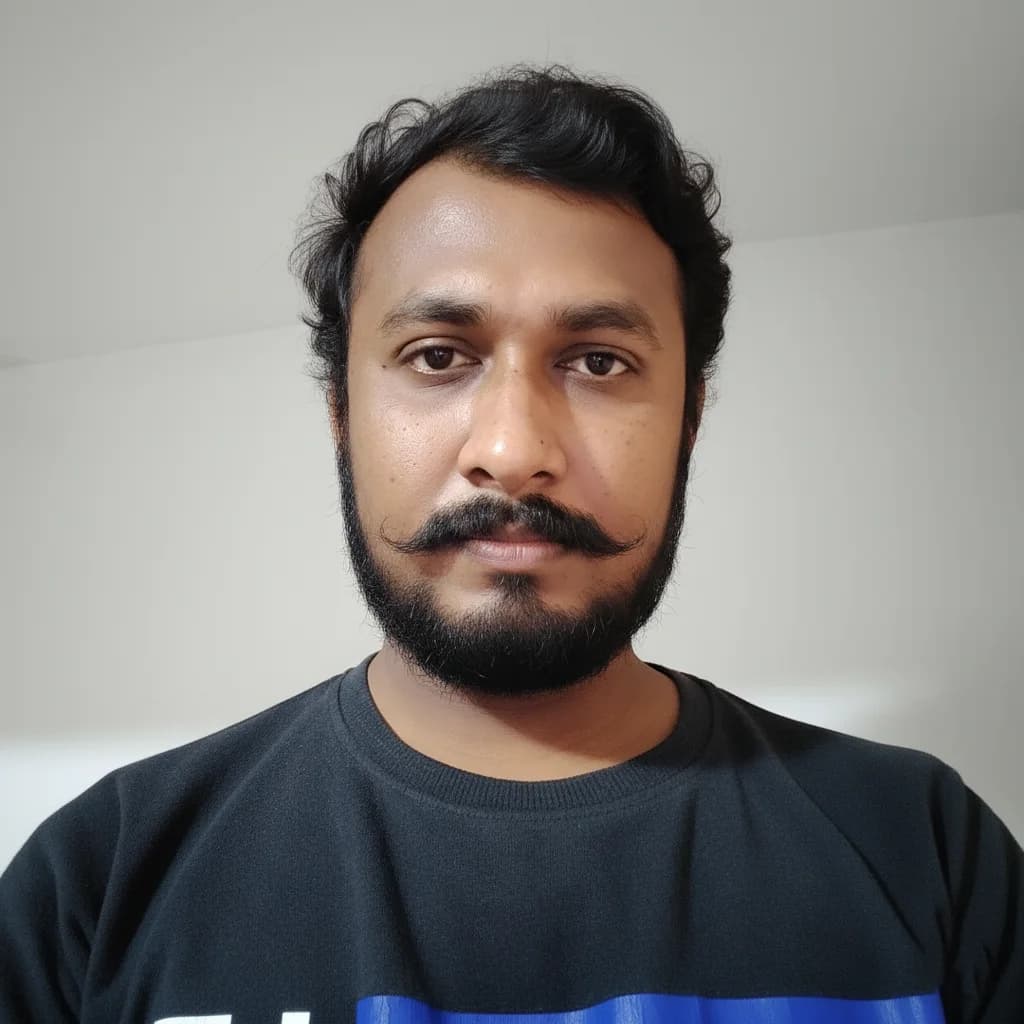
"Meet Vijay Chauhan, the founder of TypingTestTool with over 10+ years of web development experience. Discover how he engineered this platform to help millions master touch typing globally."