
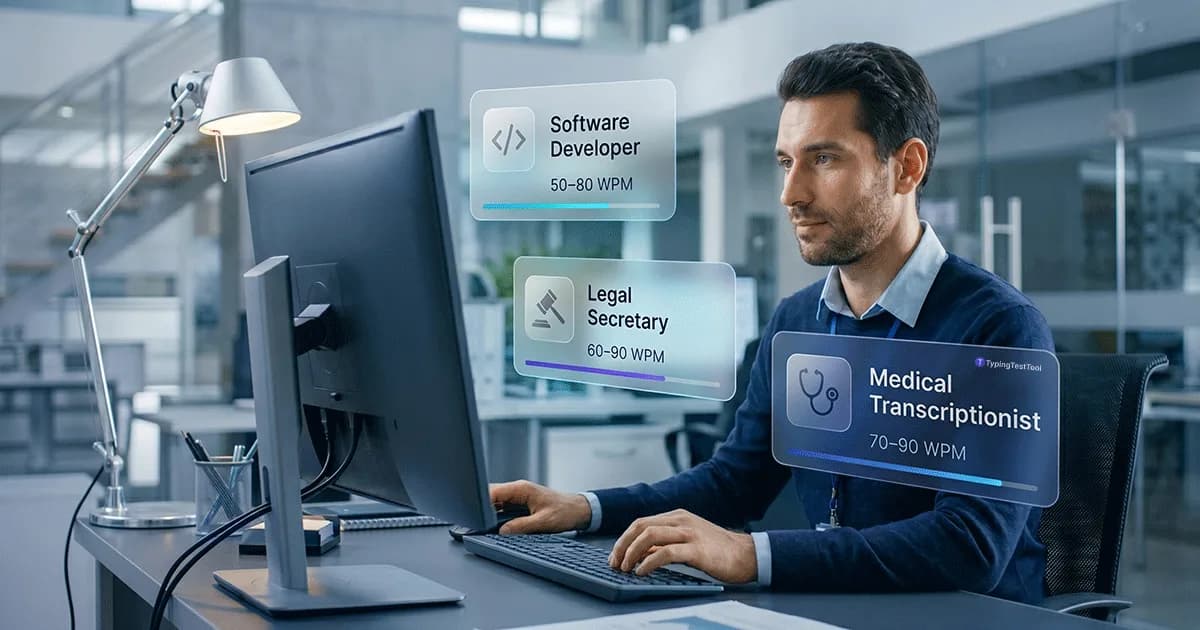
If you type 40 Words Per Minute (WPM), you're average. That's fine for most people, but it won't get you hired as a medical transcriptionist. Or a legal secretary. Or even a fast-paced customer support agent. Different jobs have vastly different requirements, and showing up to an interview without knowing your target WPM is a great way to get disqualified on the spot.
A typing test for a job interview isn't just a formality. If a law firm requires 75 WPM, they actually mean it. Below, I've broken down exactly what speeds employers look for across major industries, based on real job postings.
The Master Table: WPM Requirements by Role
Here are the minimum and competitive typing speeds across major industries. One quick note before you check your role: employers almost always test for Net WPM, not Gross WPM. That means every mistake you make actively drags your score down. Speed matters, but accuracy matters more.
| Profession / Role | Minimum WPM | Competitive WPM | Accuracy Req. |
|---|---|---|---|
| Office Admin / Clerical | 40 WPM | 55+ WPM | 95% |
| Data Entry Clerk | 50 WPM | 75+ WPM | 98-100% |
| Customer Service (Chat) | 45 WPM | 65+ WPM | 95% |
| Medical Transcription | 70 WPM | 90+ WPM | 99% |
| Legal Secretary | 65 WPM | 85+ WPM | 98% |
| Government / Civil Service | 40 WPM | 60+ WPM | 95% |
| Programmer / Developer | 50 WPM | 70+ WPM | N/A (Syntax focus) |
The Secret to Passing: Gross WPM vs. Net WPM
I see people fail employer typing tests all the time for the same reason: they type fast, but they type messy. Most free online tools show you your Gross WPM. That's just a raw measurement of how fast your fingers moved. Employers use Net WPM.
Net WPM takes your raw speed and subtracts your uncorrected errors. If you fly through a test at 70 WPM but leave 15 mistakes behind, your Net WPM drops to 55. If the job required 60 WPM, you just failed.
Before you walk into an interview, read our guide on Net WPM vs Gross WPM to ensure you are measuring your speed the way a recruiter will.
Data Entry & Customer Support
Data Entry Clerk
Data entry managers don't just want speed; they want perfection. You can get a baseline data entry job at 50 WPM, but the best applicants are pushing 75+ WPM with 99% accuracy.
Customer Service (Chat)
Live chat agents routinely juggle three or four angry customers at once. If you type slowly, your response times tank. The typing speed required for customer service usually starts at 45 WPM, but if you want to survive a busy shift, you really need to be hitting 60+ WPM.
Healthcare & Medical Transcription
Medical Transcriptionist
This is one of the hardest typing jobs out there. You have to listen to doctors speaking quickly, often using complex medical jargon, and type it out perfectly, usually while operating a foot pedal for audio playback.
The medical transcription typing speed requirement usually lands between 70 and 90 WPM. Because typos in medical records can literally harm patients, employers enforce strict 99% accuracy minimums.
Legal & Government Jobs
Legal Secretary
Law firms bury their staff in paperwork. The standard typing speed for a legal secretary sits around 65 to 80 WPM. Legal documents also rely heavily on strange formatting, Latin phrases, and excessive capitalization, so you need to be very comfortable reaching for the shift key and punctuation marks.
Government Roles
Government hiring moves slowly, and their testing procedures are rigid. The typical typing speed for a government job is 40 to 50 WPM. Exams like the SSC CGL in India have hard cutoffs. There is no talking your way out of a bad score here. If you miss the threshold by 1 WPM, your application is automatically tossed.
Tech & Programming Jobs
Does Typing Speed Matter for Programmers?
If you look at the Master Table, you'll notice developers only need around 50 to 70 WPM. This surprises people who assume hackers type at lightning speed.
In software development, your bottleneck is almost never how fast your fingers move; it's how fast your brain solves logic problems. Programmers spend 80% of their time reading code and 20% writing it. However, coding requires heavy use of symbols, brackets, and numbers. A programmer typing 50 WPM with perfect syntax and symbol accuracy is much faster than someone typing 100 WPM who constantly has to reach for the mouse to fix misplaced semicolons.
How Do Employers Test Your Typing Speed?
Before you sit down for the actual test, it's crucial to understand the environment. Professional typing employment tests differ significantly from casual online games.
- Standardized Software: Most companies use proprietary testing portals or specific B2B software (like Kenexa or CritiCall) which track keystroke dynamics to prevent cheating.
- Time Limits: You will rarely take a 1-minute test. Expect a gruelling 3-minute to 5-minute typing test to evaluate your sustained endurance.
- Negative Marking: Unlike casual tests that just ignore typos, employer tests use Net WPM (your gross speed minus your uncorrected errors). Making mistakes actively lowers your final score.
3 Tips to Pass a Professional Typing Employment Test
- Stop taking 1-minute tests: Employers almost never use them. If you want to know your real employment score, you need to practice with a 5-minute typing test to build stamina.
- Slow down to speed up: It sounds backwards, but slowing down usually increases your score. If you drop your raw speed by 10%, you'll stop making as many errors. Since Net WPM penalizes mistakes so heavily, a slow-and-steady approach beats a fast-and-messy one.
- Warm up first: Your fingers get cold. Spend 10 or 15 minutes warming up on a typing practice routine right before you open the official job assessment.
- Prepare for a weird keyboard: If you take the test in-person at an agency or office, you won't be using your comfortable mechanical keyboard or slim laptop. You will likely be handed a cheap, clunky membrane keyboard. Try practicing on different keyboards to build adaptability.
- Beware of disabled backspaces: Some strict employer tests actually disable the backspace key to force accuracy. Find a practice tool that allows you to simulate a "no-backspace" mode to see how you perform under pressure.
Frequently Asked Questions
Is 50 WPM good for a job?
Yes, 50 WPM is excellent for general office work, administration, and customer service. It shows you are highly competent with a keyboard and won't be slowed down by data entry tasks. However, it will fall short if you are applying for specialized roles like transcription or legal secretary.
Can I cheat on an online typing test for a job?
Not easily. Modern employer typing tests use proctoring software, disable copy-paste, and run behavioral analysis to check the consistency of your keystrokes. They are very good at detecting bots. If your test is unproctored, the employer will likely just re-test you during the in-person interview anyway.
What happens if I fail an employer typing test?
In roles where typing is the primary duty (like data entry), failing the test usually results in immediate disqualification. For general office roles, a slightly lower score might be overlooked if you possess other strong qualifications. It never hurts to ask if you can re-take the test.
Can I get a data entry job if I type 40 WPM?
While 40 WPM is considered average for general typing, it is usually not fast enough for dedicated data entry jobs. These roles typically require a minimum of 50 WPM and strongly prefer 60+ WPM with near perfect accuracy.
What is a certified typing test certificate?
A certified typing test certificate is an official document verifying your typing speed (WPM) and accuracy. It is often required by government agencies, staffing firms, and specialized corporate roles to prove your skills before an interview.

"Meet Vijay Chauhan, the founder of TypingTestTool with over 10+ years of web development experience. Discover how he engineered this platform to help millions master touch typing globally."