
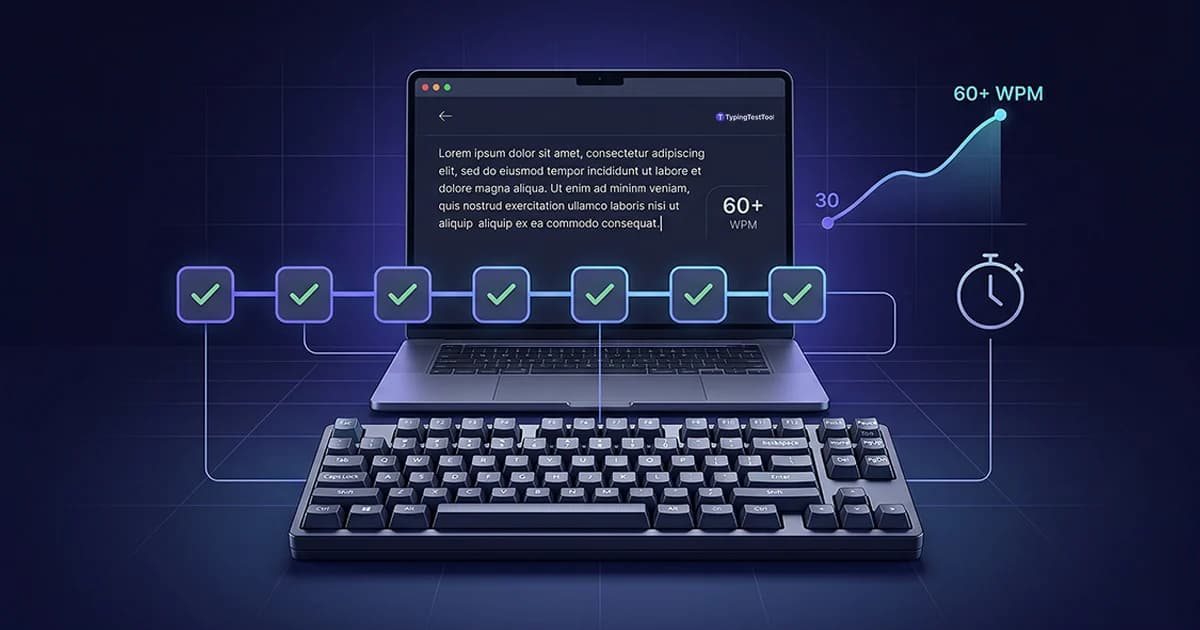
Most people open a typing test, type for one minute, check their score, and repeat. That is not how to practice typing. This guide gives you structured 5, 10, and 15 minute daily sessions that match your skill level and a five-day weekly routine that produces consistent WPM gains.
Quick Answer
- Session length by level: beginners 5 to 10 min, intermediate 15 min, advanced 20 min, five days per week.
- Weekly structure: Mon fundamentals, Tue speed drills, Wed accuracy, Thu paragraphs, Fri timed test.
- Progress timeline: most people gain 2 to 5 WPM per week. Going from 30 to 60 WPM takes 8 to 12 weeks.
- Core rule: accuracy before speed. Practicing at a speed where you make frequent errors trains those errors into muscle memory.
Typing Practice vs Typing Tests: Why the Difference Matters
A typing test is a snapshot. It shows your current speed under timed conditions. Typing practice is deliberate work aimed at raising that number.
The mistake most beginners make is repeating the same 1-minute test every day. If you type at your comfortable speed ten times in a row, you are measuring yourself, not improving. Your WPM stays flat because nothing is pushing against your current limit.
Testing has one role in this routine: one timed test on Friday to confirm whether the week's practice worked. The other four days are drills. If you are just starting out, a typing test for beginners will help you set your first baseline before following this schedule.
Only Testing
- Same test repeated every day
- No focus on weak keys or patterns
- Speed attempted before accuracy is stable
- No record of errors or weekly progress
Deliberate Practice
- Different session type each day
- Specific weak keys and patterns targeted
- Accuracy enforced before speed increases
- Weekly WPM logged to confirm progress
How Long to Practice Typing Each Day
Session length is less important than daily consistency. A 10-minute session every day outperforms a 60-minute session once a week because motor memory consolidates during sleep between sessions.
| Skill Level | Speed Range | Daily Session |
|---|---|---|
| Beginner | Under 30 WPM | 5 to 10 min |
| Intermediate | 30 to 60 WPM | 15 min |
| Advanced | 60 WPM and above | 20 min |
5 Minute Typing Practice: The Right Start for Beginners
A 5 minute typing practice session is enough to build muscle memory when you are just starting. The only goal at this stage is correct finger placement, not speed. Repeat home row keys (A S D F J K L ;) in patterns for 3 minutes, then copy 5 simple 4-letter words twice each.
After one consistent week of 5-minute daily sessions, increase to 10 minutes. Use Friday's session as your 5 minute typing test to record a baseline WPM. That single number is the only metric that matters this week.
10 Minute Typing Practice: The Intermediate Daily Session
At 30 WPM and above, split the 10 minute typing practice session into two phases: 7 minutes of targeted key drills on your two weakest keys, then 3 minutes of copying a real-world paragraph at a comfortable speed.
Do not push for speed during this session. The goal is accuracy above 95%. Speed follows accuracy automatically. If you have never learned proper finger positioning, pairing this routine with the method in how to learn touch typing will dramatically increase your WPM ceiling.
15 Minute Typing Practice: The Most Effective Session Length
Research on motor skill formation supports 15 minutes as the optimal daily practice length for intermediate learners. At this duration, you have time for three distinct phases: a 3-minute warm-up, an 8-minute drill on your specific weak patterns, and a 4-minute timed pass to measure the session's impact.
This is where progressive overload starts to matter. If 15 minutes of deliberate practice feels easy after three consecutive weeks, increase difficulty rather than time. Understanding net WPM vs gross WPM at this stage helps you track correction rate separately from raw speed.
Your Five-Day Typing Practice Schedule
Running the same session every day trains one component of typing and neglects the rest. This five-day plan mixes session types so speed, accuracy, and fluency develop together.
Beginner (5 to 10 min)
Home row drills only. Repeat A S D F J K L ; in patterns for 4 minutes, then type 10 simple 4-letter words twice each.
Intermediate (15 min)
Home row and top row combined. Type full sentences using only those two rows. Hold 95% accuracy throughout.
Advanced (20 min)
Full-row accuracy pass. Type a 3-minute paragraph at 10 WPM below your personal best. No errors allowed.
Beginner (5 to 10 min)
Not applicable yet. Replace with extra home row patterns or introduce the G and H keys for the first time.
Intermediate (15 min)
Six 30-second bursts at maximum comfortable speed. Rest 30 seconds between each. Log average WPM after all six.
Advanced (20 min)
Five 45-second maximum-effort bursts. Push 5 to 10 WPM above your current test average. Errors are allowed here.
Beginner (5 to 10 min)
Type each letter of the alphabet three times from memory, slowly. No peeking at the keyboard. Accuracy over everything.
Intermediate (15 min)
Find your two most common error keys from Monday. Use word lists that isolate those keys and drill them for 8 minutes.
Advanced (20 min)
One 5-minute session targeting 98% accuracy or higher at your current speed. If accuracy drops, slow by 5 WPM immediately.
Beginner (5 to 10 min)
Copy one short paragraph from any article. Type slowly, once through. No backspace allowed. Forward only.
Intermediate (15 min)
Copy two to three paragraphs of real content without using backspace. Keep flow and do not stop mid-word.
Advanced (20 min)
Type 200 to 300 words of varied real-world content. Shift between sentence types, punctuation, and numbers.
Beginner (5 to 10 min)
Take one timed typing test. Record your WPM and accuracy. That number is your Week 1 baseline to beat next Friday.
Intermediate (15 min)
Take two timed tests. Record the average. Compare to last Friday. Note which keys caused the most errors this week.
Advanced (20 min)
Take three timed tests at your target WPM. Average the results. Use the error pattern to plan next week's drill focus.
Saturday and Sunday are rest days. Motor memory consolidates during sleep. Two days off is not a break from progress. It is part of how motor skills form. A five-day week with two rest days consistently outperforms seven-day training over any period longer than three weeks.
Progressive Overload for Typing Improvement
Progressive overload is the principle behind athletic training: steadily increase the challenge so your body keeps adapting. Practicing at the same speed and difficulty every week stops producing growth.
When Tuesday speed drills feel comfortable, the session is no longer a challenge. Growth requires the difficulty to stay slightly ahead of your current ability.
How to Increase Difficulty Each Week
- Raise target WPM by 2 to 3 each week. When your sprint WPM stays consistent for two weeks, increase the target. Small increments beat large jumps and cause fewer accuracy collapses.
- Shorten rest periods on sprint Tuesdays. Start with 30 seconds of rest between bursts. Drop to 20 seconds when that becomes easy, then to 15.
- Rotate word sets every week. Typing the same word list repeatedly stops challenging your muscle memory. New words introduce key combinations your fingers have not automated yet.
- Raise accuracy target before speed target. If you hit 95% this week, aim for 96% next week before increasing speed. Accuracy gains produce speed gains. The reverse does not hold.
- Add punctuation and numbers progressively. Once letter accuracy is solid, introduce sentences with commas, periods, and numbers. These are frequently skipped in practice and often become the bottleneck at higher speeds.
Signs Your Typing Practice Is Working
Progress in typing is not always obvious session by session. These are reliable indicators that the routine is producing real improvement.
| Sign |
|---|
| Friday WPM rises 2 to 5 per week |
| Common words feel automatic |
| Accuracy holds above 95% at practice speed |
| Speed sprints feel less uncomfortable |
| Errors shift from common to uncommon words |
Common Typing Practice Mistakes and How to Fix Them
Not all practice time produces improvement. These patterns stall progress without giving obvious feedback that something has gone wrong.
Mistakes and Fixes
- WPM unchanged after two weeks. Change the session type. If you only take speed tests, switch to accuracy drills for three days. Plateaus signal the current session has stopped being a challenge.
- Still glancing at the keyboard. Cover your hands with a cloth during the full session. One week of forced eyes-up typing fixes this faster than months of trying to remember not to look.
- Same errors appearing week after week. Your drills are not targeting those specific keys. Build word lists that isolate exactly the keys you miss most. If you consistently miss B, spend one full session on words starting with B.
- Finger fatigue within 5 minutes. Check your wrist position. Keep wrists floating slightly above the desk surface, not resting flat against it.
- Taking long tests instead of short drills. A 5-minute timed test records your score. It does not teach your fingers anything new. Replace at least three of five weekly sessions with targeted drills.
For speed-specific technique improvements, the guide on how to improve typing speed covers the most effective methods in detail.
Put this routine into action today
Start with a free timed test to set your Week 1 WPM baseline, then follow Monday's schedule tomorrow.
Frequently Asked Questions
How long should I practice typing each day?
10 minutes daily is enough for beginners building muscle memory. Intermediate typists at 30 to 60 WPM benefit most from 15-minute sessions. At 60 WPM and above, 20 minutes with varied session types produces the fastest gains. Daily short sessions consistently outperform long weekly sessions.
Is a 5 minute typing practice session enough?
Yes, for beginners. A focused 5-minute session on correct finger placement builds muscle memory faster than random typing. After one consistent week, move to 10 minutes. Speed gains come from daily consistency over weeks, not from the duration of a single session.
What is the best typing practice routine?
The best routine is a five-day plan with a different session type each day: Monday fundamentals, Tuesday speed drills, Wednesday accuracy training, Thursday paragraph typing, and Friday timed test. Session length should match your level: 5 to 10 minutes for beginners, 15 for intermediate, and 20 for advanced typists. Take weekends off.
What is the difference between typing practice and a typing test?
A typing test measures your current speed. Typing practice is deliberate work designed to change it. Most people repeat tests and wonder why they do not improve. Practice means drills, targeted repetition of weak patterns, and structured sessions, not repeated measurement.
How do I know if my typing practice is working?
Three reliable signs show real progress: your Friday test WPM rises by 2 to 3 each week, your accuracy during drills holds above 95% consistently, and common words start to feel automatic rather than deliberate. If none of these apply after two weeks, the session structure needs to change.
Should I practice typing every day or take rest days?
A five-day week with Saturday and Sunday off consistently outperforms seven-day training. Motor skills consolidate during sleep and rest. Two days off per week is not lost time. It is part of how muscle memory develops.

"Meet Vijay Chauhan, the founder of TypingTestTool with over 10+ years of web development experience. Discover how he engineered this platform to help millions master touch typing globally."